Buy anything from 5,000+ international stores. One checkout price. No surprise fees. Join 2M+ shoppers on Desertcart.
Desertcart purchases this item on your behalf and handles shipping, customs, and support to KUWAIT.
🚀 Elevate Your Workstation with Thunderbolt Power!
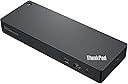
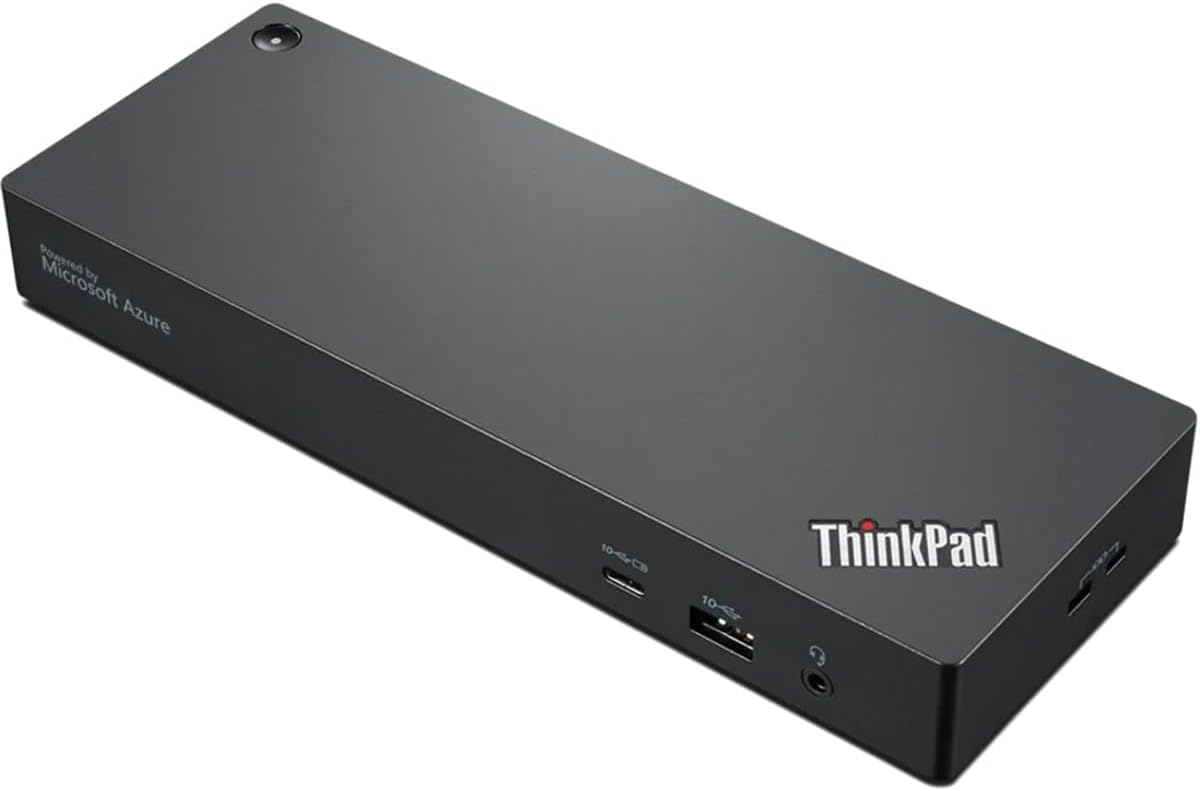
The Lenovo ThinkPad Universal Thunderbolt 4 Smart Dock is a versatile docking solution designed for professionals seeking to enhance their productivity. Weighing just 2.8 pounds and featuring a compact design, it offers seamless connectivity for multiple devices, making it the perfect addition to any workspace.
| ASIN | B09ZVGYCM5 |
| Best Sellers Rank | #30,201 in Computers & Accessories ( See Top 100 in Computers & Accessories ) #1,249 in Laptop Docking Stations |
| Brand | Lenovo |
| Built-In Media | 1 x Power Cable, 135W Adapter, Standard Thunderbolt Cable, ThinkPad Universal Thunderbolt 4 Smart Dock |
| Color | Black |
| Compatible Devices | Notebook/Desktop PC |
| Customer Reviews | 3.9 out of 5 stars 11 Reviews |
| Hardware Interface | DisplayPort, Ethernet, HDMI, Thunderbolt, USB, USB Docking Station, Unknown |
| Item Dimensions L x W x H | 10.83"L x 6.5"W x 3"H |
| Item Type Name | Docking Station |
| Item Weight | 2.8 Pounds |
| Manufacturer | Lenovo Group Limited |
| Mfr Part Number | 40B10135US |
| Minimum Required Operating System Version | Mac OS 12 Monterey, Windows 11 |
| Model Number | 40B10135US |
| Number of Ports | 5 |
| Product Dimensions | 10.83"L x 6.5"W x 3"H |
| Total Number of HDMI Ports | 2 |
| Total USB Ports | 5 |
| Total Usb Ports | 5 |
| UPC | 195348677332 |
| Unit Count | 1.0 Count |
| Warranty Description | 3 year Manufacturer |
| Wattage | 100 |
S**L
Seamless connectivity—true plug-and-play for power users
This Thunderbolt 4 dock is everything I needed to simplify my desk setup. Instantly connects my dual monitors, Ethernet, audio, and peripherals with a single cable to my ThinkPad—no glitches, no lag. The power delivery is strong enough to keep my laptop charged while running full workloads. Build quality feels premium, and I like that it supports future devices too. Setup was truly plug-and-play, even with Windows updates. If you’re running a serious workstation, this dock is worth every penny. The one downside is that when I plug my ethernet cable into the Thunderbolt, it reduces the internet speed. It is only noticeable when I am on a zoom call. I now plug the ethernet cable directly into my computer.
T**)
Abysmal Performance. Avoid This One...
Update 1-30-24: The dock has been disconnecting without warning a USB headset stand, which both feeds sound and power from my Bose headset. The dock did this yesterday right before an important business meeting. It has done this before. I reached behind the dock, disconnected the headset stand USB cable, and then reconnected it. Just now I telephoned Lenovo's laughable Premier Support and explained what was going on. The putative tech reaffirmed all of the contact information Lenovo had for me, took the serial number of the dock, and put me on hold. Then the call not-so-mysteriously dropped. This is one of Lenovo's default behaviors when it doesn't have a solution to the needs of either the dock or the ThinkPad. September 2022: Using Lenovo's own tech recommendations and support, this ThinkPad Universal Thunderbolt 4 Smart Dock dock was connected to a *new* ThinkPad. I've had lots of problems with it. The displays sometimes freeze and I can't log in. And from a cold start to working displays takes 4 to 5 minutes, when it actually works without incident. Today when I came back to my desk after being away from several hours, only one of the two displays present were working. The machine had to be rebooted so the dock would show the second display. The only reason I’ll keep it and try and work with it is because Lenovo won’t have any excuses to try and point to another company’s dock as a source of any problems.
B**.
Awesome
Works really well!!
C**S
Great for business deployment!
I believe the other reviewers are not understanding the purpose of the Smart Dock. They should have picked up Lenovo's standard Thunderbolt 4 Universal Dock instead (which has also been perfect operationally for over 100 end users under our management). We have had zero issues with the Smart Dock while deploying internally or across clients. The Smart Dock is designed to be used with Lenovo's deployment software and Smart Dock Console which ties the devices to Microsoft's IoT solution (which is why they say Microsoft Azure on the front). Not only can we pre-provision docks with misc controls for offices and home users, we can manage each client's dock ecosystem in the cloud as well. This means verifying updates and connectivity checks across all docks at once vs having to manually update each one via a cable connection. The Smart Dock also has built in WiFi which is a nice addition to make sure the dock can call home. We only use a separate IoT wireless network for these and do not put them on the primary VLAN(s). Our only concern so far has been the lack of firmware updates being released (the Universal TB4 has had quite a few since release), and the portal went down one time while were in the middle of a deployment. Neither of these have affected the operation of the docks. For calrity as well, most users run their laptop with two additional screens without issue. Our entire team have 38in ultrawide monitors (3840 x 1600) next to LG Dual Ups (2560 x 2880) without a single video issue. Video calls are also not a problem. Cannot recommend enough for IT departments or teams looking to centralize docks.
P**.
Low wattage
Doesnt pump out enough wattage to consistently perform. Just big branding. I went with a Targus docking station. More money but but works.
R**T
Not fit for purpose.
I bought this to use a ThinkPad P16 as a desktop replacement. I had a bunch of various USB Dongles and connections to replicate from my prior desktop. Connections included: Wireless Keyboard. Monitor & USB Passthrough. Wireless Mouse. Xbox Controller. Creative Labs SXFI (7.1 Surround). External Storage Drive. It took some time and a firmware upgrade to get Video working through the dock. Storage worked ok. No complaints there. Since the dock didn't have enough USB connections I was using the USB passthrough on the monitor. That caused me some issues. I haven't had the issues since plugging the Keyboard and Mouse dongles directly into the laptop. That said I can't rule out the monitor as the issue. The controller dongle worked fine. The dealbreaker was the sound and video. Video supported is a subset of what the GPU and Monitor can do. Not ideal but functional. However it would cause my monitor to glitch out. At times to play a game I had to disconnect from the dock entirely and just play on native laptop monitor. It wouldn't always do this but when it did, often it would repeat to the point of frustration. Directly plugging the monitor into the laptops Thunderbolt 4 port solved the issues. I was using the display port on the Dock. The laptop direct set up has a USB C to DisplayPort cable. I have a 7.1 Surround headset and the laptop doesn't have the audio jacks to support it, so I got the Creative SXFI solution for that. The advantage is supposed to be better sound as the onboard sound can get interference from the motherboard. Nothing doing. I was getting interference being plugged into the Dock. The reason for a Thunderbolt 4 Dock is more robust performance and capability than a USB C dock. Video especially. This dock failed in that department. I'm removed the dock, plugged in a USB C dock to deal with the lack of USB ports and everything works fine now. The price though was I went from using one Thunderbolt 4 port when "docked" to my system using every free port. I had to give up my dongle for the controller and use Bluetooth. But working is better than not working.
Trustpilot
1 month ago
3 weeks ago