We remain fully operational. Our teams are working around the clock to ensure your deliveries continue safely.

قم بتنزيل التطبيق


معلومات عنا
حقوق الطبع والنشر © 2024 Desertcart Holdings Limited
قم بتنزيل التطبيق
Buy anything from 5,000+ international stores. One checkout price. No surprise fees. Join 2M+ shoppers on Desertcart.
Desertcart purchases this item on your behalf and handles shipping, customs, and support to KUWAIT.
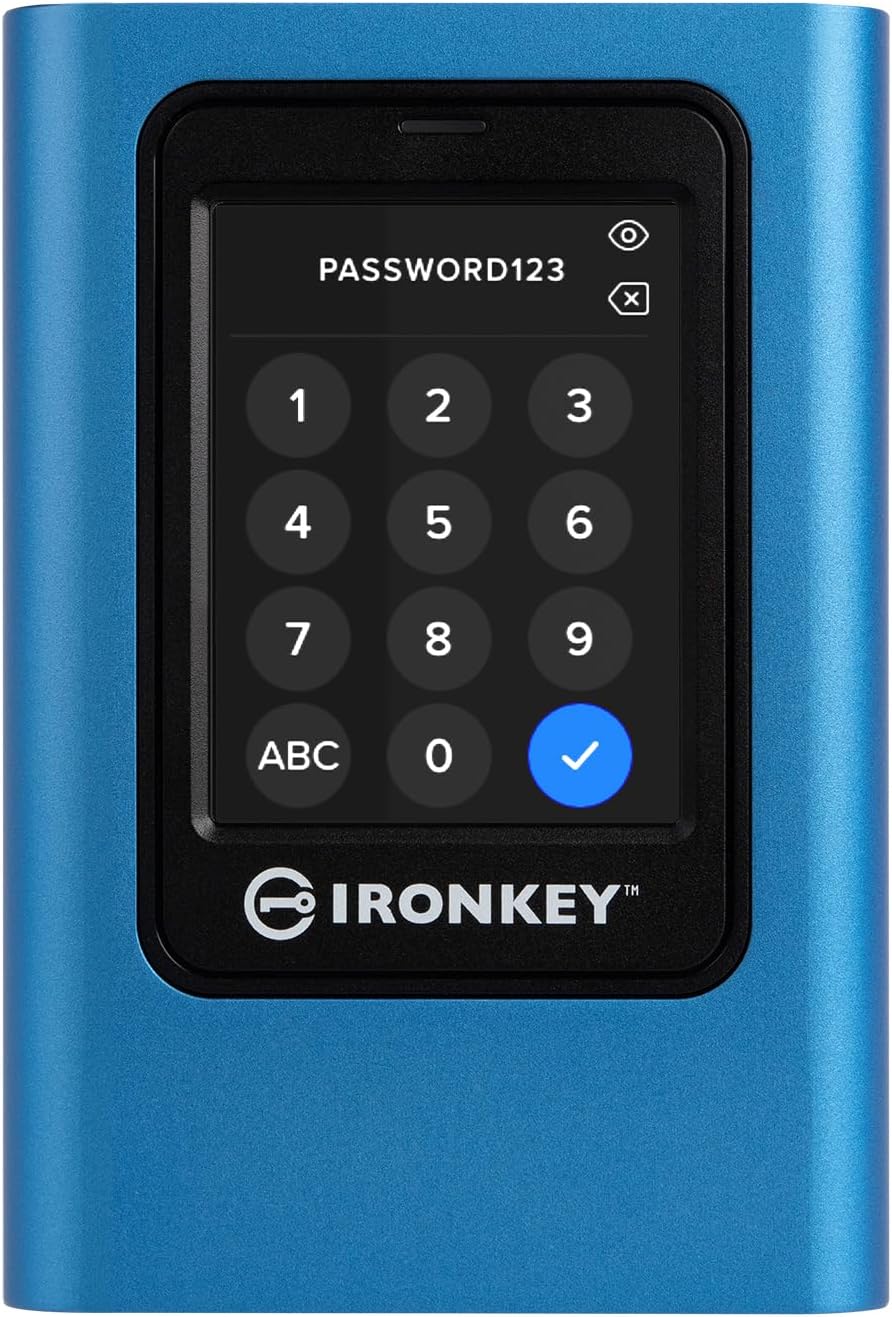
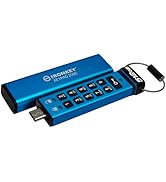
🔐 Secure your digital life with the IronKey Vault Privacy 80 — where cutting-edge encryption meets sleek touchscreen control.
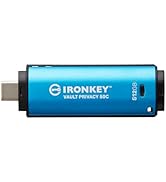
The Kingston IronKey Vault Privacy 80 is a 1.92TB external SSD designed for professionals demanding top-tier data security. Featuring FIPS 197 certified XTS-AES 256-bit hardware encryption, a user-friendly touchscreen PIN interface, and multi-password options, it safeguards data against brute force and malware attacks. With USB 3.2 Gen 1 connectivity delivering up to 250MB/s read speeds, it balances robust protection with reliable performance across Windows, Mac, Linux, and iPadOS platforms. Its durable build and configurable security settings make it the go-to encrypted SSD for the security-conscious professional.











| ASIN | B0B1W53S3X |
| Additional Features | Not_Performance_Used |
| Best Sellers Rank | #142 in External Solid State Drives |
| Brand | Kingston |
| Built-In Media | external solid state drive, neoprene travel case, USB 3.2 Gen 1 C-to-C cable, USB 3.2 Gen 1 C-to-A cable |
| Cache Memory Installed Size | 256 |
| Color | Black |
| Compatible Devices | Desktop |
| Connectivity Technology | USB |
| Customer Reviews | 4.3 4.3 out of 5 stars (80) |
| Data Transfer Rate | 250 Megabytes Per Second |
| Digital Storage Capacity | 1920 GB |
| Enclosure Material | Nand Flash |
| Form Factor | 2.5-inch |
| Global Trade Identification Number | 00740617328424 |
| Hard Disk Description | Solid State Drive |
| Hard Disk Form Factor | 2.5 Inches |
| Hard Disk Interface | USB 1.1 |
| Hard-Drive Size | 1920 GB |
| Hardware Connectivity | USB 3.2 Gen 1 |
| Installation Type | External Hard Drive |
| Item Dimensions L x W x Thickness | 4.82"L x 3.32"W x 0.73"Th |
| Item Weight | 289.5 Grams |
| Manufacturer | Kingston Digital, Inc. |
| Media Speed | 250MB/s |
| Model Name | IKVP80ES |
| Model Number | IKVP80ES/1920G |
| Number of Items | 1 |
| Read Speed | 250 Megabytes Per Second |
| Specific Uses For Product | Business, Multimedia, Personal |
| UPC | 740617328424 |
| Unit Count | 1.0 Count |
| Warranty Description | Limited 3 year |
E**S
Works fine, despite negative reviews
I've bought one Kingston IronKey Vault Privacy 80 and one DataLocker DL4 Encrypt Disks. They seem to share software/firmware as the features are basically the same, while menus and operations are exactly the same. The only differences I could notice are SafeConsole and support for symbols on DataLocker drive (Kingston Ironkey does not allow for symbols on password). Which comes as no surprise as the IronKey seems to target end-users while DataLocker is Enterprise-driven. Other than that, and casing, the drivers are very very similar. I've seen some negative reviews on Kingston due to frequent disconnections. Well, it's not caused by the drive but Windows energy management on notebooks. It does not happen on PCs (yes, I've tested it). Nor on Linux or Mac. That's why most negative reviews seem to be about using the drive on Windows while many positive reviews come from Mac/Linux users. The User Guide does mention steps to prevent it, but for Windows 10. No mention to Windows 11. Turns out, the solution is simple and mentioned in the User Guide. Credit to EmbeddedFlyer's review for pointing me to the right direction. Despite the fact it does not mention Win11, the same steps on page 10, under "Disabling Windows Power Save", will work on Win11 and fix the frequent disconnection issues. It worked for me. I've let the drive with no activity for 30min and no disconnection. Should Kingston Support read this, I'd suggest you to update the User Guide and create a KBA/FAQ article to explicitly tell users how to fix it on Windows 11. It's something simple, but as per negative reviews, it's hurting the product reputation. One more thing to mention is performance. One should not expect the drive to achieve native SSD speeds. For a simple reason: it's an encrypted drive. The encryption/decryption process requires processing, which means the drive will perform additional (and cpu intensive) tasks that a regular drive won't. Some could say "use a better processor"... Well, true. But there would be trade-offs: higher price, higher energy consumption (which could froce the manufacturer to add external source) and heat generation. So it's about balancing requirements, features and performance. And I'd say Kingston has a good product.
M**G
Exactly what I was looking for in a secure drive solution
This unit will provide a very high level of storage security, no matter which drive capacity is purchased. There are many aspects which I really like, and only a few minor negatives. Physical size of the drive is somewhat larger and heavier than one would expect, but I think this may be due to the durable shell of the unit, and the amount of electronics inside the shell. The drive was not exactly "plug and play" at first setup. However, it was easy to change the setup step to initialize the drive, making it visible in Device Manager; and also, to switch off the power save option for external drives in Windows 10 Drive Manager. (I observed that a few the 1-star comment ratings could likely have been avoided if Device Manager settings had been correctly set). A BIG positive was the multitude of available user modifications to the drive's default operational settings. For example, I changed the default number from 15 to 5 on failed password attempts which will wipe the drive. The documented speed of the drive is not fast as compared to certain others, but this is unavoidable due to the complexity of encryption. I tested replay of a few video clips using VLC app, and noted zero playback speed issues. Speed of navigating stored files on the drive was fully acceptable. (This is not a slow drive). Related: The drive performed without noise, there is no spinning disk. I formatted the drive to exFAT, and validated compatibility with both Windows 10 and also OS 18.5 for iPad. Overall value for the money is excellent, in terms of the security this provides. Great warranty also.
H**A
hardware encrypted external SSD
One of the only hardware encrypted ssd's that has other features i like, like touch screen data protection and the screen always re-organizes each time I turn it on so the numbers or letters are never in the same order. I think this is good protection of your files if your traveling because the ssd will erase after two many brute force attacks. Like anything that is secure one day someone will create a hack for it but for average people this works great as its security is all inclusive with hardware. May not be for everyone especially if you need a really fast drive to edit large video files on but you can still edit video off of it. Do your research to determine if this will work for you.
C**N
Fonctionne parfaitement, mais obligation d'utiliser un stylet non fourni si on veut entrer un mot de passe rapidement dans erreur de frappe, j'apprécie la sécurité haute performance et la destruction immèdiate des données en cas de tentatives d'intrusion. Point négatif prix un peu élevé !
W**Y
Ótima opção para dados com sigilo. O preço porém é alto para os padrões brasileiros
H**A
Gutes Teil.
L**G
The Product did not work out of the box, customer service was useless, don't even know their product I finally got it working with the help of a techno .
S**.
I bought this to back up my Google Drive. It does what it's supposed to and I can complete a 40gb backup in a matter of four to five minutes. The serious limitation with this product is the horrible response of the touch screen. It's an old style non-capacitive touch screen that responds to pressure rather than capacitance, something I haven't seen in many years. It works fine if you're using a stylus, which I happen to have on my Samsung Ultra, but if you're using your fingers, no matter how many times you calibrate this thing it's a pain in the neck to enter the code each time you connect it. That should not be the case. The things that I do like about it, is that you connected to pretty much any OS/PC/phone, and the only thing that you need to do, is enter your code on connection. No software required at all on any platform, to secure your data. Other encrypted / secure SSDs require you to run software on the host platform, which for me, defeats the whole purpose of a device like this. Still on the fence as to whether I want to keep it or not, as most of the other ones that I have read about, have much more serious limitations than this. I guess I would consider it to be the best of the worst in terms of its functionality. It's not very fast as an SSD, albeit that wouldn't be the reason for me on its own are we doing to feel the way I do about the product. I think I would prefer something with a hard keypad and just straight buttons that responds properly to user input, but the other ironkey products from Kingston just don't have the storage capacity of this guy.
ترست بايلوت
منذ شهرين
منذ أسبوع