We remain fully operational. Our teams are working around the clock to ensure your deliveries continue safely.

قم بتنزيل التطبيق


معلومات عنا
حقوق الطبع والنشر © 2024 Desertcart Holdings Limited
قم بتنزيل التطبيق
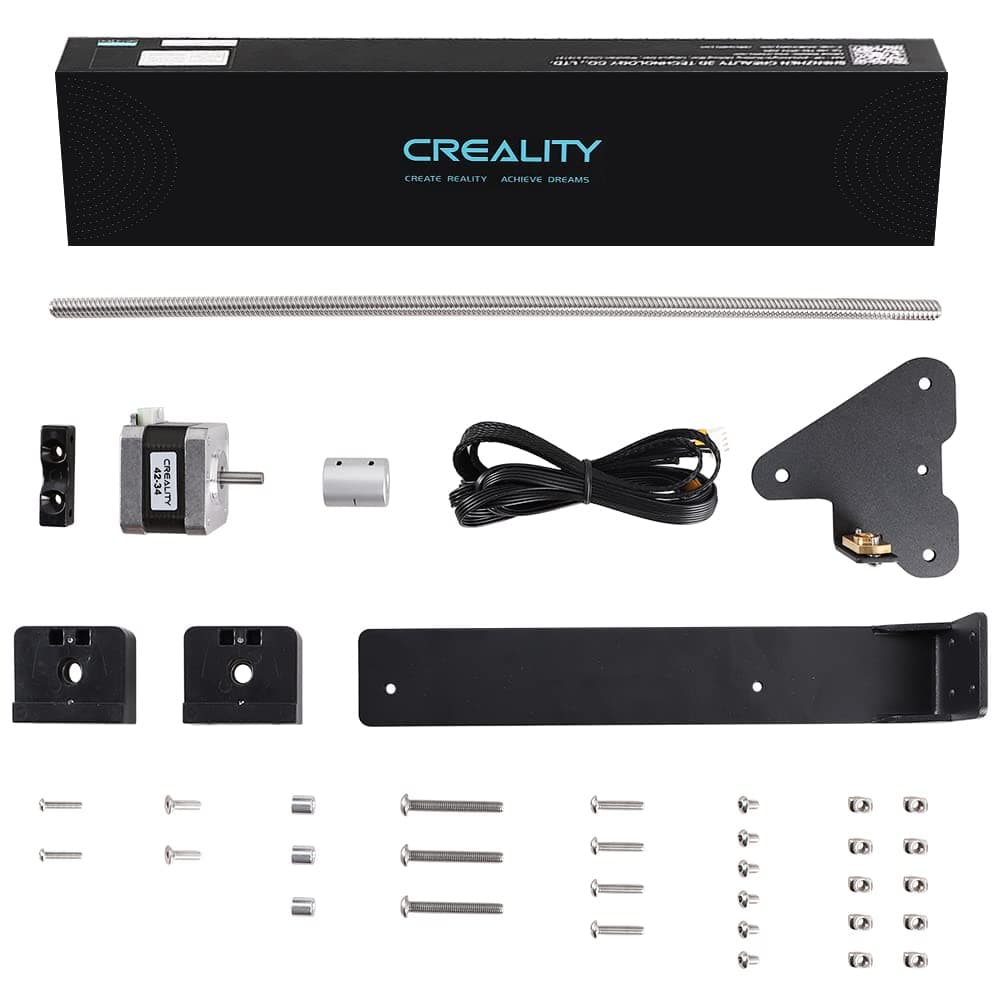
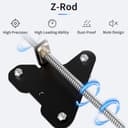
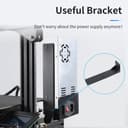
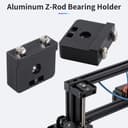
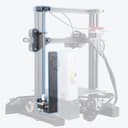
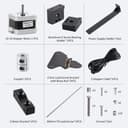
🚀 Elevate Your 3D Printing Game!
The Creality 3D Official Ender 3 Dual Z-axis Upgrade Kit enhances your 3D printing capabilities by providing increased accuracy, stable performance, and easy leveling. Compatible with Ender 3, Ender 3 Pro, and Ender 3 V2, this upgrade kit ensures a smoother printing experience while offering reliable after-sales support.


| ASIN | B0B467SP19 |
| Best Sellers Rank | #419,216 in Industrial & Scientific ( See Top 100 in Industrial & Scientific ) #6,467 in 3D Printer Accessories |
| Customer Reviews | 4.6 4.6 out of 5 stars (184) |
| Date First Available | June 15, 2022 |
| Item Weight | 2.05 pounds |
| Item model number | Dual Z Kit-Ender 3 |
| Manufacturer | Creality 3D |
| Product Dimensions | 15.35 x 4.33 x 2.36 inches |
J**W
Overall Good, But Not a Perfect Solution
I've done very little upgrading on my Ender 3 printers. I've printed most of the upgrades. The Ender 3, generally, is fine out of the box. That said, I don't tinker with my printers much because they've been working fine for years. Why did I decided to upgrade with this Z axis upgrade kit? Did it solve my problems? I upgraded because, for the first time, I printed something that was over 150mm high (Z axis). When the print is finished, the X rail is left at 150mm so you can remove the print. After I removed the print (which was successful), I lowered the X rail by auto-homing. It was then that I noticed that over about 125mm the right side was "shimmying" down while the left side (the side with the one Z axis lead screw) was completely smooth. It bothered me. I tried tightening up the wheels on the right Z rail. It still shimmied. So, for my purposes, this upgrade solves my problem. The shimmy is gone. But, if you're buying this hoping your bed tramming will stay true this probably isn't what you're looking for by itself. Both Z motors spin independently if the stepper motors aren't locked. So one side can (and often will) be lower/higher than the other. For the specific function of this upgrade, it's 5 stars. Print quality did improve on very tall objects. It didn't change at all on smaller ones. It is relatively easy to install. But, I gave 3 stars for stability so that people understand that it's not a defect of the product. You should set your expectations accordingly.
A**N
Helped solve several print issues I was having
Why Creality didn't add these to the Ender 3 V2 stock makes no sense to me, the sag on my z axis on tall prints was causing numerous failed prints and misaligned layers. This is a fairly simple install with the tools that came with your printer. I advise finding a youtube video and following along as they install one as there are a few steps that can be confusing just reading the written instructions. Since installing this I have solved all of my issues I was experiencing. This is a must have add-on for the single z axis ender 3d pritners.
A**L
Nice kit, but had one misaligned hole.
The PSU mounting bracket had the holes drilled about 1/16" off. If I didn't have a Dremel, I would not have been able to fix it. The screw actually caught, but they would have cross-threaded if I ran it in. The instructions are not very good. The bearing blocks go into the top cross-rail, not the vertical z-axis rails. But the instructions do not make that clear. You will figure that out because while they might look like they go into the vertical rail, the spacing is wrong. My first reaction was that they sent the wrong part.
R**H
Great upgrade for the price
This was not the easiest to install, and I'm no stranger to hand tools. Bring some patience. Other than that, this is a great upgrade. When attached to a dual Z motor board {i.e. BTT SKR mini 3 v3}, there isn't any flex, wobble, or droop issues. I mainly bought this to go with a direct drive extruder, so the added weight would not cause issues on the Z axis. This kit also comes with supports for the top of the Z axis rods on both sides. I haven't run this through the ringer yet, but so far, very happy with the purchase. Note: This dual Z motor upgrade/application costs less than the single Z motor belt driven upgrade. Also, the supplied Z motor cable can attach to two motors, in case you have a single Z motor board.
B**N
Exactly what it says it is
Pretty straight installation with help from a few YouTube videos. Everything you need for the install is included. Only issue I had ran into, was that if you put the nut that holds the rod onto the stepper motor down all the way it will bind. You have to leave a small gap when tightening it down. Otherwise wasn't too bad.
B**E
Works with Anycubic Kobra NEO
I used the stepper motor, coupler, leadscrew, leadnut-mount, and wiring harness. Removed old z axis wires and replaced with new. The two middle wires that go to the original z stepper motor needed to be switched. Just lift the tabs in the wiring connector and slide out and reinstall in corrected orientation. Leave the connector for the Kobra stepper alone. Everything lined up perfect. Couldn’t use the z axis stabilizers, but you can see it works great on the video. I used white lithium grease to lube the leadscrew.
T**Y
A great upgrade for any ender 3 series
Just turned out to be a great uptick grade for a creality ender 3 . When printing lithophane boxes before the upgrade I would be off by 1 mm currently all Prince have been spot on after the upgrade. This is an absolute must for direct drive system
R**“
Might make a difference
Not the easiest thing to install, but if you set correctly and do a bit of gcode might be worthwhile.
ترست بايلوت
منذ أسبوعين
منذ شهر