We remain fully operational. Our teams are working around the clock to ensure your deliveries continue safely.

قم بتنزيل التطبيق


معلومات عنا
حقوق الطبع والنشر © 2024 Desertcart Holdings Limited
قم بتنزيل التطبيق
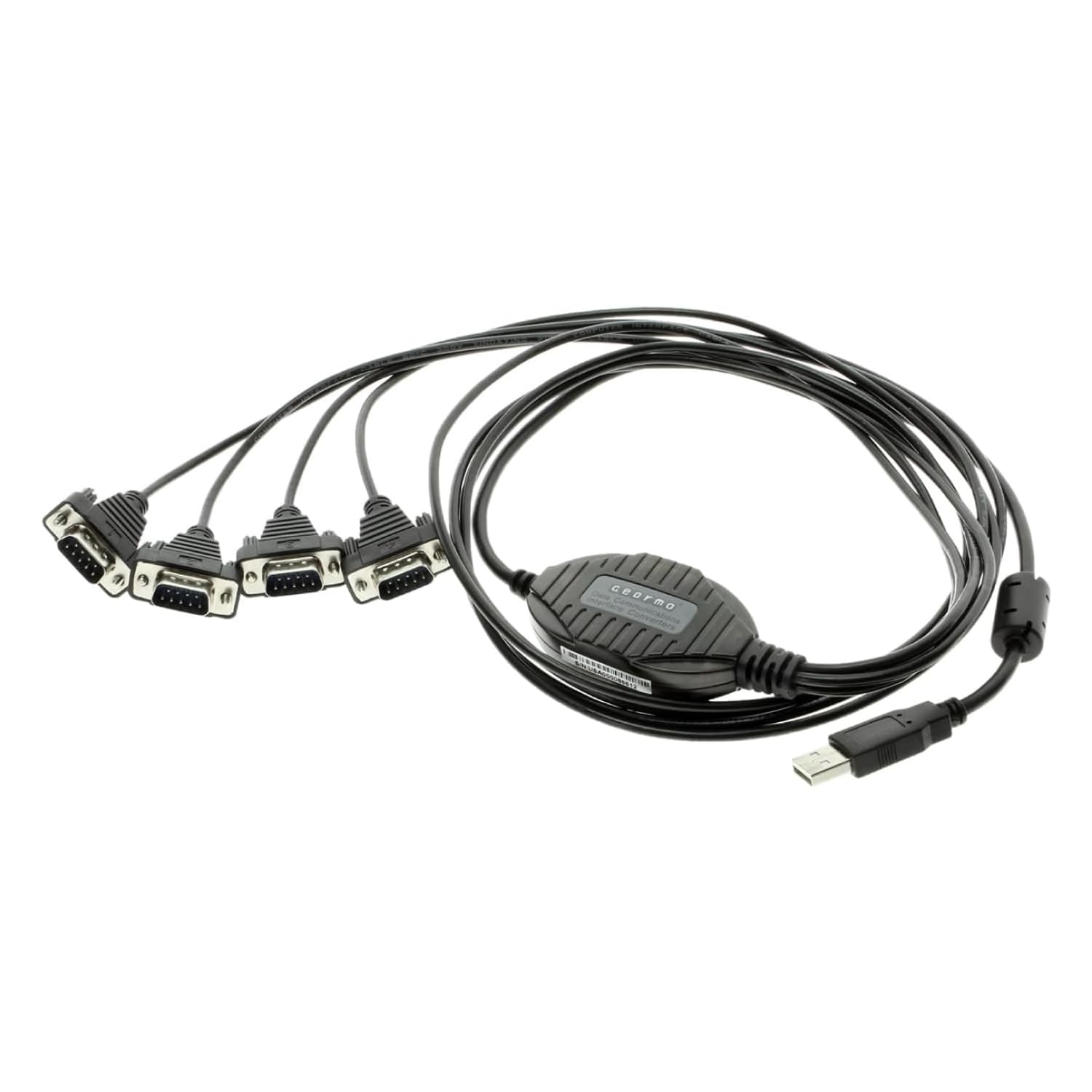
🔗 Legacy Tech, Modern Speed — Stay Connected, Stay Ahead!
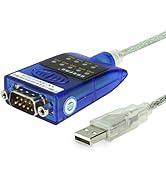
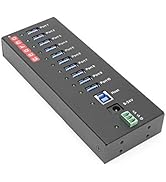
The Gearmo 4 Port USB to RS232 Serial Adapter leverages a reliable FTDI chipset to connect up to four RS232 devices via a single USB port. It offers plug-and-play compatibility across Windows, macOS, and Linux, supports high-speed data rates up to 921,600 bps, and features industrial-grade shielding with ESD and surge protection. Ideal for professionals managing legacy equipment, it ensures stable, hassle-free serial communication with real-time LED status indicators and rugged build quality for demanding environments.









| ASIN | B004ETDC8K |
| Best Sellers Rank | #184 in Serial Adapters |
| Brand | Gearmo |
| Color | Black |
| Customer Reviews | 4.5 4.5 out of 5 stars (222) |
| Date First Available | December 2, 2010 |
| Is Discontinued By Manufacturer | No |
| Item Dimensions LxWxH | 36 x 1.5 x 0.5 inches |
| Item Weight | 6.2 ounces |
| Item model number | USA-FTDI4X |
| Manufacturer | Gearmo |
| Product Dimensions | 36 x 1.5 x 0.5 inches |
S**E
Reliable Connection for Legacy Devices
I needed to connect multiple RS232 devices to my laptop, and this adapter works well. The drivers installed quickly, and data transfer is stable. It does get a bit warm after long sessions, but overall, it’s a solid and dependable solution for older equipment. Very good value for the money, very stable conenction, windows preserves COM port numbers when you change the USB port (Persistent COM ports), the cable lenght is short but you can use an extension. Very easy to use.
M**I
Great product!!!!
I recently purchased two Gearmo 4 Port USB to Serial RS232 Adapters to set up a console server for managing my Cisco network lab, and I must say, I'm absolutely thrilled with their performance! These adapters are connected to a single Raspberry Pi 4, and the setup was a breeze. The installation process was straightforward, and I encountered no issues getting them up and running. What impresses me the most is the seamless integration and ease of use. The adapters are highly reliable, providing consistent and fast data transfers, which is crucial when managing a network lab. I've experienced zero lag or connectivity issues, making my lab management tasks significantly more efficient. The build quality is excellent, and the adapters are compact enough not to clutter my workspace. They've proven to be an invaluable addition to my setup, and I couldn't be happier with how well they've met my needs. If you're in the market for a reliable and high-performing USB to Serial adapter, look no further than the Gearmo 4 Port model. It's a game-changer!
H**Y
Works as designed on Windows 7
This USB to serial port adapter has 4 separate serial cables that connect to a single USB 2.0 plug. Each of the 4 serial cable ends is slightly more than 3 feet long. The USB cable end is one foot long. Total end-to-end length is a little bit more than 4 feet long. Each serial cable is labeled "1", "2", "3", or "4" which makes it easy to track your connections. The connections always retain the same com port, so you won't need to reconfigure you software after restarting you computer. The adapter has 3 separate LEDs: red = power, green = TX, yellow = RX. The adapter comes with a CD-ROM that contains USB 1.1 and USB 2.0 drivers for many operating systems including Linux, Mac, Windows, and more. The release notes on the CD-ROM mention that newer drivers can be found at [...] No paper instruction manual is included which might cause inexperienced computer users to have moderate difficulty with the setup. Experienced users will find the setup straight forward and simple. Installation on Windows 7 was easy for me. I found the appropriate installer on the CD-ROM. I had to right-click the installer and select run-as-administrator. The first time I plugged the adapter in it took several minutes for the device to be detected, so be patient. Subsequent detections are fast. All 4 serial adapters can be used simultaneously. Overall I am satisfied with the quality of this device.
G**R
Windows 8 Hams: This is Your USB to RS-232 Serial Adapter
This cable is essential for Windows 8 users who need RS-232 serial ports for legacy hardware interfaces. In general, I have found this adapter to be a reliable addition to my Windows 8 system where I have multiple RS-232 serial devices that I use regularly. Information for Amateur Radio Operators: I use this cable to convert one USB 3.0 port on my late 2013 iMac (OS X 10.9.x Mavericks, Windows 8.1 Professional 64-bit) to 4 RS-232 serial ports to which I have connected my amateur radio transceivers, an auto tuner and a Kenwood TH-F6A programming cable. I used to have a USB to 4-port adapter made by another, well-known manufacturer that had the Prolific chipset, which is not compatible with Windows 8. This is what I like about this adapter: It worked immediately in Mac OS X 10.9 and Windows 8.1 without needing to run any driver updates to configure the ports. Port conflicts are non-existent even when I have my SignaLink USB digital interface and MasterKeyer MK-1 in use. Where I used to have problems getting the correct rig information from a Yaesu FT-100D in my logging program, I no longer have that issue. I couldn't have asked for an easier, pain-free setup experience. Now for a nit to pick: I question the need for the dongle style adapter cable/serial ports. Since I use this in an amateur radio environment, shielding and reduction of RF overload is very important. This cable can be susceptible to RF interference that I suspect is caused by the long runs of cable with insufficient shielding between the USB port and serial port connectors. This is also the reason why I stopped short of giving this cable a 5 star rating. I will try the usual mitigation steps - install chokes, go over grounding system again - and see if that makes a difference. Otherwise, I may be limited to operation on all bands 20m and down if I want to use the rig control interface of my logging and contest software.
A**R
Great
ترست بايلوت
منذ شهر
منذ شهر