We remain fully operational. Our teams are working around the clock to ensure your deliveries continue safely.

قم بتنزيل التطبيق


معلومات عنا
حقوق الطبع والنشر © 2024 Desertcart Holdings Limited
قم بتنزيل التطبيق




Buy anything from 5,000+ international stores. One checkout price. No surprise fees. Join 2M+ shoppers on Desertcart.
Desertcart purchases this item on your behalf and handles shipping, customs, and support to KUWAIT.
⌨️ Elevate your mobile workspace with sleek, silent, and smart typing power!
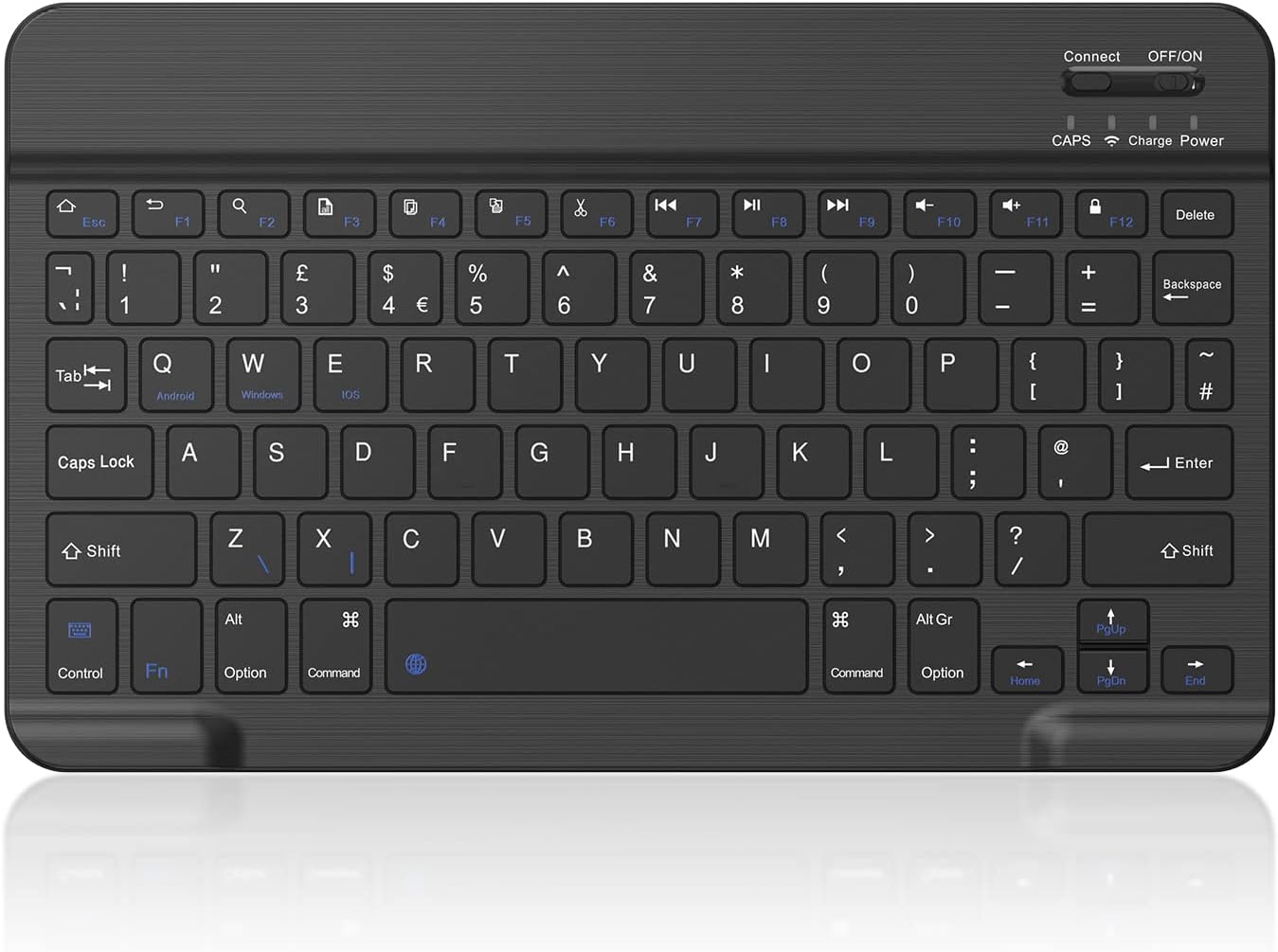
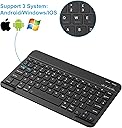
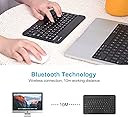
The PINKCAT Bluetooth Keyboard is an ultra-slim, lightweight wireless keyboard featuring Bluetooth 3.0 connectivity for seamless pairing across iOS, Mac, Windows, and Android devices. It boasts a full UK layout with quiet, tactile keys and a built-in rechargeable 180mAh LiPo battery, delivering long-lasting performance in a compact 24.5 x 14.8 x 0.6 cm form factor. Perfect for professionals seeking a portable, versatile typing solution that fits effortlessly alongside tablets and smartphones.


| ASIN | B0B2ZQ53YZ |
| Antenna Location | Office |
| Best Sellers Rank | 2,137 in Computers & Accessories ( See Top 100 in Computers & Accessories ) 13 in Tablet Keyboards |
| Box Contents | USB Cable |
| Brand | PINKCAT |
| Brand Name | PINKCAT |
| Button Quantity | 78 |
| Colour | Black |
| Compatible Devices | Laptop, PC, Smartphone, Tablet |
| Compatible Operating System Family | Windows |
| Compatible Tablet Computer Models | AAUB P30 |
| Compatible devices | Laptop, PC, Smartphone, Tablet |
| Connectivity Technology | Bluetooth |
| Connectivity technology | Bluetooth |
| Country of Origin | China |
| Customer Reviews | 4.1 out of 5 stars 1,405 Reviews |
| Enclosure Material | Plastic (Acrylonitrile Butadiene Styrene) |
| Hand Orientation | Ambidextrous |
| Item Dimensions L x W x H | 24.5L x 14.8W x 0.6H centimetres |
| Item Weight | 187 Grams |
| Keyboard Description | Multi Functional |
| Keyboard Layout | QWERTY |
| Keyboard description | Multi Functional |
| Manufacturer | tonew |
| Manufacturer Part Number | clavier bluetooth |
| Mechanical Keyboard Switch Model | Scissor-switch |
| Minimum Required Operating System Version | Android 3.0 Honeycomb |
| Model Name | Ultra-Slim Wireless Keyboard |
| Model Number | Clavier Ordinateur |
| Number of Keys | 78 |
| Power Source | Battery Powered |
| Product Features | Ergonomic, Rechargeable |
| Product Warranty | 30 Day Warranty Against Manufacturer Defects |
| Recommended uses for product | Office |
| Special feature | Ergonomic, Rechargeable |
| Style Name | Classic |
| Switch Type | Scissor-switch |
| Theme | Pink Cat |
| Unit Count | 1.0 count |
| Water Resistance Level | Not Water Resistant |
M**R
A proper full-function keyboard for touch-screen devices!
Pinkcat Bluetooth Keyboard (2023) UPDATE 19/8/2023. Keyboard table sorted!. I've discovered that the problem with keys not producing the keytop characters is down to Android. The solution is to install an alternative keyboard app (Simple Keyboard), set the keyboard language to English UK, then make this app the default keyboard for both On-screen and Bluetooth (your Pinkcat needs to be connected). Shimples! [OPTION] + [4] gives € but the other useful [Alt] + special characters (like ° ½ ³ µ) aren't available. This review is of the current (2023) version with a rechargeable LiPo battery and Bluetooth connection (only). The short micro-USB cable is for charging only. SUMMARY Simple to pair, a delight to use, with all normal extended keyboard functions, in a very thin keyboard that has a slightly smaller footprint than my 10.1" Galaxy Tab S3 and slides in beside the Tab into the same padded satchel - the Galaxy's solid glass structure protects the keyboard from accidental bending. It's got an really good over-centre action so I can touch-type as fast on it as on any other keyboard. All the normal typing shortcut key combinations (CTRL+C, CTRL+X, CTRL+V, Shift+, Ctrl+ cursor keys, even Shift+ Fn+ Home or End to highlight characters, words, lines, etc. etc.) work as normal, so you can type on a touch-screen tablet or phone as though it is a PC. This review has been typed and uploaded using my Pinkcat keyboard with my Galaxy, only limited by the functionality of the Notes App! Amazing VfM. PRO It's footprint slightly smaller than my Galaxy Tab S3 (10.3") tablet, and neatly stows in the same (11") bag. My choice boiled down to just this one keyboard as it was the only keyboard to match the Galaxy in size. Set-up couldn't be simpler: Charge (6 hours); Pair; Use. Lightweight, very thin and compact, but robust. Noise - it's almost, but not quite, silent in normal use, but that's caused by the speed at which anyone who types fairly quickly hits the keys. Three of the supplied thin stick-on 'rubber' discs along the top of the underside stop the keyboard from sliding on smooth surfaces, even a damp glass cafe tabletop and a less-than-flat polished table (that's why I added a third!). Clever design - the corners nearest you have a raised area the same height as the keys that allows something flat and rigid (like a tablet) to protect the keys in transit, but when typing, these bumps are under the hollows of your palms so you don't notice them. It's as good as any full-size keyboard with a really nice positive, crisp, over-centre action. It's marginally nicer to use than my 2011 Toshiba laptop - it really is that good! CON The keys are closer together than either my tower PC's full-size or my laptop's keyboard but after some months of swapping between all three, I find it only takes a few moments to adapt. I'm in the habit of using both tablet and laptop simultaneously changing keyboards is painless, but I wish I could learn not try to use the mouse for the tablet and a stylus on the laptop's screen! I can't use the usual Alt+ [key] to instantly access those extra characters (like fractions & powers) that I often use but that's probably down to the Notes App that I'm using to draft this review. Shift+2 = @ not " and Shift+@ = " that other reviewers complain of, is caused by the embedded (Android) key table see fix under UPDATE above. NOTES Another reviewer reports problems connecting to a Galaxy Tablet; not my experience at all - initial pairing and subsequent re-connection (takes 1-2 seconds) were/are automatic 100% of the time. I found the automatic power-down a benefit rather than a nuisance, I'd far rather have to press the Shift (or some other non-character) key a couple of times than have the keyboards excellent battery life compromised. I bought my keyboard because I find touch-screen keyboards really hard work and frustrating (for a fast two-finger typist). The Pinkcat keyboard's functionality is limited by the device's OS and the App in use, so don't blame the keyboard if special characters aren't available and some shortcuts don't work.
M**.
Ideal, but I'm experiencing BT delays (might be my new Dell laptop though)
Ideal, but I'm experiencing BT delays (might be my new Dell laptop though). I do wonder if it is powersaving too early eg only 20secs no input, goes to sleep. I frequently have no response on screen when typing, and so I hit multiple keys until it wakes up, but then it types multiple keys on screen. About 5 secs delay typically. I can press a laptop keyboard key and then the BT keyboard and it is ok. Strange. Otherwise a super lightweight, compact but nice key touch cheap solution. Not ideal for long days of lots of typing obviously.
W**N
Works with the Amazon Fire tablet 🙂
This low priced accessory really is a must. Works seamlessly and efficiently with my Amazon fire Tablet. I chose this item for its robust construction and ease of use. It comes with instructions, 8 round stick on anti slip discs, instructions and USB cable to charge it. Available in black or white how the mood takes you, it's portable too as it's not like a standard computer keyboard. Additionally it will pair with most Bluetooth devices, no hardware or software needed. Excellent product🙂
E**9
Lightweight, durable and great for iPad homework
Bought this for my 8yrs old daughter to use for homework on her iPad (9th gen.). It fits well, is very light and slim, and was easy to connect and start using. It also attaches magnetically to the iPad case, so it doesn’t move around easily, which is very convenient for kids to use on the desk. She has been using it for about a year now and it is still working well, so I would say it is good value for money.
A**T
Cheap yes, but worth the money? No.
I know it’s cheap, but it simply doesn’t work. I chose cheap because I wouldn’t be needing it for long, but even that didn’t work. It will not stay switched on, it will not retain its charge and only stays connected with the target device for 20-30 seconds, if you can even connect. Bluetooth pairing was quick and easy, and it all went downhill after that.
E**B
Good keyboard and a genuinely excellent seller :)
I bought this approx 9 months ago now and it worked GREAT and met exactly the need I'd purchased it for. Then, about 6 months later, the space key on the keyboard stopped working. I contacted the seller and they asked me to send them a video showing the error, which I did. They then immediately sent me a replacement! In past experiences where I've purchased an item on amazon that has later broken, sellers have typically gone back and forth with me for ages, wasting my time and trying to find any excuse not to help me or replace the product, but the seller of this keyboard was straight to the point, polite, apologetic and super professional. I don't leave many reviews but I felt compelled to recommend them here as I'm very grateful for the replacement and had a very positive experience dealing with them, which really sets them apart from other sellers. THANK YOU :)
P**S
Disappointing Wireless Keyboard for Daily Use
This PINKCAT Bluetooth Keyboard, while nicely slim and portable, ultimately falls short where it matters most: reliable typing. Its compact size and wireless nature make it ideal for hot-desking, fitting neatly into a bag and keeping your workspace tidy. The battery life is surprisingly decent, only needing a single charge over three months of daily use, which is certainly a plus. However, the fundamental flaw lies in its inconsistent key registration; letters frequently get missed, turning everyday typing into a frustrating exercise in constant proofreading. It feels like a Bluetooth connectivity issue, which is a real shame given its otherwise practical design. Beyond the unreliable key presses, the "ultra-slim" design also comes with some trade-offs in usability. It sits very low on the desk, necessitating stick-on risers for a more comfortable typing angle, and the keyboard itself feels quite flimsy, flexing noticeably when in use. While portability is excellent, the core function of typing is undermined by these issues. Compared to more robust (even if discontinued) alternatives like the Anker keyboard, this PINKCAT model simply doesn't deliver the consistent performance required for regular work. It's a clear case where the convenience of a slim, wireless design doesn't quite outweigh the fundamental compromises in typing reliability and build quality.
K**N
Travel friendly keyboard
⭐️⭐️⭐️⭐️☆ Surprisingly Slick and Super Portable! I bought the PINKCAT Bluetooth Keyboard on a whim, mostly because I needed something lightweight for travel—and wow, it’s been a pleasant surprise. First off, the ultra-slim design is a dream. It slips into my bag without adding bulk, and the build quality feels solid despite its featherweight frame. 🔹 Connectivity: Pairing was a breeze. It supports Android, iOS, Windows, and Mac, and switching between devices using the shortcut keys (FN+Q/W/E) is genuinely useful. I’ve used it with my tablet, phone, and laptop without a hitch. 🔹 Typing Experience: The keys are quiet and responsive. It’s not mechanical-level satisfying, but for a portable keyboard, it’s more than comfortable for long typing sessions. Bonus points for the UK layout, which is perfect for my needs. 🔹 Battery Life: The built-in rechargeable battery lasts ages. I’ve gone weeks without needing a charge, and it conveniently enters sleep mode when idle to conserve power. 🔹 Design: I got the black version, the minimalist aesthetic works well and doesn’t scream “budget.” Only reason I’m docking one star is that it doesn’t have backlit keys, which would’ve been a nice touch for nighttime use. But for the price? It’s a steal. ✅ Great for students, remote workers, or anyone who wants a reliable, travel-friendly keyboard without breaking the bank.
ترست بايلوت
منذ يوم واحد
منذ شهر