

Desert Online General Trading LLC
Dubai, United Arab Emirates
Desert Online General Trading LLC
Dubai, United Arab Emirates

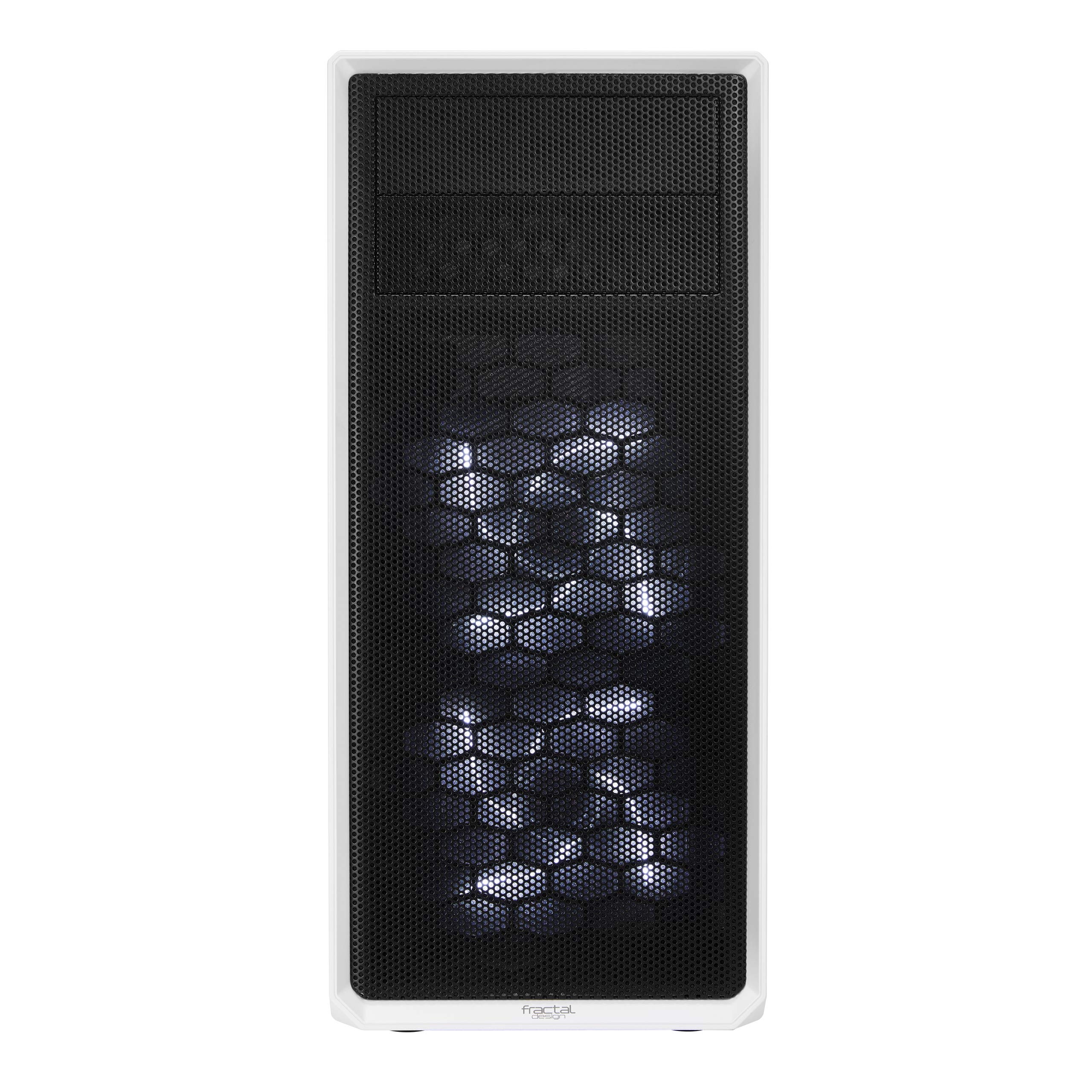


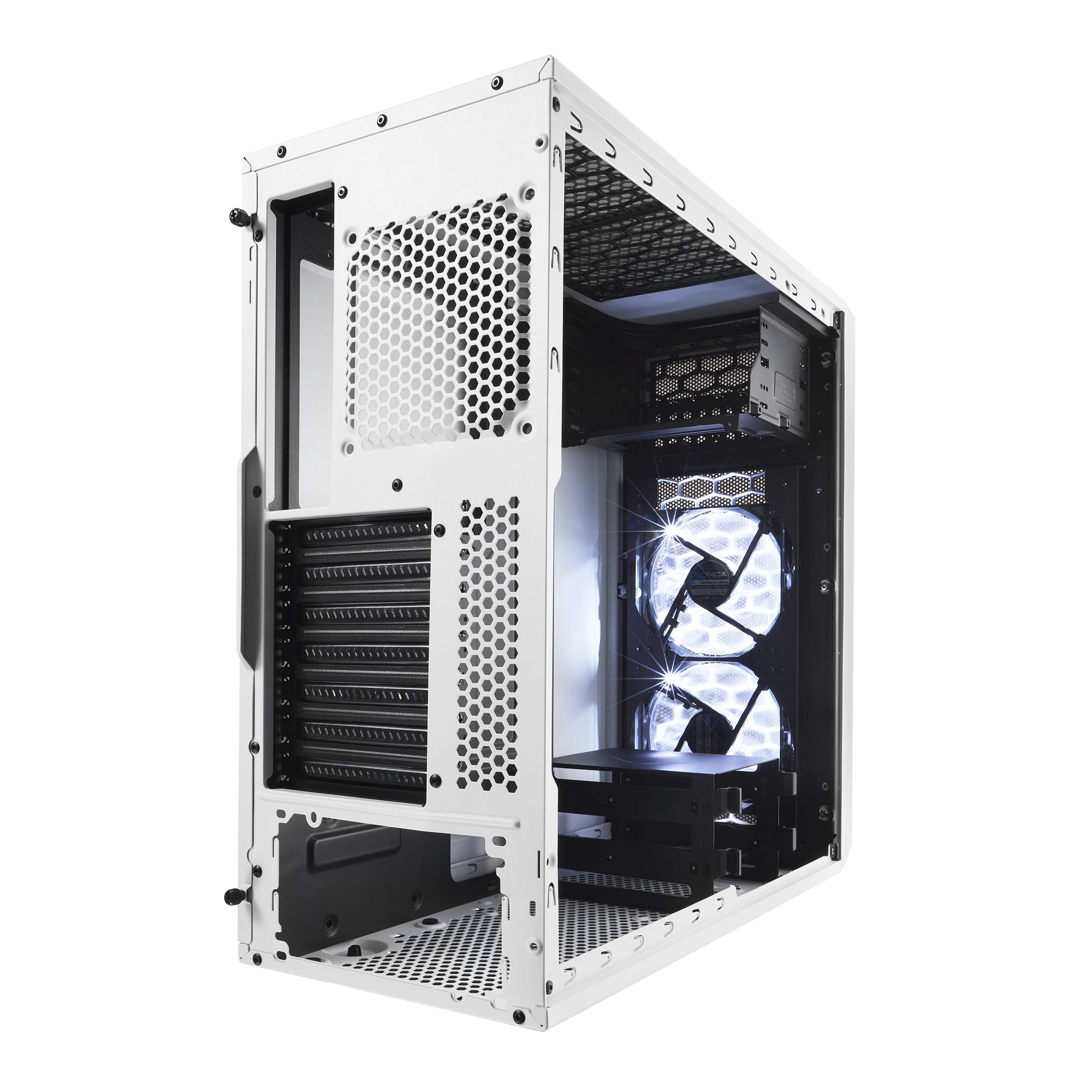


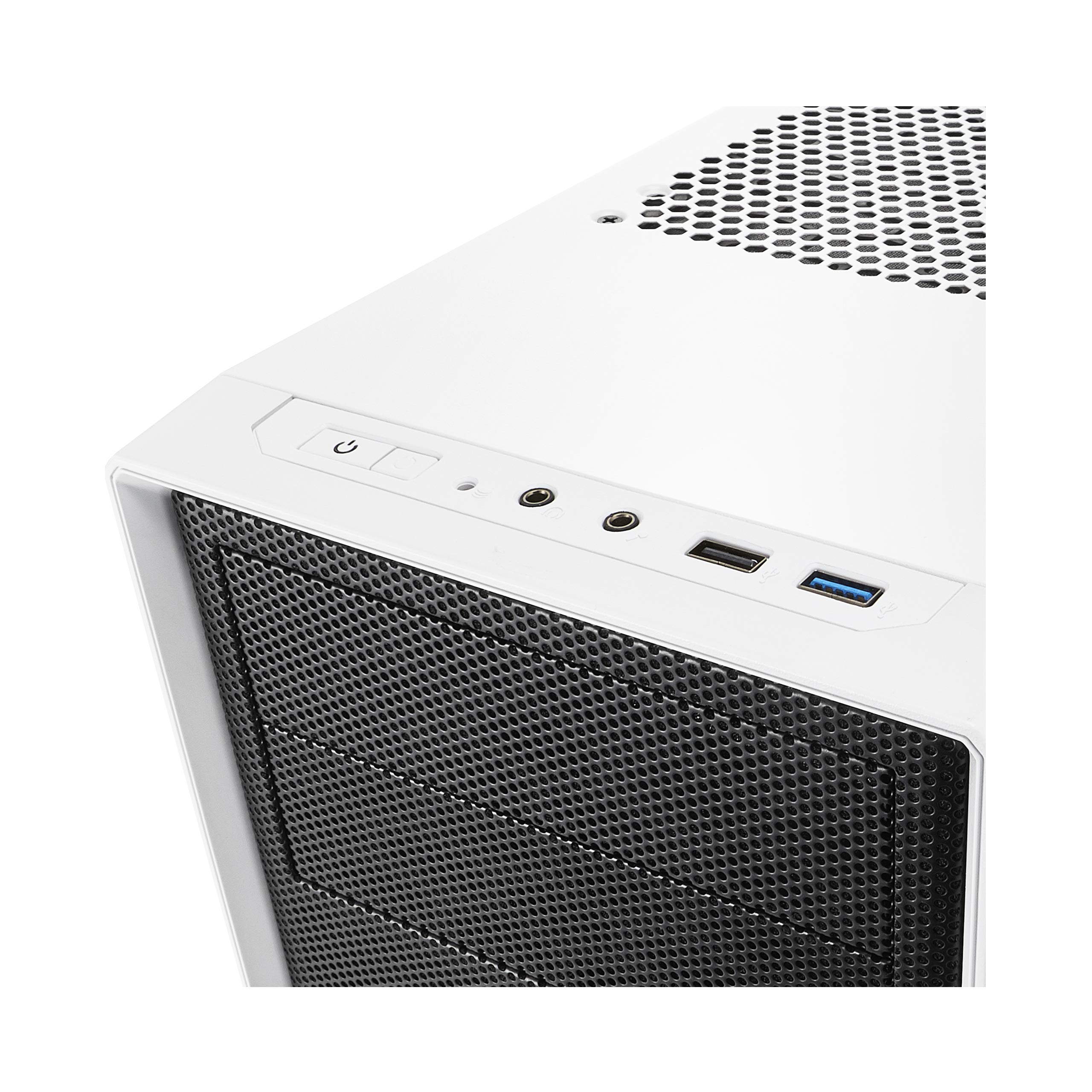
🌟 Elevate Your Setup with Style and Performance!
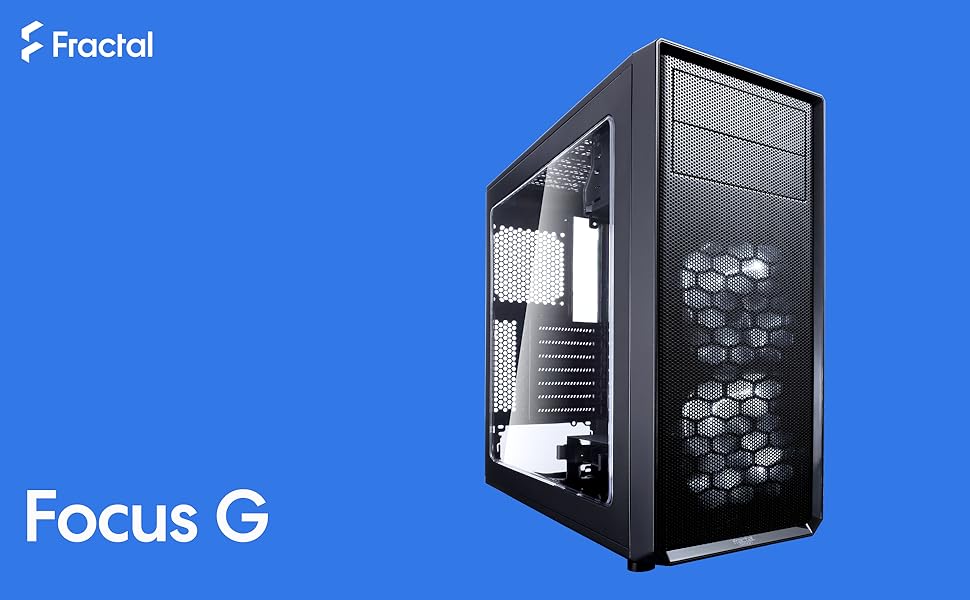
The Fractal Design Focus G is a sleek mid-tower ATX case designed for high airflow and efficient space utilization. It features a large windowed side panel, two preinstalled 120mm white LED fans, and multiple fan positions for optimal cooling. With filtered air intakes and flexible storage options, this case is perfect for showcasing your high-performance components while keeping them dust-free.


| Standing screen display size | 1 Inches |
| Processor | 41 Intel_Core_i7_Extreme |
| RAM | 1 DDR4 |
| Hard Drive | 1 Flash Memory Solid State |
| Card Description | Integrated |
| Graphics Card Ram Size | 1 |
| Number of USB 2.0 Ports | 1 |
| Number of USB 3.0 Ports | 1 |
| Brand | Fractal Design |
| Series | FD-CA-FOCUS-WT-W |
| Item model number | FD-CA-FOCUS-WT-W |
| Hardware Platform | Windows |
| Item Weight | 9.92 pounds |
| Product Dimensions | 18.27 x 8.07 x 17.48 inches |
| Item Dimensions LxWxH | 18.27 x 8.07 x 17.48 inches |
| Color | White |
| Processor Brand | NVIDIA |
| Computer Memory Type | DIMM |
| Flash Memory Size | 1 |
| Hard Drive Interface | ATA-4 |
| Hard Drive Rotational Speed | 1 |
| Manufacturer | Fractal Design |
| ASIN | B071G4KDKG |
| Is Discontinued By Manufacturer | No |
| Date First Available | June 7, 2017 |
A**C
First pc I ever built!
For it being my first time putting a pc together, this case was easy to install everything.The standoffs were hard to screw in by hand, I had to use a socket wrench to make sure they were in all the way.Cable management wasn’t that big of an issue for me. All of my wires fit comfortably behind the case and motherboard panel. I’ll be adding another fan soon so that’ll be an extra wire back there, but as you can see from the photo I attached I have plenty of space. First photo shows how it looked before I organized the cables, the picture with flash is the completed rig.A few things I liked about this case is the ssd space behind the motherboard, I put my hard drive back there cause it wasn’t as cool as the ssd I have lol so it’s hidden away. If you had a single ssd you can throw it back there and remove the ssd holder tray for an even cleaner look.I personally didn’t have issues with my cables behind the tray like others have mentioned, but I will say there is very little space between the motherboard panel and the back of the tray, it definitely can be an issue for some. The fans run quiet and look really nice.The only con I have is how hard the standoffs were going in, but I assume it’s cause of the coat of black paint on the panel. This isn’t really a con but I’ve had two people comment about the weird placement for the psu. If you don’t like the psu on the bottom of the case you won’t like this case.Overall, great case! I’m happy with my first pc I built and the case I used for it
G**E
very nice for price
Great case for the price. High quality feel to the metal. If this fits your needs I would not hesitate to buy this.Here is what I installed:CPU: AMD - Ryzen 5 1600 3.2 GHz 6-Core ProcessorMotherboard: MSI - B350 PC MATE ATX AM4Memory: G.Skill - Ripjaws V Series 16GB (2 x 8GB) DDR4-3000 MemoryVideo Card: MSI - Radeon RX 580 8 GB ARMOR OCBoot Drive: Toshiba - OCZ TR200 240GB 2.5" SSDOptical Drive: HP 1260i Internal SATA DVD Burner (taken from my old pc, is 9 years old and may not be available anymore but still works fine)Case Fan (back): Cooler Master - MasterFan Pro 120 Air Flow 84.5 CFM 120mm FanPower Supply: EVGA - B3 450 W 80+ Bronze Certified Fully-Modular ATXThese are some notes from my build:I plan to install two 120mm fans on the top so installed the Optical Drive in the lower 5.25" drive bay, because otherwise a double fan won't fit. The case body had a grate that had to be snapped off in order to use this bay. The upper bay has no grate.The removable case panel has plates that can be popped off in order to use the bays but these are held by small plastic tabs that break easily. I broke one completely just removing it. The second one didn't break but the tab is weakened and will probably break if I remove it again. If I ever want to cover both bays I'll need to glue these in place.The Optical Drive I used fit into the front panel only through the front, so if I want to remove the front panel to clean the filter I will need to first take out the Optical Drive. It does fit very neatly and had enough screw hole options to make sure the drive fit flush with the panel.The HD audio cable should be run through the window next to where the Mobo audio port will be before either the Power Supply or Mobo is installed or it won't fit. The cable is barely long enough to reach this way so if you don't care about it crossing in front of the Mobo it is probably much easier to just connect it that way.There is an intent for a 2.5 SSD in the panel behind the Mobo and if screwing this in, it needs to be screwed before the Power Supply is installed.
C**D
Good enough, but there are better options if you have fewer requirements for your build.
For context, my last custom build before this one was completed in 2016. A lot has changed since then. My requirements seemed reasonable when I embarked on this new build, but this turned out to be the only case I could find which met all my needs.Specifically, I wanted a white case with a plastic window - not glass, at least two accessible 5.25" bays, and at least two 3.5" bays. This case meets all those requirements, with a few caveats.If you're interested in using a liquid CPU and/or GPU cooler, the most efficient mounting position is at the front of the case with tubes pointed down and the radiator fans pulling in fresh air. This configuration is impossible if you also want to use the 3.5" hard drive bays, because the hard drive caddy gets in the way of the radiator hoses.Additionally, adding top-mounted 140mm fans blocks the top bay's ability to accept a 5.25" optical drive, so the only option is to put it in the bottom bay, which makes the cabling really tight between the drive and the ATX power supply header on the motherboard.My other big beef is more aesthetic than anything: I don't understand why the interiors are painted black on the white model. The whole point of a white interior is to better reflect light for an RGB-heavy setup (like mine), which means anything black needs to be replaced or painted - the latter being more annoying with powder-coated steel parts. I ended up buying a pack of replacement PCIe slot covers, and I'm probably going to paint the hard drive caddy at some point.Last on the negatives: the threaded holes for securing the side panels were not tapped very well, and the included thumbscrews are really chintzy. I went with some anodized aluminum thumbscrews I already had from my old build...you'll probably want to get some replacement screws for this case.The good stuff: it did meet all my requirements, which is evidently a tall order in 2023. The case is reasonably roomy for cable management, and both side panels add some extra space. My old case took some finangling to get the side panels reattached without any issues. This case has enough room for cabling, and the side panels don't slide on - they hinge at the front, which is really easy to manage when the case isn't on its side. If you don't need full-size hard drives, there's a 2.5" spot on the backside of the motherboard mounting plate, and the 3.5" caddy is removable.I customized the faceplate with some purple Rust-Oleum 2X spray paint and a custom stencil. I didn't have to use any primer (just a little degreaser first to remove finger oils), and it turned out *great*. It wasn't too difficult to get the perforated metal plate detached from the faceplate for painting, so I am happy about that.Overall, this is a decent case, and I'm not unhappy with my purchase. If you don't need a plastic window or 5.25" bays, there are loads of other options with better features than this case, but it's a solid choice for those who need its specific features.
ترست بايلوت
منذ 3 أيام
منذ يوم واحد