We remain fully operational. Our teams are working around the clock to ensure your deliveries continue safely.

قم بتنزيل التطبيق


معلومات عنا
حقوق الطبع والنشر © 2024 Desertcart Holdings Limited
قم بتنزيل التطبيق
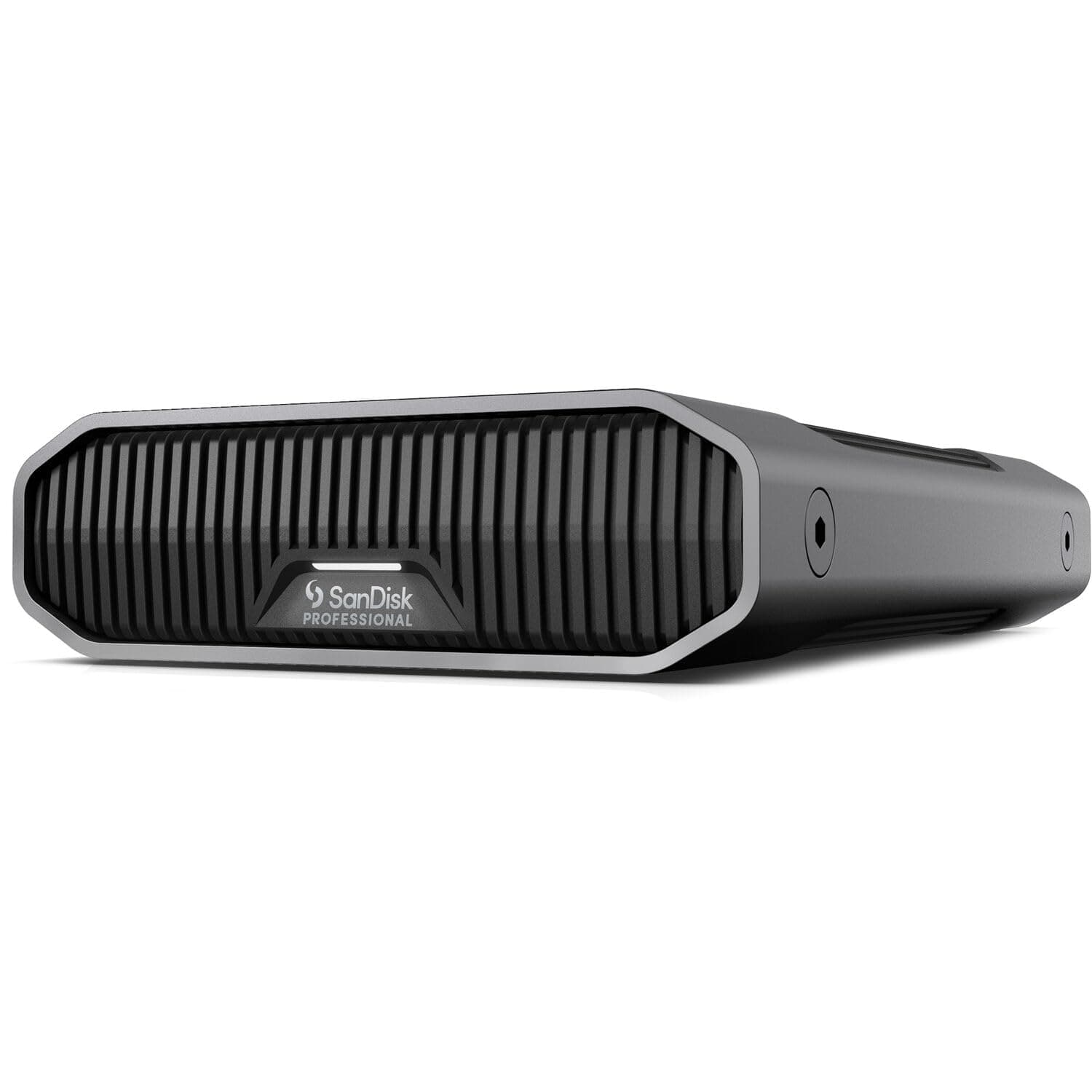
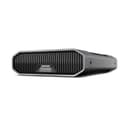
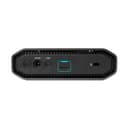
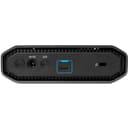
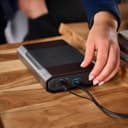
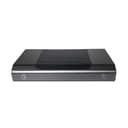
🚀 Elevate your storage game with speed, space, and style!
The SanDisk Professional 12TB G-Drive is a high-capacity, enterprise-class external desktop hard drive featuring a 7200RPM Ultrastar HDD and USB-C 10Gbps interface. Designed for professionals, it delivers up to 250MB/s read/write speeds, housed in a durable anodized aluminum enclosure that’s Mac-ready and easily reformatted for Windows. Ideal for business, multimedia, and personal use, it combines premium performance with sleek stackable design and customizable LED brightness.


| ASIN | B0BB8TPT2W |
| Additional Features | Not_Performance_Used |
| Best Sellers Rank | #28 in External Hard Drives |
| Brand | SanDisk Professional |
| Cache Memory Installed Size | 12 |
| Color | Dark Grey |
| Compatible Devices | Laptop |
| Connectivity Technology | USB |
| Customer Reviews | 3.5 3.5 out of 5 stars (659) |
| Data Transfer Rate | 10 Gigabits Per Second |
| Digital Storage Capacity | 12 TB |
| Enclosure Material | Aluminum |
| Form Factor | Desktop |
| Hard Disk Description | Mechanical Hard Disk |
| Hard Disk Interface | USB 3.2 |
| Hard Disk Rotational Speed | 7200 RPM |
| Hard-Drive Size | 12 TB |
| Hardware Connectivity | USB Type C |
| Installation Type | External Hard Drive |
| Item Dimensions L x W x Thickness | 8.27"L x 5.24"W x 1.61"Th |
| Item Weight | 2.91 Pounds |
| Manufacturer | Western Digital Technologies, Inc. |
| Media Speed | 250 megabits_per_second |
| Model Name | G-DRIVE |
| Model Number | SDPHF1A-012T-NBAAD |
| Number of Items | 1 |
| Read Speed | 250 Megabytes Per Second |
| Specific Uses For Product | business, multimedia, and personal |
| UPC | 718037899138 |
| Unit Count | 1.0 Count |
| Warranty Description | 3 year limited manufacturer warranty |
S**S
SanDisk Professional 22TB G-Drive Enterprise-Class External Desktop Hard Drive
This review is on the SanDisk Professional 22TB G-Drive Enterprise-Class External Desktop Hard Drive. Needing more capacity, I returned the 12TB (quiet and vibration free) version and went with the 22TB version from Amazon Warehouse at a discount. After powering up the 22TB IDE drive for the first time, I noticed a modest amount of vibration and noise, even after cycling the drive on and off a number of times. So...in developing A.A. (Amazon Attitude) after having to return a number of recent purchases, I started the online return process. What is odd, is that by the time I finished the online return process, the drive had quieted down to no vibration and no noise other than initial booting up. File copying has been consistent at 240 - 250 MB/s from my SSD drive computer, and after a few hours of idling and file copying, the drive still remains "whisper quiet." I've seen the reviews claiming that the 22 TB drive only has 20 TB available, but after formatting the drive to NTFS Basic GPT drive for WIN 10 Pro, I have a full 22 TB (see attachments). I've been using only SSD drives for about 5 yrs., so I don't know if the new IDE drives need a 10 - 15 minute "break in period" to finally calm down. Speeds are as advertised using AAOMEI Partitioning Assistant Pro. Hope this helps Post Script next day: Unlike the 12 TB version, this 22 TB version does not go dormant after 15 minutes of no activity. I was OK either way, but going dormant may have led to extended disk life. Even while dormant, the drive was still visible and immediately "woke up" when needed. Still showing 22 TG actual disk space... Post Script 5-18-2023 - Looks like this drive also goes dormant after a period of time (in excess of an hour) with no activity, but remains in the WIN 10 Devices & Drives (My Computer). To me, this is good, and will extend the life of the drive.
C**E
Apple Silicon M2 Chip Issue
Bought the 12TB version, used for a couple days with the M2 MacBook Air. Initially, I was scared by the very noisy boot-up process for the drive. I soon learned the myriad of different sounds it makes is normal for an enterprise drive startup. However, I was frustrated by the frequent (as in, every minute) disconnects and ejections from the computer that the drive seemed to do on its own. It would quite literally unmount itself, turn off, and when I clicked on it in finder, the boot-up noises would commence, and I would have to wait a minute or two before my footage showed up. IN ORDER TO USE HDDs ON APPLE SILICON, disable "put hard disks to sleep" in the battery section of settings. This erased my first issue. The second issue I had, and ultimate reason for returning, was because of the periodic thumping noise the drive produced. I have used other mass WD drives that have a thumping noise every 5/8 seconds, which is normal from what I have researched. This one has no regularity, but rather emits sounds at random at idle -- even when there is nothing being written to it. While this ultimately did not hinder the drives functionality -- it transferred files fine, stayed mounted, and more, the amount of irregular noises it made caused me to feel uneasy about keeping my data backed up on it long-term. I hated to initiate the return process, because I know G-Drives have been the norm for many filmmakers using a bit older Apple devices. To my knowledge, the previous generation of these drives worked fine with Apple Silicon. I've purchased a WD MyBook 12TB instead, and am using a portable G-Drive SSD for my daily editing instead, with the MyBook as a footage archive. Hopefully this system will be more reliable.
M**E
So far so good; no random disconnects on Windows 10
I have two of these and only on ordering the second did I notice that there were a lot of reviews mentioning random "disconnects". Most seem to be using Macs, but at least one complained that it would "vanish" from My Computer. I've seen large thumb drives that randomly become "inaccessible" to Windows (though remain in My Computer), but never heard of external HDDs doing this. What a nightmare that would be. Thankfully, using Windows 10, I have not experienced any such issues with these drives. I did disable "Selective Suspend" and the ability for Windows to turn off the drive in Device Manager, but I have no idea if either of these steps were required, as I never saw the first one disconnect or vanish and I had Selective Suspend on at that time. Like a lot of external drives, these do eventually "sleep" with inactivity and this causes a few second pause on the first read. After that, they stay awake until the next period of inactivity (seems to be measured in hours, not minutes). These drives must be reformatted for Windows using Disk Management (context click the Start Button to find it on a menu). That's simple to do and documented enough that a Google search will easily find the instructions. 10.9TB out of 12TB seems about par for the course, as apparently Windows "loses" some of each drive. Have also seen advice to be sure to use the cable that comes with the drive. That's ridiculous, unless all other available cables are not up to the latest standards. I've used these drives with random USB-C and USB-C to A cables without any issues. These drives are also seem very sturdy and I've heard that they can run standing on end or lying flat. Will be putting that to the test soon, as I need one of them to fit into a tight space in a cabinet.
K**H
Good price and works very well. Lay down horizontally unlike a lot of other desktop drives.
J**O
Es mi 7o disco de esta marca y siempre me han funcionado perfectamente. Rápidos y confiables
C**G
Heavy. Feels premium and very fast transfer speed. If you are a professional this one can definitely save some time while transferring data. colling fan have slight noise while in use.
N**R
A los pocos meses de ponerlo en uso dejo de funcionar. No es posible no formatearlo. Lógicamente no se puede hacer nada con el disco. No veo nada sobre una garantía por aquí.
M**Y
The G-Drive's metal enclosure seems sturdy but plastic inlay is thin, and the fit and finish is not tight, so overall the build quality is lower than the previous generation of all aluminum enclosures. My unit seemed to work well but recently I started to get error notices from Carbon Copy Cloner after my nighty backups and a weeks after, the G-Drive stopped mounting. Seems the file system was corrupted. Sh_t happens but what really upset me is the lame customer service from Western Digital. This drive has a 3-year limited warranty but turns out you have to pay to ship the drive back for a replacement, which can take 7 days for them to ship and what they send you will be a refurbished, not new unit. I think this is unacceptable for a supposedly professional grade product like this. I feel like I would be playing Russian roulette with my data. This is the second "professional" grade WD product that has failed on me within the warranty period. I'm not impressed. I think the Western Digital/SanDisk brand is overrated and I would not recommend their products.
ترست بايلوت
منذ أسبوعين
منذ شهر