We remain fully operational. Our teams are working around the clock to ensure your deliveries continue safely.

قم بتنزيل التطبيق


معلومات عنا
حقوق الطبع والنشر © 2024 Desertcart Holdings Limited
قم بتنزيل التطبيق
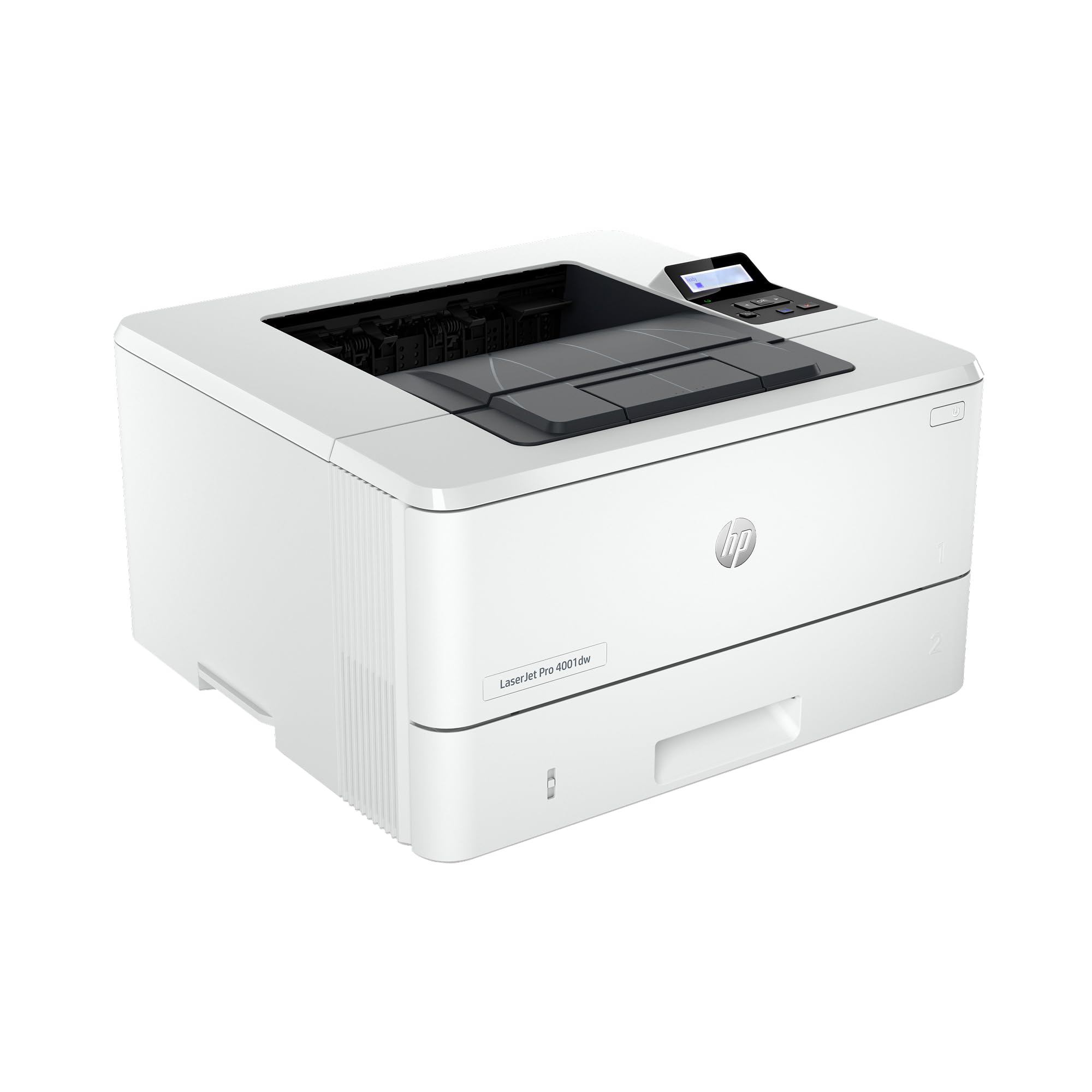
🚀 Elevate your office game with speed, security, and seamless connectivity!
The HP LaserJet Pro 4001dw is a high-speed, wireless black & white printer designed for small teams of up to 10 users. Delivering up to 42 pages per minute with automatic duplex printing, it supports versatile connectivity options including Wi-Fi, Ethernet, Bluetooth, and mobile printing. Equipped with HP Wolf Pro Security, it ensures enterprise-grade data protection. Its compact design, smart admin tools, and cloud connectivity make it an ideal productivity powerhouse for modern professional environments.


| ASIN | B0B2B43YLB |
| Additional Printer functions | Print Only |
| Best Sellers Rank | #12,416 in Office Products ( See Top 100 in Office Products ) #27 in Laser Computer Printers |
| Compatible Devices | Laptops, PC, Smartphones, Tablets |
| Control Method | Remote |
| Controller Type | Amazon Alexa |
| Customer Reviews | 3.9 3.9 out of 5 stars (186) |
| Date First Available | August 1, 2022 |
| Dual-sided printing | Yes |
| Duplex | Automatic |
| Hardware Interface | Ethernet, USB |
| Included Components | Getting Started Guide, Power cord, Toner Cartridges, Warranty Guide, printer |
| Ink Color | black |
| Item Weight | 20 pounds |
| Item model number | 4001dw |
| Manufacturer | HP |
| Max Copy Speed (Black & White) | 42 ppm |
| Max Input Sheet Capacity | 350 |
| Max copy resolution black-white | 4800 x 600 dpi |
| Maximum Black and White Print Resolution | 4800 x 600 Dots Per Inch |
| Maximum Media Size | 8.5 x 14 inch |
| Model Series | LaserJet Pro 40100 |
| Number of Trays | 2 |
| Number of USB 2 Ports | 1 |
| Print media | Envelopes, Labels, Paper (plain) |
| Printer Ink Type | toner |
| Processor Count | 1 |
| Product Dimensions | 14.1 x 15 x 8.5 inches |
| Series Number | 4001 |
| Sheet Size | 5 x 14 |
| Specific Uses For Product | General office use |
| Supported Media Sizes | Legal (8.5 x 14 inches) |
| Total USB Ports | 1 |
| UPC | 195161269332 |
| Warranty Type | Limited Warranty (1 year), Extended Warranty (2 years) |
| Wattage | 495 watts |
R**N
paper stuck sometimes but easy to fix
solid printer, easy to install
J**J
Fast printer love the size
Love the printer but should have ordered a toner cartridge for it because it comes with just a tempoary cartridge that is short usage. Small size fits well in my office
S**M
Great Value in Basic B&W Wireless Printer
Everything about this printer is 5 stars. So. why did I give it 4 stars? That is because the HP documentation and installation software is poor for what I expect after owning HP products for 30+ years. This printer works from a USB cable and prints wirelessly over the wifi from a laptop, iPad, Android phone and iPhone. The main issue is using it from a laptop. It seems that you have to chose one way or the other - USB or wireless. But, the installation software poorly explains what is going on. In the end my laptop can print via USB or wireless. My laptop ended up with three printer profiles for the printer: a wireless, USB, and something else pretending to be wireless but seems useless though I think it has something to do with Cloud services. I ended up with 1)HP LaserJet Pro 4001 4002 4003 4004 PCL-6 (V4) (Network) 2) HP ePrint + JetAdvantage and 3) HP LaserJet Pro 4001 4002 4003 4004 PCL-6 (V4) Number 1 is what to select for wireless. And, #3 lets you print via USB. So, when you are playing around doing the install those are the print profiles needed for wireless and USB. Profile #2 does nothing for me. Other than the lousy install software and confusing documentation, the printer is great so far. And, looking at reviews for other HP printers I see similar complaints from people on setting it up. Also, the support forum is full of people asking about how to set up the printer. Basically all the support boiled down to uninstall and reinstall. Horrible support to say the least - not one told me the printer profiles that should be generated in Windows 10 to print with. Other OS maybe are better - IDK. Android and Apple have you download an app and it is easy.
C**L
Disaster setting up HP e-print function.
I bought this printer only because of the e-print function. After 4 hours I still have not been able to find the email address assigned to this printer...it is not found under the Settings on the Computer Display, neither in any of the HP apps I had to register with nor in the Embedded Web Server. I tried to call, but it is impossible to get Tech Support (first they force the caller to register (again) and then the system doesn't authen the caller. I ignored the negative reviews of other users - I guess my fault. What the printer does do, is to print wirelessly - that was slightly convoluted to setup but that works. But again, I bought the printer for its e-print functionality HP is touting. Update: HP has retired the E print functionality for this printer. Meaning, there is no email address I user can send a document for printing to. Spent many hours there before I figure this out.
B**Y
Best printer ever
This thing is a monster. Spits out long, doublesided documents in no time flat. Toss your all in one inkjets in the garbage and buy this one.
B**T
GREAT printer!
This is the BEST little black and white laser printer, and at a very reasonable price! It handlles letterhead, labels, graphics and nomal office documents--all with great print quality. It's easy to use. The wireless hookup was a snap. I couldn't be more satisfied.
T**E
Compact design -faulty printing
I’ve had a love-hate relationship with this printer since receiving it 4 weeks ago. Initially I was in awe of this HP printer. It is compact and lightweight. It was also easy to setup and connect to the network - I mean I simply plugged the network cable in and the printer was immediately visible and available. The first print jobs were clean and clear - both text documents and graphics printed nicely (see photos). I was praising HP - easiest setup I had ever experienced! Well, the issues started two weeks later. First, some of my fonts were not printing correctly - see the attached photos. decided to connect the printer directly to the computer with USB cable to see maybe the issue was network related - same experience with the fonts - some just did not print correctly. Next, I thought perhaps the print driver needed to be updated. Downloaded the latest driver from the HP site - ran the install four different times and each time it ran for hours without finishing. Lastly, I found that some print jobs just would not print - not sure why. I turned the printer off then back on and was able to print. Well, the first print job would print then nothing printing again! Uuuggghhh! So, after so much trial and error, and frustration, I’m giving up and returning the printer. I cannot depend on this printer for the varied print jobs I will need.
R**N
This is a great workgroup or private office printer.
As an IT specialist for a 200-person company, I chose the HP 4001Dw for our CEO's office, and it's been outstanding. Its wireless features allow easy printing from any device, and its robust security is ideal for our executive's sensitive documents. Ethernet connectivity handles large print jobs efficiently, while HP Web Jetadmin simplifies printer management. This printer not only enhances the CEO's productivity but also meets our security and efficiency needs. Highly recommended for IT professionals seeking a secure, efficient printer for executives.
M**D
Love this printer. Nice and compact. Does duplex printing.
G**U
It is working great, tks.
A**E
The printer setup was easy. I was very disappointed that the wireless connection would not work. Eventually I gave up and connected through USB and it worked. Once I got the printer connected and downloaded the correct drivers it worked great.
G**.
Clean white shine laser printer. Tray on bottom are awesome than set up on top.
ترست بايلوت
منذ 3 أسابيع
منذ أسبوعين