Buy anything from 5,000+ international stores. One checkout price. No surprise fees. Join 2M+ shoppers on Desertcart.
Desertcart purchases this item on your behalf and handles shipping, customs, and support to KUWAIT.
🎬 Light up your living room like never before — don’t just watch TV, live it!
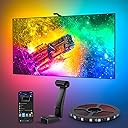
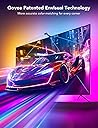
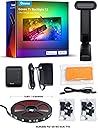
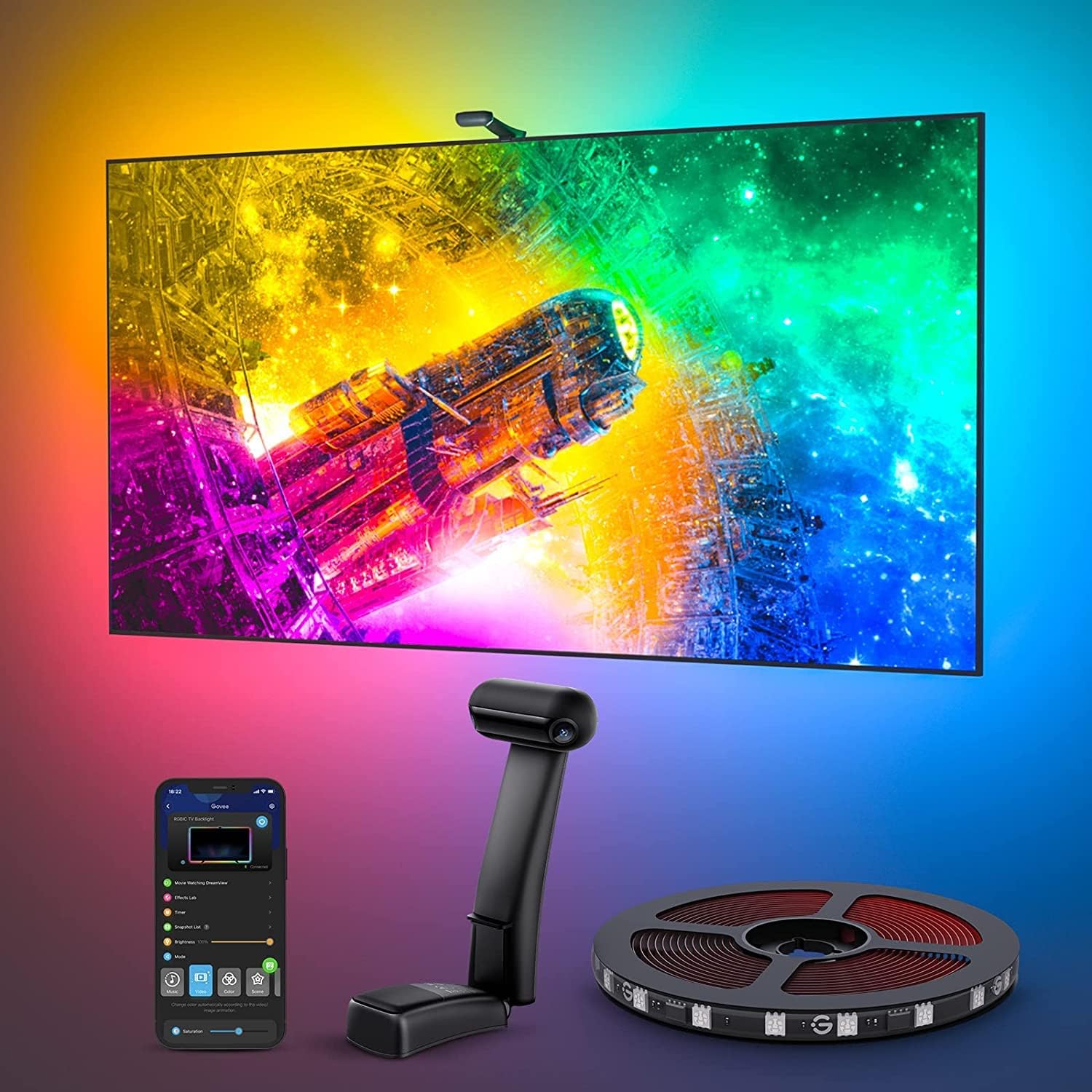
The Govee Envisual TV LED Backlight T2 is an 11.8ft RGBIC LED strip designed for 55-65 inch TVs, featuring patented dual cameras for ultra-accurate color matching and immersive lighting. With 216 high-density LEDs, Wi-Fi connectivity, and smart app control, it dynamically syncs with your TV content and music, creating a vibrant, customizable home theater experience. Perfect for millennials seeking cutting-edge tech that blends entertainment with stylish home decor.


| ASIN | B0BCQ9YQYW |
| Additional Features | Color Changing |
| Best Sellers Rank | #4,576 in Tools & Home Improvement ( See Top 100 in Tools & Home Improvement ) #48 in LED Strip Lights |
| Brand | Govee |
| Brand Name | Govee |
| Color | Multicolor |
| Color Temperature | 9000 Kelvin |
| Connectivity Protocol | Bluetooth, Wi-Fi |
| Connectivity Technology | Wi-Fi |
| Control Method | App |
| Controller Type | App Control, Voice Control |
| Customer Reviews | 4.5 out of 5 stars 6,608 Reviews |
| Included Components | Light kit inlcuded |
| Indoor Outdoor Usage | Indoor |
| Indoor/Outdoor Usage | Indoor |
| Item Dimensions | 5.71 x 3.35 x 6.1 inches |
| Item Length | 11.8 Feet |
| Item Type Name | LED TV Backlight |
| Light Color | Multicolor |
| Light Source Type | LED |
| Manufacturer | Govee |
| Manufacturer Warranty Description | One year warranty. |
| Material Type | Plastic |
| Model Number | H605C |
| Number of Items | 1 |
| Number of Light Sources | 216 |
| Occasion | Anniversary |
| Power Source | Corded Electric |
| Product Style | Modern |
| Seasons | All Seasons |
| Special Feature | Color Changing |
| Theme | Movie |
| UPC | 810088344039 |
| Unit Count | 11.8 Feet |
| Voltage | 12 |
| Water Resistance Level | Not Water Resistant |
| Wattage | 36 |
| Wireless Communication Technology | Bluetooth, Wi-Fi |
R**E
Hell yes
I was really, really hesitant about buying these. Since many "smart" things are overhyped, and ease-of-use issues and feature limitations often take away from marketing claims, and since every environment can be different, results can certainly vary and they might just possibly suck. In my case I have a very "busy" media room, where instead of a blank wall behind my television there's equipment, wires, pictures, objects, shadows, etc. So I was VERY wary about throwing these lights into the mix. Plus I was worried that the whole thing would just be distracting and annoying. Well I was wrong on all counts, these are awesome. Installation was a little tedious, but that was more because of my particular setup. My television has additional equipment and extensive wiring behind it, (a normal backlight for the tv area, three HDMI cables, network cabling, center speaker & wires, a projector, a power strip, power cables for all, etc.), so getting the light strips into place took two people to get it all measured, centered, and affixed correctly. This took the most time, (probably an hour total), but if it wasn't for the complexity of my own system, I think it would've been pretty painless. The light strips are affixed with double-sided tape already attached to the strips, (3M brand, good quality), so cleaning the adhesion areas on the television is key. Although Govee includes a couple of cleaning pads, it really isn't enough. I used some denatured alcohol and my own rag to get the areas fully cleaned. Once I measured the centerpoints of each strip and my television, attaching was easy with two people. The strips fit my television perfectly. Once attached, getting the Govee app installed and linked to Alexa was also easy. Figuring out the app features was a little tedious, as that section is rather bloated. There are quite a few "features" that I will never use, so it was all rather distracting there. Getting the lights on and into "video" mode was simple enough though. Included are numerous bright orange pads that are used to calibrate the camera sensor. It's an important step so don't forget it - putting the pads on the television and going through the calibration process gets the whole system dialed in correctly. Directions for this are included in the box, and also available in the app itself. The pads get placed in corners and centers of the television, and the camera remembers these spots so it knows the range of the television lighting. (Attached video shows the pads in place on the screen.) As for performance, my biggest hesitation was fearing that they'd be distracting and annoying, but they aren't at all. So far I've used these for movies, television shows, and Formula One races, both in daytime and at night, and I have zero complaints about any of it. They particularly shine in movies, as the immersion factor increases greatly. On the downside, my only real complaint is that the overall room lighting has a very substantial effect on how the lights perform - if there's any light reflections on the television screen it effects the brightness of the light strips. In my case - when the room lights were on, half the strips were at full brightness and the other half rather dim. I learned that shutting off the lights in the room gets it all back in trim, but that kind of sucks because I don't always watch the TV in darkness. But I guess it's no fault of the product itself because it does what it's supposed to do, (reads the light on the screen), and if that light balance is off, well... so are the light strips. Perhaps there's a way to counterbalance that in the app, but I haven't found it yet. Attached video shows a VERY color-intensive intro to the show Narcos Mexico. I suggest looking at the television itself instead of the lights, because that's what you'd normally be doing anyway. The video is an extreme case with all of the rapid color and scene changes, and I wish Amazon would still let you upload more than one video because I have other examples that aren't so intensive. (Really stupid, Amazon!) All in all, I'm totally satisfied and it's a definite positive addition to the media room. A side note for Formula One fans - anyone intending to use this with the lighting controls for the F1 Multiviewer app, well... they won't work. These lights don't have the LAN API feature necessary for the F1 app to change the lighting colors. (Boo!)
J**T
The undisputed king in immersive lighting.
Setting up a TV in this house is a routine that always goes like this - unbox, inspect, mount, install Govee backlight. In the world of immersive TV lighting, Govee is the standard that all others aspire too, and THIS backlight kit is why. From the installation of its quality made LED strips with their excellent adhesion to mounting the control module, the entire process is intuitive and is supported by an app that encompasses all Govee products for a sense of device control and cohesion that feels organic. ( and without demanding a bunch of sus permissions) Connectivity between this app and connected devices is simple and is made even easier thru what they call, "dreamview", which is basically a way to control multiple Govee devices at once. Functionality is smooth and user control is put at the forefront for a truly customizable experience. And speaking of an experience - these light strips are such a leap forward in color vibrancy, accuracy and motion from the T3 lite ,that Im on the verge of upgrading every TV set in this place! Color transitions are smooth and the expanded color pallete is immediately noticeable. Govee included a duel fish eye lens camera in this kit and WOW! The difference is so stark that I cant go back. Ive been championing the T3 lite for years and most people who view it in motion get one of their own soon after , but this.. This is what it looks like when a company holds nothing back and throws everything into improving an already stellar device for the sake of making the absolute best product they can. And in this case, it is a resounding success!
B**S
So much more than what I was expecting!
A while ago I bought an inexpensive screen backlight. It amounted to a generic strand of LED strip lighting that came with a cheaply-made remote control. All it really was was strip lighting, like what my teenage daughter put up in her bedroom. Well, there was one exception. The set I bought for my TV failed within a year. When this lighting set popped up as an almost-expired Lightning Deal, I bought it right away, only because of the good experiences I've had with other Govee products. When it arrived, I was amazed at its quality and capabilities. Unlike the previous strip of lights, the Govee lights were sealed. Also, instead of a single run of lights, which required some awkward bends at each corner, these lights consisted of four strips with built-in wires for corners, making the installation easier and more professional looking. The list of features is astounding. There are enough lights to make the result as bright as I need it, and everything is adjustable through their smartphone app. Thanks to the included camera, actually, there are three cameras built into the single sensor; I can have the lights around the TV change with the picture with no discernable delay. I also have the option to have the lights display a single color that matches the average color of the entire picture at that moment, and I prefer this: the color differs around the screen, depending on what is being displayed on that particular edge at any given moment. For example, if the TV is displaying a blue sky on top, a green field on the bottom right, and a house on the left, then the lighting will show blue on top, green on the right, and house-color on the left, And the match is not just the primary color, but the shade that matches the screen. The result is a picture that is easier to watch in a dark room because there is a smoother transition from the TV display to the darkness surrounding it. Installation took about an hour. It could have gone more quickly, but I was taking my time. However, I did learn one thing that would have made things go more quickly for me and might help you out as well. One installation step is to temporarily apply some large orange blocks to the edge of your TV screen and use the app to define the edges for the cameras by moving little dots to the edges of what the camera sees. What worked better for me was to have a brightly lit picture on my TV and move the dots to the edges without bothering with the blocks. Time will tell if these lights last longer than the previous set. However, based on what I've seen between the two sets and my experience with other Govee products, I expect they will, and by a good amount. And, until then, I have a much better set of lights and a more impressive TV.
M**E
Great backlight option!
So this is going to be kind of a long explanation, so the short review is yes it works great and it is everything promised. I would absolutely recommend. Here is my experience with govee backlights. Govee sync box: I first tried the govee sync box because I liked the idea of plug and play, meaning no calibration. The sync box is definitely far more accurate and has much better color change response time. However it only works when you plug something (Roku, Apple tv, PC, whatever) into it. So it does not work with native smart tv apps. That wasn't my problem though, my problem was that I have a lot of money invested into a high end TV with high end PC and the sync box just couldn't keep up at 60 fps. My setup kept crashing the sync box. There are work arounds online, but it gets really expensive really fast. I also didn't like that I had to control everything with the govee box, meaning to turn things on and off or switch from device to device I had to ether get on my phone or get up and go press button on the box. Govee T2: So I did more research and decided to give the T2 a shot. It does require calibration which can be a bit of a pain until you figure out what your doing. However the response time is pretty impressive for camera and it works with literally any content at any speed. It looks great especially when I added a couple other govee light via dream view. My only complaint and reason for 4 ⭐ is that with the camera on top of the TV there was about a 1.5-2 foot spot behind the camera that it couldn't see so the colors were off a bit. I'm assuming it uses some sort of predictive algorithm to determine color in this area. Govee does not offer a bottom mounting option, but I went online and found a way to do it anyway. Now the camera sits in front the the TV's base where I can't see the lights anyway and it now looks amazing! New Govee back light 3 option: I did just see after getting it just the way I like it that govee just released the backlight 3 "light". From what I've read the T2 is (debatably) still the better option, however if they come out with the back light 3 pro, I may upgrade because it has a couple new features im definitely interested in. So if your not in a hurry do a little research into the govee backlight 3 and see if it's something your interested in. If you want something now the T2 is absolutely a solid option!
C**R
T2 system is a better design than T1 and is worth it to me....
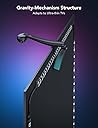
I originally bought the larger T2 system (75" - 85") for a 70" TV and found its non-adjustable LED lengths just too long to install to my TV even when I looked into folding the led strips strategically which would likely cause the adhesive backing to pull away from the TV under the weight of the LED strips and gravity and cause shadowing with the non-LED branches. I test fitted the set without removing the adhesive. Yes, the more lights you have better (benefit of longer strips) and the closer you can get the lights installed to the outer rear edges of the TV the better the effect. If you can make the longer length work, it would likely be better, but I would say it is not that big of a deal in the end or worth the trouble of installation. I carefully repacked and returned the large set and bought the smaller size T2 set (55" - 65") and I went ahead and installed it. Yes, the lengths were shorter, but the fit was much better and the effect still looked great and since the number of lights on the T2 design was more than the T1, it still looked great to our family. I liked that the camera mount does not require adhesive like the T1 (gravity/balance mount) which allows for adjustment and no harm to the TV screen bezel and screen interface. The app was easy to use and set-up was fine. Watched some YouTube videos and dialed it all in. The system has faster response speeds than the T1 and the new two camera system is key. Pure whites can have come troubles still with respect to LED color and casted color, but overall the look in the majority of cases was pretty faithful and excellent. For example, when flame scenes occur on the screen and/or flashlights are moving in a movie on the TV screen in a movie (watched Jurassic Park: Dominion) the changes and shifting of the LED colors and brightness changes was excellent. I believe on thin bezel TVs, the mounting of the camera may require some foam padding be added to the mounting scheme to secure. If you are on the fence between the T1 and T2, spend the extra and go with the T2, I was happy I did. I think if the manufacturer could make a single kit where you could cut custom lengths for the strips and connect them with the wired the branches (55" to 85") and improve the color matching on pure whites and some other tones for say the next "T3" it would be golden.
C**S
Turns Your TV Into a Cinematic Experience
This isn’t exactly a budget-friendly product. The build quality feels solid, the installation is pretty simple, and once everything is set up, it completely changes the look of your TV. I mainly bought it to create more of a home theater experience, and paired with the DreamView ecosystem from Govee, it feels like a whole new level. The lights sync really well with what’s on screen, making movies much more immersive. If you’re into tech gadgets or want to give your TV a more fun look, this is a great option. It’s not the cheapest on the market, but if you’re already in the Govee ecosystem or looking to get into smart lighting, it’s definitely worth considering. Overall, it delivers the experience it promises.
R**L
I had the first gen and this tops it.
Same function but better quality from the first gen. The colors are much more vibrant and much more specific to the screen with the dual camera.
A**R
A World of Difference
Since installing the light strip, the viewing experience has been absolutely magical. The entire wall lights up with a relatively responsive glow based on whats on screen. Especially engrossing in colorful scenes like animations, but offers fantastic ambiance with any other scene (e.g. fires, flashlights moving, cool snow scenes, vibrant background colors). A very affordable alternative to HDMI-input color strips. Its not as responsive to within the millisecond as those HDMI inputs, but at a fraction of the price its an excellent product. If you set it up correctly, have a dark area without external light sources, and have sufficient white space behind the TV to defuse the colors - this is a must buy. Installation: The strip installation is a breeze, but actual calibration is where one would need to take special focus. You need to be sure you setup app setting's light direction, color calibration (against a nuetral white screen), saturation and brightness levels, and most importantly play with calibration of the camera. You will get a few orange squares to adhere to TV screen to pinpoint the cameras angles. I personally found better results by moving the calibration points closer inwards into screen by a few inches. Meaning the orange squares place the calibration too close to edge of the TV and this did not provide the best result. I recommend playing around with these points and running a few color test videos on YouTube. Also, keep in mind this technology works by using a camera to see the TV screen. This technology works best in absolute darkness - any reflection on the matte or glossy screen display from outside lights will negative impact your color accuracy. I find the light strip isn't as impressive in the daytime. Support: This is the real reason I am writing the review. Govee support has been impeccable. I had issues getting my camera to work correctly as one of the two lenses was not reading input correctly. They provided instant solutions and sent a replacement for the defunct piece. I was impressed by how swiftly they had resolved my issues, no questions asked. Moreso than the product itself, this impressive support will ensure I buy more Govee devices.
ترست بايلوت
منذ شهرين
منذ شهر