We remain fully operational. Our teams are working around the clock to ensure your deliveries continue safely.

قم بتنزيل التطبيق


معلومات عنا
حقوق الطبع والنشر © 2024 Desertcart Holdings Limited
قم بتنزيل التطبيق









Buy anything from 5,000+ international stores. One checkout price. No surprise fees. Join 2M+ shoppers on Desertcart.
Desertcart purchases this item on your behalf and handles shipping, customs, and support to KUWAIT.
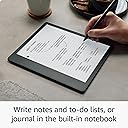
🖋️ Kindle Scribe: Where reading meets writing—your ultimate digital paper companion.
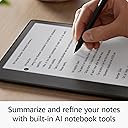
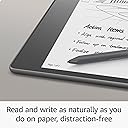
The Amazon Kindle Scribe (32 GB) combines a 10.2-inch 300 ppi Paperwhite display with a premium pen to deliver a seamless reading and writing experience. Featuring Active Canvas and AI-powered notebook tools, it allows users to annotate books, create notebooks, and mark up documents effortlessly. With up to 12 weeks of reading battery life and a glare-free front-lit screen, it’s designed for professionals who demand productivity and clarity in one sleek device.
| Display | Amazon's 10.2” Paperwhite display technology with built-in light, 300 ppi, optimized font technology, 16-level gray scale. |
| Size | Device: 7.7” x 9.0 x .22 (196 x 230 x 5.8mm excluding feet) Premium Pen: 6.4” x .35” x .33” (162 x 8.8 x 8.4 mm). |
| On-Device Storage | 16 GB, 32 GB, or 64 GB. |
| Weight | Device: 15.3oz (433g device only). Actual size and weight may vary by configuration and manufacturing process. Premium Pen: .53oz (15g) |
| Wi-Fi Connectivity | Supports 2.4 GHz and 5.0 GHz networks with support for WEP, WPA, WPA2 and WPA3 security using password authentication or Wi-Fi Protected Setup (WPS). Does not support connecting to ad-hoc (or peer-to-peer) Wi-Fi networks. |
| Content Formats Supported | Kindle Format 8 (AZW3), Kindle (AZW), TXT, PDF, unprotected MOBI, PRC natively; PDF, DOCX, DOC, HTML, EPUB, TXT, RTF, JPEG, GIF, PNG, BMP through conversion; Audible audio format (AAX). Learn more about supported file types for personal documents. |
| Accessibility Features | VoiceView screen reader, available over Bluetooth audio, provides spoken feedback allowing you to navigate your device and read books with text-to-speech (available in English only). Kindle Scribe also includes the ability to invert black and white, adjust font size, font face, line spacing and margins. Learn more about Accessibility for Kindle. |
| Warranty and Service | 1-year limited warranty and service included. Optional 1-year, 2-year or 3-year Extended Warranty available for U.S customers sold separately. Use of Kindle is subject to the terms found here. |
| Setup Technology | Amazon Wi-Fi simple setup automatically connects to your home Wi-Fi network. Learn more about Wi-Fi simple setup. |
| System Requirements | None; fully wireless and doesn't require a computer to download content. |
| Included in the Box | Includes wifi-enabled Kindle Scribe, Basic or Premium Pen, USB-C charging cable, 5 replacement tips, tip replacement tool, and built-in rechargeable battery. |
| Generation | Kindle Scribe 1st generation - 2022 release. |
| Battery Life | For reading, a single charge lasts up to 12 weeks based on a half hour of reading per day, with wireless off and the light setting at 13. For writing, a single charge lasts up to 3 weeks based on a half hour period of writing per day, with wireless off and the light setting at 13. Battery life will vary and may be reduced based on usage and other factors such as Audible audiobook streaming and annotating content. |
| Charge Time | Fully charges in approximately 7 hours from a computer via USB-C cable; or fully charges in approximately 2.5 hours with a 9W USB-C power adapter. |
| Documentation | Learn more about Kindle devices with our Quick Start Guide and Kindle User Guide. |
| Available Color | Tungsten. |
| Software Updates | Learn more about these software security updates. If you already own a Kindle, visit Manage Your Content and Devices for information specific to your device. |
M**M
Love it! Did not make me carsick! Helpful for school. Specifics in review for anyone it might help!
I was hesitant at first because of mixed reviews. I have to say- I love it! Addressing Other Reviews I have to say that a lot of the things people are griping about can be solved by having patience. It is a first-generation device and, while better versions may come, this one is far from basic. I haven't charged it in a week, in spite of using it multiple times. I think if you use it heavily for a few days, you will need to charge it more often- but are we really to the point where having to charge a device once a week is a chief complaint? Every single device I have, including a recent phone alleged to be "top of the line," has some loading issues from time to time. It's part of technology and it will never be flawless. There is a learning curve, but once you start to play around with it, it's pretty user-friendly. Simple Google searches answered most of my questions quickly. I encourage you to form your own opinion. Cost I got it on sale and traded in an old device to make it cheaper, then am doing the monthly payments for the rest, so I found it all reasonable. Watch for sales and utilize monthly payments to help with costs. Reading The reading on this is stellar. If you love Kindles, you will enjoy it. It feels more like a book than a regular Kindle. I have several gadgets I use to prop items up. The HUANUO portable lap laptop desk (https://tinyurl.com/HUANUO-Laptop-Desk ) is my favorite. I also like laying it flat, like a paper, when I'm reading and writing on PDFs. This might surpass my paperwhite for reading, which is saying a lot since that thing is awesome. Writing I love writing on this. I got the premium pen and love using the "fountain pen" setting because it looks beautiful. I've found it really simple to create notebooks and lists. I like using it for brainstorming so I can still handwrite things, but not waste a bunch of paper, and love the undo feature for similar reasons. There's also a function to circle and erase a section, which is neat. Book Notes Others have mentioned not being able to write in book margins, but the notes feature is still nothing to scoff at. For most books, I can tap where I want to make a note, then either handwrite or type (with the on-screen keyboard), and it will leave a tiny note icon in that spot (which is easy to access later). This looks cleaner than writing on the book page, while still being functional and simple. A few books still only let you do the old-school Kindle notes, but those aren't bad either. They are creating more books with writing options. PDFs Being able to write on and highlight PDFs is a game-changer for grad school, so this is proving to be one of the more helpful features (and part of why I got one). You can adjust the margins of the PDF, depending upon if you want it more for reading or notes. I took notes on a PDF and sent it back to myself, then later pulled it up on my desktop for my research. Size, Battery, & General Functionality The size is just right, feeling more like a book or paper, while still being condensed. I was able to repurpose an old planner cover for it. As mentioned above, I feel the battery life is impressive, as it tends to be on all Kindles. I've used it for hours on a multi-day road trip without recharging. It's also the first device I can read and write on in a car without getting carsick! As will be the case with most 2-in-1 technology, you might not get every single facet of each one when you combine them- but I do not feel this to be lacking. USE YOUR DESKTOP for set-up/adjustments I emailed some PDFs and that went well. You can also customize your pdf-sending email. Emailing PDFs to your Kindle email will work for most PDFs and is only limited by your email provider's size restrictions. For larger PDFs, I tried a few different things and finally settled on connecting my Surface tablet/desktop with the Kindle Scribe. I used a USB to USB-C cord and was able to drag and drop files from any folder on my desktop right into the Kindle documents folder. This was the fastest and easiest way to send files that were too big for sending via email. I'm glad I bought it and hope others will form their own opinions and get just as much joy out of it. Like any product that is the first of its kind, there is room for growth, but the updates they send through are great and this is still outstanding.
K**.
Short on functionality this early but fantastic device
I ordered this one as soon as it was announced and hadn't really realized how short on functionality it was going to ship with, but I'm still extremely happy with it so far. First up, it's a very nice Kindle device and is amazing for reading my books on. I adore the screen on it, and it's very snappy and responsive to navigate and write on. The screen size is also wonderful for reading on for my nearly 50 year old eyes that have somehow slipped into reminding me of my age by needing multi-focal lenses. One thing on this front that I miss from my Oasis is the buttons on the margin for page flipping. Those are nice on that device, although I don't hate that they're missing from this one, I just kind of wish they were there. Another thing I'm a little annoyed with is no 4G or 5G built in. I'll live without it and tethering isn't hard these days, but it's an annoyance that didn't need to exist on at least the top end models. I love the writing experience on the device, too. It's not smooth as glass like my iPad Pro with an Apple Pencil, it's much more like writing on paper. But it has a similar quick response to writing input that makes it feel pretty natural and not artificial or annoying, so Amazon have worked that part out well. The functionality is very basic at this point, which is probably the most negative aspect of the device. But it's actually SO basic that I have few doubts that this isn't in the pipeline to be addressed in software updates over the next several months. I would suggest not gambling on that if the cost is prohibitive to you because you should always make your purchase decisions on what you actually get when you buy, and not based on future promises or a naive belief that what you want will be delivered at any point. I can afford to live with my device as is, and it'll still meet the needs of why I bought it, just not optimally, if they don't add what I consider the missing functionality to it. That's not going to be true for everyone. The hardware they've used does support everything needed for all the additional features that I suspect Amazon is planning to add, if they've fully implemented it in the hardware, and at this price point, I believe they have, but I don't know it for sure. Things I think it's missing are: Pressure sensitivity for the pen A wider array of writing tools (drawing tools primarily) Stroke based storage instead of converting strokes to pixels Ability to zoom in and out of notes and drawings Handwriting recognition Related to handwriting recognition, the ability to search note contents More organization options for notes Perhaps a second app to segment writing from drawing functions, but this isn't a want, just a speculation on how they may approach some of these features if they add them Better Kindle integration - like having notes automatically sync to other Kindle devices and apps on other devices, more robust sharing options and integrating with other products like Office apps or drawing exports, etc. Ways to mark up a book with the pen beyond just the current sticky notes. This is a complicated ask because of the way ebooks are formatted, but it isn't unsolvable. My hope is that they are responsive to customer feedback and this becomes the premier Kindle e-ink device, and that they add this functionality to the current devices rather than milking them by only adding them to newer models. It seems more likely that they'll add most or all of the functionality to these devices, because otherwise they'd create a massive amount of customer backlash that they'd have to needlessly overcome, and that just isn't logical or necessary, so I think we'll see at least some of these features added over the coming several months to a year or two.
R**K
Not sure if I should purchase it, but happy I did!
Wanting the Kindle Scribe when I saw it hit the market. However, after reading many reviews, it did not look like it would fit my needs. When I saw the Scribe on the Last Prime Day (2023) I was torn about making the purchase. A new software update had recently been released and offered a lot more of the options I was looking for. I took the gamble and purchased it, hoping it was not a mistake. The experience has been amazing. Completely impressed with the Kindle Scribe! As one that has used a tablet for reading my kindle books, the scribe is very nice. But the handwriting and pen use is incredibly gratifying. The writing is smooth and very natural. I am not using paper notebooks for meetings anymore. My 4-year-old son wants to always borrow my Scribe to draw with. I love that I can take and read notes in full direct sunlight, a major win for me. I leave my back light on full 99% of the time. The battery lasts me about 7-10 days before I feel the need to charge it. My only issues so far are I have had to replace the nib on the pen twice. It may have something to do with my 4-year-old and I are using the Scribe for sketching and the 4yr old’s heavy hand. If any of the development team reads this, I would like to have a few sketching tools available, specifically a blend or smudge tool. Additionally, additional shades of grey for the highlight feature. Update to review after 3-4 months - I am still happy with the Scribe! I wanted to see if there was a way to make sure my notebooks are getting backed up in to my account? I am not sure what that looks like but to have my notebooks available in a cloud format on the web or PC is becoming be very important to me. October 2024 - Still Using it Daily – Outlook or Calendar Integration Would Make It Perfect! I’m still using my Kindle Scribe every day for notes and meetings, and it continues to impress me. The ease of jotting down quick notes and sketching out ideas has streamlined my day-to-day tasks. One feature that would make the Scribe an unbeatable tool is the option to integrate Outlook or another calendar system. Having that functionality would turn the Scribe into the ultimate planner, perfect for scheduling and note-taking in one device. The Kindle Scribe remains an excellent investment, and I look forward to seeing any future updates that could bring it even closer to the ultimate productivity device!
D**R
Great Reader, Good Writer - It's a First Generation Device
I have been looking at e-ink writing-enabled devices since the Remarkable 1 came out and could never justify anything more expensive than the Mobiscribe. When the Scribe was announced, I pre-ordered it, canceled my order and then bought it anyway. I'm so glad I did! So why did I almost not buy it? I'm a software developer by trade as well as a voracious reader and journaler, and let's face it; any first-generation device is going to have bugs. That's just the way of it. Overall, I am very pleased with the Scribe and use it for hours every day. It has replaced paper planners and journals. The only thing that keeps it from replacing my other Kindles as a reader is that it's a bit big. However, the size is great for writing, so I'm not complaining. Let's look at it as an e-reader. It's great. It's a Kindle. Amazon has had years to perfect the e-ink reading experience and I expected no less. Because I read far more PDF's on this device than I did on earlier Kindles, I have noticed that there seems to be an inconsistency in navigation with PDF's and, more importantly, the writing experience with them. I address this later in the review. So, the Scribe as an e-writer: it's quite good! Not perfect, but very good. Let's look at the three main ways of writing on the Scribe: 1) Annotating Kindle books - to the horror of my husband who thinks paper books are sacrosanct and should never be sullied by ink, I underline, highlight and annotate books. I love buying a used book that someone before me has annotated. I was initially disappointed that the Scribe does not allow annotating in the margins. However, I quickly fell for adding handwritten notes to highlights (and the highlight can be minuscule). It does keep the page clean and the notes can be rather copious. It also creates a file of notes and their references. Finally! I can write in a library book!! 2) Using native Scribe notebooks - based on my experience with the Mobiscribe, I thought that I'd use this the most. I use it hardly at all. It works quite well, but my beef with it is that, unlike the Mobiscribe, you cannot create your own templates or change page formats in the middle of a notebook. (Ahem! Amazon developers!! I'm looking at you!) 3) Annotating PDF's - Oh boy, do I use this extensively! I buy a PDF notebook from an Etsy seller and happily scribble notes to my heart's content. Sadly, this area is where the Scribe is the most buggy. Sometimes (as mentioned above) PDF's simply can't be written on. This appears to arise from three reasons. 1) the PDF wasn't uploaded correctly, 2) the PDF is in a format that the Scribe doesn't know how to handle, 3) the Scribe locks up. So, how to fix these issues? First, just get into the habit of sending PDF's to the Scribe correctly. There are a couple of ways to accomplish this. 1) Use the Send To Kindle web link: https://www.amazon.com/sendtokindle or 2) use the plug-in for Windows or Mac, a link to which can be found on the Send to Kindle page. I'm lazy and prefer the plug-in. I right-click on the file I want uploaded in Windows Explorer -> Send to -> Kindle. It opens a little dialog box which, after the initial log in and choosing Scribe, sends it right to my Scribe. Done. Send via the email address? No. Send via a USB cable? No. Either use the web link or the plug-in and be done with it. 2) PDF formatting issues. I'd love to tell you exactly what the issue is here. I've seen a couple of potential explanations on Reddit, and mistrust them. I'm not sure anyone knows for sure right now. I ran into the issue with a reading journal I bought on Etsy and the seller worked with me until he got it. I didn't ask him what he changed. I'm thinking that, at the moment, the Scribe is so new we're all rattling bones at it, hoping to stumble on the magic. I'm hoping this will be fixed in future software releases. (Yes, Amazon developers, I'm looking at you!) 3) The Scribe simply locks up. This seems to be an issue for those of us who extensively annotate PDFs. I suspect a memory leak issue in the software that gets fixed in a future software release (Yep, one more time, I'm looking at you, Amazon developers). It could be a hardware issue if the processor chip needs to be more powerful. The workarounds I've found depend on how badly the thing has locked up. If the PDF either suddenly can't be written on or if the Scribe throws an error when trying to open a PDF, what frequently works is simply opening a Kindle book and then going back to the PDF. If that doesn't work, a soft reboot from the top menu will usually clear its little brain and get things going again. I have had it lock up so hard that the screen doesn't respond to anything. That means a hard reboot with the switch on the side. It's irritating to have this happen, but again, this is a first generation device, people! I know this review had gotten to the size of a blog post, and if you've gotten to this point thank you for staying with me. There's more. There will always be people who complain that it isn't an iPad. It's not supposed to be an iPad. You want an iPad, buy an iPad. The whole point of e-ink devices is that you don't have the distractions of a young full-blown computer. You read. You write. We're done. To me, the even bigger advantage is that there isn't the eyestrain of a tablet or computer. You're not staring for hours into light emitted into your eyes. I'm not knocking tablets. I was a first generation adopter of the iPad those many years ago and use them happily still. But for reading and now writing, give me an e-ink device. So, given that I've convinced you that a dedicated reader/writer is a good thing, why the Scribe? This is trickier. There are four major brands besides the Scribe, even the cheapest of which has features the Scribe doesn't have. These four are Remarkable (now on Version2), Boox (and they have several devices to choose from), Ratta Supernote (a few devices), and MobiScribe. I'd love to say I can review all four brands and compare/contrast. I've used the Remarkable Version 1 and own both the original MobiScribe and the MobiScribe Origin. Even the MobiScribe, the cheapest of the four, can do handwriting-to-text which the Scribe can't do (ahem). So why would I go for the Scribe? The biggest reason is the Kindle reading experience. Kindle books can be read on the other devices, but with varying degrees of ease. Because the Scribe was built by the people who built the Kindle, I expected Kindle books to be far better integrated and they are. At the moment, I'd say the Scribe is a perfect device for dedicated Kindle users. If, however, you predominantly read PDFs, probably another device would be a better choice. At least for now. The other reason the Scribe may be a good choice is the power of Amazon behind it. Let's face it, if Amazon chooses to make the Scribe a success, listens to the early adopters and studies the abilities of the competition, they have the developmental horsepower to make this thing fly. If, however, this first Scribe is a one-hit-wonder and Amazon decides that the market isn't big enough to justify the development costs, this thing is going to sink like the proverbial stone and I, for one, will be mad as a wet hen. This is, unfortunately, a real possibility. The number of consumers who want a dedicated e-ink writer are never going to be as great as those who want a more all-purpose tablet. Amazon may decide that the e-ink reader market is where they're going to stay. If that's their decision, I will cry. Loudly. Really loudly. If you made it this far, thanks for staying with me. With all its quirks, I love the Scribe. I hope you will, too.
H**K
Hoping to combine my Remarkable 2 with a Kindle. ***Fourth Update and now a 5 star!***
I am a life long Kindle user going back to the first gen with onboard network at no cost and a keyboard. Still have it actually. My last Kindle is the last generation Oasis which I generally love but the battery is starting to go and the included leather battery case is starting to seriously degrade from too many pool and beach days. Additionally, I have been using the Remarkable 2 for about a year now. I love it. I have all of my note handy in any meeting. I have home and work to do lists that literally manage my life. However, all of my ebooks are consumed via Kindle and I read a lot. The Remarkable supports ePub and what not but that isn't my thing. I love the simplicity Amazon has created for me here. I don't want to download books on a laptop and then drop them into my Remarkable. Sounds trivial but it is a step. So, I was pumped and immediately ordered the Scribe when I saw it. I have been using it regularly now, side by side with my with my Remarkable, to gauge if the Scribe could be an all in one solution for me. These are my early thoughts but they are hardly complete as this is a very nuanced debate. Build: The Remarkable 2 has a better feel. Both the premium pen and the device feel just a little better constructed on the Remarkable. Both feel good but the Remarkable wins here. The Scribe's premium pen struggles to erase consistently which is irritating. That said, both feel great to write with. Further, it is clear to me that Amazon really took the writing part seriously. There is virtually zero lag on the Scribe. The Remarkable has low lag but the Kindle is clearly faster and more rewarding to write with. The Scribe is also back-lit and it is very good. That is a big win for Amazon. I give the edge in overall build to Remarkable but the Scribe has done enough in other places to make it a tough call. Processor and speed: This one isn't even a contest. I haven't looked up the processing specs and I will for my next update but I really don't need to. The Scribe is so much faster in everything it does. Page turns and searches are so much better here. Everything from menu access to flipping from one notebook to the next is better on the Scribe. It is actually painful to use my Remarkable in some ways now. Last Remarkable comparison points: The Remarkable make sharing work easier for now though it isn't seemless. The Scribe is clunky in this area. Note transcription is an area that Remarkable is clearly more refined in for instance. The thing is, while I love the idea, I don't use it that much personally but I know many do. If you are taking note, sharing them with colleagues, transcribing them to text, and using your device as a workhorse, The Scribe isn't ready for you. I think it will be but it isn't there now. Of you are like me, and like to have all your notes in one handy device, the Scribe works even if the software isn't perfect yet. As a Kindle: For me this is homerum city. The Scribe is absolutely Amazon's best Kindle for reading. It is much larger, still reasonably light, and is so much faster and more capable. You can take notes here while reading which is okay bit clunky. Do not buy this if you hope to make indepth annotations or comments on your books. Making little sticky notes comments isn't the best. Better than nothing but not a reason to buy. So, in conclusion, for me, this is a tough one. I am going 4 stars with hope for software improvements that take it to 4.5 to 5. The speed, backlight, functional note taking and customizable folders / notebooks make it enough to recommend but only if you want to really use a digital notebook. I do. I love it. Therefore, for me, having the ability to marry my Remarkable and my Kindle, even if it isn't quite perfect, is enough for me to recommend. Much more to come. ***First Update*** So, week one is in the books and I was able to travel with the Scribe across the country which I find to be a great way to get to know a device like this. I don’t often have five or six hours in a day to read and write. As I write this, I am on my plane back to Detroit from LA and just got done doing some reading and then some work. I have a couple of more thoughts here. The first is that the software needs to be improved. It is not as easy as it should be to switch between reading and note taking. It goes like this: Tap the top of the screen, tap Home, then scroll to what you want to switch to, and click again. Not the end of the world, but not ideal. Some sort of carousel at the bottom or top that you could call up would be ideal. Again, the speed of the device is better than any E-Ink device I have ever used which does minimize the inconvenience, but it could be better. I also just noticed the lack of pressure sensitivity in the last few days. I never used it much with the Remarkable, but I do think it is worth noting as many likely will. I do not think I mentioned the lack of waterproofing. That is a pretty large omission for me as this is the most expensive Kindle and nearly every other now made has waterproofing for a whole lot less. Now, I need to be more careful at the pool or beach and that might force me to buy a different Kindle for those purposes. This would defeat a lot of the device reduction purpose my Scribe investment set out to achieve. I have to think that through but it may be a deal breaker for me. On the positive side, like all Kindles, the battery life is outstanding. I have barely moved the needle on this four day trip and have spent a number of hours reading and writing. Really impressive! Also, worth noting, unlike others, I find the Premium Leather Case to be a really good addition. If you are going to do buy the Scribe, I think you should really consider that investment as well. I will update as I decide if I will make this work. So far though, the Scribe is a really good reader that has some work to do as a true multi functioning work asset. ***Second Update*** Okay, I had my first glitch. The panel started recognizing the pencil maybe a centimeter off of the device, meaning both that it was writing before the pencil was touching and when it was being pulled off the panel. The results were a big mess. I tried to reboot and it was still doing it. I then went to Kindle mode, opened a book, and tried to make a note. It was fine. Went back to notebook mode and it was back to working normally. I cannot get it to replicate but I will be busy with the device this week and will update if it rerurns. Strange and it has me a little spooked. Also, a software thing I really miss from Remarkable. It sounds small, but one of the options in the pencil drop down in Remarkable's menu is a little dash. When clicked, it allows you to circle things you have written and then cut or copy it for easy moving or large erasing jobs. Amazon needs to add this to the next update ASAP. Something I use often and will miss if I keep the Scribe. More to come... ***Third Update***So, thanks to our friends on the web, I solved my pen problem. I had jammed the tip to far into the pencil and it thought I was pressing down on the panel even though I was a good half inch of it. I pulled it out and reinserted it. Problem solved. Today is the last day I can return the Scribe and I am keeping it. The ability to have my Kindle and my notes together is just too strong for me to go back. That said, the Scribe isn't perfect. I am absolutely banking on Amazon providing significant improvements here. I think Amazon has been clear about the mission here so I am going to go along for the ride. If you need a workhorse writing tablet right now, this isn't it. If you want the best reader ever made and like the idea of having a robust note taking partner, this is absolutely something you need to buy. I will wrap up in a couple of months, but, for me, the Scribe does enough to warrant the investment. ***Fourth Update*** So, this is what I have been waiting for. Amazon has gone update crazy as of late and this device is officially a five star now. The last large update, about 6 weeks ago is huge. I won't go through it all here as it is detailed everywhere online, but Amazon has officially killed off Remarkable for me. Text conversion, searchable notes, better folder management, a better dropdown menu with the little dashes to circle and delete stuff, and so so much more is here now. I have received 3 updates in the last two months and the Scribe is better now in every way. I am moving my review from a 4 to a 5 because this is now the best e ink writing and reading tablet on the market. Keep up the great support Amazon! Buy with total confidence!
K**R
Early Adopter? Gen 1 not ready, cumbersome to use, unintuitive, and not worth it.
I love my other Kindles (Signature Paperwhite and Oasis). And I REALLY wanted and tried hard to love this one and find a way to incorporate it into my day to day because, like many, the idea to combine my books, my audible, and the myriad notebooks I carry around (and lose) in a single tablet is a trifecta experience. But Generation 1 is definitely not worth it. I was able to get it substantially cheaper thanks to a holiday sale and a trade in, and if it's not worth it at almost 50% off, it's definitely not worth it at full price. Here's why. Using it as a paper notebook replacement is cumbersome, unintuitive, and time consuming. If you imagine how many people work - a textbook, laptop, or other resource on one side and a notebook for taking notes on the other, that's a process familiar to most and flows well. My thinking was that "Finally, I can keep all my notes well organized, add more details to my highlights, etc." We'll, you can't. This Kindle works the same as every kindle or fire tablet when taking notes - you highlight, add the note, with the only difference here being that you can do so with a Stylus. The real problem is that this space is limited to what you see in the picture. Even on the other kindle platforms you can type forever, or use voice, to make long notes. Here, you can't - you're limited to that tiny tiny space and can't expand it. Basically, this equates to replacing your paper notebook with tiny post it notes. It's completely impractical to say the least. You also can't change the background of this area like you can in the "notebook" support, which means no dotted or lines, etc. You're literally cramming everything onto the digital version of a Post-it-Note. So then I thought, "Ok, I'll setup a notebook and just switch between the book and the notebook, and at least the notebook will let me write as much as I want / as many pages / page background theme, etc. But no, there is no way to seamlessly switch between the book you're referencing and this kindle's notebook feature. You have to close the book, start up a notebook, find the page where the note should go, close it, start the book back up again, and keep going. If you made a manual reference in your notebook as to where in the book this is relevant, this reference becomes completely useless the minute you change your font size or orientation. As a Japanese language student, I was particularly excited about being able to practice kanji as I can't imagine acres of trees that have died just so I can practice writing characters. And, I was particularly excited that I could do so on the page of the Japanese textbook I was referencing. But alas, no again. For some reason this kindle would not work well with my eTextbooks. Some would not open, some I characters wouldn't show up. Performance wise, this tablet is abysmal. When under small to moderate load, the time it takes for pen strokes to register can be counted in full seconds. Switching screens, opening books, etc, are noticeably slower compared to other kindle versions. For students especially who need to take more notes that will fill a sticky note, and for language students especially too, this tablet completely misses the mark. The software, in general, is lacking considerably with relatively few options compared to competing eInk tablets. Amazon says so itself in the project description with comments like "Regular software updates." I want this tablet to work so all my Amazon subscriptions, books, etc, and all my notes / notebooks can accompany me, so I'll Try Gen 2 when it comes out. Honestly, this version feels like a pre-release alpha version or prototype a small group would use to give feedback on. It was released way too early and in no way is it ready for the wild. To overcome the shortcomings, I sent it back, and I use my oasis with my Remarkable 2, which feels much more natural, with my Oasis. Well, at least I'm down to two high quality products in the meantime, but looking forward to seeing if Amazon can revamp this to make it an equally usable environment. Aside from the tablet itself, I must say, the "Premium Leather Cover" that comes with the bundle is just junk. I wouldn't pay 71 cents for it much less 71 dollars. Imagine the thickness of a normal piece of leather. Amazon shaved that into 100 layers and pasted it on cardboard, and the other side is felt (so not an all leather case). It really is disappointing what a low quality item they tried to throw into making their "bundle." I'll be buying a 3rd party cover for it if I checkout later generations.
H**G
the best writing tool
First impressions review: I hesitated to get one of these when they first came out, because I couldn't see a use for it. But recently this year I took up a spiritual tradition (Buddhism) that requires a fair amount of study. As I was slogging through another text that was one abstract philosophical concept after another, I thought to myself, "You know, maybe I would get more out of this if I could take notes." Then my teacher recommended some ancient texts to read. He said they were meant to be read and digested slowly. Another case for being able to take notes. So, given my long love affair with Kindle, I suddenly had an excuse to try the Scribe. It's expensive, but I scraped together the money from my discretionary savings and purchased the refurbished version which is good as new. Wow wow wow I love it. First, that boring text I was reading? Infinitely more interesting and engaging for me to take notes as I go. When I have longer notes, I have a notebook I created that is dedicated exclusively to that book. The pen is really fluid and captures the exact idiosyncrasies of my handwriting. It really feels like writing on paper, which is such a therapeutic feeling for me. Already I feel like I'm getting more out of my reading and applying it to my own life. And I love that I can review my highlights and sticky notes in summary at any time. This has been transformative to my spiritual life. So if you like to study religious or spiritual texts I can't recommend it more highly. I also read a lot of non-fiction in general, from self-help to popular science, and I can imagine I'm going to get so much more out of my reading now that I can engage more deeply with the text. This is in contrast to how I would just rapidly consume these books in the past without really absorbing their lessons. So I got what I was hoping for out of this tool, but what I didn't expect was to be able to use it in so many other ways. Since I got the thing (only two days ago!) I have created several more notebooks, including a folder for all my Buddhist studies (including a notebook where I just write down questions I want to ask my teachers.) I created a freewrite journal to write my daily gratitude and set my intentions for the day or reflect at night. I created a work folder for me to jot down general notes during work. And I created a fiction folder for me to work on developing my novel in progress. The charm of this little machine is that you can organize all your notes about everything in one place. Until now, I have all the time been scribbling things down on random pieces of paper or in one of twenty different notebooks. With my ADHD I am all but guaranteed to lose important thoughts because I can't remember where I put them. But now - I only have one place to look! Nothing will get missed. I put it to the test yesterday because my Teams wasn't working at work, and I ended up having to take notes shorthand during a meeting. And those notes were waiting right there for me at the end of the day to review and create tasks. Finally, like the Oasis and the Paperwhite Signature, the Scribe has a dark mode, and it is a lot of fun to write with glowy handwriting in bed. I really enjoy recapping my day in the dark before drifting off to sleep. It almost makes me feel like a kid again, scribbling in my journal before bed. Only no flashlight needed. Now, constructive feedback: 1. Because this is a Kindle, the UI is not great. Some features are not intuitive to use. It took me forever to figure out how to change the pen width, another forever to figure out you can add a page to a notebook just by swiping right. For the person that said you can't change page templates within the same notebook, you can - you have to go to the page overview grid thing and you can add pages of any template. Had to figure that out too. 2. I don't love that notebooks are interspersed with books in My Library. There should be two separate categories IMO but then they couldn't advertise I guess. 3. If you are going to use a lot of sticky notes I suggest getting the premium pen, hiding the toolbar and setting the shortcut to sticky note. Now you don't have to look at the toolbar while you read. 4. I really wish there was a way to attach a notebook to a book, creating a shortcut for access, for longer notes that don't fit inside a sticky note. Either that or have infinite space in a sticky note. 5. I bought the 64GB and it appears they sent me the 30GB but I have already written too much to send it back without losing all my notes. Hopefully I will not run out of space! 6. I really don't know how this would work as a primary work tool. With my work, which is very detail oriented, I really can't write all my notes by hand. Typing is much more comprehensive. But the Scribe is great in a pinch where you need to write something short, like a reminder or phone number, or you have no other option. So I am using it at work for anything where I would normally use a pad of paper, but not when I would use a computer keyboard. Update: This little device has turned into one of my most treasured writing tools. As a fiction writer I really didn't imagine how much it would break open my creativity. It took me back to my childhood days when all I had was a pad of paper and a pen to write down my stories. Now I find myself coming back to the Scribe over and over when I need to work out a plot problem, or sometimes when I just don't feel like staring at a computer screen. I've composed many rough drafts of scenes, I've worked through themes, I've written outline sketches, it's just my catchall tool for figuring my books out. And for some reason it has massively accelerated the pace of my writing, particularly how quickly I am able to problem-solve when I get stuck. Something about the tactile freewrite experience really opens up my creativity in a way that staring at a blank computer screen does not. If you are a writer like me, I urge you to consider it!
K**R
How to read a Scribe in your comfortable chair
There is much to like about the new Scribe and it surely is now more improved for note taking with its first software enhancement. But I can not give it a higher rating as the developers have left it up to me, the reader, to figure out how to read it like my paperwhite sitting in my favorite easy chair and not straight-armed in some wooden library bench. Since I had to figure it out myself and Amazon did not, give a free Scribe to review, I'm going to stick with my three stars. The design of the Scribe is dead perfect to hold and read if you ignore any entreaties to add a case, Even one of those clear back protectives is too heavy, and ruins the feel of holding it. . You can not add even the small four ounces of the clear backs let alone the ten to fifteen ounces plus of the full cases, not without undermining any chance to sit quietly in your favorite chair and read for an hour like I can with my paperwhite. Not only does even a few extra ounces weigh down and fatigue but the wonderful tactile thin feel of the native Scribe is lost. While I admit, as many reviews attest, without a case or backing, the Scribe is slippery and difficult to hold, follow my advice and it is resolved. From previous experience I knew the answer. One or two Velcro finger grips like Lazy Hands(see picts). And that's all there is to it, no added weight, you feel the thinness of the Scribe and you are comfortable now in your easy chair to read without fatigue,. it's the only way. And my three star rating is because Amazon owned this aolurionf instead of $20 to $50 cases that turned to Scribe into a shotput that only works with a stand sitting in a hard wooden chair upright and uncomfortable. As for writing etc, there are a number of simple inexpensive stands available, the velcro finger supports won't interfere and you can write away without issue. Yes, your pen is just held by it's magnet but if you are a reader like me, and know a Kindle is reading, you can still use it for note taking on the stand which you'd have to do anyway with a case whether you're using the case on a stand just laying it back on some overweight unwieldy case flat on the table instead. One more thing, software. Deepite the note taking upgrades, Kinda has ignored the reading experience, I note that my font sizes on my paperwhtie are actually as large or larger than the Scribe though they do read as well with the Scribes better lit screen. But why not even a larger font for senior eyes? And, one more thing, the definition of words is still done in the tiniest font. Why not make it bigger with almost twice the screen surface available? Kindle, make your next software improvements for the reader. And for sure give your buyers a new option to hold their Scribe happily in their hands and read chapters instead of pages before their hands give out in fatigue. Oh yes, remember to buy yourself a $10 sleeve instead of a $45 case.
ترست بايلوت
منذ 4 أيام
منذ أسبوع