We remain fully operational. Our teams are working around the clock to ensure your deliveries continue safely.

قم بتنزيل التطبيق


معلومات عنا
حقوق الطبع والنشر © 2024 Desertcart Holdings Limited
قم بتنزيل التطبيق






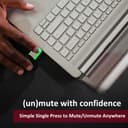
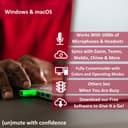

🎙️ Own your virtual presence with the MuteMe Mini—mute like a pro, seen by all.
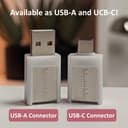
The MuteMe Mini is a compact, USB-C illuminated mute button designed for Mac and Windows users to instantly control microphone status during virtual meetings. Compatible with major platforms like Zoom, Teams, and WebEx, it requires free MuteMe software for full functionality. Featuring customizable LED colors, brightness, and pulsing modes, it enhances productivity by reducing interruptions and providing clear visual mute status. Ideal for professionals seeking a polished, efficient remote meeting experience.



| ASIN | B0CCTY14XG |
| Actuator Type | Push Button |
| Best Sellers Rank | 187,052 in Computers & Accessories ( See Top 100 in Computers & Accessories ) 22,552 in Laptop Accessories |
| Brand | MuteMe |
| Circuit Type | 1-way |
| Colour | Custom Illumination - 8 options |
| Connectivity Protocol | USB |
| Connector Type | USB Type-C |
| Contact Material | Stainless Steel |
| Contact Type | Normally Open |
| Control Method | Push Button |
| Controller Type | Push Button |
| Customer Reviews | 4.3 4.3 out of 5 stars (26) |
| Included Components | USB Cable |
| Item Dimensions | 32 x 17 x 9 millimetres |
| Item Type Name | USB Mute Button |
| Item Weight | 0.01 Kilograms |
| Manufacturer | MuteMe |
| Material | Stainless Steel Polycarbonate |
| Mounting Type | Wall Mount |
| Number of Items | 1 |
| Number of Positions | 1 |
| Operation Mode | ON-OFF |
| Switch Type | Push Button |
| Terminal | Spade |
| UPC | 756014335576 |
| Unit Count | 1.0 Count |
H**N
Not synching properly
I can unmute myself on screen in Teams but it still shows red, so at the moment it's not just unhelpful but positively dangerous! if I manage to sort this out I'll amend the review but at the moment it's unusable. I've followed all the instructions and according to them this shouldn't be happening so I've emailed them
E**S
Muy buen producto, lo recomiendo.
T**A
I have a complex setup two audio interfaces, audio mixer, etc. I use one Shure mic for both for my PS5 and PC and it’s easy enough to quickly and easily mute on PS5 but for PC, it’s not as simple. I wanted a mute button close to the mic on my boom arm for quick and easy access and this works great. I just use a long USB-C cable extender to mount the mini version on the boom arm. It’s plug and play and the software is easy to use. I use it to mute on Discord and it works flawlessly. It properly shows that I’m muted on the Discord app and no popping when muting/unmuting. It’s a bit on the pricey side but it’s a hassle free way to get a mute button where you want without any complicated setup.
T**.
Reviewing after 1 month of weekday use; Muteme works great and must-have gadget. I bought the mini usb-c version and no longer need to reach out to my mouse to mute or unmute and the best part is the indicator light to show people approaching me to see if I am on a call and even for them to understand if I am muted or not. Color customization options are well organized. Overall, device is compact, light levels are adequate and interface for customization is user friendly. Settings have options to select which applications muteme would be used for and good instructions on how to setup individual apps with customization. Super easy. Light has 2 levels, dim and bright. I use it at home mostly and dim works just fine. It is compact enough to be out of the way when plugged in directly to the laptop port but I decided to use an extension to a usb hub (usb-c to usb-c because the version I bought is usb-c) and attached it on top of my 90degree HDMI adapter with some rubber bands temporarily, I plan on using a velcro tape but it works just fine as seen with the photos. Special thanks to developers
S**K
This is a wonderful device for controlling and monitoring my laptop's microphone during hours of Teams calls per week. The initial setup was easy, although there were quite a few steps. It is so much easier to tap the mic on/off than hunting for the screen control with the mouse.
1**1
works great. but it is not plug and play. you need the app always on for this to work. once in a while, even i have the app open, it does not pick up so i need to restart the thing. i wish it worked with tablets as i use my ipad more on travel meetings. their cust service replies fast for questions. recommended
ترست بايلوت
منذ 3 أسابيع
منذ شهر