We remain fully operational. Our teams are working around the clock to ensure your deliveries continue safely.

قم بتنزيل التطبيق


معلومات عنا
حقوق الطبع والنشر © 2024 Desertcart Holdings Limited
قم بتنزيل التطبيق
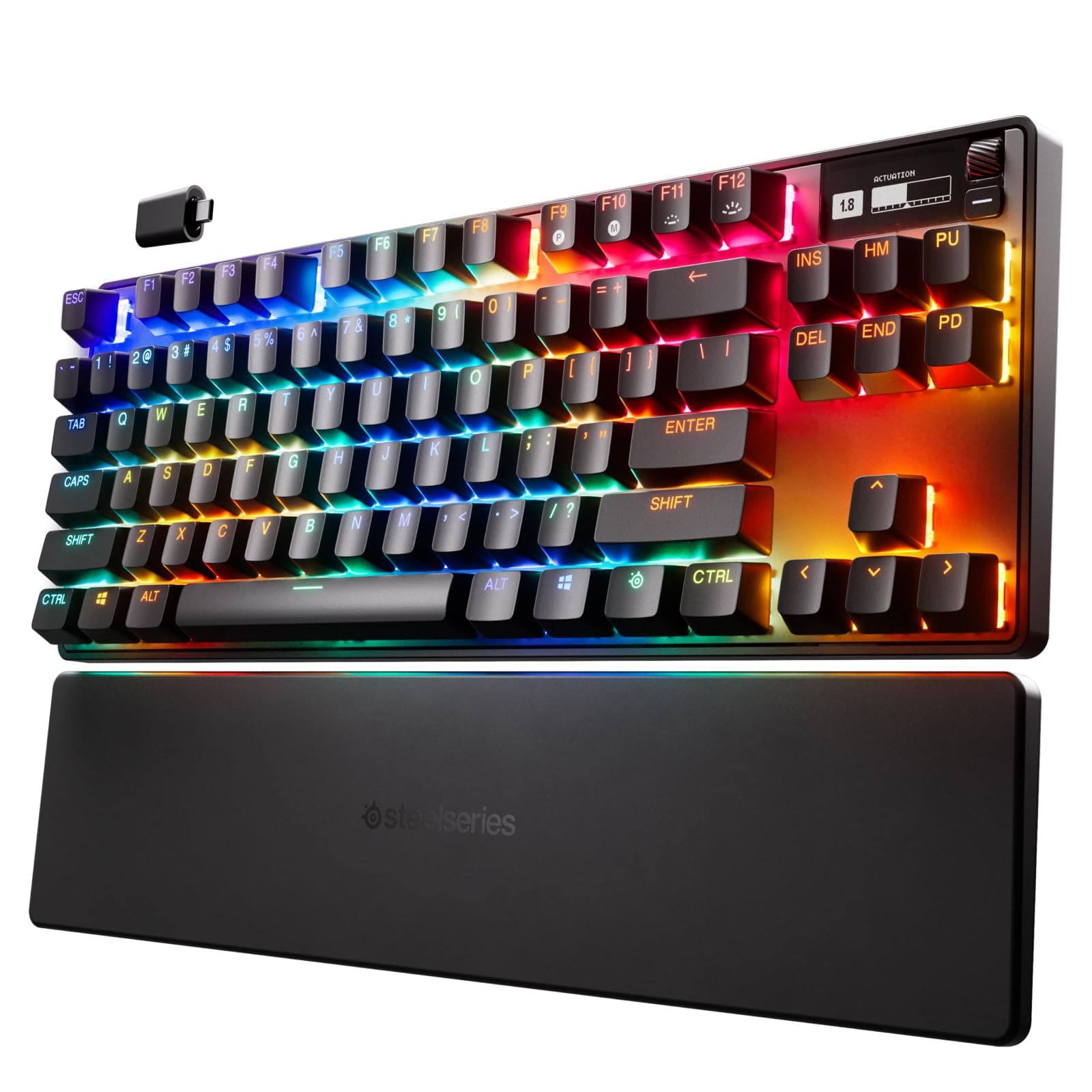
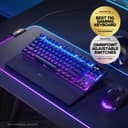
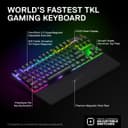
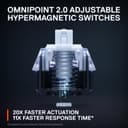

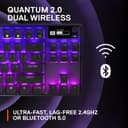

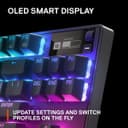


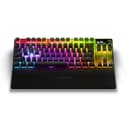
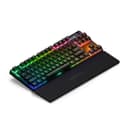
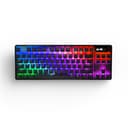

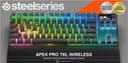
⚡ Own the fastest keystrokes—because speed waits for no one.
The SteelSeries Apex Pro TKL Wireless is the world’s fastest tenkeyless gaming keyboard featuring OmniPoint 2.0 HyperMagnetic switches with 20x faster actuation and 40 levels of per-key customization. It offers lag-free Quantum 2.0 Dual Wireless connectivity (2.4GHz + Bluetooth 5.0), a premium aluminum top plate, PBT keycaps, and a compact esports-ready design. Perfect for professionals and gamers seeking unparalleled speed, precision, and wireless freedom in a sleek, space-saving package.


| ASIN | B0BFFT7X3G |
| Antenna Location | Gaming |
| Best Sellers Rank | 3,362 in PC & Video Games ( See Top 100 in PC & Video Games ) 177 in PC Gaming Keyboards |
| Box Contents | USB Kabel |
| Brand | SteelSeries |
| Brand Name | SteelSeries |
| Button Quantity | 19 |
| Colour | Wireless |
| Compatible Devices | Laptop |
| Compatible devices | Laptop |
| Connectivity Technology | USB-C |
| Connectivity technology | USB-C |
| Customer Reviews | 3.4 out of 5 stars 189 Reviews |
| Enclosure Material | Aluminium |
| Hand Orientation | Ambidextrous |
| Item Dimensions L x W x H | 12.8L x 35.6W x 4.2H centimetres |
| Item Weight | 1069.8 Grams |
| Keyboard Backlighting Color Support | RGB |
| Keyboard Description | Gaming |
| Keyboard Layout | QWERTY |
| Keyboard description | Gaming |
| Language | Spanish |
| Manufacturer | SteelSeries |
| Model Number | 64866 |
| Number of Batteries | 1 |
| Number of Keys | 20 |
| Number of Sections | 1 |
| Power Source | Battery Powered |
| Product Features | Backlit, Wrist Rest |
| Product Warranty | 2 year manufacturer |
| Recommended uses for product | Gaming |
| Special feature | Backlit, Wrist Rest |
| Style Name | UK English QWERTY |
| Switch Type | HyperMagnetic |
| Theme | RGB |
| Unit Count | 1.0 count |
T**J
Wireless keyboard
I love it, comes with a dust cover too so that’s handy and the type c cable is braided and super long which is nice, you can use it as wired, wireless with the USB dongle or Bluetooth. All work well for me, no issues, charging is super simple. Lighting is very well and adjustable to dim or off. Keyboard feel is very nice, wrist rest may get a couple scratches over time but I couldn’t care less, keyboard itself fine had it for a year or so now and no issues whatsoever, held up strong as if brand new. Keyboard sound I love it too, wouldn’t let me upload a video but you can find on YouTube anyways
K**G
Check the countless Reddit pages for why you should avoid this at all costs.
I had nothing but issues with this thing. 1. The software crashes any time (and I literally mean ANY time) you change a setting. 2. Random keys will get their LED colour stuck and not follow the profile. 3. Absolutely worst of all was after a week my keyboard started randomly spamming keys. As in rapid, never ending strings of random keys which I couldn't stop until I unplugged the keyboard. The only way to stop this from happening is to change the firmware. As in if you are on the latest firmware, roll it back. If you are on the old firmware, update it. As soon as you fix it once, it will start happening again within a few hours or days and you have to do it all over again. This has been reported with countless Reddit posts and threads (just like the other issues above) and there is still not fix for any of this for over a year. Why should you trust that this WILL happen to you? Because it CAN be temporarily addressed with firmware updates. If it was hardware it would just be a case of an RMA but it's not - this is a software issue. And no - calibrating will not fix this issue, trust me I've tried as have many others. At best it will work for a moment but you can still see the input itself spamming if you read the display, it only changes the thresholds to stop it from impacting you which totally defeats the point of HE keys. I sent it back and got a Wooting. I wish it had wireless but I can absolutely live with the fact that it doesn't given it's insane quality and I've never had to open its Utility app once after the initial setup. Over a month later and I'm super happy with it.
B**A
I spilt coke on my keyboard and this happened so bought another
As you can tell by the picture spilling coke on the keyboard did some real serious damage looks like the keyboard was involved in a major RTC so when buying this product have in mind that if you spill coke on this keyboard this is how it will look
A**N
(Was) My new favourite keyboard
Update: I had to return this keyboard. I contacted Steelseries about the software issue regarding PC/Mac which I mentioned below - and they told me I need a hardware replacement. Instead I returned this item. I removed a star for this. Another issue that I had with it, that caused me to deduct another star, is the long wake up time after the keyboard sleeps. It's only around a 1-2 seconds - however you cannot type during this time, so you need to wait for the keyboard to wake. Both the G915 and my new Asus Azoth keyboards, do not have this wake up issue - you can start typing immediately. I had a Logitech G 915 TKL Wireless prior to this keyboard, but after 2 replacements due to charging issues, I decided it was time to move on from Logitech keyboards. A friend recommended this, and it's a gem. Though I did not think that right away. After unboxing, I thought it looked nice, and I had some issues setting it up on my Mac (I use both a Mac and Windows PC), but it quickly became my favourite keyboard. It's not perfect however, at least for my use case. I use a USB Hub that I plug into either the MacBook or Windows PC, depending on what I am using. I use an external USB mic, audio and camera - and I had strange problems with them such as stuttering audio, etc. I ended up having to get a USB 3.2 hub (the 10gb one) in order for all my devices to function. I assume it had to do with the keyboard polling rate, as when the keyboard was unplugged, all other devices worked. I did not find a way to adjust this. The only issue is that when I plug the hub into either the PC or Mac, you need to unplug the keyboard dongle and plug it back in, else the keyboard does not work. Now, I realise you could use the keyboard in Bluetooth mode, for example on the Mac - however, Steelseries GG (the software you need to have installed) - does not recognise the keyboard, and regardless of the light settings you have set, it changes to some tasteless rainbow coloured light show. There are other presets to use, I find them all equally bad. So I now just have to keep plugging the dongle back in to get this to work as expected. They should really let you save the profile directly to the keyboard to use in Bluetooth mode.
D**D
best keyboard I've had
great keyboard just buy you cant go wrong
S**.
Full of Bugs - Renders Keyboard Useless
We I had high expectations of this keyboard. I ordered the wired version and then saw the wireless was the same price so ordered the wireless with a view to return the unopened wired one. First time I tried it over 2.4gz I had random key presses (one key was held down). I then plugged it in thinking it was the wireless and as soon as you plug it in you have multiple key presses. Another thing, I left the PC on overnight (the sleep is set to 5mins in the software) and came down this morning to the PC on sleep and the keyboard awake and on at 5%???. Thought I would try it on my work laptop without the software installed in case its a software bug. The right arrow key does not work at all. also plugging it in and then unplugging it causes the keyboard to not respond which means you have to turn it on and then off. It appears that I am not the only one that is experiencing these issues. Many reviews on here with issues, plus multiple reddit threads on issues. I would therefore definitely NOT recommend this keyboard
T**O
Nice Hardware but some quite annoying software failings
First impressions: nicely packaged has a good amount of weight and feels solid, switches feel good although i do miss the tactile feedback from brown switches. wrist rest is plastic with a rubberised coating on the top, the steelseries logo is a different material and raised. more comprehensive list of pros and cons below. would be nice if they included a USB-A to USB-C adaptor or cable to allow more flexibility. Pros: Nice Typing experience - this is subjective, i quite like typing on these switches. Solid - feels well made, has some good weight to it and there's no flex to the keyboard RGB - colours are nice and vibrant. Battery Life - seems decent, haven't run it down fully yet but i plug mine in overnight and my lighting is fairly low. Cons. Software managed RGB - lighting seems to not be saved to the board so whener you turn on you get flashes of rainbow effect. RGB Issues - this may be related to the above but i find one key repeatedly resets to default lighting for up to 10 seconds before it "catches up" and switches back to the lighting profile that has been assigned. Disconnects / Locking up - running wireless the keyboard has fully locked up requiring turning off and on several times - i'm considering returning the keyboard due to this. Steelseries software - not a con with the keyboard itself but the software is just terrible and filled with bloat. i've been using steelseries headsets for a while and have noticed this getting steadily worse as time passes. UAC prompts for the system monitor App for the keyboards info panel every single startup - this has been present for over a year now looking at their subreddit. Overall: Nice Hardware but some quite annoying software failings. Update - after the keyboard locked up again (second time today) and then after waking up took the better part of a minute to pull the light profile down i've decided to return it, shame really.
M**H
good keyboard but i have a problem with it
keyboard is good, but my problem is that it wont update the keyboards firmware. click start and nothing happens and website page freezes. had no problem updating steelseries aerox 9 mouse.
ترست بايلوت
منذ شهرين
منذ شهر