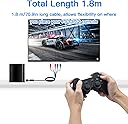
🎮 Level up your retro gaming with HD clarity that demands attention!
The Mcbazel Component Video Cable delivers high-definition Y/Pb/Pr video and stereo audio output for PS2 and PS3 consoles via component ports. At 6 feet long, it offers flexible placement while ensuring stable, interference-minimized signal transfer. Perfect for gamers seeking a sharp, vibrant upgrade from composite cables, this lightweight, RoHS-compliant cable requires manual output setup on consoles to achieve optimal picture quality.


| ASIN | B0050HNJW4 |
| Best Sellers Rank | 871 in PC & Video Games ( See Top 100 in PC & Video Games ) 4 in PlayStation 3 Cables 8 in PlayStation 2 Accessories |
| Brand | Mcbazel |
| Cable Type | Component |
| Cable type | Component |
| Colour | Black |
| Compatible Devices | Television |
| Compatible Phone Models | No Compatible Phone Models |
| Compatible devices | Television |
| Compatible phone models | No Compatible Phone Models |
| Connector Gender | Male-to-Female |
| Connector Type | Component |
| Connector type | Component |
| Country Of Origin | China |
| Customer Package Type | sealed antistatic bag |
| Customer Reviews | 4.2 out of 5 stars 1,492 Reviews |
| Indoor Outdoor Usage | Indoor |
| Item Shape | Round |
| Item Weight | 0.1 Kilograms |
| Manufacturer | RiteAV |
| Maximum Voltage | 5 Volts (DC) |
| Model Name | ps3comp2 |
| Model Number | ps3comp2 |
| Number of Items | 1 |
| Number of Pins | 2 |
| Other Special Features of the Product | Lightweight |
| Outer Material | Rubber |
| Recommended Uses For Product | Television |
| Special feature | Lightweight |
| Specification Met | RoHS |
| Unit Count | 1.0 count |
U**R
The cable your PS2 needs
Far exceeded expectations. If you still have a TV or monitor with component connections this is the best way to play PS2 without burning a hole in your wallet with Retrotinks etc. Does exactly as expected, sharpens up image quality to where you need it to be and now games will look as intended if not better - no more blurriness of the usual composite cables (do yourself a favour and get rid). 5/5 all day long. Just wish I'd known about them sooner!
L**N
An incredible upgrade over regular composite cables
I was a bit skeptical of these cables at first considering their cheap price, but I thought there was no harm in giving them a try. I wasn't ready for such a massive jump in picture quality though. Component video is a complete game changer for any retro console that supports it, even at an interlaced resolution there's such an increase in picture clarity. I've attached two images of Rayman 3, one of only a few PAL games that supports 480p. On the right is composite at 480i, on the left is component at 480p. Not only can you clearly see every pixel, but the clarity of background detail is much improved. Be warned that this cable will reveal imperfections in all of your favourite games! Cannot recommend this cable enough, amazing quality for the price.
C**W
If image is stuttering/breaking up, pop a 'Ferrite ring clip' on the cable.
I saw the review with a video that showed stuttering and breakup... More good reviews than bad, so I ordered. To my dismay; the cable I got had exactly the same issue. I noticed that I could get a solid image when the cable was held away from equipment and other cables. I had a "Ferrite Cable Clip" thing in a draw. Put it around the cable and the problem was solved. Either the shielding around the cable is poor or the thing close to the PS2 end has no Ferrite inside it... Maybe both... I shouldn't have had to stumble across a solution to a problem that should of been thought of in the design, but luckily the cable works for me now. Hopefully this information will help others who are close to returning due to stuttering screen.
M**N
Better than a HDMI converter
Excellent cable to bring life back into my PS2. Makes the graphics a lot clearer on modern TV’s and way better picture quality than a HDMI converter. Recommended
C**S
Broken upon arrival and none returnable!
I ordered this for my PS2 after noticing that my TV has all the outputs for HD connection for the PlayStation. So I order it it came blah blah. Go to fit it and the connector into the back of the PS2 was really stiff and awkward and didn’t want to go in but I managed to get it in while grinding my teeth. And installed it into the TV. And then nothing, nothing would come up, so I thought right, let me take out the extras and see if it will work like an original AV cable, again nothing. Basically the cable supplied doesn’t work at all and was just a waste of money and time and they probably know this considering they don’t accept returns. Disappointed and ashamed at both the supplier and amazon for allowing this to happen and not make returns able. Diasappointed and would not recommend!
L**N
Worth it!
Had to change the setting on my PS2 from RGB to component to get this to work but it was so worth it! Made the image so much clearer:)
L**K
Great, you will have to be able to access settings menu on PS2, it is doable with the other TV audio-visual cable
This is great, it allows me to use my Playstation 2 with my latest LG Smart TV BUT, and this is something which is not explained IN ANY youtube video or guidance I have watched or read online, you will have to access the system menu in the settings within the Playstation and toggle to the appropriate setting or the TV will register that there is no Component signal (you may hear the sound of the menu screen or the game playing through the TV but you will have no picture). In order to be able to do this you may use the older AV cable, red plug to red receiver, white plug to white receiver and then the yellow plug to the green receiver, this will allow your TV to receive a signal from the Playstation, you will be able to access the setting menu provided you have not put a disc into the Playstation and it is just operating "empty". The setting you want to highlight is the one other than RGB (it is a string of letters). Having done this, you can then hook up this HD Component AV Cable, the colours of each of the plugs correspond to each of the receivers on the TV set and it is good to go. There is some debate about the difference between HD Component AV Cable and PS2 to HDMI Converters. I have both, I am going to comment in a bit more detail on this after I have played more games and been able to assess properly each means of upgrading the PS2 picture for improved TV audio-visuals. What I would say is that so far I think that both the HD Component AV Cable and PS2 to HDMI Converter are better pictures that the previous AV cable attachment which I used to toggle to the other setting (I played a single game which was dark anyway but the picture was awful, really adversely effected play). Neither are necessary to make the PS2 signal be received by the TV and part of my confusion was a consequence of having used a SCART attachment with the AV cable in my previous TV and initially not being aware, when the SCART attachment is removed, which plugs would attach to which colour corresponding receivers (yellow to green). The picture is not great though and I would only recommend using this to toggle the settings and use either HD Component AV Cable or PS2 to HDMI. Thus far my preference is for the HD Component AV Cable but I'm going to update in time. I hope this is helpful, as I tried hard discover this information online and eventually only found it in a video which was listed as comic, I suspect because of issues with it quality.
M**Y
Cables incorrectly coloured but it works great
Before I talk about the picture quality I have to talke about set up issues. So when I plugged it in i got no picture and crackly sound. My TV knew there was something plugged into the component sockets but told me there’s was no signal. I did quick search through the questions and answers section and the common suggestion (not solution) was you need to change the PS2 settings. You do need to do this however it doesn’t determine whether you get a picture or not. In one of the answers someone’s suggested the cables were incorrectly coloured, so I tried mixing the colours up. To get the cables to work correctly I had to swap green and blue and then try both red cables in the slot below the green and blue slots. And thankfully it worked. So now that it works I can see the picture is a BIG upgrade from the RGB (RWY) cables, games even seem to play smoother so this really improves the retro experience. If it wasn’t for incorrectly coloured cables it’d get 5 stars.
ترست بايلوت
منذ شهر
منذ شهرين