Buy anything from 5,000+ international stores. One checkout price. No surprise fees. Join 2M+ shoppers on Desertcart.
Desertcart purchases this item on your behalf and handles shipping, customs, and support to KUWAIT.
⚡ Upgrade your speed, keep your space — the hybrid hard drive revolution!
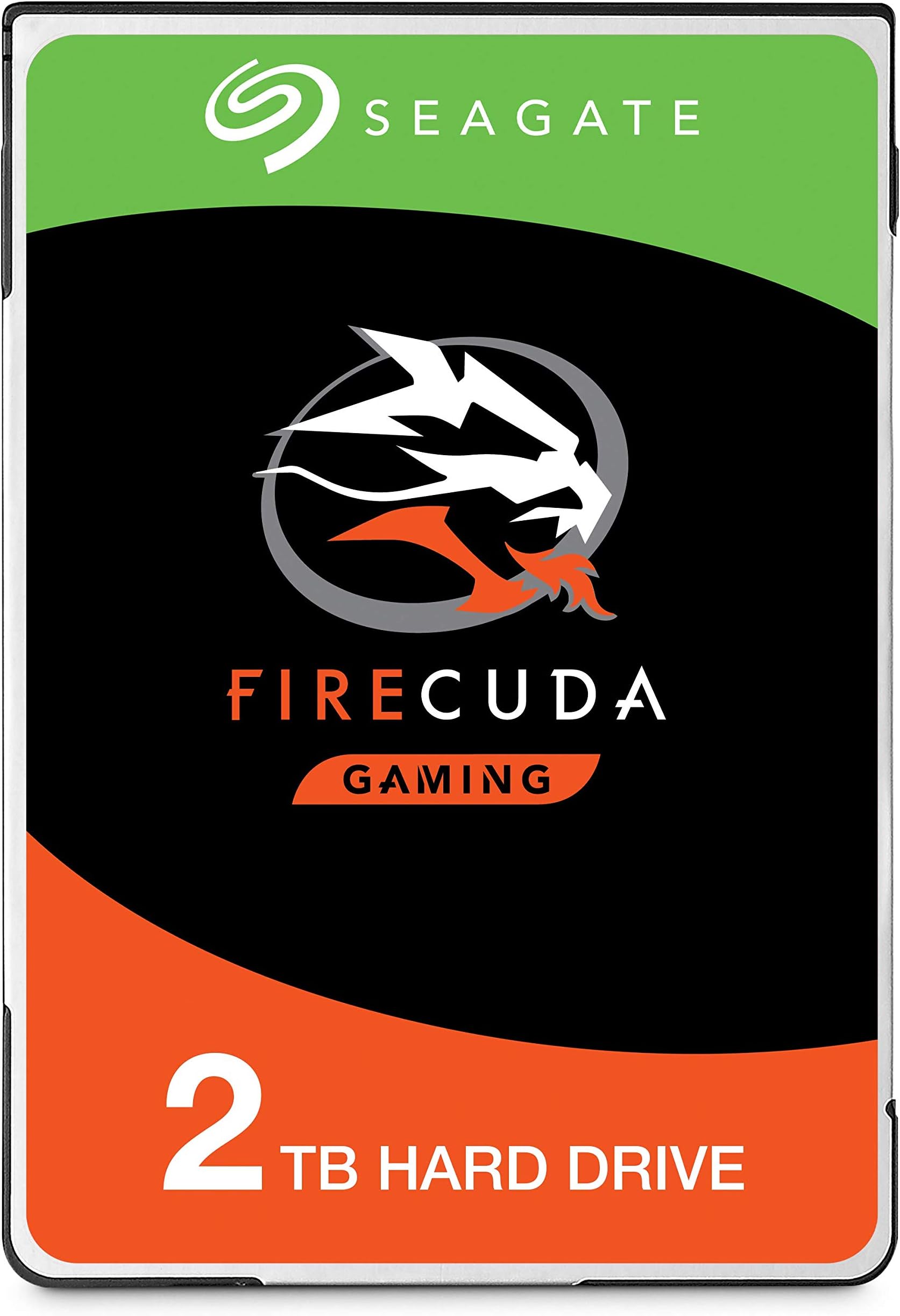
The Seagate FireCuda ST1000LX015 is a 2.5-inch internal hybrid hard drive that merges the speed of SSD technology with the large capacity of a traditional HDD. Featuring 1 TB of storage, a 64 MB cache, and a SATA 6 Gb/s interface, it delivers up to 5 times faster startup times than standard 7200 RPM drives. Its smart caching algorithms optimize performance by storing frequently accessed files in NAND flash memory, while maintaining quiet operation at 5400 RPM. Easy to install and compatible with standard PC setups, this drive is ideal for professionals and gamers seeking a perfect balance of speed, capacity, and reliability.


| ASIN | B01M1UQQT5 |
| Best Sellers Rank | 42,229 in Computers & Accessories ( See Top 100 in Computers & Accessories ) 2 in Internal Hybrid Drives 140 in Internal Hard Drives |
| Box Contents | 2 x Toshiba SSD |
| Brand | Seagate |
| Brand Name | Seagate |
| Cache Memory Installed Size | 64 |
| Color | Brown box. |
| Compatible Devices | Desktop |
| Connectivity technology | SATA |
| Customer Package Type | Standard Packaging |
| Customer Reviews | 4.4 out of 5 stars 9,950 Reviews |
| Data Transfer Rate | 140 Megabits Per Second |
| Digital Storage Capacity | 2000 GB |
| Digital storage capacity | 2000 GB |
| Enclosure Material | Metal |
| Form Factor | 2.5-inch |
| Global Trade Identification Number | 00763649071298, 04016139159584, 05415247102502, 07636490069840 |
| Hard Disk Description | Hybrid Drive |
| Hard Disk Form Factor | 2.5 Inches |
| Hard Disk Interface | Serial ATA-600 |
| Hard Disk Rotational Speed | 5400 RPM |
| Hard disk form factor | 2.5 Inches |
| Hard disk interface | Serial ATA-600 |
| Hard-Drive Size | 2 TB |
| Hardware Connectivity | SATA 6.0 Gb/s |
| Installation Type | Internal Hard Drive |
| Item Part Number | ST2000LX001 |
| Item Weight | 96 Grams |
| Manufacturer | SEAGATE |
| Manufacturer Part Number | ST2000LX001 |
| Media Speed | 123 |
| Model Name | FireCuda |
| Model Number | ST2000LX001 |
| Network Connectivity Technology | SATA |
| Number of Items | 1 |
| Product Features | Portable |
| Product Warranty | 1 year |
| Read Speed | 140 Megabytes Per Second |
| Special feature | Portable |
| Specific Uses For Product | Gaming |
| UPC | 763649071298 |
J**Y
A Great Alternative To SSD
Well it came time to upgrade my aging PC hard drive and I was originally going to get an SSD but after a lot of research I decided to opt for an SSHD instead....but why? The reason is that in theory at least the SSHD provides the sweet spot in cost versus speed versus volume. The right solution for you will depend on how you use your PC. I am primarily a gamer with a large library who tends to play a few games for a long time and this means that all I really need is a large drive capable of loading a few programs quickly and this is exactly what this SSHD provides. The relatively small amount (8GB) of NAND memory is enough to store and quickly load my Windows 8.1 OS and my favorite games. The SSHD uses built in algorithms to identify which files are used most often and stores them in the NAND for quick retrieval. So to get the most out of your SSHD as quickly as possible it's a good idea to reboot your computer and your favorite programs often during the first few days of use. This is what I have been doing for the past few days(about a dozen reboots) and I'm noticing a marked reduction in PC boot and game launch times already. So far my average PC boot time (power on to desktop) has went from 45 seconds to 36 which is fantastic and better than I could have hoped for and game launch times are also down although this is difficult to measure precisely but I'd guess about 5-10 seconds on average. Another benefit of this SSHD is the ease of installation. I purchased this to replace my stock 1 TB Toshiba HDD that has served me well these last two years and has a lot valuable data on it. The plan was to clone it and replace it with the SSHD keeping the original as a backup. Everything went smoothly and after cloning it was very easy just to unplug and remove the old HDD from the PC and slide in the SSHD without the drama of caddies or adapters. All I had to do was plug in the SATA power and data cables and reboot the PC. To my relief the SSHD was instantly recognised by the BIOS and OS( windows 8.1) and booted as normal and all my precious files were there and working perfectly too! In summary this is a great SSHD at a very reasonable price and would highly recommend it to others IF they use their PC in the same way I do. So remember there is no one size fits all solution. The best product for you depends on how you use your PC, what speed you want/need and how much you are willing to pay. I hope this helps anyone planning to upgrade their HDD to make an informed decision. Good luck.
W**6
Quiet and good performance
Nicely impressed with this. Used as part of a PC upgrade to replace an existing barracuda hard drive. This drive is extremely quiet and is an excellent compliment to the relatively small SSD used to boot windows 10 with documents and games installed on this drive. Computer runs very smoothly and games are still pretty quick to load. Supposedly the software from Seagate is very good at choosing which files to put on the SSD bit (using latency as well as usage). Initial benchmark tests looked very good: ----------------------------------------------------------------------- CrystalDiskMark 6.0.0 x64 (UWP) (C) 2007-2017 ----------------------------------------------------------------------- * MB/s = 1,000,000 bytes/s [SATA/600 = 600,000,000 bytes/s] * KB = 1000 bytes, KiB = 1024 bytes Sequential Read (Q= 32,T= 1) : 233.968 MB/s Sequential Write (Q= 32,T= 1) : 178.375 MB/s Random Read 4KiB (Q= 32,T=12) : 5.972 MB/s [ 1458.0 IOPS] Random Write 4KiB (Q= 32,T=12) : 4.873 MB/s [ 1189.7 IOPS] Random Read 4KiB (Q= 32,T= 6) : 9.859 MB/s [ 2407.0 IOPS] Random Write 4KiB (Q= 32,T= 6) : 4.892 MB/s [ 1194.3 IOPS] Random Read 4KiB (Q= 32,T= 1) : 14.274 MB/s [ 3484.9 IOPS] Random Write 4KiB (Q= 32,T= 1) : 4.789 MB/s [ 1169.2 IOPS] Test : 50 MiB [E: 0.0% (0.2/931.4 GiB)] (x5) [Interval=5 sec] Date : 2018/01/08 21:02:15 OS : Windows 10 Professional [10.0 Build 16299] (x64) Compared to the SSD: ----------------------------------------------------------------------- CrystalDiskMark 6.0.0 x64 (UWP) (C) 2007-2017 ----------------------------------------------------------------------- * MB/s = 1,000,000 bytes/s [SATA/600 = 600,000,000 bytes/s] * KB = 1000 bytes, KiB = 1024 bytes Sequential Read (Q= 32,T= 1) : 533.603 MB/s Sequential Write (Q= 32,T= 1) : 459.438 MB/s Random Read 4KiB (Q= 32,T=12) : 252.598 MB/s [ 61669.4 IOPS] Random Write 4KiB (Q= 32,T=12) : 318.523 MB/s [ 77764.4 IOPS] Random Read 4KiB (Q= 32,T= 6) : 253.375 MB/s [ 61859.1 IOPS] Random Write 4KiB (Q= 32,T= 6) : 323.097 MB/s [ 78881.1 IOPS] Random Read 4KiB (Q= 32,T= 1) : 247.609 MB/s [ 60451.4 IOPS] Random Write 4KiB (Q= 32,T= 1) : 176.876 MB/s [ 43182.6 IOPS] Test : 50 MiB [C: 38.2% (85.2/223.1 GiB)] (x5) [Interval=5 sec] Date : 2018/01/08 20:44:04 OS : Windows 10 Professional [10.0 Build 16299] (x64) And the old barracuda: ----------------------------------------------------------------------- CrystalDiskMark 6.0.0 x64 (UWP) (C) 2007-2017 ----------------------------------------------------------------------- * MB/s = 1,000,000 bytes/s [SATA/600 = 600,000,000 bytes/s] * KB = 1000 bytes, KiB = 1024 bytes Sequential Read (Q= 32,T= 1) : 59.011 MB/s Sequential Write (Q= 32,T= 1) : 58.581 MB/s Random Read 4KiB (Q= 32,T=12) : 1.507 MB/s [ 367.9 IOPS] Random Write 4KiB (Q= 32,T=12) : 1.439 MB/s [ 351.3 IOPS] Random Read 4KiB (Q= 32,T= 6) : 1.522 MB/s [ 371.6 IOPS] Random Write 4KiB (Q= 32,T= 6) : 1.375 MB/s [ 335.7 IOPS] Random Read 4KiB (Q= 32,T= 1) : 1.547 MB/s [ 377.7 IOPS] Random Write 4KiB (Q= 32,T= 1) : 1.399 MB/s [ 341.6 IOPS] Test : 50 MiB [E: 0.1% (0.1/74.5 GiB)] (x5) [Interval=5 sec] Date : 2018/01/08 20:32:31 OS : Windows 10 Professional [10.0 Build 16299] (x64)
K**W
Excellent Upgrade (Fast)
My 2TB Hybrid Firecuda arrived yesterday, and installed it as a secondary drive in my asus rog replacing my 7200rpm 1TB drive. I have a 500gb SSD primary and I was a bit worried the new drive would make no difference ‘or’ even perform worse being that it is 5400 rpm. I am so glad I researched and took advice from one of the reviewers and purchased this drive. As a secondary drive it launches applications and games faster than the 7200, I have a few games, as ell as Microsoft office on my secondary, and they are very fast in loading and data transfer is unbelievable. I am a very happy bunny at the moment, I have increased the capacity of my storage and gained a very noticeable increase in loading times of both apps and games. The drive is silent, and so far, the ROG is running a degree or so cooler than normal, around 28 C, (this is with an Opolar clamped on the side of the laptop, was running at around 30-32C before drive swap with the Opolar (Temp outside today in UK 24C at time of writing. Therefore this drive “may” help in very slight temp reduction, but more time is needed before I can be sure. I did not bother cloning, I just initialised the new drive using windows (10), un-hid all the files on my 1TB secondary drive that windows restricts, and did a straight copy to the new drive, and installed the new drive (remembering to change the Drive letter to the original drive I had just replaced). To sum up, It is fast, (cooler*)and silent, I just wish Seagate still did the 32gb Hybrid Nand version, as that thing is a stonker, and is still powering my daughters laptop lighting fast. Good quality, I like them, and would recommend to anyone who wants to upgrade a primary OR secondary drive in a laptop.
M**S
Fast but cooling fan runs almost constantly.
UPDATE: One week on and I just wanted to add an update to my original review. This is a fast SSHD much faster than the original 750Gb standard 5400 spin HD in my Dell Laptop, which has now been rejuvenated. It now even boots up a few seconds faster than my 8 core Android tablet which was the go to device when I needed info on the net quickly. The fan still runs for very long periods for no apparent reason before stopping for a rest, then off it goes again, but so far everything else about this SSHD appears to be as claimed by the makers. Its is also very quiet in operation. Were it not for the minor issue with the fan, I would have given 5 stars and as no one else has mentioned the problem, it may just be a minor compatibility issue with my laptop. I know there is an issue as when I temporally reinstalled my original HD, the fan worked normally again. Anyway a well deserved 4 stars and I would definitely recommend. Fitted to my Dell Inspiron 7520 laptop which has an Intel i5 cpu and then did a fresh install of Windows 10 pro, all without a problem. Copied over files from the original 750gb HD, which is still good but I wanted something faster which this FireCuda drive promised. It is a little faster, but not the claimed 5x. It does boot a lot faster than the old HD so I guess thats down to the 8gb of builtin solid state. I would say overall performance is only twice as fast at best, at least on my laptop. The big problem I have is the cooling fan now runs constantly which means the cpu is running hotter than before and this also reduces the battery life. No idea why this has happened but I dont want to take a chance so I think I will return for a refund.
T**R
Great little hybrid drive
I am currently using this sshd in my Lenovo ideapad s340 and it is working great, before I installed it into my laptop I used it as an external hard drive in a drive caddy and it worked perfectly in there too. I also test fitted it into my ps4 and it fits in there too. I haven't rated the ease of installation since that will depend on where you intend to use it, if you're using it in a desktop pc it will be easy if you are going to use it in a laptop it will depend on the device, if you do plan to use it in a laptop I would recommend checking out a teardown video of the laptop before hand so you know what you're getting into, ifixit has some great guides. The storage capacity is fine for what I need, again wether the storage capacity will suit your needs depends entirely on what you need it for, if you're planning to use it in a gaming pc for storing games, I would recommend that you get the 2tb model, or possibly even the 4tb model, although that is only available in the 3.5 inch format. If you're going to use it in an office pc then the 1tb will be more than enough and you should see some performance boosts while using common applications like word and chrome. The drive I have is nearly silent and I can't hear it over the fans when they're running at full tilt and only a slight hum when the fans are off, a slight annoyance is that you can fell the drive vibrating when using the touch pad, although that is easily rectified by using an external mouse.
L**E
Excellent Drive for Macbook Pro 2011
I Bought a late 2011 Macbook Pro for £30 which had a number of problems and issues, one of the main issues was the original Hard Drive that was installed in the Macbook at the time of manufacturing, it was and just bogging the whole system down and making everything run so slow even with a fresh reinstall, so I resided myself to changed the hard drive straight away as my number one job on my list of fixes for this old girl, and I have to say wow! what a difference it has made, It is now running at 6gbs as compared to the 3gbs loads up and really fast and the apps just simply fly open, mind you I did also upgrade the Ram to 16gb 1600mhz as well despite Apple claims that it can only go to 8gb 1333mhz, the extra fast 1600mhz Ram has also made a huge difference as well and was the cheaper option to buy then the slightly slower 1333mhz which don't make any sense. So at the end of the day I'm pleased I did spend the little bit of money to upgrade it, the extra Ram coupled with this brilliant Hard Drive is like having a new laptop all over again and a worth while investment, make sure you completed it with a nice fresh install of the OS too top it all off. a quick word of advice, don't defrag this Hard Drive you might damage the 8gb of flash Ram on board so be careful!.
T**.
Do NOT buy - Definitely consider another make.
I had a review here of the problems I've had since purchase and have to re-edit this review. Basically in a nutshell, do NOT buy this hard-drive. Look at the negative reviews and read some of them, consider another make such as Western Digital. Since I purchased this (April '17) to updrade my son's PS4, initially I had trouble or rather the PS4 did; error code after error code. It even had to be initialized a few times from purchase but persevered...until now. As of today (Xmas) I got my son a PS Pro and wanted to exchange the drives from standard PS4 to Pro. Followed all safety measures (touch metal to take static off me, wearing an anti-static band, safety screwdrivers, etc...) and now the Pro won't boot up. Re-installed back into standard PS4...same. Removed and put into a caddy to check on a PC...nothing again. Putting my ear to it and hear the odd faint click, brilliant!! F*@k you Seagate!!! ___________________________________________________________________________________________________________ First review; 13/4/17 - Nope, no way is this getting 4 stars. In between my review and this re-edit, not only has the PS4 got the odd hiccup but now, as once before, I'm now getting an error code CE-30784-2 then it tries to reboot...then message to install software (tried in safe mode from internet and via USB) then reboot...repeat...repeat...now I think I'm getting somewhere, I now get a code CE-30774-1...WTF? If this happened on a daily or weekly basis, you would know what to do blindfolded. As this happens now & again, I have to go onto the internet to follow the procedure to fix the particular code. I bought this hard-drive because of it being made by a reputable company which fitted the description of my needs (for a PS4) and has the space & more for future purchases / add-ons...but the hassle at the start, the odd glitch and now this has just peeved me right off !!! How can I recommend this drive to anyone? I should change my headline to "DEFINITELY go for another make and avoid this". It should have been; buy, install, update, set-up, play....instead, I get; buy, install, install again, fix error...then another...maybe a few more...fixed? Play for a few days (weeks if you're lucky), get the odd glitch in between, now having to try and reinstall the latest firmware...I will definitely avoid Seagate purchases after this. My Seagate NAS drive failed just after a year and lost all my music & stuff (but that's irrelevant here). Just going around in circles, software update via internet & USB cannot be loaded or something. I may have to put the standard 500GB drive back in and find a use for this 2TB crap...good when it WORKS, pain in the arse fixing the faults. Tried again the next day, in safe mode again, went through the safe mode options (except initialize completely as this takes a few hours) and got lucky that the Sony update got installed, so after checking all was OK with the settings, I noticed all the games have disappeared and have to download them AGAIN ffs!! Well, see how this goes and will (hopefully not) re-edit this review giving the drive another chance to redeem itself. Sorry for the long rant. -------------------------------------------------------------------------------------------------------------------------------------------------------------------------------------------------- 19/4/17 - Well, that didn't last long. Switched on and got a notification of an update - done...checking system...needs update - done...repeat about 3 times. Tried updating from internet and USB in safe mode and getting nowhere...again, about 5 times and I'm not going to start wiping it again (initializing the PS4) and having to re-install the games again only for it to happen again !!! Now on the look-out for a Western Digital or other reputable name and avoid this make in future purchases.
P**D
What a fantastic buy!!!! (iMac User)
So I bought this as my iMac 2010 HD crashed. Initially, I considered doing the SSD upgrade but it was crazily expensive so I decided to go a level up from basic and bought this Hybrid drive. I watched tonnes of youtube how to videos as I decided to do the repair myself, I was all set to purchase just the hard drive, suction cup and screwdrivers when I came across a blog warning "fixers" of the issue they may face. iMac has an additional cable linking the hard drive to the mother board which checks the temperature of the hard drive and regulates the fan appropriately, the problem is most hard drives do not come with the extra port for the temperature sensor to plug in to. If you don't deal with this problem you fans will whizz around not knowing what to do and you could damage your machine. How do you fix it? You have to buy a temperature sensor from OWC, the sensor is attached to the SATA cables and is very small but costs a whopping £40! Instead of plugging the sensor into the new HD (which you can't do as there are no ports) you are supposed to stick the sensor on top of the drive. I was well annoyed because it literally is £40 for about £5 worth of cables, but I searched all over the net to find a better deal and couldn't get one. Light at the end of the tunnel: When I received this drive I was startled to find that it actually had the additional 4 pin molex port which I had previously been informed was something you could only get direct from Apple. Now you might be reading this and saying "all drives have the extra pins you moron" well I'm no tech head but I can assure you all the blogs I read stated that HD only come with 2 ports for the SATA connection and that's it so for me, this is a fantastic buy because it means I can send back the Temperature Sensor and save myself £40! The drive is working perfectly and its very quiet. My Mac is not the all sing all dancing SSD upgrade I initially wanted and in total the repair cost me around £115 which is a bargain compared to some of the prices I was being quoted. Like I said a fantastic buy if you are considering changing you iMac Hard Drive, then this is the gig for you.
C**E
PS4 Next Level
Great for PS4, easy install! Needed an actual amout of storage space on my hardware & this did the trick... well worth it if you plan on keeping your system- runs smoother too :)
T**T
Very good
I purchased it in 2020 and It is still running smooth
大**久
とにかくHDと思えない位転送速度が速いです
容量が2TB迄しかないので、HDとしての価値が価格的に厳しいですが、SSDの価格が下がった以上敢えて購入は進めませんのと、アマゾンで購入すると、手数料が高すぎる為、近くにパソコンショップ(パソコン工房等)で購入された方が、良いです。
A**R
Speedy Delivery
The seller did his best to get a 24-36 hour turnaround on this item. This is what i was expecting. Thanks
J**I
Honestly Surprised
Bought this to replace a failing WD2003FZEX 2TB Black drive. Figured I'd try something a little different this time, and the benchmarks and reviews swayed me to this drive. I use it as a dedicated Game Installs drive and also do a lot of work with large amounts of small files. Modding and compiling my own projects with some particularly throughput heavy workflows. All the benchmarks I've run put this drive nearly in line with the(now failing) WD Black drive for raw performance. Never quite there but always at its heels. Of course the WD Black was more consistent and had higher overall throughput. But in practical usage, the Seagate FireCuda has been surprising. Level loads are much faster. Warping around in MMOs is so quick I can't read the loading screens. Initial loading of my 94GB Skyrim build is noticeably faster, and moving throughout Skyrim's world is more consistent. Streaming assets load more smoothly, and the loadscreens between areas are much shorter. Especially if you've been playing the game for a few hours. I wouldn't say there was a difference if it wasn't immediately noticeable. Raw performance might not be quite up to par with Barracuda Pros and WD Blacks, but practical usage definitely shows a different animal. Further, the FireCuda is MUCH MUCH quieter than the 2TB Black drive, has a roughly similar spinup time, and much better seek times. Accessing huge amounts of small texture files is at least as good in a worse case scenario, and much snappier than the Black drive when the FireCuda is in its stride. I imagine over the next few months it will build a thorough map of my usage patterns, and be a very consistent drive for me. This is my first Seagate for personal use in over a decade, and I must say I am impressed. Especially because it's a Hybrid drive. Long term longevity will be my real tell, but so far it does exactly what it says on the box. In my own real world usage this is every bit the drive the 2TB Black ever was, and CHEAPER. Great drive, at a GREAT price.
Trustpilot
3 weeks ago
1 month ago