


🖋️ Elevate your digital note-taking game — because your ideas deserve the best pen.
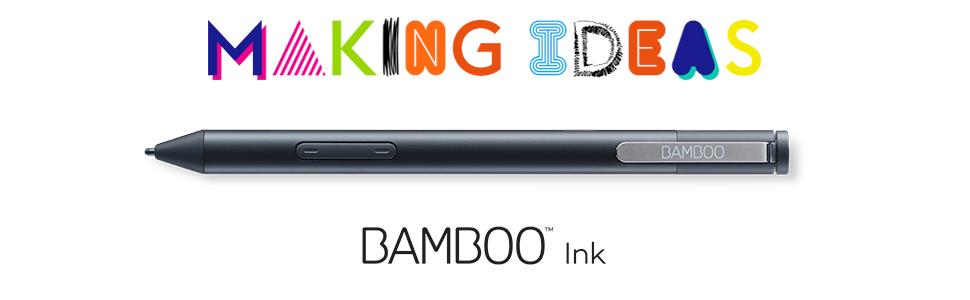
The Wacom Bamboo Ink Smart Stylus is a premium digital pen optimized for Windows 10 touchscreen devices, featuring pressure-sensitive fine tips with three nib options, ergonomic triangular design, and smart shortcut buttons. It supports dual inking protocols (MPP/AES) for broad compatibility and includes a battery for immediate use. Perfect for professionals seeking precise, natural writing and seamless integration with Windows Ink Workspace and cloud services like Bamboo Paper and Inkspace.





| ASIN | B071KFY82N |
| Are Batteries Included? | Yes |
| Are Batteries Required | Yes |
| Battery Description | Alkaline |
| Best Sellers Rank | 1,637 in Stylus Pens |
| Box Contents | nib kit with three nibs (soft, medium, firm), AAAA battery |
| Brand | Wacom |
| Brand Name | Wacom |
| Colour | Black |
| Compatible Devices | Windows 10 devices |
| Compatible Tablet Computer Models | Microsoft Surface Go |
| Compatible devices | Windows 10 devices |
| Customer Reviews | 3.8 out of 5 stars 253 Reviews |
| Enclosure Material | Bamboo |
| Global Trade Identification Number | 04949268620444 |
| Item Dimensions | 7 x 2.4 x 18 centimetres |
| Item Weight | 0.02 Kilograms |
| Item weight | 0.02 Kilograms |
| Manufacturer | Wacom |
| Manufacturer Part Number | CS-321 |
| Material | Bamboo |
| Minimum Required Operating System Version | Windows 10 |
| Model Number | CS-321 |
| Number of Batteries | 1 Lithium Polymer batteries required. (included) |
| Number of batteries | 1 Lithium Polymer batteries required. (included) |
| Product Warranty | Manufacturer Warranty for 2 years from date of purchase. |
R**S
massive improvement over bundled HP stylus
I bought this as a replacement for the stylus that came bundled with my new HP Elitebook. The existing stylus would sometimes lose connection (if i held it upside down, for example) and my writing would disappear and occasional random lines would appear on my notes when it caught up - very frustrating, particularly as I annotate notes during training courses and it made me look a bit unprofessional. I'm happy to say that having used the new stylus for a few days, all of these problems seem to have disappeared. It works perfectly - no gaps in lines or words etc, and I had no problems pairing it via bluetooth; it's a good weight in the hand (substantial but without being heavy), doesn't slip and I personally prefer the triangular shape over the circular shape. All in all - very happy. I can now concentrate on what i'm doing rather than being worried about the kit i'm using.
B**B
Worked very easily, when Dell official pen was not available
It's quite hard to figure out which of the inking standards a touchscreen laptop supports and which any given pen supports, but because Dell were saying their own-brand pen wouldn't work properly until later in the year when a new BIOS update is made available, it seemed worth trying something else. Wacom is a brand I'd heard of elsewhere so thought it was worth a try, and it paired easily and works very well with my Inspiron 14 7445 2-in-1
K**M
Great pen, using it on a Surface Pro 3
Great pen, using it on a Surface Pro 3. The only con is the button is too delicate - it snapped off on my first day.
N**S
Didn't Work So I had to send it back.
Didn't work for me. Tried contacting Wacom support and still no response. I have a MS Surfacebook Pro. It just wouldn't work on the device no matter which protocol was selected. The device was paired but didn't work.
D**.
Works well with MS Surface Book 2
Excellent value for money. Works well with Windows Ink, and also Adobe Illustrator which are the apps I use. Easy set -up and quick response when using on the device.
S**R
Very nice but not compatible
Overall the product feels really nice and looks as though it is really good quality, however the buttons and pressure sensitivity did not work for me, so I assume this was a compatiblity issue. The laptop in question was a hp pavilion x360, so would not advise for this laptop. Pen worked really well as a simple stylus so I imagine it would be really good if compatible. As such I have returned it was was easy to do.
A**N
Active screens only!!!!!!! Check your touchscreen isn’t “capacitive”
Didn’t work because my touchscreen is “capacitive” rather than newer technology. My laptop is Dell XPS 15 9560 — if you have this model number the Bamboo Ink stylus will not work on your screen.
A**R
fairly good
CS-321 Bamboo stylus is reasonably good came with extra 3 different tips. It is little bit disappointing with working of tip, as it also function as switching on and off stylus when tip gets pressed while you start writing anything. Back and forth spring action of tip should be minimized to near zero for better note taking experience.
ترست بايلوت
منذ 3 أسابيع
منذ شهر