Buy anything from 5,000+ international stores. One checkout price. No surprise fees. Join 2M+ shoppers on Desertcart.
Desertcart purchases this item on your behalf and handles shipping, customs, and support to KUWAIT.
🎮 Upgrade your vintage gear to HD glory—because your classics deserve the spotlight!
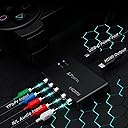
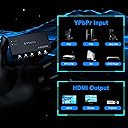
The Portta Component to HDMI Converter effortlessly converts analog YPbPr component video and stereo audio into a single 1080P HDMI output at 60Hz, supporting uncompressed 2-channel LPCM audio and 24-bit deep color. Compatible with legacy devices like PS3, Xbox 360, Wii, and DVD players, it delivers high-quality digital video and audio with minimal latency, housed in a compact, easy-to-install design with a 5-year warranty.


| ASIN | B0088HO1UC |
| Best Sellers Rank | 7,105 in Electronics & Photo ( See Top 100 in Electronics & Photo ) 53 in Digital-Analog Converters |
| Box Contents | Component to HDMI Converter x1, Power Adapter x1, User Manual x1 |
| Brand | PORTTA |
| Brand Name | PORTTA |
| Colour | Component to HDMI Converter |
| Compatible Devices | Compatible with Wii, PS2, PS3, DVD Player, Xbox 360, IPTV STB, HDTV, Display, Projector |
| Compatible devices | Compatible with Wii, PS2, PS3, DVD Player, Xbox 360, IPTV STB, HDTV, Display, Projector |
| Connector Type | Component, Ypbpr, RGB, 5 RCA, HDMI |
| Connector type | Component , Ypbpr, RGB, 5 RCA, HDMI |
| Country of Origin | China |
| Customer Reviews | 4.1 out of 5 stars 2,416 Reviews |
| EU Spare Part Availability Duration | 2 Years |
| Global Trade Identification Number | 04897040980470 |
| Input Voltage | 5 Volts |
| Item Dimensions | 9 x 6 x 2 centimetres |
| Item Weight | 58 Grams |
| Item dimensions L x W x H | 9 x 6 x 2 centimetres |
| Manufacturer | PORTTA |
| Manufacturer Part Number | N3CVTRH |
| Model Number | N3CVTRH |
| Number of Items | 1 |
| Number of Ports | 6 |
| Package Quantity | 1 |
| Power Plug Type | Type G |
| Product Finish Type | Matte |
| Product Warranty | 2-year warranty |
| Smart Home Compatibility | Not Smart Home Compatible |
| Specific Uses For Product | Wii, PS2, PS3, DVD Player, Xbox 360, IPTV STB, HDTV, Display, Projector |
| Specific uses for product | Wii, PS2, PS3, DVD Player, Xbox 360, IPTV STB, HDTV, Display, Projector |
| Unit Count | 1.0 count |
| Warranty Type | Limited |
A**H
Works with soft-modded xbox original V1.6 pal, set for NTSC HD output
Used this to connect my original xbox to a modern tv with only hdmi input. My son has taken the only tv that has component input, off to university with him, so i need a solution to connect to one of the other tv's in the house, neither of which have component input. My xbox is soft-modded (many years ago), with the enigma ntsc mod thingy, hd dashboard resolutions enabled, and a decent Konig component cable. Component output for Halo CE and Black was very good, crisp etc, no noise, good sound. I cannot do a side by side comparison, but i can say that this converter worked for both games, no artefacts and sound is nice and clear, to be honest it looks the same. Resolution for both of these games is 480p, i think, box passes through at same resolution. The picture did not stretch to fit the whole screen, this is a function of the tv, to which i do not have the remote, so i will do some further testing on the other tv, to see if i can get a decent full screen image etc. The converter comes with a power adaptor, which i used, but did not come with hdmi cable. I will try it without the external power adaptor to see if it still functions. The plan is to use this adaptor with my original Wii console as well, will give an update when i have done some testing with the Wii. Update 18/11/19 Tested with Wii and it works perfectly at 480p. Still using provided, not tried it unpowered, sound and picture are good, no dropouts on either.
R**.
The PS2 lives again!
Fantastic little device. My PS2 connects to it via a component cable then through a hdmi output cable to the tv. Sound is fine (via the two phono inputs), the picture has a small border, but pretty much the same if you were plugging a component cable directly into a tv. I’ve been playing Gran Turismo 3 for about a month with no major issues. The screen does cut out for a second occasionally (once or twice for a second or two in a two hour session). I suspect it’s loosing sync, buts is no a major issue, might be the PS2 cable. I did also have an out of range issue on one small tv but it worked fine on two others.
Z**Y
Perfect for using a Playstation 2 with a modern TV.
I was about to take my PS2 to the charity shop because I couldn't connect it to my new TV. At the last minute I decided to look for an adapter. There are many on the market, and most of them seem to have issues of one sort of another. The decision was made for me when I decided to transfer recordings of my old band from VHS cassettes to my NAS. That project also stalled because I couldn't connect the VCR to anything. Rummaging about in the box of cables in the loft turned up some SCART to component cables, and, miraculously, a PS2 to component cable I forgot I had. A quick search on Amazon turned up this little box, and I ordered it. It worked first go - I plugged my PS2 component lead into one side and an HDMI to the TV into the other, plugged in the included power supply, turned everything on and I was playing DOA2 in no time. Somewhere back in the mists of time I must have already set my PS2 to Component out. If you don't, and it's still trying to output to a TV aerial adapter, you won't be able to see a picture. The adapter is working, it's the PS2 that's confused. If you do a quick internet search, there is a way of resetting it 'blind'. Once you get it set up, it's impressive how good some of these old games can look on a big telly, especially if the game can make use of Progressive Scan. Provided you use the right adapter cable (with five plugs) to hook your PS2 to this box, the sound is sent down the HDMI cable, and comes out of your TV or home cinema amplifier, so you don't even need to use the optical output to get quality sound. You won't be able to play PS1 games using this adapter on most modern TVs. The picture output from a PS1 game is so small that the TV doesn't recognise it, and turns off after showing the 'no signal' screen for a bit. This is not the adapter's fault. There are soft exploits that you can try on the PS2, but I haven't managed to get any of them to work. I did connect the VCR to the TV, and it worked perfectly but it didn't make my old band any better! At £19 I think this box is reasonable value. It's more versatile than the dedicated PS2 adapters, and works without issues.
D**N
Horrible picture
Got this gor my old playstation 2 and the picture quality is shockingly bad text is barely readable, picture is fuzzy and there's a constant buzzing sound through the tv that sounds like old school interference
B**T
Does the job very well
Fantastic! Works as it should every time. Definitely the best one I have tried on Amazon.
R**D
Works for me (PS3 at 720P), but won’t work for everyone
Thought I’d add my own PS3-compatibility review here, as there aren’t many, in case it helps other folks looking to solve the same problem. I’m using this to record, screenshot, and stream PS3 games in 720P, getting around the famous “HDCP-always-on” limitation that the PS3 has with its HDMI output. In my case, this device mostly works, except with the one glitch that many other reviewers have cited — occasional blackouts. That is, the output from the device will occasionally fail for a second or two, causing the screen to go blank. The length of the blackout will vary depending on how quickly the receiving monitor or device is able to recover the signal; on my capture device (Elgato), the blackouts tend to last for slightly less than a second, whereas on my current monitor it’s about two. The cause of this problem appears to be with low quality power components in the device. If you have something in your house that causes significant fluctuations in the power supply, such as fluorescent bulbs, electric ovens / heaters, old CRTs, perhaps even a roommate using a hairdryer, or generally something a bit old and dodgy (in my case it’s a dodgy fridge), then this device won’t cope well with the fluctuations it causes in the power supply, and will blackout upon those fluctuations occurring. I’ve tried placing this device behind a surge protection unit, but admittedly I’m far from an electronics expert, as this hasn’t made any improvement. I did a bit of research on techniques of PS3 HD game capture, and at the time one of these devices was one of the options I considered. The other options were either something extremely high-end and so horrifyingly expensive (Framemeister e.t.c., as much as I’d love to have one someday), or a VCR / DVD recorder or similar, capable of converting the component signal. In the end I decided to take a gamble with one of these, albeit somewhat begrudgingly; it is annoying that these lower-quality devices seem to have (at the time of original purchase) completely wiped away other devices of more acceptable quality from the market, which I would by default pay the higher price tag for. Perhaps something in the range of 40 to 80, rather than under 20, that gets the job done reliably. But, for this sort of price tag (and manufacturer), one can expect these sorts of problems. Regarding other problems cited in reviews, namely of low image quality and lag, I can’t really comment on image quality as I haven’t worked much with component video output. Obviously component is going to be lower quality than HDMI, and being analog much more subject to signal interference. The image quality isn’t quite as crisp as it is with HDMI, though to what extent this reduction is to do with this device as opposed to the component signal itself I don’t know. Certainly nothing I would call bad or particularly notice, but I’m not much of a videophile. As for lag, I haven’t noticed any, and this is from the signal going through both this device and a capture device. Finally, I haven’t used this device on outputs higher than 720P, which may or may not cause further instability. (720P30 is regarded as the most accessible HD format for today’s average internet speeds; some folks have trouble accessing content higher than this, especially higher framerates, hence I primarily stick to 720P.) For those considering this device for use with PS3 games, also consider other options that may be available — playing the games on a later console (PS4), or digging out an old VCR with component inputs, if you can manage the extra bulk in your setup. If going for one of these devices, be prepared for blackouts, which can vary from irritating to unworkable depending on the games played, and be prepared to either sacrifice certain devices plugged into your household during its use, or invest further in additional hardware to filter out power fluctuations from reaching the device, though the latter is something I’ve yet to look into. Lowering the input resolution to 720P30 might also be worth a try if experiencing other problems, though as I say I haven’t done much with this device above that resolution, so can’t say for sure.
G**S
Dainty box of tricks
This dainty little box has given my first generation XBox 360 a new lease of HD life. The first generation XBox 360 didn't have a HDMI output and only supported HD video in the form of component output at 1080i. Many/most new televisions don't support component except through an adaptor which, for a number of reasons including the need to hide cables in an in-wall installation, I didn't want to use. I also wanted to leave open the option to use HDMI ARC audio control directly in to a soundbar. The Portta component to HDMI box really is a neat solution to the problem of using older component HD devices with newer televisions. It's simple to set up using the colour coded video input sockets (green, blue and red) and audio input sockets (red=right and white=left). There's a UK plug mains adaptor to power the device. A blue LED tells you that device is receiving mains power and the LED remains on whilst the device is plugged in to the mains i.e. it remains on all the time and not just when a signal is being passed through the unit to the HDMI lead. This is the only minor shortcoming I can think of - you have a blue LED smiling at you discretely. The picture quality is very good and I have no complaints although, I would say, the picture is not quite as crisp as when using analog component. This is not a criticism at all of the Portta device and is really just to point out the old argument about the quality of component versus HDMI. This is very subjective and probably nitpicking. The most extraordinary thing, for me, was how this little box pushed a perfectly sized and nicely coloured screen at the correct 1080i resolution to the television. Obviously you aren't going to get a 1080p picture from a 1080i source and the Portta box can't help you out with this! The box is very light and doesn't get hot when powered on so, if my experience is anything to go by, will sit very comfortably inside a tv cabinet/stand and not take up much if any room. It's a great device and I would not hesitate to recommend it especially if you have a good quality legacy device, such as an old XBox 360 or a DVD player, that you want to use with a new television that doesn't support raw component input or with a HDMI ARC audio soundbar.
N**K
Works great with PS2 and LG 4k OLED
This works great with a fat PAL PS2 into and LG 4k C2 65" or 48" C1 OLED. Far better than what I remember on my 2011 Panasonic 42" plasma. Didn't look as good on my cheap Samsung 4k 43" LCD/LED. USB powered from one of the PS2 USB ports. I am using the official Sony component cable. LG allows the screen to be zoomed/adjusted to get rid of any black borders. I use PES 2012 and Gran Turismo 4 as a bench mark - if these are playable then most games will look good. Not tried with Nintendo Wii yet but I'm sure it will work. Thinking of buying another as backup. Picture is from the LG OLED C2 65". I've not delved into to picture options yet, as you can see the colour is a bit saturated and the anti aliasing needs toning down.
O**T
Performed well
Worked fine with my old DVD player.
O**N
Görüntü kalitesi
Beklentimi tamamen karşıladı ps2 için aldım
K**A
PS2 sur écran 4K
Super pour jouer à la PS2 sur un grand écran 4K, les textes sont lisibles et la luminosité et couleur sont justes. Cependant j’enlève 1 étoile car après quelques sessions de jeu, j’ai l’impression que le boîtier bug… j’ai des coupures d’images en plein jeu, je suis obligé de débrancher et rebrancher le câble hdmi…
U**O
É bem pequeno em tamanho esse conversor,e com muito boa qualidade.
Esse conversor PORTTA tem um tamanho bem pequeno,e isso é bom,é bem compacto,e também funcionou perfeitamente com o aparelho que testei.
A**R
Good
Good
Trustpilot
3 weeks ago
3 weeks ago