We remain fully operational. Our teams are working around the clock to ensure your deliveries continue safely.

قم بتنزيل التطبيق


معلومات عنا
حقوق الطبع والنشر © 2024 Desertcart Holdings Limited
قم بتنزيل التطبيق






Buy anything from 5,000+ international stores. One checkout price. No surprise fees. Join 2M+ shoppers on Desertcart.
Desertcart purchases this item on your behalf and handles shipping, customs, and support to KUWAIT.
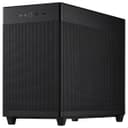
🖤 Compact. Cool. Connected. Build the rig that turns heads.
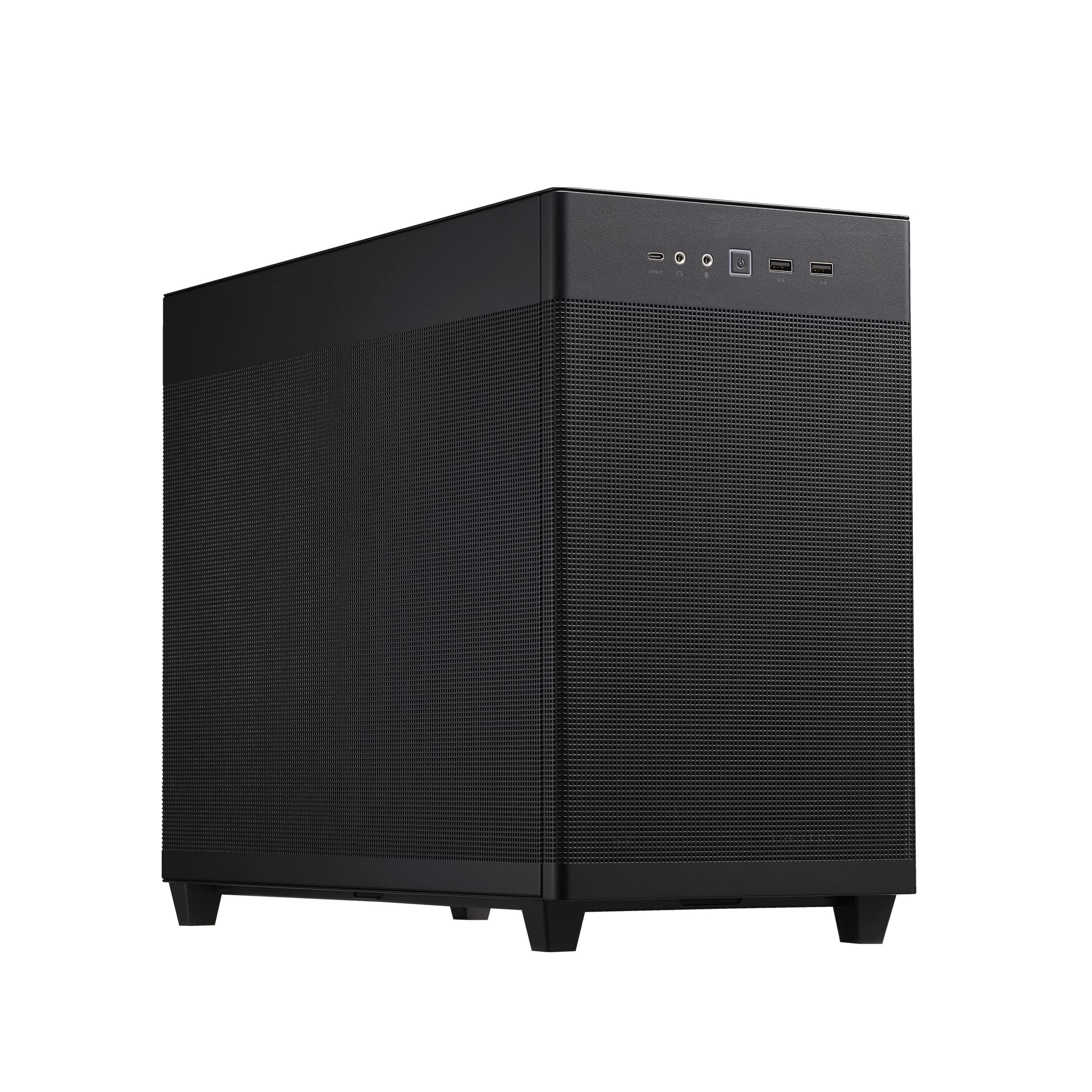
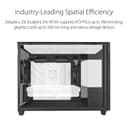
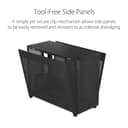
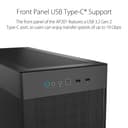
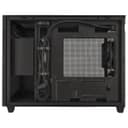
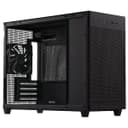
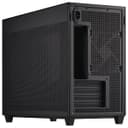
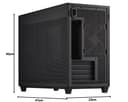
The ASUS Prime AP201 MicroATX case is a sleek, compact 33-liter chassis engineered for high-performance PC builds. It supports large 360mm radiators and graphics cards up to 338mm, ensuring top-tier cooling and compatibility. Featuring over 57,000 precision-machined mesh holes, it optimizes airflow while minimizing dust ingress. Tool-free side panels provide easy access, and a front USB 3.2 Gen 2 Type-C port offers ultra-fast connectivity. With smart cable management and support for standard ATX power supplies up to 180mm, the AP201 balances spatial efficiency with professional-grade features, perfect for millennial managers who demand power and style in a compact footprint.


| ASIN | B0B7F8C35R |
| Antenna Location | Home Needs |
| Best Sellers Rank | 34,697 in Computers & Accessories ( See Top 100 in Computers & Accessories ) 268 in Computer Cases |
| Box Contents | Camera Body |
| Brand Name | ASUS |
| Case Type | Mini-Tower |
| Colour | Black |
| Compatible Devices | Devices with standard Micro ATX or Mini-ITX and PSU motherboards |
| Cooling Method | Air |
| Customer Reviews | 4.6 4.6 out of 5 stars (515) |
| Enclosure Material | Stainless Steel |
| Fan Size | 360 Millimetres |
| Global Trade Identification Number | 04711081771821 |
| Hard Disk Form Factor | 2.5 Inches |
| Internal Bays Quantity | 2 |
| Item Dimensions D x W x H | 20D x 49W x 50H centimetres |
| Item Type Name | Computer Chassis |
| Item Weight | 1 Grams |
| Light Color | black |
| Manufacturer | Asus |
| Model Name | Asus Prime AP201 Chassis |
| Number of Fans | 6 |
| Other Special Features of the Product | Quasi-Filter mesh panels optimised for cooling |
| Power Supply Maximum Output | 600 Watts |
| Power Supply Mounting Type | Rear Mount |
| Product Warranty | 3 Years Manufacturer |
| Supported Motherboard | Micro ATX |
| Total Expansion Slots Quantity | 4 |
| Total USB 2.0 Ports | 2 |
| Total USB 3.0 Ports | 1 |
| Total USB Ports | 3 |
S**F
Can fit a surprising amount with some effort
Good little case. I've managed to brute force things in there that shouldn't be able to fit using the mesh panels as screw mounts when needed. Repacked a much bigger comp into this to save room and give to a friend with limited space. Got a 6800xt red devil (fit fine without modification), a 6 fan push pull config 360mm AIO (had to lower the psu mount and attach psu mount via screws through mesh to give AIO room with the extra fans on it), two 140mm fans on the bottom blowing directly at gpu to keep it cool (some holes lined up, some screwed through mesh), replaced and reversed rear fan with a stronger spare to blow inward to increase airflow as gpu hogs most of the bottom intake and made sure psu itself was facing the front so intake took air from outside rather than drawing on inner chamber air. 6800xt gpu and 5800x cpu don't go above 70 Celsius during prolonged use. My current brute forced setup as is can't fit a 3.5" drive but fine for a 2.5" on rear of board and could fit another beside the 140mm fans. But with people shifting to Nvme like I have with my new build not an issue really unless you really need them. Old controller for scale in pic.
M**!
Quality Case. A few issues but otherwise excellent.
This is a simple but elegant case. It arrives very well packed, with plenty of screws and so on to fix your build. The first problem I hit was with the power supply. I was using a Corsair PSU and the right-angle kettle connector inside the Asus case is the wrong way round. Once plugged in, it is impossible to close the sides of the case. I had to snip the plug off and fit my own straight kettle plug. This could be a serious problem for someone who doesn't feel confident doing that. The case almost lost one star because of that. The main intake fans should be attached to the base, because it is the only place there is a filter - a magnetic clip on that covers all the base. I was disappointed with the holes in the base. They all seemed to be in the wrong place. Having said that, I was fitting a large 3 1/2 drive, which I suppose not many people would do. But how difficult would it have been for Asus to just add a few more holes? The crazy thing is that Asus provide rubber mounts for mechanical drives, but not many places you can actually put the drive. Perhaps the holes and mounts are intended for 2 1/2 drives? I don't know, I didn't measure them. The positioning of the holes in the base meant that there was only one place the 3 1/2 drive could go and it didn't leave enough room for a 120mm fan. I finally realised that if I didn't use the rubber mounts provided by Asus to mount the drive, and just poked screws though the mesh, then I could fit the drive next to the fan. Never a good idea to fix the drives without rubber mounts, so I fished around and found a very old set of mounts that happened to fit. I was lucky, you might not be. My recommendation here, is if you are going to fit a 3 1/2 mechanical drive then source some sort of drive mount. The type I used just can't be bought any more, so don't expect it to be easy. It's a very nice case, but it was one of the more fiddly builds. With a bit of messing around, it can be made to look very nice indeed. I'm happy enough that I have bought another case for a second build. Recommended with reservations.
M**E
A surprisingly premium micro build case...
I didn't expect to like this as much as I do. To date I've had clear screens to see inside my PC clearly. This mesh has warmed on me surprisingly quickly. I was expecting noise, barely any (BeQuiet fans), I expected to miss seeing inside, but I can, the RBG is still very visible through the plethora of little holes. The most interesting thing, considering there are slightly less fans than I'm used to (none on the front can be fitted as intake), it's extremely cool! The fact that every single side of this case is full of holes, brings it close to an open air build. With maxing out the fans on top and bottom with one at the back, it does a great job of moving air around. I have a hearty set up for a micro build with a 14600K (much warmer than the comparable AMD brand for this gen) and a beefy 7900 XTX. I've monitored heat quite a bit early on, mid gaming session, and found that it's running slightly cooler than my older Corsair 750D, a full tower case with fans front, bottom, back and top. I'd buy another ASUS case in a flash based on my experience also building in this one.
F**E
A very good case overall, but marketing can be a bit misleading
Pros: - Much better choice of design than the "PSU shroud at the bottom of case" that is almost every case nowadays. The bottom is free for fans, which help a lot with feeding the GPU with fresh air. I've observed so far a reduction of about 8 degrees, whilst keeping the same noise level. - The construction quality is top-notch, it's a heavy case with thick panels and no warping whatsoever. - Completely tool-less, it's a joy to work with. - Plenty of internal space to build with, supports standard ATX PSU's and as long as the PSU is in the top position, no problem fitting any GPU. - Very good looking in my opinion. Obviously it's a discreet case, so if you want to RGB all the things, it's not for you. My gripes with the case though (and the reason for taking out a star): - No support for 140mm fans at the bottom, and there's plenty of space for it. - Only one fan shipped with the case. Not that it matters to me, since I've got the fans already, but for the price, it should really come with at least 3. Or reduce the price. - The marketing tries to sell this case as a SFF, but it's not. It's just as big as any other mATX case. It's loses a little bit of height and gains a little bit of length compared to a NZXT H510 for example. It can be counted as a positive since there's no space constraint, but if you're looking at this thinking of something similar to a CoolerMaster NR200, look elsewhere.
S**R
Excellent
J**N
First time building in a mATX side case but it was no problem. I kept the pre installed fan at the pack and bought a pack of three separate fans, of which I installed two intake at the bottom and one at the top for exhaust. I didn't feel the case was cramped to build in and the cable ties included helps tie everything in. I think it looks nice and clean, especially as I don't like to have a side panel. The rubber feet are very good at keeping the case stuck to a wooden surface
L**Ć
I originally bought this for my friend to build him a computer in it. Been surprised by how much you get for such little money since then. The build quality is excellent, and the mesh panels give it great airflow while keeping the look super clean. It’s surprisingly spacious inside for a micro-ATX case, cable management was easy, and even large GPUs fit without any issues. The white version looks especially premium and blends perfectly into a minimal setup. Quiet, stylish, and functional — honestly one of the best cases in its size and price range.
A**Z
Precis som rubriken säger så är den väldigt lätt att bygga i. Sidopanelerna går att ta av och sätta på lika lätt som att de vore en dörr. Det finns också plats för kabelhantering på baksidan med kardborreband vilket jag inte hade på mitt förra mITX bygge. Hålen på meshen är också tillräckligt stora för att lätt kunna se in i datorn utan en sidopanel i glas, vilket är mycket snyggare enligt mig. Meshen ger också oerhört bra temperaturer. Ett Ryzen 7700x chip som är känt för att bli väldigt varmt sitter på mycket bekväma temperaturer (med lite ändringar i bios) med en Peerless Assassin 120 SE (luftkylare). Min Radeon 7900 XTX sitter också på väldigt bekväma temperaturer både under stress och i ett varmt rum. Rekommenderar starkt detta chassi till de som vill ha något mindre men som också är lätt att bygga i, utan att att offra upp prestanda i form av temperaturer.
E**E
J'ai longtemps été client chez Fractal Design pour les boitiers, mais je trouve que ça stagne niveau design depuis quelques temps (les prix eux ne stagnent pas...), alors pour une nouvelle config il était temps de changer. Le cahier des charges était le suivant : - boitier µATX relativement compact et discret pour s'intégrer dans un salon - possibilité d'accueillir des GPU jusqu'à 32-33cm vu les standards actuels - bonne ventilation et possibilité d'accueillir un AIO 360mm. Bon bah sur le papier c'est bon, sur le terrain alors ? Eh bien j'en suis très content, de ce AP201. Les finitions tout d'abord sont excellentes, l'ensemble monté est rigide (sans êtres excessivement lourd), tout s'ajuste parfaitement. Il y a assez de volume intérieur pour travailler confortablement et gérer ses câbles (même si une alim modulaire est recommandée). Le fait de n'avoir à manipuler aucune vis pour retirer tous les panneaux est un réel confort. Niveau ventilation rien à redire, on peut aisément mettre un bon AIO 360mm en haut, officiellement 2 ventilos 120mm en bas mais en réalité il y a largement la place pour en mettre 3 (voir photo, les vis passent sans problème dans la grille), plus 1 supplémentaire en face arrière. Plein de possibilités donc, sachant que la finition mesh garantira de toute façon un excellent flux d'air pour tous les composants. Attention cependant, avec certaines cartes mère vous risquez d'avoir une prise qui risque de taper dans les ventilos du bas (voir photo là aussi). Dans mon cas c'était la prise USB3 du front panel. Idem avec certaines cartes mère, vous avez un emplacement SSD là où chez d'autres il y aurait le slot PCIE de la carte graphique, décalant celle-ci d'1 slot vers le bas (exemple avec une Gigabyte B550M Aorus Elite), une CG 3 slot risquerait alors d'interférer avec les ventilos du bas. Auquel cas faire attention à prendre des ventilos slim. Autre détail, le port USB C du front panel se branche avec une prise USB Type E à la mobo, si vous n'avez pas une prise compatible la prise sera inerte. Dernier détail, si vous voulez installer un AIO en position supérieure, assurez-vous d'installer une alimentation de 140mm de long max, sinon ça risque de coincer avec les tubes (ou alors tournez l'AIO pour avoir les tubes à l'arrière du boitier). Comme tous les boitiers mesh de ce genre, il n'y a strictement aucune isolation acoustique donc prenez soin de bien choisir vos composants si vous voulez une machine parfaitement silencieuse. De même, le seul filtre anti-poussière est sous le boitier, mais avec le temps la poussière finira inévitablement par s'infiltrer par tous les autres panneaux. A surveiller donc. Le maillage du mesh est assez petit sur les panneaux (Asus déclare 1,5mm), mais je réfléchis tout de manière à installer des filtres plus fins sur la face intérieure des panneaux latéraux et de la façade, à voir dans le temps. Bref pour conclure, c'est un boitier compact mais au volume interne confortable, discret, bien fini et le tout au bon prix. Clairement une valeur sure.
ترست بايلوت
منذ شهرين
منذ يوم واحد