🚀 Stay connected, stay ahead — WiFi that moves as fast as you do!
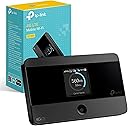
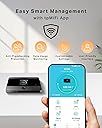
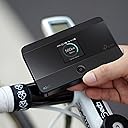
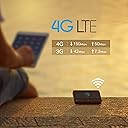
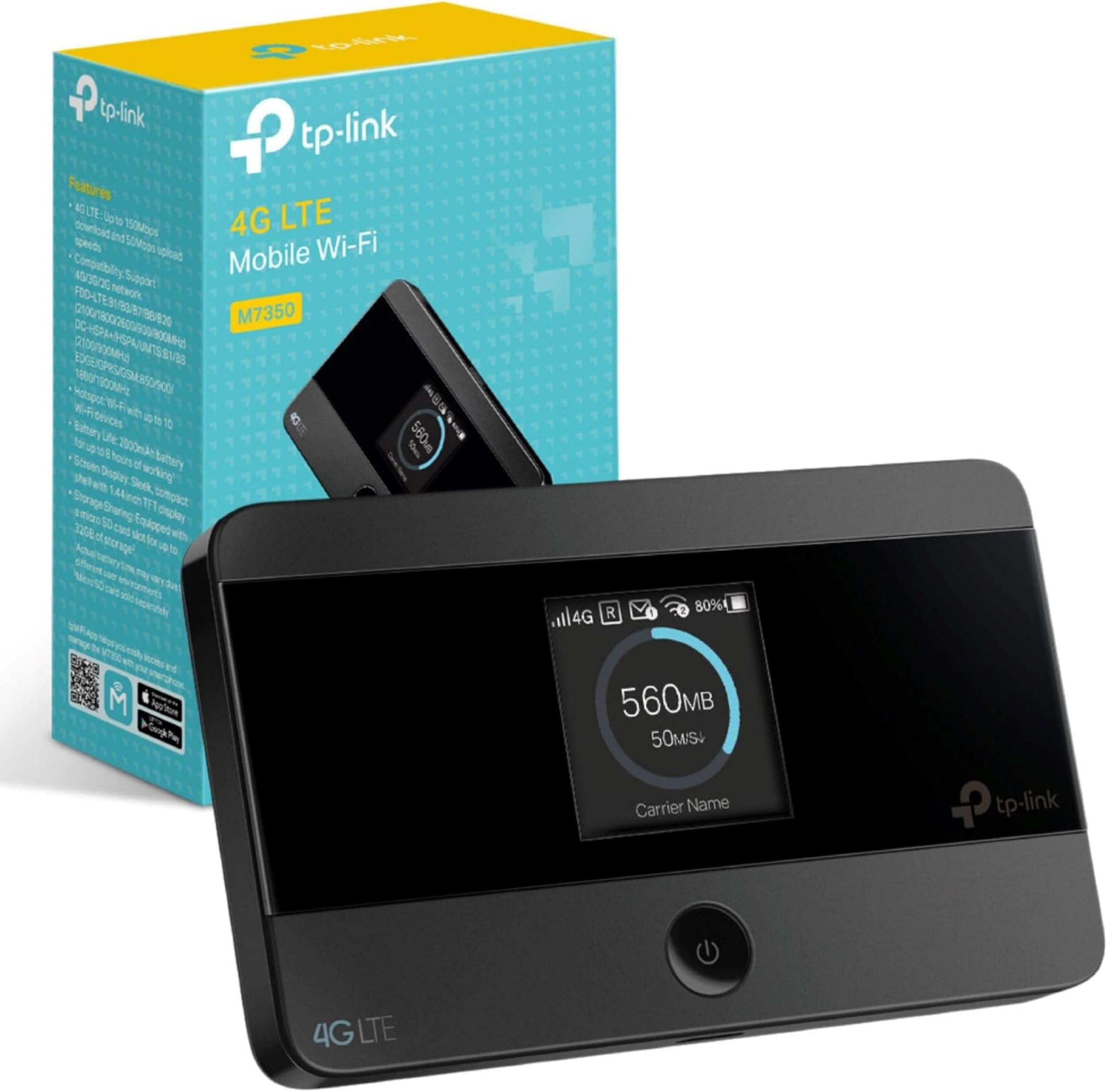
The TP-Link M7350 is a portable 4G LTE MiFi hotspot delivering up to 150 Mbps download speeds and supporting up to 10 devices simultaneously. With a robust 2000mAh battery offering up to 8 hours of use, it ensures reliable wireless connectivity on the go. Its compact design, easy app management, and global network compatibility (excluding USA and Japan) make it an essential tool for professionals and travelers seeking seamless internet access anywhere.


| ASIN | B06XC16QC1 |
| Antenna Location | Home |
| Antenna Type | Internal |
| Best Sellers Rank | 898 in Computers & Accessories ( See Top 100 in Computers & Accessories ) 1 in Mobile Broadband Devices |
| Box Contents | M7350 |
| Brand | TP-Link |
| Brand Name | TP-Link |
| Colour | Black/White |
| Compatible Devices | ['Laptop', 'Smartphone', 'Tablet', 'Game Console'] |
| Compatible devices | ['Laptop', 'Smartphone', 'Tablet', 'Game Console'] |
| Connectivity Technology | USB |
| Control Method | App |
| Controller Type | App Control |
| Coverage | Approx. 30m |
| Customer Reviews | 4.3 out of 5 stars 5,219 Reviews |
| Data Transfer Rate | 150 Megabits Per Second |
| Frequency | 2.4 GHz |
| Frequency Band Class | Single-Band |
| Frequency band class | Single-Band |
| Has Internet Connectivity | Yes |
| Is Modem Compatible | Yes |
| Item Dimensions L x W x H | 6.6L x 1.6W x 10.6H centimetres |
| Item Weight | 0.12 Kilograms |
| LAN Port Bandwidth | 150 megabits_per_second |
| Manufacturer | TP-Link |
| Maximum Upstream Data Transfer Rate | 50 Megabits Per Second |
| Model Name | MiFi 4G LTE Wireless Router |
| Model Number | M7350 V4 |
| Model name | MiFi 4G LTE Wireless Router |
| Number of Antennas | 3 |
| Number of Ports | 8 |
| Operating System | RouterOS |
| Other Special Features of the Product | WPS |
| Router Firewall Security Level | Basic |
| Router Network Type | Wireless USB Router with 4G LTE Support |
| Security Protocol | WPS |
| Special feature | WPS |
| Unit Count | 1.0 count |
| Voltage | 5 Volts |
| Wireless Compability | 802.11ac |
| Wireless communication standard | 802.11ac |
D**A
Very good quality and works great recommended
This TP-Link M7350 4G Cat4 LTE Portable WiFi module is great it provides us with WiFi in our camper van using a smarty unlimited data sim card and we get excellent signal and speed. Very easy to use and it has an 8 hour battery life. Range I have only tested to about 30 feet so far and it still worked well. So far have had no dropout or disconnect issues so I would highly recommend this 😁 it is also very compact so you can even carry it in your pocket or bag
J**N
Great little hot spot that works flawlessly
I owned and used this item purchased from amazon for a couple of years, with a data-only SIM from Three. Set-up was easy - the back has to come off the unit so you can slide in the SIM card and fit the rechargeable battery but there's a notch on one corner allowing you to get a fingernail in. Switch on, and the box should start to try and sign on to your SIM card's network then report "connected" and the service obtained such as "4G". The device has a pre-set numeric password string which can be found by navigating the menu options. There are just two buttons on the device - one marked "home" and another on the top side, and a combination of the two allows you to cycle round each menu page and then make selections within each page where appropriate. One nice feature is that this box serves out a web page interface via your local IP network (use http://192.168.0.1 or http://192.168.1.1 as the web address in most cases). Here you can change the router access password and make a lot of configuration changes to the wireless network for security purposes, etc. The default user name and password are both "admin" (all lower case") and it would be advisable to change these as soon as you can, for security reasons. If you forget your user name or password and can't log in through the web page, there's a pin-hole "reset" button which can be pressed with the aid of an unfolded paperclip (with the unit switched on) so everything gets reset to defaults including the admin/admin user name and password. Looking at my network provider's website, my locale is marked with 4G outdoor service only, yet I was able to get 4G service indoors provided I positioned the unit carefully. The wi-fi signal was great, but I didn't try to connect to the box from outside the room I was using it in so I'm not sure it would fill a whole house but you never know. Battery life was a couple of hours when fully connected and working, but I nearly always used the unit with permanent USB power connected. One thing to note is that I sometimes got a "battery overheat" condition whilst running on external USB power, which was quite odd. The unit would literally report over-temperature on its screen, and switch off. I then had to wait several minutes before the unit would turn back on again. Feeling the back of the unit, the battery inside had indeed got hot. I'm sure the charging circuit should switch off when the battery is fully charged, but apparently not sometimes for me. The other thing to note is that the back plate that you remove to fit the battery and SIM card is quite fragile. In the two years I owned the unit, it fell off the shelf where I'd put it (remember I had to find just the right spot to achieve 4G connectivity in a fringe reception area). All for corners of the removable back ended up being chipped and broken, and on one occasion I broke more off one of the corners just trying to get the back off the unit, hence me mentioning the tiny cut-out on one corner which should ease removal for you. Just be careful getting the back off if you want to look after this item and are looking to re-sell it at a later date. Gently does it. Overall given the price and functionality (which was pretty much flawless) I recommend this item. I only stopped using it because I got a dual-SIM phone with my data SIM as the second SIM, so I could use hotspot tethering at home and also mobile data as conveniently as possible whilst I'm out and about, even if that's just providing 4G connectivity for my sat nav whilst driving, so I get live traffic updates. I can see the application for someone who doesn't want to be bothered with smart phone tethering but does want to use a wi-fi only tablet or computer at home. Very easy to set up and it just works without a hitch in my experience.
G**E
Ideal mi-fi for caravanners
Bought the TP Link M7350 mi-fi to use in our touring caravan in the UK. Set up was OK once I'd cracked how to insert the SIM card correctly! Had to resort to YouTube video as the enclosed Quick Start did not cover it properly. There's also a v good detailed user guide online though. Logged into the TP-Link user admin site for the unit to change the wireless and admin passwords to improve security. Then away you go - it's not too difficult. It's a pocket-sized unit and in the first caravan site we used it in we got 4G signal and the little unit connected easily and worked really well for us - 2 or 3 tablets/phones using it. We just loaded it with a 4GB Smarty SIM card (Three network) to try it out. An hour's worth of watching catch up TV uses about 0.9GB, but just browsing and emailing much less. Switch it off when not in use (it should auto switch off anyway when not in use). So far, very pleased with it and will put a bigger SIM card in next time, but we don't expect 4G signal at every site - sometimes only 3G or no signal in more remote locations. It's just good to be able to connect sometimes and not pay exorbitant caravan site wi-fi fees.
R**R
Small and mighty
What a great piece of kit this is. Bought for campervan so we didn’t have to keep tethering our phones to devices but also used when we had moved home and were waiting for broadband to be installed in new house. It has no trouble providing WiFi at home and also when we are away in the van. We use a Smarty unlimited data sim and even though the device is 4g it still does everything we need it for, WiFi to TV, tablets, phones, games consoles etc. You can connect multiple devices at the same time and we didn’t notice any slowdown. Battery life is excellent, it’s a type c charger included in box. An all round superb product from TP Link and would definitely recommend.
J**0
Portable, reliable and fast WiFi (depending on the sim you use)
Great for keeping all your devices online while travelling, as long as your network provides reception in that location of course. I stuck a virgin mobile SIM card in mine and I was getting a very stable connection inside the house and in the garden. As it's portable I would recommend having it in the same room your connected device is in and if you need to change room take it with you. It doesn't provide strong WiFi through walls so keep it in the same room for best results. With my virgin mobile SIM plugged into it I was getting around 31-38 mb/s download and 30-35 mb/s upload. This will vary based on your network and the reception in your area. I was able to stream at 4k on the Disney+ app on my Kindle firestick while it was connected to this portable WiFi hub in the same room. Then I took it into my computer room and I played a few different online games with my computer connected to it. My ping fluctuated between 40-90 but mostly hovered around the high 50's which is perfectly acceptable for online gaming. The screen is really useful for keeping track of how much data you have used and how much data is being transferred per second. The interface is also extremely simple to use. Press the menu button to cycle between different options and then press the power button to confirm. There's an option to turn on data roaming so I imagine this will work well travelling abroad. And there's an option for turning power saver off/on. But there really isn't that much customisation needed. Just plug in your SIM and power it on and then you're ready to connect to it (the WiFi password will be in the "device" menu). Overall I can't fault it and I'm really impressed with how reliable the connection was and how small and portable it is.
S**S
Great, not brilliant - signal and sim problems
Bought one as a hotspot for my office on a farm lot and initially worked ok. The problem from day one is that the antenna to acquire the 4g signal is not powerful enough and struggled to find signal in our farm building even when taped to a window. This was an issue as phones would also struggle with signal, but at least be bareable when placed in the same strategic positions. Other than that, in places where signal was always perfect, the device worked well, connected and ran faultless without any problems. Setup was easy, connecting to it is easy and adjusting settings via the app is also a doddle. Then after 9 or so months it stopped connecting to my SIM, only to present INSERT SIM constantly even after reseating the sim, rebooting the device, resetting the device etc etc and the solution while talking to TPLink was a long and laborious affair which included me getting technical details and addresses from my sim card provider which meant hours on the phone. I replaced the device and decided to return the lot as it just was not working the way I needed it to work. Pros - cheap, works well in signal rich areas Cons - works worse than a phone in troublesome areas and support is not simple on this device
R**A
Nice one
Super easy to set up! And so much appreciated for that. Well packaged and ready to use it. Just need to buy a sim card by yourself. Great quality!
P**D
Brilliant for camping
Works really well and easy to set up and connect to. We use it while camping and even in the middle of the New Forest we have managed to stream video content and had 6 devices connected to it. We have a Smarty data SIM and power the device from a power bank. Great value for what we paid for it. Can't complain about this device.
ترست بايلوت
منذ شهر
منذ أسبوع