Buy anything from 5,000+ international stores. One checkout price. No surprise fees. Join 2M+ shoppers on Desertcart.
Desertcart purchases this item on your behalf and handles shipping, customs, and support to KUWAIT.
⚡ Upgrade your network, upgrade your life!
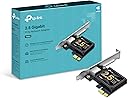
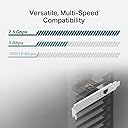
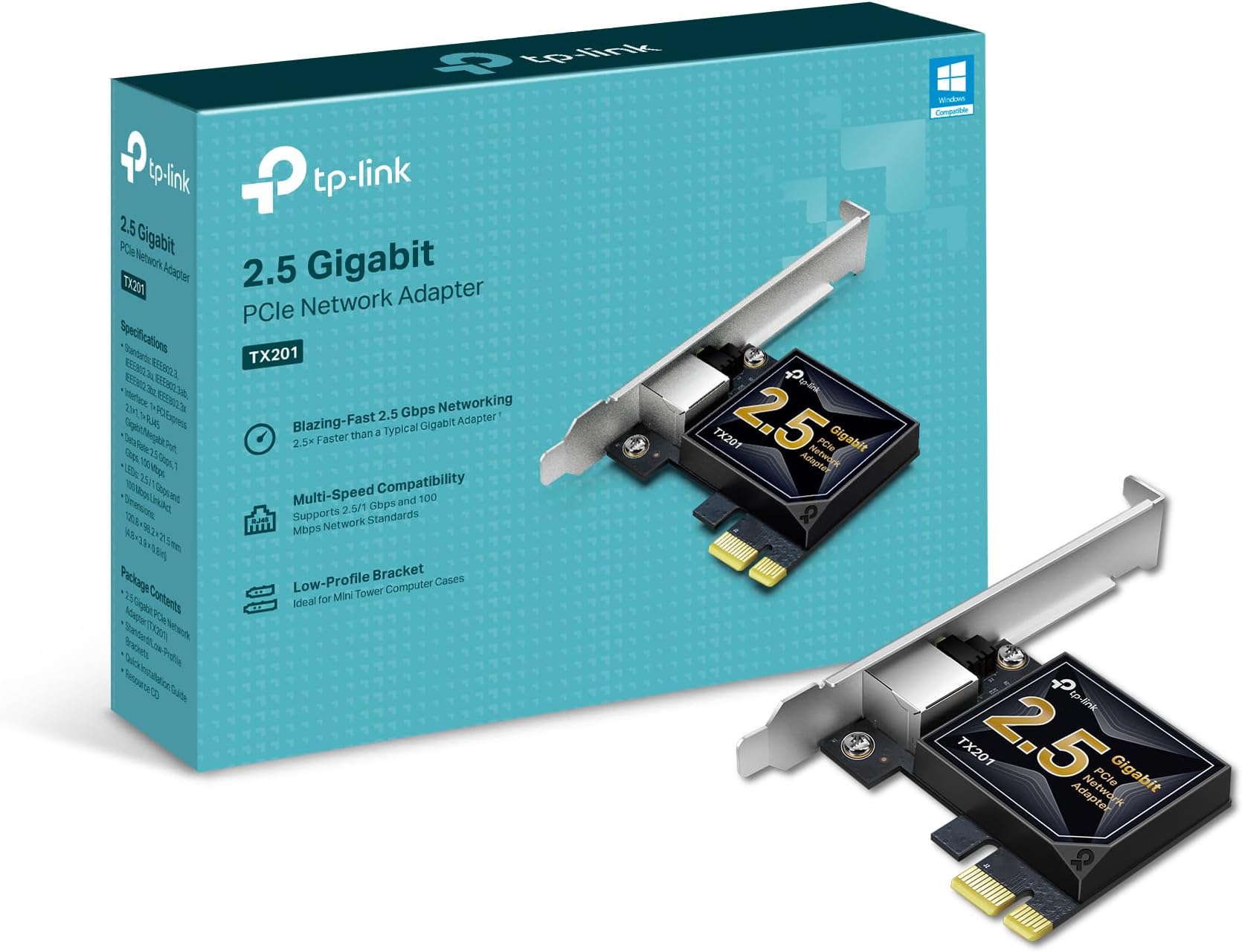
The TP-Link TX201 PCIe Network Card delivers ultra-fast 2.5 Gbps Ethernet speeds, supporting a broad range of operating systems including Windows and Linux. Its auto-negotiation feature ensures optimal connectivity across multiple speeds, while Wake on LAN adds remote management convenience. Designed for versatile installation with included brackets, it’s backed by a 2-year warranty and 24/7 support, making it the smart choice for professionals seeking reliable, high-performance networking.


| ASIN | B0BG685PKM |
| Best Sellers Rank | #3 in Internal Computer Networking Cards |
| Brand | TP-Link |
| Built-In Media | 2.5 Gigabit PCIe Network Adapter (TX201), Resource CD, Standard/Low-Profile Brackets |
| Color | Black |
| Compatible Devices | Desktop |
| Compatible Operating System Family | Linux, Windows |
| Customer Reviews | 4.7 out of 5 stars 2,077 Reviews |
| Data Link Protocol | Ethernet |
| Data Transfer Rate | 2500 Megabits Per Second |
| External Testing Certification | Não aplicável |
| Hardware Interface | Ethernet |
| Item Dimensions L x W x H | 4.76"L x 3.07"W x 0.85"H |
| Item Type Name | Network card |
| Item Weight | 0.11 Pounds |
| Manufacturer | TP-LINK |
| Mfr Part Number | TX201 |
| Minimum Required Operating System Version | Windows 7 |
| Model Number | TX201 |
| Product Dimensions | 4.76"L x 3.07"W x 0.85"H |
| UPC | 840030707834 |
| Warranty Description | 2 year manufacturer |
S**N
Blazingly fast card
This card is a beast. Installation was plug‑and‑play, and my network speeds instantly jumped to full 2.5Gb performance. Zero driver issues, rock‑solid stability, and no heat problems. Perfect for NAS setups, gaming rigs, or high‑speed home networks. This saves time in setup and maintenance like nothing else.
J**L
Highly recommend
Works like it should and gets good and stable speeds. Very easy to install and I would highly recommend.
K**Y
Solid 2.5Gb Upgrade for Unraid
I picked this card up to upgrade an Unraid server built on an older gaming motherboard. The onboard NIC was limited to 1Gb, and since my new internet service provides 2Gb, I needed a reliable 2.5Gb card to take full advantage of the speed. It was recognized instantly by Unraid with zero configuration required. I installed it in a lower PCIe slot to give it plenty of breathing room, which should help with airflow and keeping it cool. Performance has been solid. Using a speed‑test Docker container, I consistently see results just under 2Gb, with most tests landing between 1.8 and 2.1Gb. For a simple drop‑in upgrade, this card delivers exactly what I needed at a very reasonable price.
R**K
Simple Install and it works great.
The integrated NIC circuit failed on a 7YO Dell Studio PC that I infrequently use but do keep the s/w updated. Without a network interface, updating the s/w was difficult. I found an empty PCIe slot on the MoBo and gave this TP-Link 2.5GB NIC card a try. It worked perfectly. Win11 recognized it and loaded the necessary driver and I was up and running in a matter of minutes. I did update the driver after I confirmed everything worked, using the supplied mini cd but in hindsight, I’m not sure that was necessary. I would recommend this card to a relative or friend if they needed a NIC card.
A**S
Quick and easy to install, and works great
Network Card was purchased for a 13-year-old Dell XPS with a malfunctioning Ethernet port. Installing the device was quick and easy. Windows 10 detected it and installed the driver for it. I finally have constant connection to the internet again. It works great with Broadband speeds. There is no fiber internet available where I live.
A**R
Good network card that does what it says
I bought one to upgrade my second PC to 2.5 gig speeds and it worked great. Easy install, went to 2.5 instantly and has been reliable.
K**R
POST/boot hang after installation
I ran into a weird POST/boot hang after switching to an ASRock Z490 Phantom Gaming 4/ac and adding a TP-Link TX201 2.5GbE PCIe NIC. With the TX201 installed, the machine would sometimes refuse to boot / hang during POST. What fixed it I put a small piece of tape over PCIe edge connector pins B5 (and even B6) on the NIC. After that, the system booted normally and the card worked fine in the OS. Why this works (the reasoning) PCIe has some “old-school” pins that the motherboard uses before the OS ever loads: B5 = PRSNT2# (presence detect) This is part of the hardware “card present / lane width” detection logic. If a motherboard BIOS/UEFI is picky (or buggy) during PCIe enumeration, a device can cause the firmware to stall while it’s trying to validate presence/configuration. By isolating B5, you’re basically forcing the board to be less strict about that early presence-detect logic and letting PCIe link training/device enumeration complete in a different code path. In plain English: you’re bypassing a firmware edge case that can hang POST. “But the TX201 says PCIe 2.1… why would this happen?” “PCIe 2.1” on many add-in cards is largely a compatibility claim, not a guarantee the device behaves like a 2008-era card electrically/firmware-wise. The TX201 is an Intel 2.5Gb controller-based NIC (varies by revision), and modern PCIe devices can still trigger weird BIOS timing/initialization issues on certain boards/BIOS versions. This is usually a UEFI enumeration bug, not the NIC being “too new” or “too high-end.” Why it still worked even when I taped B6 (+12V) B6 is +12V slot power. I taped B5 and B6 and the NIC still worked, which tells you something useful: Many low-power PCIe cards (NICs, USB cards, etc.) run entirely from the 3.3V rail provided by the slot and barely (or never) use slot 12V. So disconnecting B6 (+12V) didn’t matter for this NIC because it’s likely 3.3V-powered internally. That also reinforces that the original issue wasn’t “power” — it was detection/initialization during POST. Why this matters (and why it can save you money) If your system won’t boot with a NIC installed, it’s easy to assume: “My motherboard won’t support high-end / 2.5Gb / newer NICs.” But this kind of hang can be a firmware edge case during PCIe enumeration, not true incompatibility. A simple presence-detect workaround (taping B5) can get you booting and running normally without buying a different motherboard or NIC. Note / caution This is obviously a DIY hack: Prefer taping B5 only long-term (leaving power pins alone is cleaner). Also worth trying BIOS updates, toggling PCIe Gen settings (Gen3/Gen2), or disabling fast boot, but the tape fix can confirm it’s an enumeration/presence-detect problem quickly.
M**A
Fast, Stable Network Upgrade with Great Value
This TP-Link TX201 2.5GB PCIe network card has been a solid upgrade overall. Installation was very straightforward—just plug it into a PCIe slot, install the drivers, and it was up and running quickly without any issues. In terms of appearance, it has a clean, compact design that fits nicely inside a desktop without taking up unnecessary space or looking bulky. It blends in well with the rest of the components once installed. While I’m using it alongside a Wi-Fi setup rather than strictly wired Ethernet, the system still feels very stable, and I’ve noticed no connection issues or drops. Latency has been consistent and smooth during general use, gaming, and streaming, with everything feeling responsive. The value is really strong for what you get—this is a reliable, future-ready upgrade that offers a noticeable performance improvement potential if you’re moving to faster wired networking later on. Funny enough, I originally bought it for myself, but my boyfriend ended up taking it for his setup because he liked it so much more. Pros: Easy installation and setup Stable, consistent performance Low latency and responsive connection Clean, compact appearance Great value for a 2.5GbE upgrade Cons: Best performance requires wired Ethernet setup Needs a free PCIe slot Tips: Keep drivers updated for best stability and performance Ideal for gaming or future-proofing a PC build Great upgrade if moving from standard gigabit networking Overall, this is a high-quality, affordable networking upgrade that delivers stability, low latency, and strong value—even if you’re not immediately using it at full wired speed.
M**A
works on truenas scale
works great on my truenas scale with nuc 9 extreme
A**A
100%
Muito bom
O**A
Simple 2.5G upgrade, but don't forget the Realtek drivers!
I picked this up to finally get the most out of my high-speed internet plan. Most motherboards are still stuck with standard 1G ports, and this card is a very affordable way to bridge that gap. The Setup: Installation was a breeze. It’s a small card that fits easily into a PCIe x1 slot, and it even includes a low-profile bracket if you’re working with a slim desktop case. It’s built well and feels like a quality piece of hardware that should last. One Important Tip: When I first plugged it in, Windows recognized it immediately, but I noticed a weird issue: my download speeds were great, but my upload speeds were stuck and wouldn't hit that 2.5G mark. I found that the "standard" drivers Windows installs automatically aren't quite enough. To fix this and truly unlock the full 2.5G upload speed, go directly to the Realtek website and download the latest drivers for the RTL8125 chipset. As soon as I installed the official drivers from the source, the upload cap vanished and everything worked perfectly. Final Verdict: It’s a fantastic, reliable card for the price. Just save yourself the troubleshooting time and grab the drivers from Realtek right away
G**2
Muy bueno
Mi internet no es muy rápido pero se siente más estable con este adaptador de 2.5GB.
S**I
Good Value Product
excellent product, onboard nics cant handle jitter as these do!
Trustpilot
2 days ago
3 weeks ago