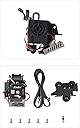
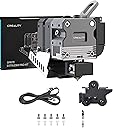
I'm seriously regretting this purchase... Extruder arrived well packaged with all the parts. The instructions are SUPER basic. Doesn't have any info on adjustments, or even how to load/unload the filament. The ribbon cable is a pain, you'll need to "tear" it to reach the various plugs on the board. Installing it was fiddly, getting the various plugs to the right locations, then getting the cable out of the underside of the case took a little while. The fan power for the original extruder on my Ender 3 Max Neo was crimped in, so I had to cut the wires and then get 2x the pins into the header. Once installed, that's when the frustration began. Firstly, the extruder needs 424.9 steps per mm - but the creality screen stops at 192 steps and won't go higher. Luckily I use Octoprint, so setting the steps via GCode wasn't too much of a hassle (and then the set value displays on the screen - so not sure why they limit it...). I then carefully tested the Cr-Touch - because it was super close to the height of the nozzle. It worked, but then the next time I ran it it didn't and the printer tried to push the nozzle through the bed. I fixed that by putting a bit of cardboard between the mount and the Cr-Touch. Ran a couple of stringing/temp tests and it seemed to be working fine. Had to tune my startup GCode because this extruder heats up fast - so it heats to 150 and waits until the bed is at temp before it heats the rest of the way. I then tried a couple of prints - which failed with adhesion issues - so I upped the bed temp and retuned the z-offset. And I haven't been able to get it to print since... The very next time I went to print the fan on the extruder (for the hot-end) was making a racket. The extruder was vibrating like crazy. I pulled it apart to see if maybe a bug had crawled in or a bit of flying filament had lodged in there (both seemed unlikely). The image is what I found... About 1/4 of the fan blades had decided to dislodge. I evened up the fan (because I couldn't find a replacement) - but now I think it's suffering from heat creep. It prints the first layer (poorly) and then stops pushing through the filament. I'm going to persist - because I want to try some other materials - but really, I should just return it and call it a bad idea. I like tinkering/modifying my printer - but I don't like having to repair "new" parts...