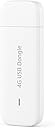
🚀 Unlock your world with lightning-fast, anywhere internet!
The Huawei E3372-325 is a compact, USB LTE dongle delivering up to 150 Mbps download speeds and 50 Mbps upload speeds. Unlocked for global network compatibility, it supports multiple operating systems and offers a sleek, portable design ideal for professionals needing reliable internet access on the move.


| ASIN | B013UURTL4 |
| Antenna Location | Home |
| Antenna Type | Fixed |
| Best Sellers Rank | 16,438 in Computers & Accessories ( See Top 100 in Computers & Accessories ) 48 in Mobile Broadband Devices |
| Box Contents | 1 |
| Brand Name | HUAWEI |
| Colour | White |
| Compatible Devices | Laptop, Personal Computer, Smart Television, Tablet |
| Connectivity Protocol | USB |
| Connectivity Technology | USB |
| Control Method | App |
| Country of Origin | China |
| Coverage | 4G LTE |
| Customer Reviews | 3.8 3.8 out of 5 stars (1,438) |
| Data Transfer Rate | 153600 Gigabits Per Second |
| Frequency | 2600 |
| Frequency Band Class | Single-Band |
| Global Trade Identification Number | 06901443060863 |
| Has Internet Connectivity | Yes |
| Has Security Updates | Yes |
| Is Modem Compatible | Yes |
| Item Dimensions L x W x H | 8.8L x 2.8W x 1.1H centimetres |
| Item Weight | 30 Grams |
| Manufacturer | Huawei Deutschland |
| Manufacturer Part Number | E3372 |
| Maximum Upstream Data Transfer Rate | 50 Megabits Per Second |
| Model Name | E3372 LTE Modem |
| Model Number | E3372 |
| Number of Antennas | 1 |
| Operating System | Windows, WindowsXP, Vista, Windows7/8, MAC, Win Blue |
| Other Special Features of the Product | 2G: EDGE packet data service of up to 236.8kbps, FDD: DD800/900/1800/2100/2600 - UMTS: 900/2100 - GSM:850/900/1800/1900, HSUPA:7.2M/5.76M, LTE FDD : Cat4 DL:150Mbps/UL:50Mbps @20M BW, UMTS: DCHSPA+:42/5.76Mbps;21M/5.76Mbps;14M/5.76M |
| Product Warranty | 9 |
| RAM Memory Installed | 8 GB |
| Router Network Type | Wireless USB Router |
| Security Protocol | WPA2-PSK |
| UPC | 601285983288 |
| Unit Count | 1.0 count |
| Voltage | 220 Volts |
| Wireless Compability | DECT |
C**E
Nice one!
Good!
S**R
keeps losing signal - can't they do better than this in 2023 ?
keeps losing connection to internet. Has to be repeatedly pulled out and put back in again. Rubbish. Hey - they put a man on the moon (so they say, i think it was all filmed -poorly - in a corner of the studio - in the US / Russia space race) - and it's now 2023 and they can't come up with a dongle that actually STAYS CONNECTED to the interweb ?? Unbelievable
D**N
3.6Mbps; Ideal when you have limited speed ADSL broadband
My broadband speed at home is appalling, so I purchased this dongle to make it faster when it drops to a really unacceptable level. All in all I am happy with the purchase, although I feel they are priced £10-15 too high. These are advertised at 150Mbps Download and 50Mbps Upload. Probably really unlikely anyone in the UK will get close to those speeds so I cannot really determine whether the dongle would do even close to those speeds if a local 4G network actually permitted it. My real world speeds below. My first annoyance was you needed a full sized sim card. Really?! I managed to find a new 3-size sim card that I managed to use to build it up my micro sim to standard sim. I appreciate it not supporting a nano sim... but it is literally just a little bit of extra plastic between standard sim and micro sim. All 4G dongles should be accepting micro sim IMHO as I don't think they have made smartphones since with the standard sim card size. Installation was a bit tricky. The dongle initially comes up as a drive for files. You install the software which was straight forward, then it recognises it as the NDIS dongle. I needed to change the settings for my network and then it would connect to the network but no internet! You just have to unplug the dongle, restart your PC and plug it back in again (if it works immediately for you, then you are lucky). On some other devices I installed the dongle, it was a bit flaky with the drive popping up (or not). The second annoyance... Each time you plug in the dongle it opens up a web page - which shows you the data uploaded and downloaded plus the inbox for SMS. I found this annoying (maybe a tray icon would have been better so you cold manually get to the portal); so I disabled the service "Mobile Broadband HL Service" (mbbservice) which stopped this but the dongle still works for the internet. It also still counts the data transferred, so you can still enable the service to check your SMS and know how much data you have transferred. The third annoyance... which might be OS based, is you cannot be connected to an ethernet network. (Might be similar for a wifi dongle but I didn't try it) There is no load balancing between internet connections, or selection of internet connection... it simply won't work. So when my main internet connection went down, I plugged in the dongle... and it wouldn't connect to the internet as long as I am connected to the router (which I use for NAS and printer etc) So i had to unplug the network cable physically or switch off the router. I presume this device is more intended for laptops on the move with no other active connection, but it would have been nice for it to have worked this way in Windows. Other than this learning curve... the dongle has been pretty good. My daytime 4G rate is around 800Kbps Download constant (this may improve when not everyone in the country is at home streaming or video calling!) and post midnight I get around 3.2Mbps which fluctuates a lot - anywhere between 900Kbps and the current record of 3.6Mbps. My home broadband has a typical upload speed of around 350Kbps for whatever reason so using the 4G dongle is much improved as I can get up to around 2Mbps upload. I wasn't expecting the earth and I am pretty happy with those speeds. However, anyone expecting headline speeds advertised by the manufacturer of 150Mbps (or anywhere close to it) might be severely disappointed. I am a little over quarter of a mile away from the local mast. When appropriate, I will try taking the dongle further afield just to see whether speeds improve further in different cities.i hope this review as been helpful to someone.
G**W
Works great with a Draytek Vigor 2865 as a 4G Backup
Bought this to replace the ZTE modem I was using as a failover on my Vigor 2865 (the ZTE was 3G only) and this was a simple plug and play. If you are using in DHCP mode the device can be accessed by going to 192.168.8.1, in the Vigor router config you just need to select '3G/4G USB Modem (DHCP Mode)' in the Access Mode dropdown (screenshot attached). Speed and signal is good, and the web interface is very simple to use.
W**D
Acts as router, not simple modem
I am no techie expert, but it seems that 3G/4G USB dongles seem to come in two forms. Either as simple usb modems, or more latterly as usb routers. The latter work as tethered devices, much like a smartphone or tablet may be tethered to a PC. Both forms of dongle should apparently work with PCs without problem. Difficulties may arise however if the router form of dongle is used with another router. For example, if the dongle is to be used with your main home router as a backup or alternative internet source to a broadband landline. Unlike a PC, the home router may not be capable of tethering, and thus the dongle won't work with it. From my own experience I have found that this Huawei E3372-325 dongle will not work when connected with a GL-MT300N-V2 Mango router. At least, not out of the box, nor with any simple fix I have managed to find online. In summary, my understanding is that the Huawei E3372-325 acts as a usb router, not a usb modem, and should work OK with a PC (and presumably Mac, though I have no experience of Macs). Beyond that, things can become problematic.
P**S
Very Good
The best one i have.
D**5
Works seamlessly - Android car stereo
Used with an Android 10 double din stereo and was completely plug and play. Speeds and signal seem to be as good as any other 4g device.
P**L
Scammed again by inaccurate descriptions
Yet more wasted money trying to get a decent signal and a continuous watching experience. As well as device had to sighn up to a supplier plan . All in all sick of living in a fraudulent erra.
T**V
- SIM free: it is not locked to any particular mobile operator, should work with many different SIM cards, as long as a mobile operator works using supported frequencies ( i.e. the mobile operator's working frequencies should fall into the list of the devices supported frequencies given in the description above, and as per description these are the supported frequencies of the device: 4G LTE 2100/1800/2600/900/800Mhz & 3G 900/2100Mhz. ). - Easy to use, no setup is required: I expected it would require some settings or utility programs to be installed in computer, but it just worked by itself. As soon as I connected it to my laptop, it gave Internet access immediately without any settings. Worked very well for a couple of days while I was using it.
P**.
model received E3372H-320 looks like a small difference, but now it's not compatible with my firewall
L**G
Mycket bra Vara! De
E**C
Vlotte levering!
A**E
Ottima questa chiavetta Huawei per il collegamento di un dispositivo alla rete. La chiavetta fornirà rete dati esclusivamente al dispositivo connesso tramite USB. La chiavetta viene riconosciuta in un attimo, e la prima installazione dopo aver inserito la sim dura davvero pochi secondi. Attenzione che è un pochino grande, quindi se usate portatili estremamente sottili è necessaria una piccola prolunga per evitare di aver problemi quando si appoggia il portatile. La ricezione è buona, non ho avuto problemi durante il suo utilizzo, dove prendeva il telefono cellulare (nel mio caso antenna di Iphone 13) ha sempre avuto campo (e banda) anche la chiavetta. Attenzione a chi come me la ha acquistata per inserirla all'interno del DJI SMART CONTROLLER ENTERPRISE, per avere rete dati con, ad esempio, un MATRICE 300. In alcuni forum DJI dicono che la chiavetta è riconosciuta dal sistema e quindi il controller si connetterà ad internet per i dati. Purtroppo non è così. Soltanto una versione cinese con un firmware particolare è compatibile con il controller, mentre le nostre versioni europee non lo sono. E' necessario se si vuole utilizzare la rete dati prendere il modello che crea un hotspot wifi e collegare il controller alla rete wifi creata dalla chiavetta.
ترست بايلوت
منذ أسبوعين
منذ أسبوعين