🚀 Elevate your home network to pro-level speed and security — don’t get left buffering!
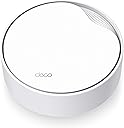
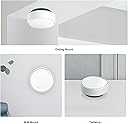
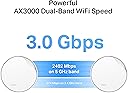
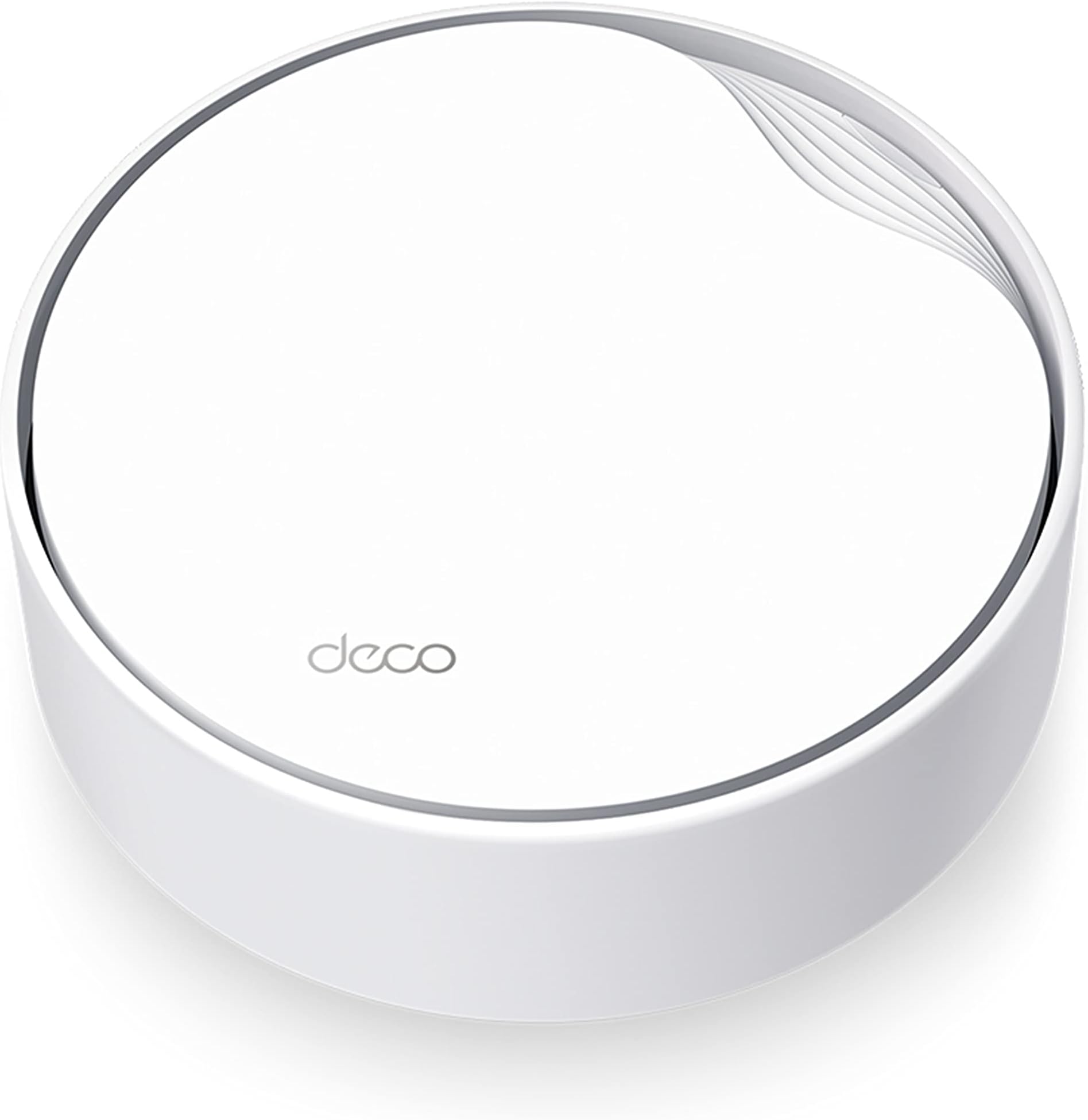
The TP-Link Deco X50-PoE is a cutting-edge AX3000 WiFi 6 mesh system designed for medium to large homes, delivering up to 3000 Mbps wireless speeds across dual bands. Featuring Power over Ethernet support and a 2.5 Gbps multi-gig port, it offers flexible, high-performance wired and wireless connectivity. Its AI-driven mesh technology ensures seamless coverage, while TP-Link HomeShield provides comprehensive network security and parental controls. Easy app-based setup and versatile mounting options make it a sleek, future-ready solution for professional-grade home networking.


| ASIN | B0BSFFJN93 |
| Antenna Location | Business, Gaming, Home |
| Antenna Type | Internal |
| Best Sellers Rank | #3,220 in Computers & Accessories ( See Top 100 in Computers & Accessories ) #9 in Whole Home & Mesh Wi-Fi Systems |
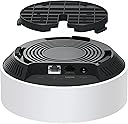
| Box Contents | 1× Deco X50-PoE unit, 1× RJ45 Ethernet cable, 1× Power adapter, Ceiling/Wall Mounting Kits, Quick Installation Guide |
| Brand | TP-Link |
| Brand Name | TP-Link |
| Colour | White |
| Compatible Devices | Personal Computer |
| Connectivity Protocol | Ethernet, Wi-Fi |
| Connectivity Technology | Ethernet |
| Control Method | App, Voice |
| Coverage | Medium to Large Homes |
| Customer Reviews | 4.3 out of 5 stars 527 Reviews |
| Data Transfer Rate | 3000 Megabytes Per Second |
| Frequency | 5 GHz |
| Frequency Band Class | Dual-Band |
| Global Trade Identification Number | 04897098689844 |
| Importer Contact Information | TP-LINK India Private Limited, Green Industrial Park, Dongri Pada, Poman, Kaman-Bhiwandi Road, Vasai East, Palghar, Maharashtra – 401208, Contact: Toll Free 1800 2094 168, [email protected] |
| Item Dimensions L x W x H | 15.4L x 15.4W x 6.9H Centimeters |
| Item Type Name | Router |
| Item Weight Unit of Measure | 0.57 Kilograms |
| LAN Port Bandwidth | 10/100/1000 Mbps |
| Manufacturer | TP-Link, TP-Link Corporation, South Building, No.5 Keyuan Road, Central Zone, Science & Technology Park, Nanshan, Shenzhen, P.R. China |
| Manufacturer Contact Information | TP-Link Corporation, South Building, No.5 Keyuan Road, Central Zone, Science & Technology Park, Nanshan, Shenzhen, P.R. China |
| Manufacturer Part Number | Deco X50-PoE(1-pack) |
| Maximum Upstream Data Transfer Rate | 1500 Megabits Per Second |
| Model Name | X50-PoE |
| Model Number | Deco X50-PoE(1-pack) |
| Number of Antennas | 2 |
| Number of Ports | 2 |
| Operating System | Android 5.0 or later, iOS 9.0 or later |
| Other Special Features of the Product | Access Point Mode, Guest Mode, QoS |
| Packer Contact Information | TP-Link Corporation, South Building, No.5 Keyuan Road, Central Zone, Science & Technology Park, Nanshan, Shenzhen, P.R. China |
| Security Protocol | WPA-Personal, WPA2-Personal, WPA3-Personal |
| Special Feature | Access Point Mode, Guest Mode , QoS |
| Unit Count | 1 Count |
| Warranty Description | 3 year manufacturer |
| Wireless Communication Standard | 802.11ac, 802.11ax, 802.11n |
| Wireless Compability | 802.11ac, 802.11ax, 802.11n |
S**A
Seamless WIFI, easy to configure
Using three device mesh for my home, One on POE and others on direct power, seamless transition even when moving across my G+1 and outdoor garden area setup
9**6
Very good range
Working as expected. Having very good range. Covering my entire ground floor around 2500 Sqft space. Easy to connect and install in wall mount.
P**Y
Nice
Great product. Works well.
B**G
Great mesh with one flaw
I’m using this as a mesh network for my home. Easy coverage with 3 units. Easy to setup and I’m using PoE switch to power which help in not having to change wiring to get power. Now to one important flaw if I use this Deco as a router. I run a Media server using JellyFin on Ubuntu, so this Deco would now allow me to access my server if the internet is down. I mean I should be able to access my internal network without internet but I can’t get it to work as a router. The solution is using this deco only as a extender/repeater in mesh mode and connect to a separate router, I still have my old router so I used it as a router.
V**R
DO NOT BUY: Major bug in this mesh system!
I purchased the TP-Link Deco X50-PoE mesh system hoping it would resolve the constant internet connectivity issues in my apartment. However, after extensive testing, I found that the system consistently experiences packet loss, severely affecting connectivity. I tried multiple configurations and different setup options, yet intermittent packet loss persisted, causing the internet to fluctuate unpredictably between extremely slow and fast speeds—hardly something you can rely on. After reading numerous user reviews on forums like Reddit, I discovered that others are facing the same problem, with no apparent fixes from the company. Ultimately, I had to uninstall the system.
P**.
Performance beyond Expectation!!
I purchased this product without reading many reviews, attracted by the convenience of Power Over Ethernet (POE) and the wired backhaul use of the individual pucks, since I was planning to do wired back haul anyway for any mesh solution that offers peak performance. I got the TP link 8 port POE switch which has 4 POE and 4 non-POE , as that is sufficient and most importantly is within budget. The performance is exceptional, with each puck covering a 100ft radius. In my three-storey house, each floor has a puck, effectively covering the entire house and beyond, including the roof, balcony, and even my garden (60 ft the ground floor router). All my IoT equipment works. The controls are only available through a mobile app, with no web-based options (which are quite limited). Overall, this has been a solid.
S**A
Seamless roaming with single SSID, top speeds, Deco app works great
TPLink's Deco app was super easy to use for initial configuration. Since I have 1Gbps ethernet cabling to all rooms from a central fiber router+central PoE switch, I configured all units to work in Access Point mode of operation. I turned ON optional features such as 802.11r in the Deco app, which enables single-SSID roaming between rooms as you walk around the house. There are no disconnections with WhatsApp video calls anymore! Firmware updates are a breeze as the Deco app takes care of everything. No more individually logging to 3-4 access points separately to update their firmware; colossal time saver for maintenance. For my kids' laptops, whose laptops only supported 2.4Ghz at 133Mbps, I bought the small TPLink T3U Nano USB dongles, and now their laptops also talk at 833Mbps on the 5Ghz band to my Airtel Fiber backend. Amazing!
B**R
Must have
If you’re installing broadband, irrespective of plan you opt for, must have Deco installed for uniform and effective bandwidth across home. Installation thru phone is possible. Requesting TP Link team to have 24X7 help over phone instead of 10 am to 6 pm. Though support thru chat is available but that’s not effective
ترست بايلوت
منذ أسبوعين
منذ شهر