📡 Elevate your smart home with radar precision and next-level presence sensing!
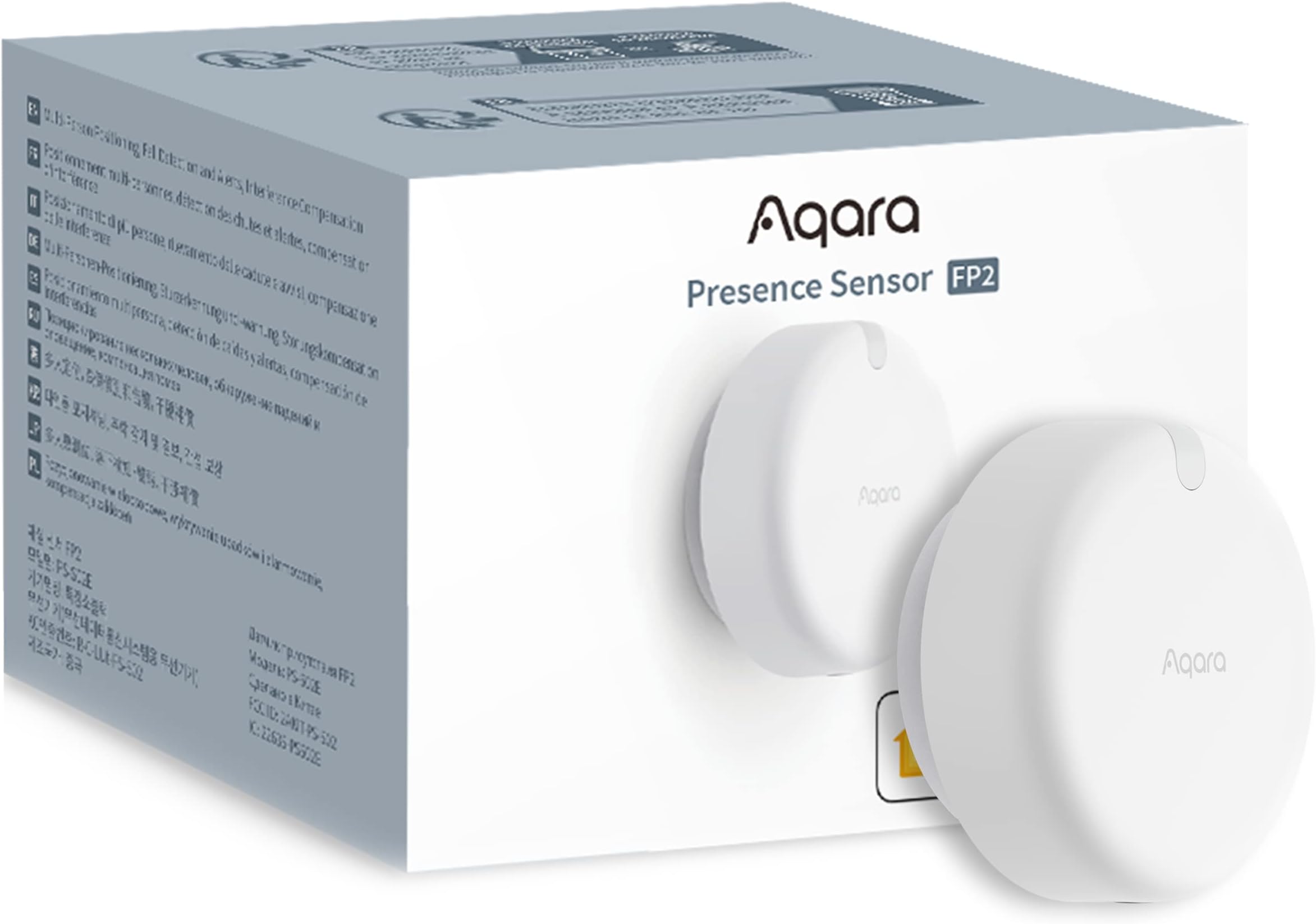
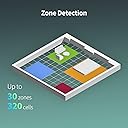
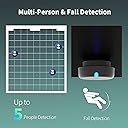
The Presence Sensor FP2 by Lumi United is a wired mmWave radar sensor designed for high-precision presence detection across up to 40 m². It supports up to 30 customizable zones, multi-person tracking, and fall detection, integrating seamlessly with major smart home ecosystems like HomeKit, Alexa, Google Home, and Home Assistant without requiring a hub. Its camera-free design maximizes privacy, while IPX5 rating allows installation in wet areas. Local automations ensure reliable performance even without internet.


| Manufacturer | Lumi United Technology Co., Ltd |
| Part Number | PS-S02E |
| Product Dimensions | 6.4 x 2.9 x 6.4 cm; 77.11 g |
| Item model number | PS-S02E |
| Colour | White |
| Power Source | Corded Electric |
| Voltage | 5.0 |
| Item Package Quantity | 1 |
| Temperature Range | 14 Degrees Fahrenheit |
| Plug profile | Ceiling Mount |
| Included Components | Detector |
| Batteries included? | No |
| Batteries Required? | No |
| Battery description | Battery Not Included |
| Item Weight | 77.1 g |
J**Y
Game changer
one word Awesome. Completely changes everything. Meets and exceeds my expectations. Aqara have produced one hell of a sensor. The Lux sensor alone, is the fastest I’ve ever used. And that alone would be enough reason for me to buy more. I have two of the original FP1 sensors, which I’m currently using and both have been faultless. Once setup properly. But have been slow to detect presence. So still need a additional sensor to speed up motion detection and detect Lux levels. Absolutely not the case with the FP2’s presence sensing and its ability to zone a room. The down sides. The WiFi 2.4ghz only. Which makes it tricky to initially setup if your mesh router can’t split the networks. So if your a sole android user. This could cause a problem. As a IOS user and HomeKit user I had no such problem. But the Aqare iOS app when used with this sensor is extremely slow to display the current position of presence. Which gives the end user the belief that it’s not working as expected. But when you switch over to the android app. Positioning updates of presence update in real time. So obviously a bug with the IOS app. Home assistant. HomeKit integration works perfectly. I was aware that the sensor doesn’t currently work with GH and can’t be exposed to GH via home assistant. But that’s easy to get around with a few helpers and exposing the helpers to GH if needed. I will absolutely be buying more when available
Z**R
As usual with Aqara it's not all bells and whistles
The sales is telling you it provides zone detection, fall detection, etc. Yes, it does. Not at the same time tho. If it's ceiling mounted, there's no zone detection but you do get fall detection. In wall mount setting, there's no fall detection but you do get zone detection. Ghosting is a problem. Interference is a problem. Detection angle is a problem. It's better than a motion detector, it's faster in response than most wireless motion detectors, reliability is questionable. I have set up 3 of these. 1 in the living room, 1 in the kitchen and 1 in the home office. All of them monitor both presence and light and connected with Homekit. If I enter a region and it's dark enough, the corresponding lights come on, if I enter a different region, old lights should turn off. Usually this works nice but sometimes a "ghost" is left in the previous area causing the lights to stay on or even turn on when nobody is there. My partner is 5'11" and around 55kg, this presence sensor sometimes doesn't recognise her causing the lights to turn off. So it's not accurate. App is okay, got used to it as I'm using Aqara for a longer period now. The detection zone's mimum size is 50cm*50cm (1.6feet*1.6feet). Overall, if you're happy tweeking a bit with Apple Home (write simple scripts), it can be a powerful ally. Way better than Hue/Eve motion sensors. To give you an example: If you don't want the sensor to turn things off and if you use light bulbs which can be app controled and dimmed (Hue, IKEA Tradfri, whatever), you may want to check if it's on or even better what's the percentage setting on it before turning it off by leaving the zone. This can be achieved by basic scripting. Allow some delay before turning everything on and check the value again before turning it off to ensure less detection errors occur. This may also give a nice extra to your lighting setup.
T**P
Amazing mmWave presence sensor
I have repalced all my mmWave presence sensors around the house where people stay for any period of time without moving (lounge/bedrooms). I used to rely on PIR motion sensors for turning on lights however as anyone who has used standard motion sensors will tell you, when motion stops, the sensor changes state to false and if automations are not setup correctly lights will turn off. Previous to these sensors I had Everything Presence One sensors in the main rooms. I was forever tweaking settings and even then the sensors didnt work as expected. With these Aqara sensors I havent had anywhere near as many issues. I have paired all of the FP2 sensors with Home Assistant rather than Apple Home - this way I get full capability and can automate until my heart is content (I have pushed these devices from HA into Apple Home though so I have th ebest of both worlds). These are fairly easy to setup however the setup is the key to the reliability with these - in the app you must set room entrance/exit points and room boundaries. Don't leave the app to make up the room boundaries as it doesn't really work. Invest the time setting these up and you will be rewarded with a sensor that just works
A**9
Je suis très satisfait de l’Aqara FP2, notamment grâce à son excellente intégration avec Home Assistant via HomeKit. La configuration est simple et les zones de détection définies dans l’application Aqara fonctionnent de manière fluide pour détecter l’occupation. Le capteur est très précis, et il s’intègre parfaitement dans des projets domotiques avancés. Cependant, il y a quelques points à améliorer. Par exemple, il n’est pas possible de récupérer le nombre exact de personnes occupant une zone, ce qui pourrait être une fonctionnalité utile pour optimiser les automatisations basées sur la présence multiple. En outre, il est important de noter que ce capteur nécessite une alimentation continue, ce qui peut parfois rendre son intégration plus complexe si l’on souhaite éviter les câbles apparents. C’est un point à prendre en considération lors de l’installation, notamment dans les espaces où l’esthétique est importante. Aussi, les différents modes de détection (détection classique, détection de chute, et analyse sommeil) ne sont pas combinables et fonctionnent séparément. Bien que chaque mode soit efficace dans son propre contexte, pouvoir les utiliser simultanément serait un réel avantage. Malgré ces quelques limitations, c’est un excellent produit pour ceux qui recherchent une solution avancée de détection de présence et d’occupation. Je recommande vivement cet appareil pour sa fiabilité et son efficacité, surtout pour les utilisateurs avancés en domotique.
L**K
Ik ga deze melder gebruiken om enkele ruimtes die met elkaar verbonden zijn in één keer goed te in kaart te brengen (met een Aqara hub) en zo de verlichting slim te kunnen schakelen. Ben benieuwd of dit goed gaat lukken maar na het zien van wat Youtube videos zal ik probleemloos moeten gaan. Mocht het toch niet helemaal gaan zoals ik wil dan is het een optie om eventueel nog een te bestellen en die toe te voegen.
T**S
Eins vorweg, dieser Sensor ist Top 👍, wenn man erstmal verstanden hat wie man alles einstellt, dann ist der Sensor eine Bereicherung 1. Der erste ist in der Küche und mit Homeassistent verbunden um komplexere Automationen mit fallback und Rückkehr Funktionen durchzuführen was wirklich sehr zuverlässig funktioniert momentan sind wir fünf Personen (Besuch über zwei Wochen) alle gehen kreuz und quer durch diesen Raum trotzdem hält er immer die letzte Person in dem Raum wichtig ist Kanten zu nehmen um den Raum und Arbeitsfläche, so entsteht auch kein ghosting, der Sensor entscheidet zusätzlich ob auch die indirekte Beleuchtung aktiv wird oder das Haupt Licht unter anderen ist auch eine Bedingung für tagsüber Musik abzuspielen oder zu stoppen. 2. Der zweite ist für Keller (Fitnessstudio) und auch da wir kurz vorm betreten das Licht ein und ausgeschaltet und Musik abgespielt oder gestoppt. Für mich war es wichtig die KI aus zu lassen da kamen immer wieder Störungen manchmal wurde eine Person als Saug Roboter bezeichnet
D**N
エリアごとには人を探知してくれるので、細かく照明や、エアコンなどの動作を指定できます。 例えば、ソファに座ったときにソファ横の照明をつくように設定することも出来ます。 元々は、赤外線の探知機能を持つデバイスを使っていましたが、赤外線の場合、動いてないと人を探知できないのですが、こちらのデバイスの場合は、動いてなくても探知してくれるので、すごく便利です。 スマートホームの構築を検討されているのであれば、是非試してもらいたい商品です。
M**I
Grazie a questo sensore ho potuto ottimizzare alcune scene che prima - utilizzando i sensori di movimento - avevano delle limitazioni in caso di presenza statica. Premessa per chi non conosce la differenza tra "sensore di movimento" e "sensore di presenza". Lo spiego con un esempio; la scena "accendi le luci quando entro in cucina e la luminosità è inferiore a 20lux" è possibile con un sensore di movimento abbinato ad uno di luminosità (nel mio caso, prima di acquistare questo, usavo uno combinato, ma spesso servono due sensori distinti)... e fino a qui questo prodotto non da un grande valore aggiunto, se non per il fatto che - dal momento che è costantemente alimentato - l'aggiornamento dei sensori è più frequente e quindi ho la garanzia di leggere un valore di luminosità in tempo reale e non uno aggiornato magari a 20 minuti prima (visto che la quasi totalità dei sensori di movimento è alimentato a batteria e - per preservarla - si opta per un aggiornamento non in tempo reale ma ad intervalli regolari di diversi minuti). I problemi si verificano con le scene di spegnimento: "Spegni le luci quando esco dalla cucina", con un sensore di movimento da risultati parziali. Infatti se resto fermo mentre mangio ed il sensore non rileva alcun movimento, mi ritrovo a mangiare al buio. Si può migliorare la situazione aggiungendo un timer, ovvero "Spegni le luci 2 minuti dopo l'ultimo movimento rilevato in cucina"... supponendo quindi che anche mentre si mangia, si genera un movimento almeno ogni 2 (o il valore scelto) minuti... ma in tal caso, quando esco definitivamente, devo aspettare due (o più) minuti prima che le luci si spengano. Con un sensore di presenza, invece, so esattamente quando qualcuno è presente in cucina... e quindi l'automazione diventa precisa, immediata ed a prova di errori: quando la prima persona entra in cucina si accendono le luci, quando l'ultima esce si spengono. Questo ovviamente solo per fare un esempio... le possibilità poi sono molteplici. Veniamo al prodotto in questione: Installazione e configurazione: è la parte più delicata... e che richiede il suo tempo. Se non vi interessa il monitoraggio delle cadute (per la quale è richiesta l'installazione a soffitto), la posizione migliore è al centro della parete stretta, ad un altezza compresa tra 140 e 180cm. La scelta della parete più stretta è dettata dall'angolo di circa 120 gradi (in realtà ho verificato esser anche qualcosa di più), quindi al centro della parete lunga rischiereste di aver gli angoli ciechi. L'installazione ad angolo è possibile ma è più complesso disegnare la mappa (speriamo in un aggiornamento sw) Nella mappa vanno segnati i confini delle stanze, le zone di entrata ed uscita e soprattutto quelle di interferenza. Le zone di interferenza sono molto importanti e vanno impostate in tutti quei punti dove potrebbero generarsi "fantasmi", ovvero: - oggetti in movimento (piante con foglie mosse dal vento, tende, ...) - riflessi (specchi, TV, finestre, ...) - variazioni repentine di luce e movimenti esterni (finestre, lampadari) Attenzione che nel momento in cui completate la configurazione delle stanze, lo spostamento anche di pochi mm potrebbe inficiare tutto il lavoro ed obbligarvi a riprendere da capo. Utilizzo con Home Assistant: personalmente ho usato l'app originale solo per la configurazione, HomeKit non lo uso ma uso solo Home Assistant. Home assistant, però, non prevedendo al momento un'integrazione specifica, lo vede come dispositivo home kit, quindi prima dovete configurare HK (Home Kit), poi verrà automaticamente riconosciuto in HA (Home Assistant). Verranno esposti: - un sensore di luminosità - un sensore di presenza generale - un sensore di presenza specifico per ogni stanza Qualora doveste modificare il nome o il numero delle stanze, dovete cancellare il dispositivo da HA, da HK e riconfigurarlo, prima da HK e poi da HA. Considerazioni: è più di un mese che lo uso e sono molto soddisfatto. Purtroppo non è economico, ma vi permette: - un'economia di altri sensori, con conseguente semplificazione nella gestione e manutenzione (batterie) - maggior precisione nella definizione degli scenari che prevedono l'effettiva presenza e non semplicemente il solo movimento. Ne comprerò altri non appena ci saranno delle offerte 😀 Spero che la recensione vi sia stata utile: in tal caso, un like è molto gradito.
ترست بايلوت
منذ أسبوعين
منذ 3 أسابيع