We remain fully operational. Our teams are working around the clock to ensure your deliveries continue safely.

قم بتنزيل التطبيق


معلومات عنا
حقوق الطبع والنشر © 2024 Desertcart Holdings Limited
قم بتنزيل التطبيق
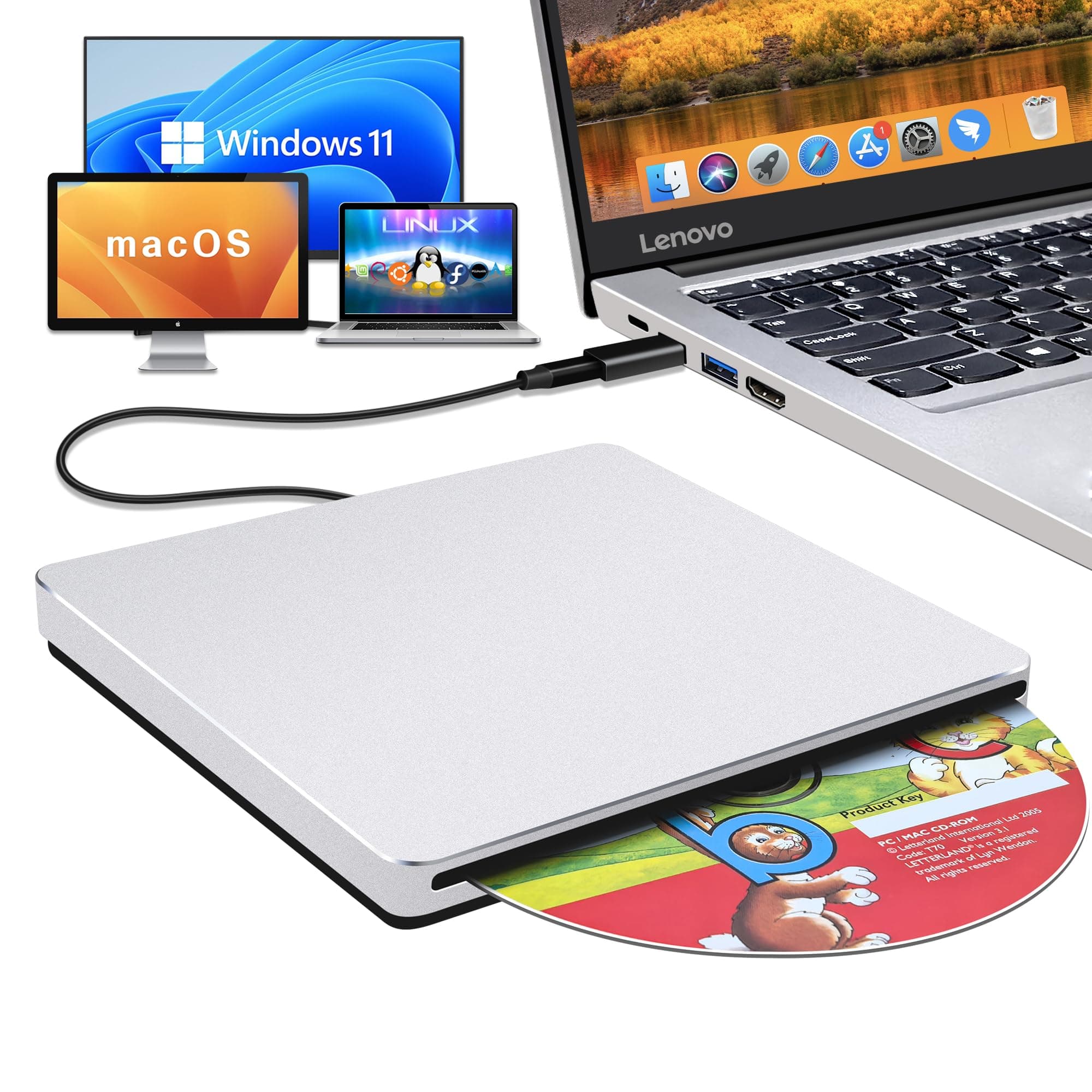
💿 Elevate your media game with the sleek, speedy NOLYTH SuperDrive!
The NOLYTH USB C SuperDrive is a premium external CD/DVD drive designed for Mac and Windows laptops, featuring a sleek aluminum alloy body, USB 3.0 and USB-C connectivity, and high-speed 24x CD and 8x DVD read/write capabilities. It supports plug-and-play operation without drivers, offers wide OS compatibility, and is perfect for media playback, data backup, and software installation on the go.


| ASIN | B0BX3S7CZH |
| Additional Features | Backward Compatible/Error Correction, Noise Reduction Technology, Plug & Play/Portable/Slim/Lightweight, Shock Resistant, Slip Resistant/full aluminum alloy/with a free USB 3.0 adapter, Slot-loading/no eject button/USB C data cable |
| Best Sellers Rank | #50 in External CD & DVD Drives |
| Brand | NOLYTH |
| Built-In Media | 1x USB3.0 Adapter, 1x User Manual, 1x external DVD drive |
| Cache Memory Installed Size | 2 MB |
| Color | Silver |
| Compatible Devices | Laptop, Mac |
| Connectivity Technology | USB |
| Customer Package Type | Box |
| Customer Reviews | 3.8 3.8 out of 5 stars (1,874) |
| Data Transfer Rate | 24 Gigabits Per Second |
| Enclosure Material | Aluminum |
| Hardware Interface | USB 3.0, USB 3.0 Type C |
| Hardware Platform | Laptop/PC/Desktop, Mac/MacBoor Pro/MacBook Air/iMac |
| Item Dimensions L x W x H | 5.47"L x 5.47"W x 0.67"H |
| Manufacturer | Confoly Tech |
| Media Speed | 24x CD/8x DVD±R/6x DVD±R DL Gigabytes Per Second |
| Model Number | NOLYTH CD ROM External Drive |
| Operating System | Mac OS/macOS/Windows 11/10/8/7/98/XP/2000/Vista/Linux |
| Optical Storage Read Speed | CD 24x / DVD 8x |
| Optical Storage Write Speed | CD 24x / DVD±R 8x / DVD±R DL 6x |
| Specific Uses For Product | Reading and writing CDs/DVDs, playing music and movies, installing software or systems, burning discs, compatible with multiple operating systems and devices |
| UPC | 726133312901 726133312482 |
| Warranty Description | Manufacturer warranty for 2 yr from date of purchase |
L**.
Works greats on my apple laptop
Works great! Tried a CD on my Apple laptop and it played instantly. I didn’t have to download any apps to get it to play, it was great! I’m so happy. Next I’m going to make a mix CD😊.
G**M
Confoly Superdrive is awesome!
I received the Confoly USB-C Superdrive last night. This superdrive is a hub to hub connection on my new MPB thunderbolt 3 port. When I first connected it I saw nothing on the desktop or anywhere else on the Mac computer. When I inserted a CD into it, iTunes popped up with all the information on the CD. When I inserted a DVD into the drive "My DVD Player" (software that comes with the Mac) opened, and started to play the movie. When a disk is inserted you will see a disk on your desktop right click on it to eject the disk. The superdrive is a solid piece with no eject button, and the drive does not open. The drive behaves just like the superdrive Macs used to come installed with. This is an extremely easy device to use, and feels very sturdy. The Confoly comes with a USB adapter in case you do not have the thunderbolt USB-C port on your computer. I would recommend this product to a friend.
S**S
Crap shoot
Got around to trying this drive, hooked it up to two Macs and it took a DVD, started to hum bit, the DVD showed up on the desktop and that was it. The DVD software did not work and the drive is not following any commands namely will not give me back the DVD. My desktop is an older iMac, 2017 however the Apple Drive hooked up to it works perfectly. I got this unit to use with my M3 MacBook Pro in another room. That computer is running the latest Apple OS Tahoe. I think this brand is a bit of crap shoot and I lost out. Doubt they will take it back after I get my DVD out of it. I did not see any instruction but use should have been straight forward.
T**H
Works with 2019 16" MPB with 1 minor issue
I'm a happy camper with this! I just burned a 1965 oldies hits album to my 2019 16" MBP laptop & I'm listening to it as I type.. Before that, I viewed a 25 yr-old cd with photo files. All uploaded easily. Here's what you get: DVD drive with permanently attached USB-c plug, Optional USB plug (see photo) Well- padded, zippered case Owner's manual in broken English - but all you need to know is there if you have patience to figure out what they are trying to say. I had no issue.. TIPS: 1. When you plug drive in, nothing will show up on your screen until you put a cd/dvd in the drive, so don't despair! 2. EJECTing: there's no manual eject button on the drive; you eject from your computer. On my MBP (running OS Catalina) I eject from Finder, or drag drive's icon to the trash. HUGE CATCH: But in order to eject, I have to FLIP THE DRIVE OVER (black side up). This is in the owner's manual (pg 5 under "Disk was Stuck".) No clue if all of these operate this way, but the fact that it's mentioned means they know of issue...To me, not a deal-breaker. The usb-c plug fits a bit too snug imo into the port (not sure this is harmful to the laptop) Initially, I was thinking of returning the drive due to the "flip over to eject" issue, but having gone went thru hell trying to connect my Apple Super Drive to my laptop to no avail, I decided to get a drive with a usb-c plug. (Apple says the Super Drive is compatible with the newer MBP's..if it is no adapter worked) After hours on the phone with Apple, with them trying to trouble-shoot, I finally gave up & ordered this drive. If you also failed to get your USB Apple Super Drive to connect to your usb-c-only MBP (I tried with the Satechi adapter Apple sold me!!) , then this cheap little drive works, so I don't mind having to flip it over to eject disks at this point. I thought I would never be able to play cd's or watch movies on this new MBP laptop since Apple took away the internal cd/dvd player that older MBP & others had. Some people prefer to play our cd collection amassed over the years, rather than spend more money for the same songs they already own..Young people don't seem to get it. Finally, people should READ MANUALs before posting bad reviews, as most issues are covered!
M**S
If it's not working, turn that frown (and DVD drive) upside down!
I almost returned my 2017 MacBook Pro when I found out it had no DVD/CD drive but upon researching, I realized Apple phased them out years ago (my last computer was from mid-2012, one of the last to have one). I read that Apple's SuperDrive worked horrendously and a review suggested this NOLYTH external drive as a best bet. When it arrived, I loved the case it came in and that it had a USB 3.1 connection as well as an adapter for a USB-A cord. It utilized plug-and-play and clicked into my computer easily. But when I inserted a blank DVD-R drive to test it, it clicked several times and then ejected. I tried it with an actual DVD and it clicked several times and then ejected. I went here on Amazon and saw some people with a MacBook Pro complained of the same problem. I contacted Coco at Confoly and sent a video of the issue. Coco realized I had the drive upside down -- the NOLYTH logo goes on the bottom and the blank silver side goes on top. This felt counter-intuitive (maybe it's an American thing) but it immediately solved my problem and I've since burned two DVD-Rs seamlessly. What a relief! And it kept me from having to return my computer for its lack of a DVD drive.
J**0
Works with a Mac
Works perfect, even with a Mac
B**C
Compatibility not an issue
Worked with my iMac immediately, unlike previous brand tried. Able to download my CDs without any issues.
Z**H
Garbage
This drive is useless. Most of the time when I plug it in, the disk spins, but nothing happens and it doesn't even show up in Finder. If you insert a disc, good luck getting it out because there are no external buttons to eject a disk once it stops spinning and since the drive doesn't show up in Finder, there's np virtual button to eject it either. Don't put any disk that's valuable to you in it or you might not see it again without taking a hammer and a screwdriver to it.
B**N
If you have considered purchasing an Apple USB Supedrive don't bother. Buy this one instead. Its form factor is the same, its silent operation is the same, its build quality is the same, except this one comes in two MacBook Pro colors grey or silver, it has an adapter in case you want to use USB A instead of the USB C which is attached to the drive, it even comes with a high quality case which Apple didn't bother to give. This is one heck of a great buy and I am delighted!!! 5/5 stars for this incredible value!!
V**N
After only 2 months of occasional use, this dvd drive no longer works and unable to return it for a refund. My advice would be to spend your money on somewhere else.
F**E
Ce lecteur est vraiment compatible avec Apple, avec Windows, etc. Il est rapide et silencieux.
R**N
Does the Job, looks well made i expect it to last based on a day of use so far.
A**X
Works exactly as described. The overall look and feel of the device is almost identical to the Apple Magic Drive, at almost half the cost.
ترست بايلوت
منذ شهر
منذ 3 أسابيع