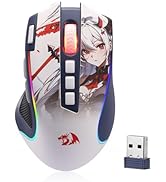
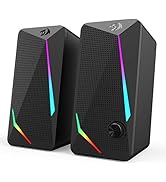
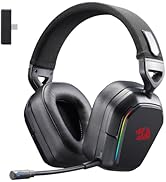
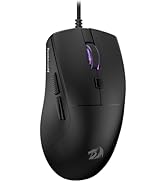
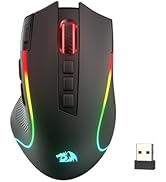
🔥 Level up your game with precision, power, and pro control!
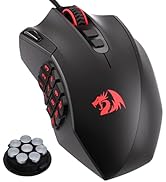
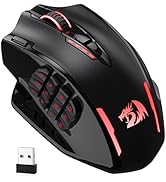
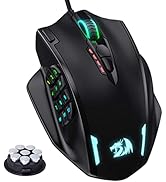
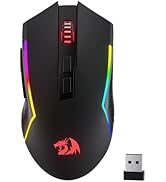
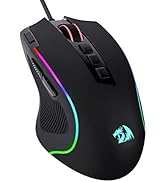
The Redragon M913 Impact Elite is a versatile wired/wireless gaming mouse featuring a pro optical sensor with up to 16000 DPI, 16 programmable buttons including 12 side MMO keys, and a robust 45-hour battery life. Designed for esports and MMO enthusiasts, it offers customizable RGB lighting and dual connectivity modes, ensuring precision, endurance, and full command in every gaming session.


| ASIN | B0C58ZTR4K |
| Best Sellers Rank | 158 in PC & Video Games ( See Top 100 in PC & Video Games ) 8 in PC Gaming Mice |
| Guaranteed software updates until | unknown |
| Item model number | M913 |
| Manufacturer | Redragon |
| Package Dimensions | 17.09 x 11.1 x 5.21 cm; 132 g |
C**S
Great entry point for MMO mice
Quite heavy even without weights installed but if you prefer a heavier mouse then it's great. Solid build and side buttons are easy to identify and have a satisfying click to them, the rows are angles against eachother vertically to identify them easier which I like. Mouse is responsive and works straight out the box but you may need to use their software to map each button to the F keys Overall this is a great entry level mouse that doesn't sacrifice quality and at the price point it just can't be beaten.
T**R
Great value gaming mouse
I love this mouse. Im not good at gaming on PC with mouse and keyboard but this has made it so much easier i can use the mouse only for a lot of games. Its comfortable, fast and the 12 side buttons are fantastic replacing the need to use a keyboard so often for me. The build quality is really good and it was worth the price i paid. Most of the more expensive mice didn't have as many buttons. Only downside i can think is it might be akward to use the buttons if you have very large thumbs but it fits me perfectly so i would definitely recommend
A**R
Very versatile while tailored to specific needs
It took me weeks of searching to find something that has all the features I wanted: Mouse for large hands: Absolutely! Tried the logitech and razer ones supposedly for large hands and by and large, no they're not. If you want to palm grip without your thumb/fingers/wrist pinkie rubbing against your surface, this is the one. It's not stupidly big but lets say ages 12+. Works on uneven/upright/"clear" surfaces: Yes again. The only surface it won't work on is clear polished glass. Translucent/frosted glass/plastic works. Also works on carpets, sofas, walls, envelopes, cardboard, sheets. And I do mean, it works properly, not just "functions". Again, this worked better than the logitech and razer ones i'd tried. Wide/ergonomic grip: If you've seen the ergonomic and full palm mice available on the market you know that they're very niche and can be very expensive. This one is the best of both and none of the other big names have something in this middle ground, and Redragon even have a few this kind of shape. No competition. Wired/Wireless/Built-in battery/USB-C/Use While Charging/Decent battery life: Yes to everything. You'd be surprised that those are a difficult combination to find, but it is. Extra buttons: It genuinely has all of those buttons and they're all programmable with the software. The software is fine and easy to use, and easy to find so i'm not sure why there are 2 reviews on here that say otherwise. It's an "MMO" mouse technically, but you can also programs it to use all your keyboard functions (Alt-Tab, Ctrl-Esc, etc.) as well as functions in CAD, Photoshop, Premiere, etc., and even multimedia functions (Vol +, Vol -). Buttons 1-3 are right at the tip of your thumb in a normal grip, so are easily naturally usable. 4-6 also, as the buttons are angled they are easy to find. Buttons 7-12 take a bit more effort with your thumb to get to. Better for rarer used functions (Alt-F4, Ctrl-Alt-Del, etc.) (A sideways scroll wheel would have prevented me from even considering a MX master 3). LED option: If you love LED "gamer" lighting effects, then you can go crazy with this in the software if you want. Having the option to turn this is rarer than you'd expect, but it's there and despite the marketing making it appear like a typical "gamer" mouse, with the LEDs turned off it is still a plausible and respectable office/home friendly looking mouse. Other things: Scroll wheel works great and is barely audible. Proper quality sensor and sensitivity in line with the competition. Decent click switches on the main mouse buttons, and membrane on the side buttons is fine (no crossover clicks).No gaudy or overbearing branding, just a small grey dragon on the black version. You definitely could use this for all types of gaming, but probably not for E-sports FPS just because its got a wide base and it's on the heavier side of "gaming mice". Some apparent issues with click pads on certain batches but top notch customer support direct with Redragon and it is fast, efficient, and customer focused, seriously. (No, I've never worked for the company or received any gifts or funds for writing this). TLDR: A mouse for big hands with such a wide array of features that there's nothing else on the market to even compare it to.
H**H
Great price and great value MMO mouse. Almost perfect for my needs, but could use an M4/M5 button.
Nicely weighted mouse and great sensitivity. The cover for the wire is a bit flimsy. My Razr Naga is braided and the wire feels much sturdier and more protected. I use the mouse of FFXIV and WoW, so the triple click button isn't much use to me, unless I were to macro it - I can't seem to bind it to any keys in FFXIV, which is a shame. I dislike that there isn't another mouse button - both my Razr and my Logitech had mouse button 4 and 5 that I could assign for autorun and mounting. This only has M3, meaning I have to use a modifier for either mount or autorun, which is a bit of an irritation after having these options for 15 years. However, the mouse is responsive, and I love that I have a nice range of buttons. I do not use the numbers on the keyboard at all, and haven't for 15 years, so this is absolutely perfect. The range of lighting options is a bit wild and needed calming down, but it looks very nice and feels quite ergonomic in my hand. Overall great value and a great price.
J**H
Decent gaming mouse
This mouse offers exceptional performance, featuring on-the-fly adjustable sensitivity and programmable thumb buttons, which significantly enhance user experience. While there may be a brief adaptation period, the benefits are substantial. My only concern, which may be an isolated experience, pertains to the absence of a clear charging indicator. Despite charging the device for approximately three hours, I have not observed any visual confirmation of its charging status. This may be a unique observation.
F**Z
I very rarely post reviews on products but I have to for this one. I'm a big MMO player, so I've been looking for a good MMO mouse for years. I've tried everything from Razer Naga (3 of them lol), Corsair Scimitar and Steel Series, and they all ended up failing pretty quickly. Battery wasn't the best, connectivity was crap with a lot of them, and the buttons would degrade after a while. Also I couldn't find a good white MMO mouse to fit my setup. I decided to give this one a go, didn't have high hopes and it's ended up being the best purchased I've ever made on Amazon. I haven't had one connectivity issue with this mouse since I bought it nearly a year ago, no button issues, its comfortable in the hand and looks good. I did start off using the RGB, but the battery life really degrades tbh, so I turned off the RGB and I can last a whole month without having to charge it. I honestly can't recommend this enough.
T**M
Gestern bestellt, morgen sollte geliefert werden, heute angekommen. Da war mal wieder jemand schneller als die Zeit. Könnte aber evtl. daran liegen, dass die Maus in einem Prime Umschlag geliefert wurde. Finde ich auf jeden Fall super. Die Verpackung ist irre. Die Maus kommt in einer Hartplastik-Verpackung, bei den Rezensionen gibt es ja besreits genügend Bilder. Vielleicht etwas Overkill, aber durchaus geschätzt. Falls man doch mal mit der Maus auf Reisen gehen muss, ist sie definitiv sicher verpackt. Vielleicht gerade für Gamer gut, die ihre eigene Maus auf entsprechende Veranstaltungen mitnehmen. Schön auch die kleine Dose für die Gewichte. Haptik: Die Maus liegt gut in der Hand (ich habe mittellange Hände mit normaler Fingerlänge aber für einen Mann noch verhältnismäßig schmal, wenn ich mich nicht irre, wäre meine Handschuhgröße eine 7-8). Meine alte Maus war da viel flacher und ich muss sagen, das höhere Profil der Reddragon gefällt mir persönlich besser und fühlt sich angenehmer an. Man hat eher das Gefühl, dass die ganze Hand unterstützt wird und auf der Maus ruht, anstatt sie zu halten. Der Daumen liegt genügend auf dem kleinen Vorsprung, mit dem kleinen Finger hat man "Tuchfühlung" zum Mousepad bzw. der Tischoberfläche, was hilfreich ist, wenn man die Maus mal anheben muss zum umsetzen. Der Kunststoff auf der Oberseite (also den primären Maustasten und der Handauflage) ist angerauht und hat diesen Gummi-Effekt, ist aber glatt genug. Ich finde eigentlich genau richtig. Erlaubt eine einfach Reinigung aber doch genügend Grifffestigkeit, damit man nicht abrutscht. In den Griffbereichen sind keinerlei scharfe Kanten, alles ist schön abgerundet. Einzig an die Position der Maustasten muss ich mich gewöhnen, sie erscheinen mir im ersten Moment immer etwas nach links versetzt, im Vergleich zu meiner alten Maus, ABER absolut in einer natürlichen Position. Oder in anderen Worten bei meiner alten Maus waren sie halt dieses winzige bisschen zu weit nach rechts verschoben, welches ich am Anfang schon als etwas unnatürlich empfand, mich aber mit der Zeit daran gewöhnt hatte. Die Tasten selbst haben einen deutlichen Druckpunkt, wie man es von einer neuen Maus gewohnt ist und welcher sich erst noch auf das Klickverhalten einspielen muss. Einzig bei zwei der linken Seitentasten ist der Druckpunkt etwas schwammig, aber er existiert. Die Seitentasten sind jeweils in 2 Gruppen angeordnet und durch ihre Winkelung zueinander gut auseinander zu halten. Der Daumen liegt bei mir genau in der Kuhle der Tasten 1,2 und 4,5, man hat die Maus dadurch recht gut im Griff. Wie einige geschrieben haben, dass die Seitentasten schwergängig sind, kann ich nicht bestätigen. Genügend Druck um die Tasten nicht versehentlich zu drücken, aber auch leicht genug zu bedienen, wenn man sie benutzen möchte. Software: Nun wo Licht ist, ist auch Schatten. Nein, nicht das die Software unbrauchbar ist oder nicht intuitiv. Man muss die Seite zum Download nur erstmal suchen. Im Handbuch selbst ist kein Verweis und nur auf der Banderole der Verpackung sieht man dann eine URL. Allerdings führte diese URL dann ins Nirvana und ich bekam auf Chinesisch angezeigt, dass die Seite nicht erreicht werden konnte. Erst eine Suche bei unserem Freund Google führte dann zum Downloadbereich. Im einzelnen ist die Software recht eindeutig und einfach zu bedienen, allerdings spreche ich a) sehr gut Englisch und habe viele Jahre in England gelebt und gearbeitet, b) Arbeite ich seit fast 30 Jahren in der EDV und weiß wie man technische Anleitungen und Programmoberflächen interpretieren muss. Aber selbst für jemanden mit extrem geringen Englischkenntnissen sollte es durchaus möglich sein, sich schnell in der Software zurecht zu finden. Alles in allem bietet die Software die Möglichkeit 5 verschiedene Profile zu verwalten. In diesen Profilen kann man jede einzelne Taste umbelegen und ihnen auch komplette Makros zuweisen. Zu den vorgefertigten Funktionen gehören die Standard-Verdächtigen wie vor, zurück, Mediatasten, copy, paste etc. Bei 12 Seitentasten kann man da schon so einiges belegen. Zusätzlich zu den Tastenbelegungen kann man mit der Software natürlich auch die RGB Einstellungen anpassen und vor allem die DPI. Und was ich ganz hervorragend finde, ist das man bestimmte DPI Einstellungen gänzlich sperren bzw. entfernen kann. Folgendes, an der Obersteite unter dem Scrollrad befinden sich zwei Tasten für die DPI Einstellungen. Sie erlauben 4 Abstufungen einzustellen welche auch durch LEDs links daneben angezeigt wird. Also quasi 4 DPI Profile. Jedes dieser DPI Profile kann über die Software nun auch indivuduell eingestellt werden und zwar in 100er Schritten. Und noch eine Anmerkung zu den Profilen, sie werden in der Maus gespeichert. Wechselt man mit der Maus von einem zu einem anderen PC, bleiben die Einstellungen alle erhalten. Sound: Ja, es gibt auch einen Sound. Und zwar den Klicksound. Die Maus hört sich angenehm an. Kein hohles klicken der Mikroschalter, sondern eher ein solideres Geräusch, man könnte fast schon wertig sagen. Es ist natürlich immer schwer so einen Sound zu beschreiben. Laser: Ich muss sagen, er ist sehr präzise. Selbst wenn ich mit dem Sensor über die Kante des Mousepads gehe, springt der Mauszeiger nicht wild rum. Bei meiner alten Maus war das ganz anders .... und nervend. Man muss die Maus auch nur recht gering anheben, ich würde sagen <5mm, damit sie aufhört die Bewegung zu erfassen. Für schnelles Umsetzen ist das essentiell. Meine alte Maus musste ich recht deutlich anheben, damit der Mauszeiger nicht sonstwo endet. Die Maus benutze ich zwar auch zum spielen, aber auch für 3D-Anwendungen, CAD, Fotobearbeitung und Videobearbeitung, also viel für das man Präzision benötigt und wertschätzt. Da muss ich bis jetzt sagen: Ich bin begeistert. Framegenaues platzieren der In-Out Marker mit der Maus ist kein Problem, pixelgenaues Arbeiten ebenso. Geruch: Der einzige Geruch, den ich wahrnehmen kann, ist der von einem neuen elektrischen Gerät (also der Geruch von Flussmittel welches beim Löten verwendet wird, wer es schonmal gerochen hat und die Verbindung herstellen kann weiß wovon ich rede). Das Plastik riecht nicht. Kabel: Das Kabel ist textilummantelt, lang genug und die Steifigkeit stört nicht beim bewegen. Bewegung: Die Maus gleitet super über das Mauspad. Natürlich sollte man auch die Schutzfolie unter den Gleitsohlen entfernen ^^. Gewicht(e): Man hat was in der Hand, kann dies aber noch variieren durch die austauschbaren Gewichte. Hier ein winzig kleines Manko, das Fach für die Gewichte lässt sich erstmal recht schwer öffnen. Aber man wird das Gewicht vielleicht einmal ändern und danach dieses Fach nie wieder anfassen. Damit kann man also durchaus leben und nach dem ersten Öffnen muss man das Fach ja auch nicht bis zum letzten Anschlag wieder schließen. Ich persönlich habe die Hälfte der Gewichte entfernt und finde es sehr angenehm so. Ehrlich hätte ich nicht gedacht, dass es so einen riesigen Unterschied ausmachen kann, aber auch ein alter Hund kann doch hin und wieder noch neue Tricks lernen. Preis/Leistung: Da kann man durchaus von Hervorragend sprechen. Es muss wirklich keine Maus für 100 Euro oder mehr sein, und ehrlich gesagt sehe ich so ein Preisschild für eine Maus auch nicht ein. Meiner Meinung nach sollten bis 35 Euro mehr als reichen und da landet man hier einen Volltreffer. Alles in allem super Maus. Man bekommt was für sein Geld. Meine alte Maus hat bis auf 1 Euro das Gleiche gekostet, aber doch war sie so viel billiger vom Material, von der Verarbeitung und den Features. Da ist die Reddragon eine sehr angenehme Abwechslung. Gerade bei Eingabegeräten zählen natürlich viel die persönlichen Präferenzen, dem einen wird die Maus zu groß sein, dem anderen zu klein, dem nächsten ist der Druckpunkt zu hart usw. Ich kann hier natürlich nur meine Meinung wiedergeben, aber wer auf der Suche nach einer neuen Maus ist, sollte diese hier durchaus mal ausprobieren. Wer normal mit der Maus umgeht, wird sicherlich auch lange Freude mit ihr haben. Man muss ja nicht gerade mit einem Baumstamm auf ihr Schlagzeug spielen ^^
P**N
- the mouse size is good i have pretty big hands and it feels it suits most someone with medium handsize (18cm is my handlength) i sometimes tend to not be fully on the mouse cause of its size beeing not perfect for my hand - scroll button can be either clicked or pushed to the left all buttons are easy to reach and click - for the side buttons if you plan on playing a game like egoshooter the button tend to use a tiny bit to much force and might end up screwing your aiming. the button 4,5,6 on the mouse are hard to press cause of the way they are aligned, but you will always know where you are on the sidekeys - the side buttons buttons are aligned from top down view like this \ 1-3 id prefer it if it would be more like \ / 4-6 hard to reach these \ \ 7-9 \ / 10-12 \ - no software included you need to download it, looks a bit complicated but it isn't that hard once you found out how it works, all keys can be rebound to anything on your keyboard, i dont have other extensions to try if you could align on them as well. there are no basic mouse commands you need to do that with the software (example: mousekey 4 and 5) - the placement for the small and ring-finger would be nice if there is a bit more material at the front and not so far behind cause i sometimes rest those fingers because of that on the mat. - did i mention you can change the glow on the mouse however you like to any color in the software if you like that. can only recommend it
I**F
Before you buy, know that you can assign the Auto-Fire key to a "Shift" key assigning secondary functions to side buttons, allowing you to have at least 25 functional keys in total which is amazing, especially in playing MMO Games. It's flexible programming-wise to function, good when using office programs where you assign shortcuts to side buttons, seriously, it's an amazing mouse. As for the downside, it's big and weighs a little which could turn off some people but I like it that way cause I wouldn't say I like small mouses. It takes some time to get used to which can take up to a month depending on usage but once you get the hang of it, all capabilities are unlocked that it become a core part of your life.
N**X
First impressions, comparing this to my old UtechSmart VENUS Pro (which I had for 2-3 years before the battery started dying) and the Razer Naga Pro. I had initially bought a much more expensive Razer Naga Pro, but found the buttons way too easy to push accidentally, and the mouse overall uncomfortable in the hand. I can safely say that for those with wide hands: this is the MMO mouse for you. The Redragon and the Utech are almost identical (probably from the same factory), however the Redragon is a bit bigger and wider, with a proper thumb rest, and a pinky rest as well. The buttons are a bit easier to push than the Utech, but still hard enough to push that you're not really gonna be accidentally pressing them too often. The software is very similar to the Utech with all the exact same features and the same lack of brightness control for the rainbow RGB mode (tho there is brightness control for all static modes). The main thing I don't like compared to the Utech software is that you can't see what all the buttons are assigned to at once, just one by one. When I was setting the buttons, occasionally one would bug out and disable itself or assign to the wrong button, so not being able to see them all at once meant I didn't realise this for a while sometimes. Overall tho, it gets the job done. Definitely not as nice as other software such as Razer, but you can't expect that at this price point, and you do get the advantage of it being less system heavy because it doesn't need to run in the background. The mouse feels nice in the hand, and while both it and the Naga Pro have a plasticy finish (compared to the Utech which is more texturised), the Redragon feels much nicer in the hand to me. And cooler too! The Naga's material always felt warm, which is just kinda bleh in hot climates such as Australia. Both the thumb/button side, and the finger rests have a glossy finish, which I would prefer not to be there at all, but it is comfortable. The Utech had a small glossy finish area under the palm and I never ran into too many issues with scratching, fingerprints, etc, so hoping for the same here. The Redragon, despite apparently being lighter than the Utech, tends not to glide as easily as far as I can tell depending on the surface. It glides easier on a desk surface or a more slippery mousepad, but a mousepad that's less slippery will lead to it moving more slowly, and strain your wrist a bit more. Increasing the DPI does help make up for this a bit. For Linux users (and Mac too? Don't think the software is on there), you can expect this to work perfectly across all your systems once configured in Windows, as everything is stored onboard in the mouse, just like the Utech. Including the mouse's second profile, which can be accessed by clicking the profile button on the bottom of the mouse. RGB will work, you just won't be able to change it. But there isn't a ton of RGB options anyway so I usually just leave it on rainbow. I had lots of success using my Utech with my Steam Deck, and given that this Redragon mouse is practically the same mouse with small differences, I fully expect to have the same experience here. Will update if that is not the case! It's really amazing the bang for buck you can get with these Chinese mice vs the big name brands. There just isn't any competition for wireless MMO mice atm in my eyes, which is such a shame because there's some awesome wired ones, and most MMOs that will benefit from this style of mouse don't really need the low latency of wires. Also, if there are any FFXIV players reading who're thinking about trying out an MMO mouse, just do it! It's so worth it!
ترست بايلوت
منذ 3 أيام
منذ 5 أيام