We remain fully operational. Our teams are working around the clock to ensure your deliveries continue safely.

قم بتنزيل التطبيق


معلومات عنا
حقوق الطبع والنشر © 2024 Desertcart Holdings Limited
قم بتنزيل التطبيق



🖨️ Print smarter, not harder — your home office MVP!
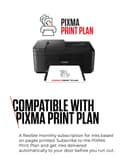
The Canon PIXMA TR4750i is a versatile 3-in-1 wireless inkjet printer designed for home office professionals. Featuring automatic duplex printing, a 20-sheet automatic document feeder, and seamless cloud connectivity via the Canon PRINT app, it streamlines document management. The PIXMA Print Plan subscription ensures ink is delivered before you run out, minimizing downtime. Compact yet powerful, it supports high-resolution color and black & white prints, making it an efficient, cost-effective solution for multitasking millennials balancing productivity and style.


| ASIN | B0C2VXC412 |
| Additional Printer Functions | All In One |
| B&W Pages per Minute | 8.8 ppm |
| Best Sellers Rank | 39,925 in Computers & Accessories ( See Top 100 in Computers & Accessories ) 22 in Ink Tank Printers |
| Box Contents | Inkjet Cartridges |
| Brand Name | Canon |
| Color Depth | 16 Bits |
| Color Pages per Minute | 4.4 ppm |
| Colour | Black |
| Compatible Cartridge | PG-575 (Black), CL-576 (Colour) |
| Compatible Devices | Laptops, PC, Smartphones, Tablets |
| Control Method | App, Touch |
| Controller Type | Android, Apple Airprint |
| Customer Reviews | 4.0 4.0 out of 5 stars (805) |
| Display Type | LCD |
| Dual-sided printing | Yes |
| Duplex | Automatic |
| Hardware Interface | USB |
| Initial Page Print Time | 15 seconds |
| Ink Colour | black, cyan, magenta, yellow |
| Item Dimensions D x W x H | 29.5D x 43.5W x 18.9H centimetres |
| Item Type Name | Multifunction Printer |
| Item Weight | 5.8 Kilograms |
| Manufacturer | Canon |
| Maximum Copies Per Run | 99 |
| Maximum Copy Resolution Black and White | 1200 x 1200 dpi |
| Maximum Copy Resolution Color | Lower than 4800 x 1200 dpi |
| Maximum Print Resolution Black and White | 4800 x 1200 Dots Per Inch |
| Maximum Sheet Capacity | 100 |
| Maximum Supported Paper Size | A4 |
| Maximum print Resolution Color | 4800 x 1200 Dots Per Inch |
| Model Name | PIXMA |
| Model Number | TR4750i |
| Model Series | PIXMA TR4750i |
| Network Connectivity Technology | Wi-Fi |
| Number of Trays | 1 |
| Other Special Features of the Product | Auto Document Feeder, Auto-Duplex, Borderless Printing, Email Print |
| Output sheet capacity | 50 |
| Paper Size | A4, A5, A6, B5, LTR, LGL, 4""x6"" (10 x 15 cm), 5""x7"" (13 x 18 cm), 8""x10"" (20 x 25 cm), Envelopes (DL, COM10) Centimetres |
| Power Consumption Size | 7 Watts |
| Print media | Envelopes, Labels, Paper (plain) |
| Printer Output Type | Colour |
| Printer Type | Inkjet |
| Product Warranty | 2 Year Manufacturer |
| Resolution | 4800 x 1200 dots_per_inch |
| Scanner Type | Flatbed |
| Series Number | 4750 |
| Specific Uses For Product | Enterprise, Home, Office |
| Total USB 2.0 Ports | 1 |
| Total USB 3.0 Ports | 1 |
| Total USB Ports | 1 |
| Warranty Type | Limited |
| Wattage | 7 watts |
A**R
More than what you pay for!
Its made of cheap plastics and build quality will be a test of time but its far more printer than its value. I would have expected worse for the money and it does far more than my old printer that cost me a lot lot more. double-sided printing is a nice to have as well as a document top loader to scan multiple sheets. I haven't tried printing photos yet but that's not what I bought it for, it is an office printer for scanning and printing documents, if I wanted a photo printer I would have spent a lot more. I didn't have any issues setting it up like others have had, the key here is to follow the app instructions and complete the steps in order, don't jump ahead. I understand the sales model here is to sell cheap printers to sell more expensive ink, I mean I think the ink costs as much as the printer! but I don't mind with the amount of printing I'll be doing. Time will tell for longevity but for now I highly recommend as a low cost office printer.
D**!
Absolute Bargain! Well chuffed!
I bought this one purely because of the scores. “If it seems too good to be true - then it probably is” is a cautionary phrase that has served me well in the past, but I have to admit that on this occasion it is proven very wrong! A great price, not bad looking (as printers go), prints clearly and to a good standard, ink is not the most expensive on the market, relatively quiet and an absolute doddle to get set up and started. Have not yet been told that the printer doesn’t exist/is offline/is not connected/ is on a day off …. etc.
C**R
Reasonably priced.
Complicated to set up. Ink runs out quickly but no change there from other machines.
I**M
Don't bother with this one!
I rarely use my printer, maybe a few times a year, so it's taken a while to see this was a complete waste of money. 1st copy and scan was fine. After that it kept jamming paper. Then it kept showing error code 1300, but there was no paper jammed, so after each page of copying, I kept having to keep opening the back, the front, and resetting. Finally, it began unaligning as well as the continuous error code. As I am outside the warranty period, it has been a total waste of money. I finally discovered, from a canon US site that numerous people are having this issue and it needs replacing. As it's taken me over a year to discover my printer is actually faulty, it can't be returned. I am hugely disappointed as I have previously had canons that have lasted years. For the price I should have gone for a cheap Chinese one that I wouldn't mind replacing at yearly intervals. Absolutely disgusted by how canon printers are no longer better than a cheap one!
A**A
Easy to install
Bought this to replace my very old Canon printer which would not connect wirelessly now that I’ve got full fibre . This one seemed to be a good replacement and a very reasonable price too. It arrived the next day and although it was a bit of a puzzle at first to understand how to load the cartridges, once I’d mastered that the next phase was easy. The bit I was most anxious about was connecting to my new fast fibre Wi-Fi. I need not have worried, as soon as my phone recognised the printer it connected to the router immediately after entering the password. The printing is just as good as the old more expensive Canon it has replaced and it prints fast enough for anything I need. I really like how the paper tray can be folded away leaving a neat little box sitting on my desk.
L**S
Does it all. Easy to use and set up
Great quality easy to use, great value . But black ink does run out quick so buy an extra one with it
C**N
It works, scans, copies and prints. But
What a blasted hassle trying to get it installed on my PC and tablet. No manual, just a slip of paper with a QR code that didn't work. I had to manually internet search for the installation software by the make and model number. OK, the software once I had it worked very well, about the only glitch was in initiailly connecting to my network which it didn't like. 2nd attempt and it said OK, I'll connect. It's basic with a basic display that isn't very clear from anything but straight on. But it does do what I want it to do, Would I like a few extra bells and whistles? A better display would be nice, that's it.
I**P
So good
I have been using it all along
P**O
Stampante esattamente come la cercavo io ! Collegamento USB (ormai difficile da trovare) semplice da installare sopratutto sul MAC (fa tutto da solo) stampa fronte retro automatica , stampe nitide perfette , leggermente lenta ma non troppo , Va benissimo ad un prezzo onesto , ha anche cose che io non uso ad esempio il fax e dimenticavo lo scanner che va molto bene - Copie perfette sia colore che BN . Consigliata a chi non vuol farsi venire mal di testa ...
W**E
Spitzen Drucker und Scanner
S**I
oldukca guzel fiyatini hak etmekte
B**N
Ev kullanımı için oldukça güzel, kullanımı ve baskı kalitesi iyi. PC ile kullanım için tarama arayüzü daha basit olabilirmiş ama fiyatına göre gayet güzel ürün tavsiye ederim.
E**R
Ist der beste Drucker weit und breit!
ترست بايلوت
منذ 3 أسابيع
منذ شهر