Buy anything from 5,000+ international stores. One checkout price. No surprise fees. Join 2M+ shoppers on Desertcart.
Desertcart purchases this item on your behalf and handles shipping, customs, and support to KUWAIT.
🚗 Diagnose Like a Pro, Drive with Confidence!
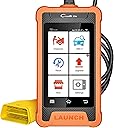
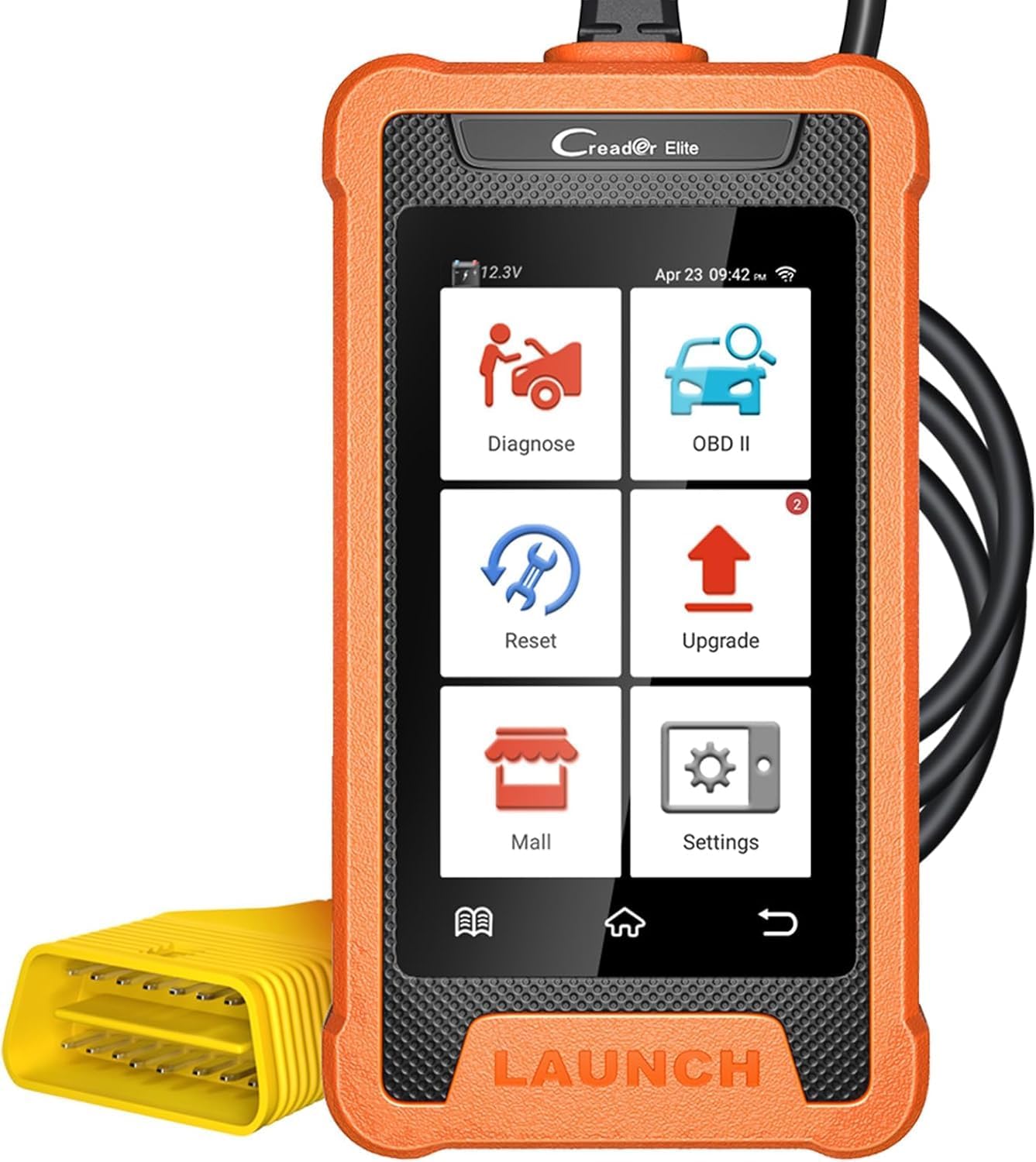
The 2026 Launch X431 Full System Bi-Directional Scanner is a vehicle-specific diagnostic powerhouse tailored for Nissan and Infiniti models from 1996 to 2026. Featuring bidirectional control, full system diagnostics, and over 100 free service functions, it empowers professionals and enthusiasts to perform deep factory-level scans, active tests, and resets. With a 4-inch Android touchscreen, Wi-Fi lifetime updates, and extensive vehicle coverage, it’s designed to keep your Nissan or Infiniti running at peak performance—minus subscription fees.


| ASIN | B0C7CC6231 |
| Automotive Fit Type | Vehicle Specific Fit |
| Best Sellers Rank | #384,383 in Automotive ( See Top 100 in Automotive ) #1,441 in Code Readers & Scan Tools |
| Brand | LAUNCH |
| Brand Name | LAUNCH |
| Customer Reviews | 3.8 out of 5 stars 62 Reviews |
| Included Components | 1 * OBD2 Connector Cable, 1 * Quick Start Guide, 1 * Scan Tool for NISSAN, 1 * Type C Charging Cable |
| Item Type Name | LAUNCH X431 NISSAN Scanner |
| Manufacturer | LAUNCH |
| Manufacturer Warranty Description | 5 Year Warranty |
| Native Resolution | 480*800 |
| Operating System | Android 6.0 |
| Power Source | Battery Powered |
| Screen Size | 4 Inches |
J**2
A cheap bi directional scanner but only for nissans
Got this product to review and give my opinion on how it compares to the factory nissan consult tool. First the lay out is different then the factory scan tool, but that's something you would suspect from any aftermarket scan tool. This scanner doesn't reprogram or have immobilizer functions. Stuff I did notice from a scan tool like this was it was scanning all the modules in my car. A little surprise here, because I thought it would only scan 4 modules and that would be it. It does show data in the same way the factory nissan consult tool does. But it's graphing is a slower then consult or other scanning tools. It does have bidirectional compatibility like the nissan consult if you want to test a coolant fan or vent control solenoid. But since it's still connected to the car you can't activate something whiling you next to the component. Now let's talk about the obd2 function of this tool. It's works the same like other obd2 scanner. Showing codes, clearing codes or looking at data. Im leaving three stars cause I have used after scan tools that more advance scan tools or also use the factory nissan consult tool on a daily basis. I find this tool for doing quick work and checking data when on a test drive. Compare to cheap $40 scanner that only shows generic obd2 data and you want to know the factory data
W**H
Works for Nissan-specific factory data. Very slow and buggy
Update: This scanner is so slow it drives me crazy! It's so bad that I almost don't use it. The software desparately needs to be overhauled to be faster and more stable. It takes 10-15 minutes of starting up and getting to the correct screens to do anything useful. Original review: If you're looking for a Nissan-specific scanner to read the factory data that is not accessible in ODBII, this works, but only marginally. It accesses all of the factory configurations and data streams. However, it's hard to imagine it's a quad-core 1.3GHz device because it's frustratingly slow. I have a BMW specific scanner from Autophix that will read all of the sub-systems (about 30 of them) in less than 2 minutes. This scanner takes 7-9 minutes. The VIN auto-scan is extremely slow. If you're a DIY mechanic that only works on one vehicle it's an extra 2 minutes each time of thinking and confirmation prompts. It often fails the communication and either hangs, or displays an error telling you things are out of sync and to try again. I've run into many odd and seemingly random communication errors. If they get the software fixed and speed up the performance, I'd give it 4 stars. Perhaps the issue is the communication with the servers at the Chinese company. I like that you can purchase other manufacturer software, but in the fine print it says you get free updates and can use the software for a year. After that, it either disables modules you've purchased, or stops updating the free software. That isn't really consistent with the 'Free for Life' in the product description.
R**W
Frontier factory issue fixed,tuning the old sentra..Amazing
I went with this scanner because it claims Nissan specific. Glad I did. Since it was new my 2012 frontier 4,0 auto,like thousands of others, had too low idle speed. It would often vibrate when at a stop in gear. A known issue that the dealer would not acknowledge under warranty coverage. With this scanner you can adjust idle speed up or down in 12.5 rpm increments. I adjusted mine 87.5 rpm over what it was and now my idle is smooth and I am enjoying my truck. I also used this on a 2005 sentra that has had a light detonation issue since purchase at 43k mi. Now at 105k. It never had a code and otherwise ran well. I replaced the knock sensor,plugs,coil packs,crank sensor, with no difference. With the scanner I was able to retard the ignition timing 1 degree. No more detonation. I have used cheap scanners before and the capabilities and information is limited . This does so much more. I diagnosed a evap code by monitoring the evap system pressure in real time. I'm just getting started with this tool and it has been a total game changer for me. So impressed.
D**P
Another very nice tool in my bag.
My first time to buy a code reader. This one was recommended on a You Tube video and it works fine on my 2015 Nissan Altima. My check engine light wasn't on but it did find several minor codes that were minor so I cleared them and wait and see if they come back. So far they haven't I think it will be real helpful when it comes time to change sensors and other electrical stuff. I didn't contact tech support so I can"t really comment on that. But it's a nice addition the my bag of gadgets. I would recommend it even if you don't do your own auto repair. You can see whats wrong with your vehicle before you take it to a mechanic. Sadly there's not many reliable mechanics available today. They will rip you off if they think you don't know any better. Be informed and save yourself some money. '
V**O
Producto práctico y fácil de usar
El producto es muy bueno, lo único malo es que si quieres escanear a profundidad otras marcas de vehículos debes pagar suscripción anual por el Software de la marca que necesitas
K**R
Bi-Directional for this price is so worth it.
This can really do everything the more expensive scanners can do. If i needed it more often for a shop setting I would have bought the wireless one with the full software packages and the tablet size read out. It is a little bit slow at times I imagine the tablet ones would be much faster. However for the 5-10 times a year a home user might use it, I was very surprised how much this one can do. It really can see all the other modules and do all the relearn and calibration that you can't do with a normal OBD-II code reader.
M**N
Can't find control modules on 2002 Xterra.
The scanner was only able to find the transmission control module. It said that the engine control module, ABS module, and the SRS module were not installed. All are. Even my old ODB2 scanner can find the ECM. On one system scan which only detects which modules are present, it did find all of the modules, but then couldn't scan any but the TCM. After that, it could no longer locate any of the modules other than the TCM. Also, it appeared that the unit had been previously used as it went directly to the main menu, rather than going through the system setup procedure specified in the manual and quick start guide. When I went into the settings screen, I found that some of the initial setup fields had been completed, such as the time zone had already be set to US Central Time (Chicago) and that some of the updates had been installed, but not all. I configured the wifi for my home system, and installed the updates that had not yet been installed. After connecting it to my 2002 Nissan Xterra, and finding that it couldn't find and read the control modules, I executed the recovery option, resetting the device back to its factory settings. When it rebooted, it went through its initial setup as specified in the manual/guide. After configuring, I again connected it to my vehicle, I had to manually enter the VIN and it came back with it being a Nissan Frontier instead of an Xterra, but they are basically the same vehicle other than the body. After entering the VIN, it attempted to do a diagnostic scan of all of the modules, but, once again, reported that the only installed module was the TCM. So, no ODB data, no ABS data, etc. I can't comment on the Customer Service, as it was within the Amazon return window, so I just sent it back.
D**O
Bi Directional Scanner for Nissan X431
So I have few Nissan that I do mostly my own DIY work on and in the past I use to use simple blue driver to scan for codes but thats pretty much all it could do. Just scan and see the codes and erase them . Now where as this unit offers that and SO much more ! To try to list all the things here would take too much lol but all of it is listed in the discerption here. I tested it on 3 different Nissan cars and it worked on all of then no problem ( as long as that function is supported on that car ) Now you need to be connected to wifi in order to see the suggested issue how to fix it for that or other code. You can use your phone's wifi as hot spot Unlike other scanner with this one I could go into transmission settings and see alto of stuff there too and read trans temp as well . You can disable and enable TPMS light .. SO that just a few options there but there is alot and alot more..
ترست بايلوت
منذ شهرين
منذ أسبوع