We remain fully operational. Our teams are working around the clock to ensure your deliveries continue safely.

قم بتنزيل التطبيق


معلومات عنا
حقوق الطبع والنشر © 2024 Desertcart Holdings Limited
قم بتنزيل التطبيق
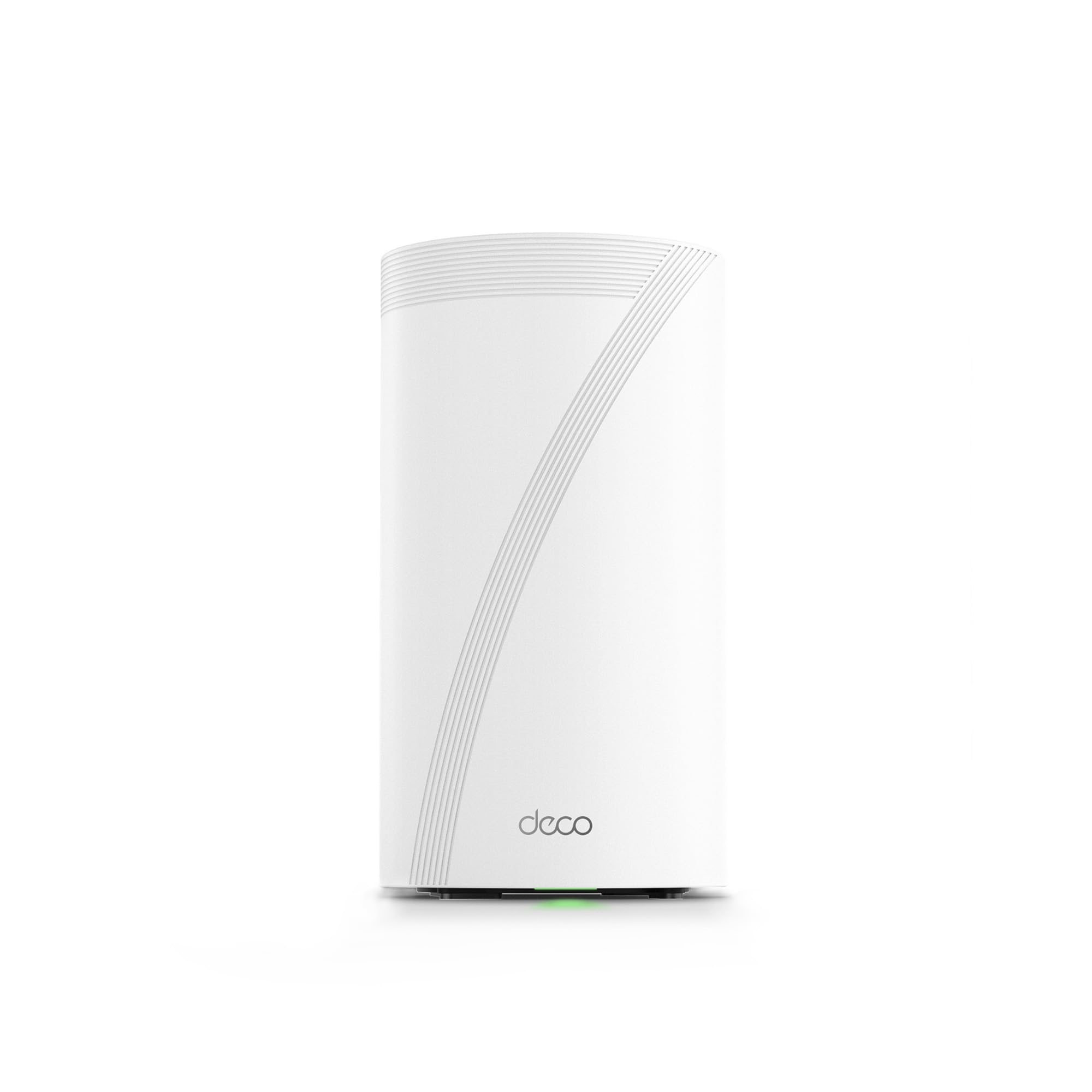
🚀 Elevate your home network to elite speeds and coverage — because buffering is so last decade!
The TP-Link Deco 7 Elite BE95 is a flagship Wi-Fi 7 quad-band mesh system delivering up to 33 Gbps combined speeds with 16-stream technology. It supports over 200 devices simultaneously, featuring dual 10G WAN/LAN ports and 2.5G ports for future-proof wired connections. AI-powered seamless roaming and simultaneous wired/wireless backhaul ensure full-home coverage with zero dead zones. Enhanced by TP-Link HomeShield security and VPN support, it offers robust protection and parental controls. Easy to set up via the Deco app and compatible with voice assistants, this system is designed for demanding smart homes and professional-grade networking.


| ASIN | B0CD9QCPS5 |
| Best Sellers Rank | #6,131 in Electronics ( See Top 100 in Electronics ) #30 in Whole Home & Mesh Wi-Fi Systems |
| Customer Reviews | 4.0 4.0 out of 5 stars (385) |
| Date First Available | August 10, 2023 |
| Item Weight | 3.3 pounds |
| Item model number | Deco BE95(1-Pack) |
| Manufacturer | TP-Link |
| Product Dimensions | 5.04 x 5.04 x 9.29 inches |
T**R
This is the flagship tp_link home mesh system. The be85, is no t newer than this unit!
This unit, the BE95, is the flagship product for TP_Link home mesh networking. As a retired IT professional/engineer who worked with hardware and wrote more code than I want to remember, I have only high praise for the BE95 product. The incredible overall total throughput along with the capabilities to handle in excess of 200 connected devices fleshes this device out to be almost ultra-commercial in design. We had a very high end gaming router with some repeaters prior to this unit. We also have prior mesh systems from Asus as well as NETGEAR (Orbi) and they all sucked. Confusing back channel configurations and inconsistent connections plagued our connectivity daily. Originally I balked at the price, but figured I could just return it if it didn’t pan out and live up to promises. In the end, with just the 2-tower package, we are covering our entire home of 3000Sqft with full 5 bar connectivity and absolutely ZERO dead spots. Where we had constant drops and interruptions in our old system for our xfinity WiFi enabled tuner, we now see consistent 4k television. When I look for WiFi I look for reliability and signal quality. This unity excels at both. Even all the way back by our fence at edge of the property I get full bars. Walls are not a problem as the unit utilizes MLO (multi link …Ah crap, can’t remember what o stands for) in short, it will use more than one of the 4 channels to make sure there are no dead spots in the signal. The back channel is automatic and seamless. Once setup with the free app, you rarely need to access it. And speaking of the app, it is the only detriment to the system as the fine folks at tp_link decided to rely solely on the app for configuration of port forwarding and other granular stuff. There is no way to do that on the web based on fig tool I’m not sure if it was left out on purpose or if the unit was rushed and web app,just didn’t get finished in time. It does not feel like a rushed product so, some how I think they just left it out to avoid confusing the average person. The system provides connectivity on WiFi specs from 2.4g, 5g, bands as well as 2 others. High spectrum reserved for back channel connectivity to ensure quality service. WiFi 7 compliant (spec not completed yet but it will be soon) there is no WiFi they cannot connect to. The ports on the back provide 2 2.5 gig Ethernet and 2 10gig Ethernet/ as well as a high speed usb for attaching some hard drives for network attached storage. This thing is made to scream while pushing as many bits as possible. Over saturation of the network never happens. I can be transferring large video files, watching 4k tv, streaming something else, listening to music and have a torrent client running in the background while my son kicks butt on his gaming servers with ultra low lag….on WiFi. Faster than the Ethernet connect on our old router/ap. I can confidently say, barring some magic leap in tech, this will be he last WiFi router we buy for at least a decade. Highly. Highly recommended. This from a guy with 4-5 boxes of old devices sitting in his garage!!!
H**K
Easy basic out of the box setup and powerful coverage and speed
I have been waiting for three years to reestablish my WiFi in my home following a fire that destroyed my previous WIFI MESH network. Extremely easy to setup once you login to your account. The only issue I experienced and it was an annoying one that could have been resolved with a preemptive statement in their instructions for logging into the TP app. It requires 2-factor authentication and will only use an email address and not a cell-phone SMS text message. They have difficulty in sending the emails to a regular email provider like Comcast. The 2-factor wait time times out long before you receive the code in an email… if you ever do. It was the only issue that I have encountered thus far. I found the first level support less than sufficient to explain why I could not get logged in, though he did insist that I needed to have a google or yahoo email but did not explain why. We spent over an hour and then he transferred me to his manager who said we would have to wait for the second tier support to call me in the morning. Which to their credit they did… but just after hanging u p with support, I tried to login from my iPad and I had face recognition setup and it bypassed the 2-factor email requirement. YAY that I didn’t need to revert back to the rental modem/router. The interface is intuitive though different approach than Comcast branded solution. Haven’t done much accept setup the bands and named the equipment. I have all network bands configured except you cannot separate 5&6 they are banded together as one for MLO. I have a guest, MLO, and IOT network setup for the SmartHome devices. All seem to have reconnected that were connected previously and 2 more have connected that had failed to connect with a single modem/router on the extreme end of the WiFi network. I have a 4k 4 story home so I really needed this. Two are on the on the 3rd floor on opposite ends of the house connected via Ethernet. The third is connected wirelessly on the first floor directly below the second unit. Coverage is terrific and performance a boost over the Comcast rented - modem/wifi router. I will update this as I explore more options and pursue network security options. Bottom line is simple out of the box setup and configuration with great coverage and speed. Only downside is they are L A R G E units so plan your placements ahead of time.
A**O
Su esperanza de vida es larga. Tiene lo más reciente en colectividad y eso le asegura mucho tiempo de uso. Se le saca más provecho si se usa en mesh, si sólo usas uno como módem recomiendo más la versión BE85 o la BE65. Tiene una potencia tremenda. Vengo del deco x20 y sí hay diferencia siempre y cuando tus dispositivos estén adaptados a la nueva tecnología de wifi 6e y 7
M**M
I bought the Deco BE95 to replace an Orbi RBK853 (WIFI 6) system. Although I my internet was a 1.5Gbs service, the Orbi was only getting 500-600 Mbps downloads to my devices and we experienced unusual drops and a few areas with poor coverage despite 3 units all connected via Ethernet. It took me about 15 minutes to set up the Deco BE95 and configure it with the same network name and passcode so all of our devices immediately reconnected. It was an exceptional decision. With only two units (vs. 3 for the Orbi), I’m getting full 1.5 Gbps downloads on our WIFI 6E and 7 devices. On older WIFI devices, I’m getting 650+ Mbps downloads. On the WIFI 6E devices, I’m getting 900-1000 Mbps in areas of the home the Orbi (with 3 units) was struggling to get 100-200Mbps. It was super easy to set up and I’m getting full speed within 40 feet of the Deco and almost full speed everywhere in the house. And, when my internet provider soon switches to 3Gbps internet, I’m confident the Deco will handle that with ease also. Great purchase and future proofed WIFI.
A**D
The WiFi coverage disappointed
S**N
The router and the deco app are excellent. Great performance and the app is easy to use. The most amazing experience however, is the customer technical support. I was having an issue due to a high degree of 2.4ghz congestion in my neighbourhood which was affecting my smart home devices. I was amazed how fast I was in contact with TP-Link engineers who helped me solve this challenge very quickly. I was surprised, because it wasnt a product issue, but they helped me solve it anyway. The engineer also to the time to send me instructions on how to do it myself if I wanted in the future or certainly could call them back.
J**D
Trabaja muy bien, super veloz. El único problema es el conector de alimentación a la corriente eléctrica se desconecta con mucha facilidad solo, no embona bien o es muy corto y no se alcanza a fijar bien al aparato.
ترست بايلوت
منذ شهر
منذ 3 أسابيع