Buy anything from 5,000+ international stores. One checkout price. No surprise fees. Join 2M+ shoppers on Desertcart.
Desertcart purchases this item on your behalf and handles shipping, customs, and support to KUWAIT.
🔥 Lead the raid wire-free with precision and power!
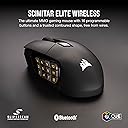
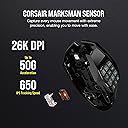
The Corsair Scimitar Elite RGB Wireless MMO Gaming Mouse redefines MMO gameplay with 16 programmable buttons, an adjustable 12-button side panel for ergonomic comfort, and a blazing-fast SLIPSTREAM wireless connection boasting sub-1ms latency. Its ultra-precise 26,000 DPI sensor and up to 150 hours of battery life empower gamers to play longer and smarter, all while enjoying seamless compatibility with iCUE software for full customization.


| ASIN | B0CCVYHZ9N |
| Additional Features | LED Lights, Programmable Buttons, Rechargeable, Wireless |
| Antenna Location | Gaming |
| Are Batteries Included | Yes |
| Are Batteries Required | Yes |
| Battery Average Life | 120 Hours |
| Best Sellers Rank | #4,125 in Video Games ( See Top 100 in Video Games ) #45 in Mac Gaming Mice #201 in PC Gaming Mice |
| Brand | Corsair |
| Built-In Media | Allen Key, CORSAIR SCIMITAR ELITE WIRELESS Gaming Mouse, Safety Leaflet, USB Charging and Data Cable, USB Wireless Transceiver |
| Button Quantity | 16 |
| Color | Black |
| Compatible Devices | Personal Computer |
| Connectivity Technology | Bluetooth, USB |
| Customer Reviews | 4.0 out of 5 stars 558 Reviews |
| Enclosure Material | Plastic |
| Hand Orientation | Ambidextrous |
| Hardware Platform | Mac, PC |
| Item Dimensions L x W | 4.69"L x 2.89"W |
| Item Weight | 0.25 Pounds |
| Manufacturer | Corsair |
| Mfr Part Number | CH-9314311-NA |
| Model Name | SCIMITAR ELITE WIRELESS |
| Model Number | CH-9314311-NA |
| Mouse Maximum Sensitivity | 26000 Dots per Inch |
| Movement Detection | Optical |
| Movement Detection Technology | Optical |
| Number of Batteries | 1 Lithium Polymer batteries required. (included) |
| Number of Buttons | 16 |
| Operating System | Windows, macOS |
| Power Source | Battery Powered |
| Range | 1.0 meters |
| Special Feature | LED Lights, Programmable Buttons, Rechargeable, Wireless |
| Style Name | Wireless |
| UPC | 840006600336 |
| Unit Count | 1.0 Count |
| Warranty Description | 2 year manufacturer |
D**M
Almost exactly the same as the Schimitar Pro in form and functionality, just wireless
ICUE DOES WORK - At the time of this writing there is only one other review posted and it says ICUE does not work. That it false. To be fair, the mouse did not register for me in ICUE at first, either. But the cause is fairly obvious. They are using an old version of ICUE... from before this mouse even existed. Literally all you need to do is update the software. I attached screenshots proving it shows up and works, along with what software revisions they are on right now. Yeah, that's it... just update your software. There is a button in the corner. For the mouse itself, it is ALMOST identical to the old wired version. There are a few minor aesthetic downgrades. For some reason they removed the RGB in the mouse wheel, plus the light in front of the side buttons is gone too. Also, it has one less button on the top, behind the mouse wheel. The fit and feel is the same. I would certainly be happier without those random minor downgrades, but they are super minor and the upgrade of FINALLY having a wireless version of this mouse is 100% worth it. I love this mouse and have been on the lookout for a wireless version for years. It is the best MMO mouse, and now finally wireless.
A**N
My Thumb has 12 New Superpowers!
I’ve been really impressed with this mouse. The Corsair Scimitar Elite RGB Wireless feels sturdy, premium, and well-built right out of the box. The button clicks are solid and satisfying, the weight feels balanced (not too heavy, not too light), and it fits comfortably in my large hand during long sessions! Where this mouse really shines is with MMOs. The 12-button side panel makes a huge difference in games like World of Warcraft, Star Wars: The Old Republic, Guild Wars 2, Diablo 4, and even Destiny 2. Being able to map abilities, shortcuts, inventory actions, mounts, or macros directly to your thumb speeds everything up and makes gameplay smoother and more immersive. Once you get used to the side buttons, it’s hard to go back to a standard mouse. That said, it’s not just for gaming. The programmable buttons make this mouse incredibly useful for everyday productivity too. I’ve found it great for, • Assigning copy/paste and undo shortcuts • Web browsing navigation (forward/back tabs instantly) • Video editing timeline controls and tool switching • Photo editing shortcuts in creative software • Spreadsheet navigation and workflow automation • Streaming controls or push-to-talk bindings • Music playback controls • Quick-launching apps or folders The wireless performance has been reliable, battery life is strong, and customization through iCUE lets you fine-tune everything exactly how you want it. Overall, this is a versatile mouse that works great for MMO players but is just as useful for productivity and everyday computer use. It feels durable, comfortable, and thoughtfully designed. Definitely a solid choice if you want extra control right at your fingertips!
S**R
Almost worth the price
Mouse wheel stopped fully functioning after a short time. Otherwise not entirely what I was expecting for the price point; but, overall, an excellent gaming mouse with decent software.
C**R
Vital
I've had this for 18 months with virtually no hiccups. Good build quality, the thumb pad is adjustable forward of back pending your hand size, and with their software you can customize just about any button. Battery life is incredible often going days between charges even with heavy gaming. Grip isn't "ergonomic" but still fits well into the hand, comfortable for extended use. Easy to plug and play, not very difficult to customize. Worth every penny.
A**W
Get the UTech Venus not this
I’ve had the Corsair Scimitar Wireless for about two months, and unfortunately, it’s been a pretty frustrating ride. While I usually like Corsair products—my S2500 speakers and USB drives have been great—this mouse just didn’t live up to expectations. ⚡ Charging Issues The biggest problem is that it simply won’t charge anymore. I’ve tried USB 3.0 ports, USB 2.0, even wall chargers—nothing works. For a premium mouse, that’s a dealbreaker. 🖲️ Design Flaws The button layout is also tricky. The slope of the side buttons means that unless you press down firmly, the mouse tends to shift slightly when clicking. In a Windows environment, this can lead to misclicks—like accidentally cutting files instead of copying them. It’s subtle, but it adds up over time. 🎮 Software & Mapping Button mapping through iCUE feels clunky and unintuitive. I found it hard to get the setup I wanted, and the software didn’t always save changes reliably. 🧠 Final Thoughts I really wanted to like this mouse, but between the charging failure, awkward design, and software hiccups, I can’t recommend it—especially at the $100 price point. If you’re looking for a solid alternative, I’d suggest checking out the UtechSmart Venus Pro RGB Wireless MMO Gaming Mouse. It’s around $38, has a comfortable shape, reliable wireless performance, and plenty of programmable buttons. It’s a much better value—and you’ll still have money left over for your next wishlist game.
J**.
Too much for too little
I will summarize: The software is horrible to the point of nearly unusable. Even uninstalling it is a massive ordeal. Lots of little nooks and crannies make it very difficult to clean. If you are a heavy user, you WILL get disgusting buildups of dead skin and oil between the side buttons and on the scored rubber on the right hand side. Very gross and difficult to clean short of gently scraping it out with a toothpick or something. I had difficulties after about six months with polling rates. The mouse doesn't "stop on a dime" anymore, if that makes sense. If I move the mouse and suddenly stop, it will continue moving for a few pixels. It's not a dealbreaker, but the fact that it began happening after about six months is frustrating. Now, all that said, it's a very comfortable mouse despite having so many buttons. I have very large hands and it's difficult for me to find a mouse that isn't trying to be as small and light as possible. The buttons are adjustable and it just feels right to use. BUT, the buttons are also overkill. Unless you are an absolute MMO fiend, you will use MAYBE three of them, and that's pushing it (pun intended). The buttons near the back, are easy enough to reach with your thumb, but even the second row of buttons are hard to reach without moving your entire hand, and that's coming from me and my massive orangutan mitts. So, it's not a terrible mouse, but you can do better and cheaper.
A**X
Exceptional Productivity Mouse for Engineering and CAD Users
I purchased the Corsair Scimitar mouse primarily for my engineering workflow, which heavily involves AutoCAD, Revit, and Bluebeam. After extensive daily use, I can confidently say it's one of the best productivity enhancements I've added to my workstation. The mouse is ergonomically designed and fits comfortably in my hand, reducing strain during long drafting and design sessions. The adjustable thumb keypad is extremely beneficial, allowing me to quickly execute macros and shortcuts specific to AutoCAD and Revit commands. Tasks that previously required multiple keyboard inputs now happen seamlessly with a single thumb click, significantly boosting my productivity. The clicks are precise and have a satisfying tactile feedback—crisp without feeling harsh or fatiguing. The responsiveness makes precise selections in Revit or detailed markups in Bluebeam smooth and intuitive. The build quality feels solid, durable, and suitable for intensive, professional use. However, configuring the mouse through Corsair’s iCue software was initially a bit cumbersome. While visually polished, iCue’s learning curve is steeper than Logitech’s more straightforward alternatives. That said, once the setup is complete, the software works reliably, automatically switching profiles based on the active application, a feature I find particularly useful moving between CAD, PDF markups, and other software. Overall, despite the initial software hurdles, the Corsair Scimitar has become an essential part of my engineering workflow. It significantly reduces repetitive actions, saves time, and enhances my comfort during extended periods of technical work. Highly recommended for engineers, architects, and anyone whose daily tasks involve complex software shortcuts.
B**A
Scimitar RGB Elites are the best for feel and form, but unreliable and short-lived... Get Asurion!
Corsair makes very unreliable keyboards and mice. I've had several of their keyboards and they all fail eventually (less than two years) with the 'extra keys you didn't press' issues. -- I've now bought FOUR of these Scimitar Elite MMO mice since March of 2023: (2) corded Scimitar RGB Elite 18K DPI, (1) Scimitar Elite RGB Wireless 26K DPI and now yet another Wireless with the updated 33K DPI sensor. Keyboards and their myriad issues aside, the issues with the mice are: iCUE is awful, like hands-down the worst RGB/KB/Mouse manager software out there. It's horribly supported by Corsair, buggy to the point of being nearly useless and incredibly, needlessly complex and frustrating to use. Simple button assignments are a literal nightmare if you haven't done it several times before - and woe is you if you don't save your config key files in a backup because iCUE gets corrupt. The mice themselves are, perhaps unfortunately, the best out there if you have not-huge hands, need adjustable thumb buttons and have a claw or hybrid grip like I do. The wheel feels normal and with decent feedback without the crazy clicky resistance of other brands. They're accurate and despite iCUE being horrible you can dial in a lot of customization with the lighting pattern and sensitivity/response. The problem is ultimately the same with all Corsair products - they fail. I'm shocked myself looking at the recent purchase history of their mice, I didn't even realize I had purchased FOUR of these in the last TWO years! With the last Elite RGB Wireless I owned, the scroll wheel died. I tried working on it myself to no avail. Maybe a new wheel board would have worked, but the spare parts are hard to find. The most recent one, a corded model, started disconnecting when booting and I'd have to unplug and replug the USB cable to get it recognized by Windows. Then, after months of that, the mouse just died. There was a red tracking light but no RGB lights and there was no restoring it regardless of software reinstall, USB purge/re-add in Device Manager, etc. etc. This time with the new 33K DPI Wireless model purchased this week I got the Asurion 3Y package. It's expensive but worth it in this case - otherwise, if there are other MMO gaming mice that are even remotely OK for your uses, I urge you to stick with them. Corsair's software is
A**I
اختربت بسرعه
اختربت اول شهر الازرار الارقام ماتشتغل مع الأضائه
J**Y
I wish I could’ve bought this mouse earlier!
This mouse is absolutely the BEST mouse I’ve ever used! The custom buttons really surprised me by the amount of functionality it has. Not only you can bind those keys to what a traditional mouse could have, like the forward/back key or dpi stuff, but you can also bind them to any key on keyboard, set up key combinations or even music controls. You can even set up a custom text for instant input just by pressing the button once. And plus this mouse has the best ergonomics I’ve ever used. I have a large hand, but this mouse fits my hand just like they were customized for my hand! And the mouse feels very quality when you hold it. Wow it’s just awesome! I really enjoy this mouse!
H**.
Se siente muy bien armado y es comodo.
Se siente de buena calidad
A**K
Beware! , buttons mapping issue with bluetooth
You cannot map buttons on bluetooth mode, only wired or with the wireless receiver inserted.
J**E
Great mouse
Recommend by a friend after I got in MMO's and wanted the side buttons. Took me a bit to get used to being a trackball user for ten years but my hand shape can stay the same. if it broke I'd probably cry while ordering another one
Trustpilot
4 days ago
1 month ago