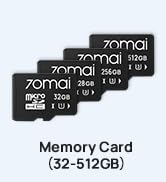
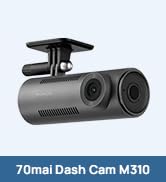
This is my 4th one bought for putting these into other family members cars, if that tells you how much I recommend this. The Sony Starvis 2 IMX678 image sensor is about the best you can get in a dash cam right now today. Image clarity and sharpness at 4K is very good. Dynamic range, like when driving under an overpass, or into a dark parking structure on a sunny day, or the reverse, coming out of darkness and into sunlight from a tunnel, etc, is very good. No "black hole" until the camera is completely into the shaded or dark area, and no "whiteout" when coming out of a tunnel into daylight, the image is visible at vastly different light levels all the time. It also does not wash out license plates ahead of you when your headlights hit the reflective plate. Rear camera is 1080p, and is OK to use in the same conditions, just not nearly as sharp with the reduced resolution, and only slightly worse on dynamic range, but still able to function in differing light levels. Adding a circularly polarized filter (which 70mai also makes, and may or may not be included in some purchase bundles) to the dash cam does help a little bit on reducing the reflection inside the windshield of your dashboard on sunny days, and does just a tiny bit towards glare of oncoming headlights, or reflective strips around construction barrels and signage that reflect back your own headlights at night. I'd definitely recommend using one for the front camera, and consider one for the rear as well, since they are not very expensive, and do help a little. This one supports up to a 256 GB SD card, so buy the fastest speed and most reliable one you can, since it needs to write at a fairly fast rate with both 4K and the rear 1080 camera recording simultaneously. I bought a Lexar E-series 256G and it's never had issues writing video files to it. If you use 256 GB for the front camera only, using 4K at 30 fps, it's working out to around 16-18 hours of recording time before older video starts getting overwritten. You can hit a button on the unit to flag a recording as something important that it will not overwrite until you manually delete it, and it moves it to a different folder, so you never need to worry about losing video of an incident you caught on camera. Adding the rear camera at 1080 brings the frame rate on both front and back down to 25 fps, which is still fine for viewing, and the total recording time comes down to maybe 10-12 hours. Normal driving for just a few hours per day will leave you with multiple days of recorded video, if not maybe a whole week before overwriting older recordings. Recordings by default are 1 minute each, so as it runs out of space, an older 1 minute video is deleted to make sure it has space for current data. You can change that to 2 or 3 minutes, but then if you use the app to download video to your phone, it takes longer, and uses up more space on your phone, so I left it at the default. Worst case I might need to d/l multiple 1 minute video clips for a long running incident, but that's not too bad. The unit itself is fairly small, and the default brightness was not enough to be distracting at night. You can change brightness, or set the screen to go dark if find it distracting yourself. With all the other stuff my vehicle already put in the middle of the windshield for it's lane centering, headlight sensing, and wiper rain sensing, I didn't have enough room on the driver's side to mount it without it blocking a bit of my view of what could have potentially been a car or pedestrian off to the side at an intersection. A bit of holding it up and checking before you decide where to mount it is obviously important. So I mounted it to the glass behind, and on the passenger side of the rear view mirror. No additional blockage of any windshield view for me in that position, and I can just duck my head down a bit to see the screen to check that it's on, or to see where the button is to mark a recording to not be auto-deleted. I prefer it mounted where there's zero loss of any field of view when driving like that. You can disable audio recording on it's built-in microphone, and you can also disable having it show your vehicle speed, and/or location (latitude and longitude from it's GPS chip) along the bottom of the video. I chose to disable all of those, so the only thing shown on the video screen is the date and time of the recording. The power cable was long enough to tuck it around the edges of the windshield, and route it down around the dash and into my console to get power. The rear video cable length would have been fine if I had been able to stay above the headliner all the way around the car to the rear, but my side-curtain and door post airbags left no room at all to tuck cables behind, and were tight to to the metal (no gaps). I wound up running it around the windshield and down to the floor, pulling up the sill plates to run the cable in the raceway under them, and under the carpet, to reach the back seat. From there, back up again beside the rear seat, to the deck area. That left me about 3 feet short from the extra cable distance, but I was able to find 3rd party cables on Amazon that exactly fit the pinout of this rear camera, and in varying lengths of 3, 6, and 10 feet. I ordered a 3 and 6 foot just in case, and the 3 foot worked out. If you want to finish this install in one shot, check your mounting locations, and all access to be able to tuck cables behind moldings and weather stripping, etc, for how you'll reach both power in the front, as well as the rear video cable, and consider ordering any extra extension cables before hand just in case.