Buy anything from 5,000+ international stores. One checkout price. No surprise fees. Join 2M+ shoppers on Desertcart.
Desertcart purchases this item on your behalf and handles shipping, customs, and support to KUWAIT.
✒️ Draw, write, create—comfortably and endlessly.
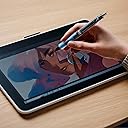
The Wacom CP202A02A Pilot Dr. Grip Digital Pen combines ergonomic design with 4096 levels of pressure sensitivity and tilt recognition, delivering precise, natural strokes without the hassle of charging. Compatible with Wacom One devices, this battery-free pen offers long-lasting durability and a comfortable grip, making it the ideal tool for professionals and creatives who demand both performance and comfort.
| ASIN | B0CG2QN6DZ |
| Are Batteries Included | No |
| Are Batteries Required | No |
| Battery Description | Battery-free |
| Best Sellers Rank | #60 in Digital Pens |
| Brand | Wacom |
| Built-In Media | Digital Pen, Replacement Nib |
| Color | Black |
| Compatible Devices | Wacom One (DTC133W0A), Wacom One 12 (DTC121W0A), Wacom One 12 - Display only (DTC121W2A), Wacom One 13 touch (DTH134W2A), Wacom One 13 touch - Display only (DTH134W0A) Compatible Devices Wacom One (DTC133W0A), Wacom One 12 (DTC121W0A), Wacom One 12 - Display only (DTC121W2A), Wacom One 13 touch (DTH134W2A), Wacom One 13 touch - Display only (DTH134W0A) See more |
| Customer Reviews | 4.3 out of 5 stars 80 Reviews |
| Enclosure Material | Rubber |
| Item Dimensions | 5.63 x 0.56 x 0.56 inches |
| Item Weight | 14.97 g |
| Item dimensions L x W x H | 5.63 x 0.56 x 0.56 inches |
| Manufacturer | Wacom Technology Corporation |
| Material | Rubber |
| Mfr Part Number | CP202A02A |
| Minimum Required Operating System Version | Windows 10 |
| Model Number | DTU1141B |
| Pressure Sensitivity | 4096 Levels |
| UPC | 753218984425 |
| Unit Count | 1.0 Count |
| Warranty Description | 1 year manufacturer |
A**R
Long-Lasting, Comfortable, and Satisfying
This is my absolute favorite digital pen. To me, it feels very similar in design to a Pilot G-2, and it feels satisfying to be able to click it like a real pen. I've been using it for about a year (13 total college courses-worth of notes) and I still haven't had to replace the stock nib, whereas my other pens started to wear down only after a couple weeks-worth of use. In terms of value, I think this pen is seriously worth it. It's lightweight, but thicker than most other digital pens, especially around the grip. I previously used the STAEDLER Noris Jumbo, but that fell apart when I was fidgeting with it too much in class. I haven't had that problem with the Dr. Grip; I take this bad boy apart and put it back together mindlessly (yes, like a middle schooler) and it's never had any mechanical faults. It took a week or two to get adjusted to using it. The nib size is comparatively smaller than both my other pens, so all my writing appeared thinner than I wanted it to, until I realized this enabled me to write smaller and cover the page with more notes. Moving to this from something like a STAEDLER Noris Jumbo will be tough if you're accustomed to using a pen with an in-built eraser. However, I think the consistency, the feel, and the durability of this pen is well worth giving up that piece of functionality. As a sophomore in college, I would highly recommend you give this product a try.
N**T
Lightweight and comfortable
Great value! The original pen for my Supernote broke and I needed a replacement and this pen worked great! I love that it has a squishy grip. It’s lighter than the supernote pen was which took a bit of getting used to but now I prefer it.
T**N
Feels good, works good!
Feels great in the hand for longer drawing sessions, but the lack of both side-button(s) and eraser end leave room for improvement. If you have a button-box and just need a comfy stylus with reasonable pressure sensitivity. Works great on my Samsung Galaxy Tab S10 FE, though needs a little calibration to get the pressure dialed in.
D**A
Comfortable stylus
The Wacom Dr. Grip Digital for Wacom is a very comfortable stylus. It's got a little bit of weight to it but it's similar to a regular clicking pen in weight and size. I like how this stylus has the ability to 'hide' the nib to protect it. I would've expected the materials of the stylus body to be more quality looking and feeling for the price. It works great with my Onyx Boox Tab Mini C. I recommend this stylus for its comfort.
B**S
Great Grip, Slippery Tip
The Pilot Dr. Grip Digital Pen is comfortable in hand, but it didn’t quite deliver the writing feel I wanted on my Kindle Scribe. Comfort & Ergonomics The hallmark Dr. Grip design shines here—cushioned, balanced, and perfect for long writing or drawing sessions without fatigue. If you’ve ever used a classic Dr. Grip ballpoint, this feels instantly familiar. Writing Experience On the Kindle Scribe, the tip felt a little too smooth, almost slippery, which reduced the tactile feedback I usually enjoy when handwriting digitally. It’s usable, but doesn’t replicate a natural pen-on-paper feel. Build & Compatibility The build quality is solid, and compatibility wasn’t an issue. It works as expected on supported Wacom-powered devices. Bottom Line If comfort is your top priority, this pen delivers in spades. But if you’re picky about writing texture on an e-ink device, you might find the tip glides more than you’d like.
J**O
Excellent Stylus
Great stylus for EMR technology digital notebooks. The thickness is what you would expect from a Dr Grip pen. The nib is firm and feels great on Supernote devices with feelwrite2 film. Not too much drag, but enough for fine precision writing. Also works great on RM2 and NA4C screens.
S**H
So comfy to use for long periods.
I LOVE Dr. Grip pens, so was pleased to find a digital one for use with my Supernote. They are just far more comfortable for me to use than other pens, when it comes to size and weight.
D**E
Great for digital artists on the go
This is a perfect alternative to equally compatible EMR pens. The pen pressure is top notch and great for art and note taking . Best to use Samsung or compatible Wacom devices though
J**N
Good for writing less for art
After using it for over a month now as an artist, I can conclude that this pen is more for writing than drawing. You can absolutely draw with it, but, because it has such a small and light tip it will need many strikes to make good defined lines, it is very comfortable to hold and use but it lacks the "roughness" as others have. It's lacking buttons to quickly pick colours or erase so you'll need to tap/click every time you need to change for either. It does have a button to hide the tip, which is brilliant! Also have a hole to tie a lineard if you want to hang it around. Overall slightly on the expensive side, but for an artist not much of a value except very light and precise pen. I believe if you going to use it for writing then this is probably the best pen suited for the job, again slightly expensive with very little features for ease of use. I have been using the Moveink 10 and had not problems with it as it is compatible.
K**E
Great
Write like the original pen, too bad there’s no eraser. You’ll have to figure out how to store it on the go since there’s no clip. It’s not perfect but It’s an awesome pen if you know what you’re paying for.
Trustpilot
1 month ago
1 month ago