We remain fully operational. Our teams are working around the clock to ensure your deliveries continue safely.

قم بتنزيل التطبيق


معلومات عنا
حقوق الطبع والنشر © 2024 Desertcart Holdings Limited
قم بتنزيل التطبيق


Buy anything from 5,000+ international stores. One checkout price. No surprise fees. Join 2M+ shoppers on Desertcart.
Desertcart purchases this item on your behalf and handles shipping, customs, and support to KUWAIT.
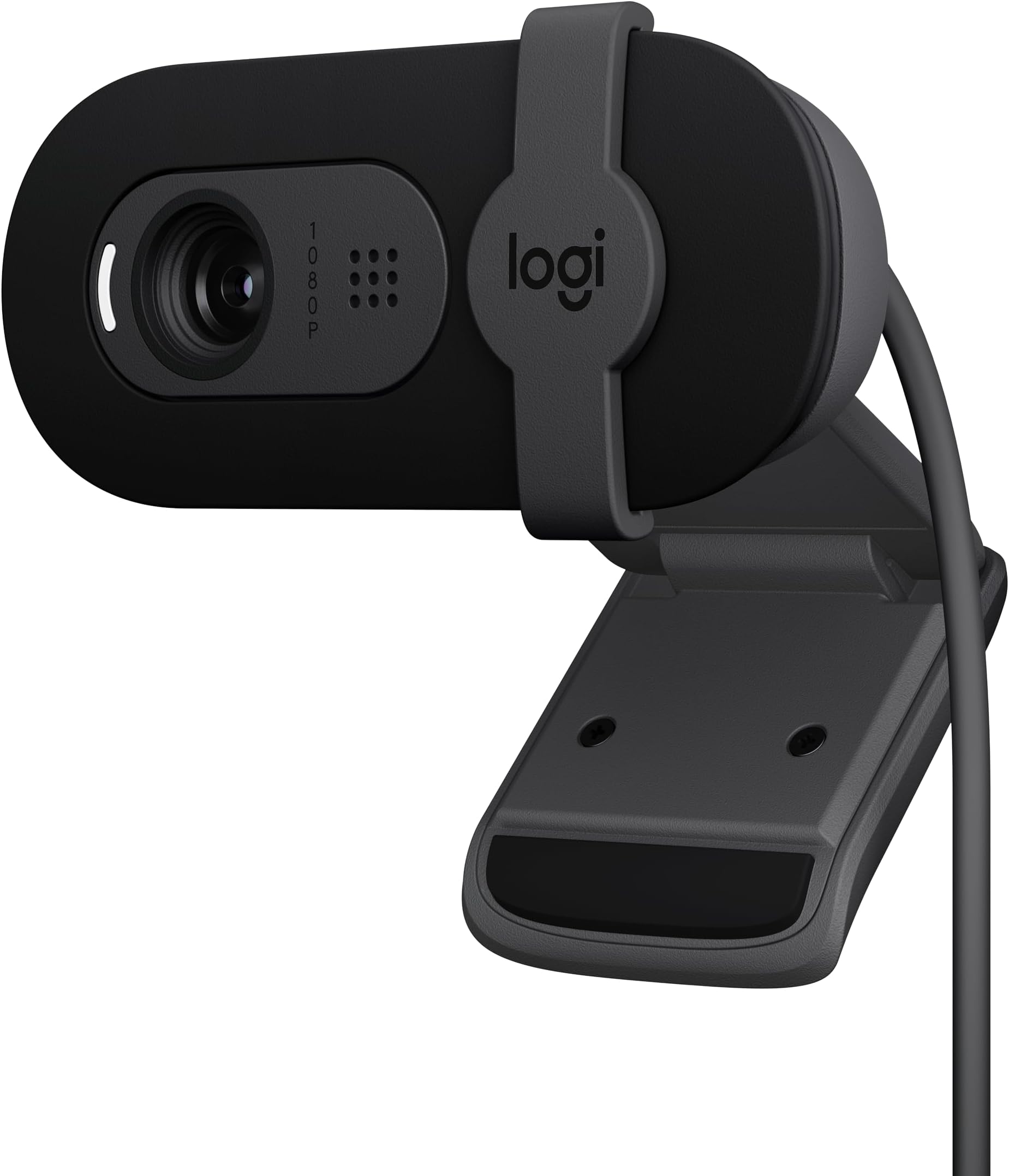
🎥 Elevate your video presence—because your meetings deserve to look as sharp as you are.
The Logitech Brio 101 is a sleek, Full HD 1080p webcam designed for professionals who demand crystal-clear video and reliable audio in every call. Featuring advanced RightLight technology that boosts brightness by up to 50%, an integrated privacy shutter, and a built-in microphone, it ensures you look and sound your best across all major video platforms. Easy USB-A plug-and-play compatibility makes setup effortless, while eco-conscious design includes 34% post-consumer recycled plastic. Perfect for managers, streamers, and remote workers aiming to upgrade their virtual presence.


| ASIN | B0BXGFFSL1 |
| Are Batteries Included | No |
| Brand | Logitech |
| Built-In Media | Privacy Cover |
| Camcorder Type | Webcam |
| Color | Black |
| Compatible Devices | Laptop, Personal Computer |
| Connectivity Technology | USB |
| Customer Reviews | 4.4 4.4 out of 5 stars (5,537) |
| Display Resolution Maximum | FHD |
| Effective Still Resolution | 0.9 MP |
| Effective Video Resolution | 1080 Pixels |
| Features | Low Light |
| File Format | JPEG |
| Flash Memory Speed Class | C10 |
| Flash Memory Type | SDXC |
| Flash Memory UHS Speed Class | 3 |
| Flash Memory Video Speed Class | V60 |
| Focus Type | Auto Focus |
| Form Factor | Compact |
| Global Trade Identification Number | 00097855188915 |
| Has Image Stabilization | No |
| Image Aspect Ratio | 16:9 |
| Image stabilization | false |
| Lens Type | Zoom |
| Manufacturer | Logitech |
| Maximum Aperture | 2 f |
| Maximum Focal Length | 4 Millimeters |
| Model Name | BRIO 100 |
| Model Number | 960-001589 |
| Optical Zoom | 5 x |
| Screen Size | 0.01 |
| Sensor Type | CMOS |
| Shooting Modes | Automatic, Low Beam |
| Style Name | 1080p |
| Supported Audio Format | Mono |
| Supported Image Format | JPEG |
| UPC | 097855188915 |
| Unit Count | 1.0 Count |
| Video Capture Format | MP4 |
| Video Resolution | 1080p |
| Viewing Angle | 90 Degrees |
| Water Resistance Level | Not Water Resistant |
| White Balance Settings | Auto |
| Zoom | Optisch |
M**T
Picked this up for my home office setup, and it’s been a really solid webcam for everyday use. Setup was simple—plug-and-play with no issues. Works right away with Teams and other meeting platforms. Video quality is clear and consistent for a 1080p camera, and the built-in mic has actually been better than expected. I’ve had no complaints from anyone on the other end of a Teams call, which is really what matters. It’s not a high-end streaming camera, but for meetings and day-to-day use, it does exactly what it should without any hassle. Privacy shutter is a nice bonus, and overall it’s been reliable. Bottom line: If you need a dependable webcam for a home office, this gets the job done with good video and surprisingly solid audio.
H**R
The Logitech Brio 101 is a very good webcam with clear Full HD 1080p video quality. I use it for meetings and streaming, and it works perfectly with Zoom and Microsoft Teams. The built-in microphone is clear, and the privacy shutter is a great feature. The best part is that I don’t need to open my laptop anymore—I can keep my laptop closed and still get great video quality using my external monitor setup. It’s easy to plug in, works instantly via USB-A, and feels well built. Overall, a reliable and high-quality webcam that does exactly what I need.
M**L
This Logitech camera is good! It works perfectly with the new Logitech software and is a fraction of the price that I bought my previous Logitech for. The image quality is good and it is perfect for use with Teams/ Zoom meetings. It has Autofocus, plug and play, the colour quality is good, as is the low light feature. All in all, a really good camera for the price!
P**S
The Logitech Brio 101 Full HD 1080p Webcam is a top-notch choice for anyone needing a reliable and high-quality webcam. The video quality is crystal clear, making it perfect for video calls, streaming, and recording. The 1080p resolution ensures sharp and detailed images, and the automatic light adjustment feature adapts well to various lighting conditions, providing a consistently excellent picture. Setup is a breeze, with a simple plug-and-play installation process. The webcam's design is sleek and modern, fitting perfectly atop any monitor. The built-in microphone delivers clear audio, reducing the need for an external mic. Overall, the Logitech Brio 101 offers fantastic value for its price, making it a must-have for professionals and casual users alike.
R**L
I’ve been using this webcam for a while, and it works really well for everyday calls and meetings. The image quality is sharp, and it handles lighting nicely even when the room isn’t very bright. Setup was quick and easy — just plug and go. The only downside is that it’s not the best fit for frameless monitors since it covers a small part of the screen. Other than that, it’s a solid, reliable webcam for the price.
ترست بايلوت
منذ أسبوعين
منذ يوم واحد