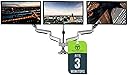
🖥️ Elevate your workspace, triple your impact.
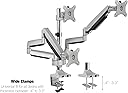
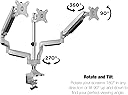
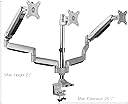
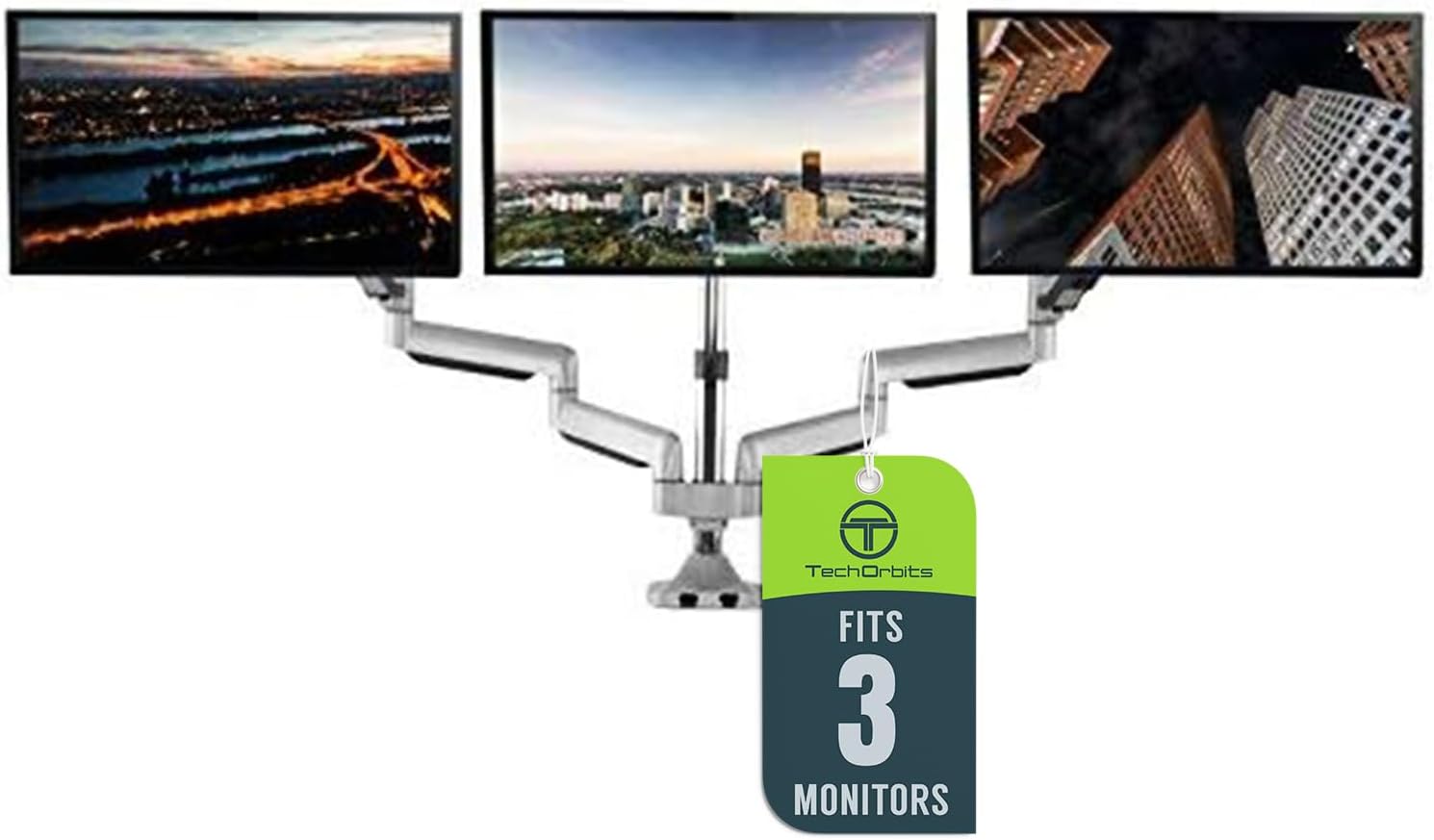
The TechOrbits Universal Desk Mount is a premium triple monitor stand designed for 13-30 inch screens with standard VESA mounts. Featuring SmartSWIVEL technology, it offers full 360° swivel and tilt for optimal ergonomic positioning. Its heavy-duty aluminum arms with gas springs support up to 20 lbs each, ensuring stable, sag-free monitor alignment. The clamp-on design fits desks from 0.4" to 3.3" thick, freeing up valuable workspace and delivering a sleek, professional setup favored by productivity-driven professionals.


| ASIN | B075SRGSK1 |
| Best Sellers Rank | #1,087 in Computer Monitor Arms |
| Brand | TechOrbits |
| Color | Silver |
| Compatible Devices | Monitor |
| Customer Reviews | 4.4 out of 5 stars 764 Reviews |
| Enclosure Material | Aluminum |
| Item Weight | 16.7 Pounds |
| Manufacturer | TechOrbits |
| Material | Aluminum |
| Maximum Tilt Angle | 90 Degrees |
| Maximum-Supported Screen Size | 30 Inches |
| Mfr Part Number | OF-MAA-0336 |
| Minimum-Supported Screen Size | 13 Inches |
| Model Number | OF-MAA-0336 |
| Mounting Type | Tabletop Mount |
| Movement Type | Tilt |
| UPC | 662578126461 |
G**N
Well made, well packed/shipped, INCREDIBLE Customer Support, fairly priced!
UPDATE 01/15/2021 - The only thing I regret is not buying 2 of these sets at once! The first worked so perfectly, I ended up ordering another one, and "Frankensteined" the 2 sets to make (1)-5 monitor mount, my buddy called it "General Grevious". (If you know someone that could machine a longer center pole, it could be a 6 monitor mount!) I used the second center pole and remaining mount for a server in another part of house). I have (2) 32" monitors on top, and (3) 25" monitors on bottom. The 2 top, and the 2 sides of the triplets all move, tilt, rotate with the touch of a finger or two. ORIGINAL REVIEW: This thing is incredible. Pictures don't do it justice! I have (3) 24.5/25" monitors mounted horizontally, and even tucked into the corner, I have plenty of room and angles to choose from. I have mine "bent in" or "curved" at angles off the center monitor. The unit feels/ appears built solid enough I can see it holding (3) 30-32" monitors, I just don't know how much of a "curve" you could put them at mounted horizontally. I mounted this with the included clamp set, it also comes with the hardware to drill holes and mount it through your desktop. The clamps are heavy duty, and even included set screws at the center of handles that the included Hex key can easily tighten up the final few turns. The arms are super heavy duty feeling, and the whole assembly feels solid, yet is very nimble. I will note that I was able to mount this while being "behind" it, if your desk is flat against a wall, I highly recommend pulling it out to allow you to get behind, it makes the monitor stand mounting and cable routing very easy. I was able to follow the directions (step by step with labeled part numbers for each step) and I set this up myself in probably under 25 minutes. Another 45 minutes later ( a good 30 of that was spent on cable management routing, I have power, monitor and USB lines for each monitor) and she was holding all three monitors where I wanted. My cables for power and video are your more serious branded cables, making them thicker than standard ones(The cable management built into this is pretty slick, and allows for a professional look, if you spend a few minutes more on it) The monitor mount brackets "clip" into place on each arm, very easy to attach each monitor, and easy to pop off if needed them to do so. The one thing I noticed, when looking at the mount from the front, the left arm tension seemed backwards, another words, I had to "loosen" the arm to tighten the tension. Either way, it was easy enough to figure out that if twisting one way was making arm free, turning the other way would increase tension. Any tension screw or other adjustment screw I tightened, they were all well made and none of them stripped out, I am able to freely move both outside monitors, and wherever I stop, they stay. I put this on an "L" shaped desk with a hutch, and my desk depth is just under 36". I did wind up twisting the center mount 90 degrees, so it allowed the center monitor to be back further. The outside arms had no problem adjusting to this slight variation. While it does technically make the mounters "offset" from the center post, it still looks and works fabulously! One of my cable guide covers arrived defective, from manufacturing. I had Customer Support on the phone in moments, and Rachelle was a rock star! She had me email a picture of the part, to make sure they sent the right one. Less than 24 hours later, I had an email saying it was going to be sent, and less than 24 hours from that I had an email with a tracking number! The package came a few days later, and they had sent me (2) of the parts (which are universal for either arm)! Between the quality of materials, build, price, extra features and awesome customer support, I would highly, HIGHLY recommend this product and company! I will look to them for any future monitor mounting needs! Thank you TechOrbits!!!! I was not paid or compensated for this review.
U**N
It’s perfect
It’s fully adjustable you can tilt the monitor it works great and it is really sturdy due to the fact that you can adjust how sturdy you want it to be. It’s really easy to install and it fits the monitor perfectly the value for the money is great I would say because i bought it for 50 dollars so I can’t complain at all.
R**N
Good stand - Only Supports VESA compliant Monitors
Likes: - Flexible mounting options, supports "edge based" or "through" mounting (I chose through because my desk is actually a folding table and it's not possible to use the edge mount). - Good swing arms, very controllable tensioners on the arms and capable of supporting older 17" Dell 2100FP LCD monitors (they're very heavy compared to newer monitors so it was kind of a concern). - Very easy to adjust monitor position - Has a clean look once installed. Dislikes: - Only supports VESA monitors. This is partly my fault, I hadn't realized my 21" LG gaming monitor wasn't VESA compliant, so I had to 'engineer' a mounting plate that would allow me to utilize the stand. - No spacers were included with this. The Dell 2100FP monitors have their VESA mount inset about 3/8" which makes mounting and dismounting problematic. It's not a big deal, and somewhere I have spacers that came from another monitor mount. Once I'm motivated enough I'll dig them up and add them, though... How often do you really pull your monitors off the stand. If you're doing it a lot... well... a stand probably isn't for you. - The center mount has a plastic sleeve that goes inside and that has already cracked in half, vertically. It probably won't be a big deal as long as I don't pull the mount off the center pole all that often, but it w as disconcerting when I noticed it the first time around (I had to make some modifications to the engineered mounting plate for the LG monitor), and the only way to get access to it was to remove the mount from the pole). It's a good buy, wasn't overly difficult to install or setup, and looks nice. I'd recommend it to a friend if they were looking for a multi monitor solution.
D**R
Very sturdy stand that handles 3 28 inch monitors very well
Great product. I was able tot tighten up the strength screws on a way it just doesn't move. It looks and feels good. 2 of the 3 cable management pieces in the arms are not holding any wire at all. My workaround was to add cable management ties around those. These parts of the arm are out of sight in most setups so it shouldn't be an astetic problem. As someone else mentioned, the vesa mount piece and the arm have a little flex between them, which can rotate the monitor slightly. For me this was no problem as I have the monitors pushing against each other and therefor ensuring a straight monitor. I would highly recommend this product if you have a heavy setup. I use 3 28 inch 5 kilo monitors with ease. With tight nuts, it will probably hold 10 kilo monitors with ease too. Buying this item, I was a bit worried. Some people were complaining about monitors dropping forward. Luckily, it was fairly easy to tighten up the bolts to such extend that the monitor just doesn't move anywhere. My advice to people experiencing that problem; Plug in a screw driver at the bottom of the hinch to prevent the monitor from moving forward when tightening the nuts. If you can't get it to work, ask someone with sufficient strength and finesse. I was able to make it unmovable (even while using strength to try and adjust it a little).
K**5
Really great mounting solution at this price point
TL;DR This mount achieves more or less everything it promises in the product description. I used this mount to attach three 27-inch Dell monitors to a fairly sturdy desk. Pros: - It frees up a TON of desk surface space. - It is very configurable (with some effort) - The mount is easy to attach to a wide variety of desks. - The price is reasonable given the build quality (very good!). - I was pleasantly surprised to find discrete cable management attachments on the back of the mount. - Easy to replace monitors once assembled. - Little to no wobble unless jostled strongly. Cons: - Assembling took some time, and is best done with two people (for the extra pair of hands to adjust some screws.) - Instructions felt like an IKEA manual, all pictures, no description. Some inference was required. All in all: good quality mount for a reasonable price... would recommend.
D**N
It really is good and it looks and works very well.
This supports my two 27" Samsung curved monitors and my one 28" Samsung flat monitor in the middle. The middle one is fairly heavy, but the outside two are reasonable. The mount could easily handle bigger, heavier monitors. his went together quickly and seems very sturdy so far. Adjustments are easy once you tune in the gas strut strength. It has a wide range of adjustment. I wish that the middle mount had more adjustment, and the adjustment for the tilt control strength/resistance was a little bit easier, but that was really just five minutes of slight struggle compared to many, hopefully, years of the mount behaving. I have so much more room on my desk and getting my monitors up higher has made me realize just how much I was slouching and getting that famous computer posture. I put this purchase off for a while, thinking it wouldn't be worth the money and I'd regret it or that this mount wasn't REALLY good enough. It's great and I'm thrilled and I haven't looked back.
W**R
Very nice, heavy duty monitor mount!
I was surprised at how well this mount was constructed. Very heavy duty. Clamps securely to the desk and the extension arms are very robust and stable. Very easy to assembly and install, just follow the instructions. Monitor adjustment was fairly easy and adjusting the gas shock cylinders was also easy. I have two 19" and one 22" monitors mounted and they fit very comfortably. Larger monitors might be a little tougher to position but I had no problems. Very pleased with my purchase and it was well worth the few extra dollars I spent compared to some of the other mounts I was looking at. You won't be disappointed with this triple monito mount! Also, cable storage is easy and hold the cables just fine.
A**R
Don't use this with (3) 34 inch curved monitor
First, the quality of this triple monitor mount is actually very good. It's extremely well manufactured and pretty easy to put together. It's pretty large but seems well balanced. The problem is that its not really made for 3 curved monitors at 34 inches. There is not enough arm length for the end monitors to match up or even come close to a curve. This mount is made for 1 curved monitor, 2 flat + 1 curved, or 3 flat. In addition, I'm pretty sure the arm mounts on the end can't handle anything over 10lbs without the arms dropping. The middle mount has a way to tighten so the center monitor doesn't sag down which is great. If your monitor's VESA mount is recessed into the monitor you'll have trouble getting the connectors to work. The middle mount you can disconnect and screw directly onto the monitor then reattach. The other monitors there is not enough clearance. You may be able to use several washers or spacers to help bring it further off the back. The product does come with a lot of extra screw sizes and parts for the VESA work you need to do. Overall, it's a very nice mount just not suitable for any 34 inch monitor setup. I have the Dell S3422DWG.
S**R
Excellent unit
I bought this was a bit skeptic about its ability to hold 3 27" monitors due to some reviews. I am more than happy for buying this stand, so steady strong and holds my 3 27" Samsung monitors like a dream. There are no drops they hold position of every monitor the arms when tweaked and tightened to desired location they stick there, they have been on for the last 2 weeks with no drops or movement. HIGHLY RECOMMENDED for those who need such a gadget for there monitors.
G**E
A great piece of equipment
My centre screen is a 27" LG Ultragear+, which is quite heavy. Screen on either side are 27" Dell. They all fit nicely, but I like a fair bit of an angle. The gut struts are a nice touch, very easy to move things around if needed. Easy to remove the monitors too with the VESA mounts having slots, good if you need to relocate it. Just don't forget about the gas struts when removing the monitor, without the weight they will go up ver quickly :)
B**.
ALMOST Amazing!
I bought the silver TechOrbs 3 piece stand and it is VERY VERY good, but not perfect. It was decently easy to install, is very sturdy (although there is some wobble, you can chaulk that up to physics and lever lengths, NOT poor build quality. It is easy to move the monitors around, with all angles of freedom... up down, left right, rotation, and tilt. And the monitors stay where you put them. HOWEVER The only thing I am disappointed in is the build quality of the cable management system. If there is ANY pressure from cables, the cheap plastic covers pop off. I've even been able to get it to work for like an hour, but then if I touch the monitor at all it is enough to have the covers pop off. As an overall experience, it's kinda like, if you ever have been to The Keg, where the service was great, and the steak was great, but the sides look and taste like No Name Brand from the frozen food aisle. Whereas, if you go to McDonalds, you know what you're going to get and so are not going to be disappointed. It's like, Im spending $179. I'll spend $189 or $199 for a cable management system that doesn't suck. I was able to solve the problem and make the solution pretty and creative by using neon cable ties to keep the cables in their tracks and eliminating pressure on the cheap plastic covers. So overall, these are a winning product. I am a big fan. However guys, if you are going to make something this good, just go all the way. Thanks!
K**K
Excellent Product, Easy to Use, Looks Great
Have been looking for a 3 monitor arm option for a while and finally decided on this one. Once I received the stand it took me about 20 min to setup and get all my monitors on it and aligned. Instructions were very clear and all part/tools needed were available in the box. I have 3 24" monitors and can see this supporting much larger ones as there is a lot of extra adjustment space being unused by my setup. Cable management is built into the arms and was easy to use. I have had no problems with it thus far. In the future, should I need another monitor arm for a different setup, I will be ordering more from this manufacturer.
M**I
Great product
Fantastic sturdy product. Bought a second one just for some extra arms to mount some more monitors to the pole. In case anyone is wondering, it is also just the right size for a center 32" + two 24" side monitors.
Trustpilot
1 week ago
2 weeks ago