We remain fully operational. Our teams are working around the clock to ensure your deliveries continue safely.

قم بتنزيل التطبيق


معلومات عنا
حقوق الطبع والنشر © 2024 Desertcart Holdings Limited
قم بتنزيل التطبيق


Buy anything from 5,000+ international stores. One checkout price. No surprise fees. Join 2M+ shoppers on Desertcart.
Desertcart purchases this item on your behalf and handles shipping, customs, and support to KUWAIT.
🔒 Elevate your security game with crystal-clear vision and smart alerts—because your peace of mind deserves the best.
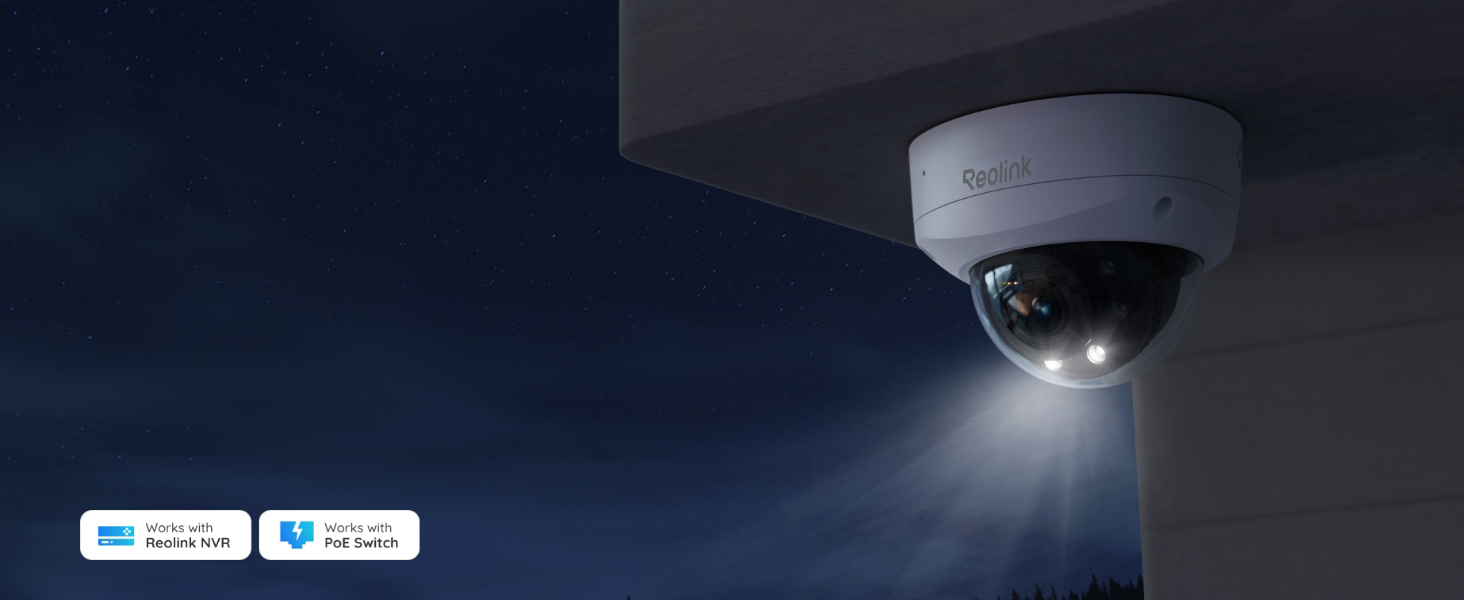
The REOLINK RLC-843A is a professional-grade 4K PoE security camera designed for outdoor use, featuring a wide 123° viewing angle, 5X optical zoom, and color night vision. It offers advanced AI detection to differentiate humans, vehicles, and animals, minimizing false alarms. Built with IP67 weatherproof and IK10 vandal-resistant metal housing, it ensures durability in harsh environments. Easy to install via Power over Ethernet, it supports 24/7 recording with compatible NVRs, making it an ideal choice for millennial professionals seeking reliable, high-definition surveillance with smart features.









| ASIN | B0CCHZD1WQ |
| Alert Type | Motion Only |
| Antenna Location | Indoor/Outdoor |
| Are Batteries Required | No |
| Best Sellers Rank | #202 in Dome Surveillance Cameras |
| Brand | REOLINK |
| Built-In Media | 1 x 1m Ethernet Cable, 1 x Pack of Screws, 1 x RLC-843A Camera, 1 x Security Sign, 1 x Waterproof lid |
| Compatible Devices | Reolink NVR |
| Connectivity Protocol | Ethernet |
| Connectivity Technology | Ethernet |
| Control Method | App |
| Controller Type | Google Assistant |
| Customer Reviews | 4.4 4.4 out of 5 stars (184) |
| Enclosure Material | Aluminum |
| Focus Type | Auto Focus |
| Frame Rate | 25 frames_per_second |
| Indoor Outdoor Usage | Outdoor |
| Installation Type | Screw In |
| Item Dimensions | 6.69 x 6.5 x 7.87 inches |
| Light Source | Infrared |
| Manufacturer | Reolink Digital |
| Model Number | RLC-843A |
| Mount Type | Ceiling Mount |
| Night Vision | Night Color |
| Night Vision Range | 100 Feet |
| Number of Items | 1 |
| Other Special Features of the Product | Waterproof |
| Photo Sensor Resolution | 8 MP |
| Photo Sensor Technology | CMOS |
| Power Source | Corded Electric |
| Room Type | Hallway, Living Room, Study Room possibility |
| Specific Uses For Product | Surveillance |
| Unit Count | 1.0 Count |
| Video Capture Format | MPEG H |
| Video Capture Resolution | 4k |
| Viewing Angle | 100 Degrees |
| Waterproof Rating | IP67 |
| Wattage | 8 watts |
| Wireless Technology | Wired |
| Zoom Type | Optical Zoom |
J**O
Excelente cámara.
P**R
great product
I like these cameras (optical zoom) solid , durable , whole reolink environment user friendly
A**.
Vary good build quality
Best camera for small areas for me I put it on my side law and it did really well
S**C
Excellent quality, perfect for home security
I’ve been using this Reolink dome camera for a few weeks now and I’m very impressed with its performance. The image quality is sharp both day and night, and the motion detection works exactly as expected. Installation was simple, and the app makes it easy to monitor everything remotely. The build feels solid and professional. I use it outdoors and it handles weather just fine. Definitely worth the price — I feel much safer having this in place.
@**S
FALSE ADVERTISING - Web browser management doesn't work w/o first connecting to Reolink PC software
From what i saw of the image quality from the bare bones android app it looks like a good camera as far as image quality goes, however I am unable to use it, as despite this camera being advertised as accessible via a standard web browser and older Reolink models working wonderfully with both the browser interface and third party NVR software this newer model is apparently useless until you connect it to Reolink's PC software (not mobile) and turn on the appropriate network capabilities. Unfortunately their software only works on Windows and Mac and I am an exclusive Linux (and Android) user, so for all practical purposes this camera is useless to me. While I understand that I am in very small demographic to not have a Windows or Mac machine available, this same issue would also be a problem for business users who's corporate IT policies disallow the installation of 3rd party software and who intended to manage the camera through the browser and/or video software already on their systems despite the camera's support for RTSP and ONVIF (and HTPP/HHTPS/RTMP) that should make it usable with a wide range of software.
R**R
Nice Camera...Could be better.
** Update (2/26): Turn off the IR in the camera settings (Light> Infrared Lights> Close) and the reflection from the dome goes away. The first time I made this change the reflection stayed, but the second time it went away. Found a youtube video review for the camera that shared the same concern. Reolink should have done better for what they claim to be one of the best selling models. Maintaining it at three stars. ** Installed at our backyard. Quality of the pic during the day is excellent. However, at night, the glass dome seems to reflect the camera lens, making the camera stream overlayed with the background of the camera lens. In the morning, back to normal. Have other Reolink cameras too, including with dome, but none with this type of concern. All the other features like zoom and motion detection work as expected. Setup is easy out of the box. Unfortunately, will be returning this one.
M**E
Night vision issues if cover not clean
There was a glare/reflection or what ever that is in the picture above during night time that made it useless at night. Even after light initial cleaning. Daytime viewing is very good. Wide angle is very good. Night time motion detection is a little disappointing. Light comes on when motion is with in 10-15 feet of camera, but then turns off and goes back to infared mode after about 20 seconds. Not sure yet if this can be adjusted. Push notifications can be inconsistent at times. UPDATED 9/9/24 I cleaned the inside and outside of the dome cover again this time using a bit of soap and water. Wiped thoroughly with lint free cloth and the glare is pretty much gone. Hopefully this will make notifications be more consistent as well. Adding a star. UPDATED 9/17 Camera performance is much better. Notifications at night seem consistent. Also to this point have not had to clean or wipe camera again so what was causing glare must have came from the factory or initial set up, so at least it was easily fixable. Zoom capability works well for a very specific area like car or doorway. It’s been less than a month, but at this point I would buy again. Will wait a bit on performance though before adding another star. Update: 9/23 2-way talk clarity is excellent, much better than other cameras I have had. 5 star in this category. Probably due to large size of camera and positioning of speaker. Only negative’s are inconsistency in motion alerts and only trigger when person is with in 15 feet of direct view of camera. Was hoping for wider detection alerts. At that range by the time you get an alert a door could be kicked in. Once the dome is cleaned well it was not a problem again for me. Adding another star for overall performance relative to price.
R**R
Pleased with Customer Support
I bought two of these and was pleased with the product. After about two months I noticed one of them lost it's night capability. I checked all settings and confirmed the firmware was up-to-date. I started an online chat and ran through a couple of trouble shooting steps as requested, even though I was confident it was not a setting. I then asked if I could request a warranty replacement. They told me I would receive an email with further assistance. Within 24 hours I did receive an email telling me they would replace the item and they asked if I would send it back. I agreed and requested additional information on their warranty process. Coincidentally, that same day my home automation system notified me there was an update available. Although the camera itself was not identifying an available update, one did exist. I was release two days earlier. After resetting the camera and updating the firmware the problem was solve, no warranty required. I was pleased with the process for warrant, but didn't need it, were they provide you a prepaid label to return the camera and then send you a replacement.
D**E
Super fast delivery, works great, really impressed
B**A
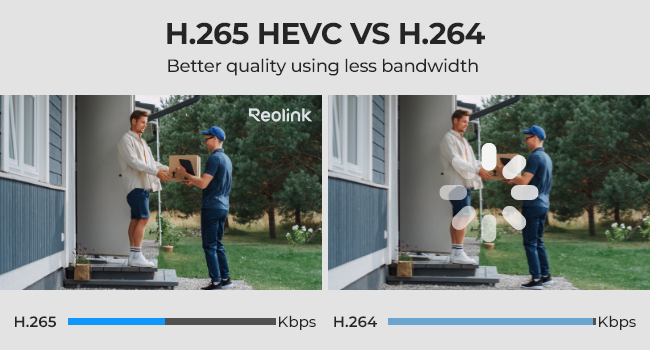
UPDATE: 2025-06-05 Reolink just released a firmware update for this camera that added the ability to change the High Resolution (aka Clear) stream to H.264. This means I can now watch the High Res stream on my low resolution monitors. Way to go Reolink! Thank you for listening. First off, let me say, I'm a multi-monitor Linux computer user. As such, I struggle with small device interfaces, like Cell phones and even tablets, and the way in which controls and actions are reduced to icons which I often find meaningless. I also do not have or use the Windows OS, so I can't comment on how this camera might work on Windows systems. So this review is about my experience using Linux, Home Assistant and, at times, my Tablet. That said, lets get on with my review. Overall, I'm happy with the camera and how it operates in my environment, however, I wish the firmware update had come sooner. I bought a second camera, but I didn't buy this one because of it's initial limitations. Now I wish I had purchased this as my second camera... PROS: - installation and configuration was simple - plug it into POE switch; download the App to my tablet; add the device to the app, and configure a password. - I didn't have to create an account - just add a password for admin, and I was able to access everything else via my web browser - works with Chrome & Firefox on Linux - Web interface is relatively easy to navigate and configure - works great with Home Assistant via the HA Reolink Integration - Home Assistant found the camera; added all the sensors, most controls, and most configurations - HA notified me there was a new firmware update available - HA even updated the camera firmware for me without the need to access the camera - configuration for some things, was very simple and straight forward - People AI sensor, motion detection, and recording triggers work great - Animal AI sensor, motion detection, and recording triggers seem to work okay, but I've only seen a small cat and a flock of quail trigger recording to date. - Motion detection and recordings work great - Siren works great, and volume adjustment is nice - Floodlights work great, and being able to set the brightness is a great feature - Being able to enable/disable the IR and Floodlights at night is awesome - Provides plenty of features for notifications, but since I'm using Home Assist, I won't be using them - Auto focus is a great feature, especially if you use the optical zoom - you can set the threshold for when the camera enters night mode - you can set the camera to record in black & white at night if you choose (which is what I do) - there are controls for the image sensor to control Brightness, Contrast, Saturation, and Sharpness - which are great - especially if the camera is pointed toward a bright light source or toward the sun - plenty of options for scheduling if you need that. - you can mask areas for privacy (say your neighbor's yard or a home window) - you can set max/min sizes for AI recognition of people and pets - you can set detection zones for motion - FTP push works fine, and provides a Test button to upload a file once you've entered your server settings - recordings can have a "pre-motion" value - which will prepend X number of seconds to recorded video (but you can't change the number of seconds) - nice feature, since if a person or animal is moving fast, you might not capture their initial movement into the recording without this feature - RTSP streaming works - RTMP streaming works - overall - lots of configuration options NOT TESTED: - I tried Push notifications (notifications to the Ph or tablet App), but it didn't work, and I didn't bother investigating why, since it wasn't something that interested me - I didn't try email notifications, since I'm using Home Assistant to handle all my notifications - I don't use audio, as it impacts streaming, and I have no need to listen to the audio from the camera or send audio to the camera. - No vehicles will ever enter the camera view, so I have no way to know how good vehicle AI works - I also haven't had any need to play with the Brightness, Contrast, etc since the camera works great in its current location without modifying those settings. - I believe the camera supports ONVIF and I think Home Assistant is actually using it, but I'm not positive and have not tested it independently. CONS: - Resolution: there are 3 settings available via the Web Interface for live viewing, but only 2 are available for playback or streaming - Fluent - (aka "Low" resolution or "Sub" streaming feed) is fixed at 640x360 - this should be configurable to at least 1280x720 or 1920x1080 - Mid - (aka "Mid" or "Balanced" resolution) - only available via Live viewing - no idea what the resolution is - not available for streaming or playback - Clear (aka "High" resolution or "Main" streaming feed) - initially this was fixed at H.265 encoding, which prevented it use for streaming to low resolution monitors - Reolink just fixed this with a firmware update making a good camera close to great - Recordings - doesn't seem to be possible to delete recordings from the SD Card, unless you format it - Streaming - two options Clear (aka main) and Fluent (aka sub) - they really need to add a custom feed that you can set to values that work for your needs and not dictate what we get based on their limited vision. - FTP settings has two separate Save buttons, so I lost my server settings the first time, because I didn't notice this - not a huge issue, but still could be better - Siren and Speaker volume are tied together. Not an issue for me, but might be for others - there's a lack of information/documentation available regarding all the various settings available for this camera. If you search the web, you can find the info, but Reolink needs to create better manuals for their cameras in my opinion. OVERALL: With the new firmware update I'm very happy with the camera and would recommend it. However, they still need an operational manual with all the setting explained before I could give it a rating of excellent...
I**E
Great price, easy to install, I am using BlueIRIS but the reolink app is a good backup. Good for wall mounting not so good for ceiling mounting unless it is up very high at least 3M
M**E
J’utilise cette caméra pour filmer mes mangeoires à oiseaux et faire des lives, et après un an d’utilisation régulière, je n’ai jamais eu de problème avec. Elle est fiable. La qualité d’image est bonne, on voit bien les sujets. Un gros point positif pour moi, c’est la mise au point ajustable manuellement : ça permet de filmer des sujets très proches sans avoir d’image floue, ce qui est excellent pour les oiseaux à la mangeoire. Très satisfait de mon achat.
D**E
Great easy to install product.
ترست بايلوت
منذ أسبوعين
منذ يوم واحد