Desertcart purchases this item on your behalf and handles shipping, customs, and support to KUWAIT.
🚗 Scan Smarter, Drive Confidently — Your Car’s Best Kept Secret
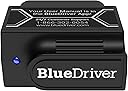
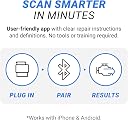
BlueDriver OBD2 Scanner is a professional-grade Bluetooth diagnostic tool that reads and clears ABS, SRS, TPMS, and engine codes on gas vehicles from 1996 onward. It pairs wirelessly with iOS and Android devices, delivering real-time live data and unlimited repair reports without any subscription fees. Trusted by mechanics and DIYers alike, it empowers you to diagnose and fix car issues efficiently, saving time and costly shop visits.


| ASIN | B00652G4TS |
| Automotive Fit Type | Vehicle Specific Fit |
| Best Sellers Rank | #388 in Automotive ( See Top 100 in Automotive ) #3 in Code Readers & Scan Tools |
| Brand | BlueDriver |
| Brand Name | BlueDriver |
| Customer Reviews | 4.5 out of 5 stars 62,750 Reviews |
| Global Trade Identification Number | 00822195000081 |
| Included Components | BlueDriver OBD2 Scanner, access to BlueDriver App on iOS or Android |
| Item Dimensions L x W x H | 2.2"L x 1.9"W x 1"H |
| Item Type Name | BlueDriver Bluetooth Pro OBDII Scan Tool for iPhone & Android |
| Item Weight | 2.08 ounces |
| Language | English |
| Manufacturer | Lemur Vehicle Monitors |
| Manufacturer Part Number | LSB2 |
| Manufacturer Warranty Description | Lemur Vehicle Monitors is pleased to offer a no-risk, 180-day 100% money back guarantee on all our products. If for any reason you are not completely satisfied with your purchase, you may return it within the first 180 days for a full refund (we will even pay return shipping)! Lemur Vehicle Monitors will gladly accept defective products within one year of the original invoice date. We pay the retu… |
| Model Number | LSB2 |
| Operating System | iOS and Android |
| Power Source | Vehicle |
| Product Dimensions | 2.2"L x 1.9"W x 1"H |
| UPC | 822195000081 889284337718 |
B**B
Excellent product. Easy to use. Well worth it.
Been using mine for 3 years and it has been great. I leave it always plugged into my truck so that it is ready to use if I get a check engine light or even if I'm just curious about how the engine is running. It is well worth having, as it has saved more than its cost in not having to pay for diag time at the shop for minor problems that are easily fixed with an off-the-shelf part or when dropping off for things like the inevitable emissions sensor that goes bad. Being able to tell them "It's theowing this specific permanent code and it started on this date," before even taking it in saves paying for that time amd has saved time, as well, as they'll usually order the parts right then, so they can get it done a day sooner when dropping it off. 👌 For any code you get, it tells you what it is, likely fixes for it, and even shows a chart of how many people reported each potential fix as being what resolved the same code for them, PLUS usually a link to buy the part on Amazon if you want to. Also handy for clearing unimportant temporary codes that still throw a MCL/check engine light, since that's one of the only caution lights vehicles have these days, as well. Aside from problems, it can show you real-time data from the vehicle's computer for every sensor it has, which is pretty nifty even if you aren't using it to tune the engine or anything like that. You can gain insights into why maybe the engine feels rough or why it's not accelerating like you normally expect, for instance, by seeing timing information, engine load values, actual throttle position, fuel flow rate/pressure, more temperatures than you ever thought necessary, and more depending on the vehicle. And using it is a cinch. Just plug it into the ODBII port, fire up the app, and it'll find the sensor. Then, pick whether you want to see live data, scan for problem codes, add maintenance info, etc. It'll even show you codes that *don't* cause a warning light, which can help you get ahead of things before they become expensive problems. And it saves it all in history on your phone that you can export to excel or share with the shop or whoever you want. And it isnt tied to a vehicle, so you can just pop it into any vehicle, tap scan codes, and be done with it when your buddy complains their car is showing a check engine light. Overall a great product and does exactly what it claims. Couldn't be simpler to use, and has had zero compatibility issues with any Android phone I've ever used with it.
D**Y
Worth its weight in GOLD!
Excellent OBD II Scanner! As a young mechanic, I find purchasing a dealer quality scanner worth over $1,000 hard to justify. With the BlueDriver valued at $100, as well as being recommended by my two favorite YouTube mechanics (Scotty Kilmer and ChrisFix), I decided to give it a shot. I had already been using a traditional OBD II scanner that I had previously purchased for around $200 from my local auto parts store, so I was already familiar with diagnostic tool functionality. Once I received the BlueDriver by mail, I couldn't wait to try it out. I was INSTANTLY impressed by not only how much information was available, but also how easy it was to use. So far I've used it on many different vehicles (as it works for all 1996 to present day vehicles) and have had amazing success in diagnosing specific problems and finding faulty parts accurately and efficiently. Not only does it read basic check engine light trouble codes, but it also can identify faults in nearly any system of your vehicle. Any dash light that can possibly come, this thing can read it. This scanner can also read all kinds of live data while the engine is running, i.e. fuel rail pressure, coolant temerature, oil pressure, and so on. This scanner even reads Mode 6 data, which is information and tests your vehicle runs automatically and will result in a pass or fail. My BlueDriver paid for itself on its first use. I was able to identify a mysterious oil pressure issue on a GM truck, ABS problem on a Ford, and even a security VATS (Vehicle Anti Theft System) problem on an older model Buick! These are just a few problems I've been able to resolve using my BlueDriver. Even if you're not a mechanic or tech savvy, this tool is easy enough for almost anyone to use to find out what's going with your vehicle. Don't leave the diagnostic work for those dishonest mechanics trying to rip you off, find out exactly what the problem is BEFORE you pull up to a repair shop so you can keep your repairs short, sweet and affordable. Perfect example of this, I had a mechanic (who was new to me) look at the ABS problem on the ford I was working on at the time. He said he ran tests and looked at the entire system and claimed I needed all sorts of repairs to get the ABS system back up and running (well over $1,000 of work). Knowing I had my BlueDriver waiting in the mailbox at home, I left the repair shop and proceeded to run my own test with my fancy new scanner. After 90 seconds of turning my vehicle on, plugging the scanner in and pairing it to my smartphone, the ABS code came up and said specifically, (left front wheel speed sensor fault). Sure enough, after turning my steering wheel to the far right to look at the ABS wire coming from the wheel hub, I noticed that way up in the wheel well that the ABS wire was damaged by road debris. Spent around $50 for a new wire, replaced it myself and just like that, no more dash lights, no more trouble codes. Not only did I fix the problem, I saved over $950! Hats off to Lemur for creating an excellent OBD II scanner.
A**R
Terrific Scan Tool!
Love this scan tool! It's compact, and accurate. Works very well and its super easy to use. I like it so much I bought a second one for a family member. The app is also easy to setup and it's intuitive.
C**Y
BlueDriver Scan Tool Review. There is good and bad points but only based on our personal experiences. Your mileage may vary
This review is written by the husband of the account holder. She bought this for me as a tool to help diagnose a issue with our vehicle. So the following are his words and not necessarily shared by the account holder. My (Hubby's) thoughts on Amazon: "They are liars and I will never order from them again! They have done nothing but screw up the shipping of this product from blaming Lemur to just plain outright telling a lie! Yes they did refund shipping and compensated my wife for this crap but it will be a COLD DAY IN HELL WHEN I WILL PURCHASE FROM AMAZON AGAIN!" The shipping and lying fiasco is partially why the rating is low. Some of the rating comes from the product itself. So let me get the issues out of the way first and then I will get to the good things. Which there are more good than bad I promise! Oh and another disclaimer: Use this tool as a diagnositc aid only!! This tool and others like it help point you in the direction of a fix and does not explicitly tell you what is wrong. So please use this tool to help get you pointed in the right direction. Just don't replace parts, use the tool to get direction, diagnose and then fix. Now to the issues I personally had with this tool: The live data PIDS take several restarts of the application to get to come online. I'm not sure if this is because of a special issue with my vehicle or what the issue is. This is annoying but can be overseen. I personally am a impatient person and like stuff to work the first time around. The second issue is issues that I have with a feature of the tool called Mode 6. My vehicle supports this and I was excited to see what all I can see however this is where the issues arise. The first issue is the app on the phone locks up sometimes when trying to go into mode 6. This isn't cool at all. A restart of the app fixes this as well. However once I get into mode 6, I get PID/TID readouts that are not human readable! I get TID/PID numbers and the output is in HEXIDECIMAL readout. The HEX part I know from working with computers however without a TID/PID chart, the data is WORTHLESS! In Lemur's instructional video on mode 6, they show you tapping on a TID/PID and it tells you what it does. On my vehicle, it gives some generic message which again is worthless. So mode 6 on this tool is completely worthless to me! A issue that seemed to correct itself through use is the repair reports. At first, I could not get the repair reports for the error codes on my vehicle then yesterday 12/29/15 I tried again and I was able to get the reports! Coolness! Now onto the good points! The tool will work with both Apple and Android mobile devices. I only was able to test on an iPhone so I cannot say how good or bad the Android device app is. The app and tool are updateable! As Lemur finds thing that need to be patched, they allow the app and the tool to be updated which is very nice indeed! The tood depending on what capabilities it knows about and what the computer allows, can not only scan engine codes but codes from other systems as well! Including ABS, Transmission and more! I ran into a snag on reading TPMS when I tested this tool on another vehicle. Lemur was notified and they are looking into a cause of why it couldn't read the codes from the TPMS systems of that vehicle. Might be that the computer didn't allow the tool access? Not sure. The tool once it finds issues will reveal the codes that are being reported. Then you can get a repair report. These diagnostic aids tell you what the code is and what are the most likely culprits that are causing it. Again use this as a diagnostic aid and not gospel for finding out the issue. This I feel is a nice feature! The tool can clear out the trouble codes. However I do wish that Lemur would tell you what state the car needs to be in to clear the codes. Like my vehicle has to be in the run position but engine off in order to clear the codes. Some cars need to be running. I think a safe bet here is key to run but engine off. The tool can check for smog rediness which for emissions is a definite must! If your vehicle supports it, the tool can check the status of the check engine light for parameters such as how long the light has been on and when the last time the light was reset. Again only if your computer supports it. The tool can decode a VIN and tell you where the car was made, what engine is in it, and all sorts of goodies. The tool makes an effort to figure out the VIN from the computer. However if it cant, then you can either manually enter it with a keyboard or if your car has a VIN barcode, you can take a picture of the VIN right in the app and it will fill in that blank for you! That is awesome! The live data tool is very good tool indeed! Depending on what you engine will allow to be read, you can see in real time what the engine is doing and help you narrow down what might be wrong! Best of all, a lot of the data from this tool like the Live Data, smog rediness, repair reports, etc can be exported out of the tool so if you need to analyze them on a computer or send to a friend that is more mechanically inclined, you can do so. A word of warning about the Live Data, it will only export out the PIDS you've selected and it only exports out data in a CSV (Comma Seperated Values) format useful in spreadsheets. It does not export out the pretty graphs ( I haven't found a way to export the graphs at least) that the tool generates. Would I personally consider this a professional tool? Possibly. Reasoning for my thinking is the mode 6 data/testing is useless to me as of this review. I noticed that some of the sensor PIDS are not even in the tool to be read or read in a certain way and should be if this is to be considered a professional tool. Case in point is the Cam and Crank sensors. Maybe this in in the mode 6 data however I do not know because again I can't read it and I cannot gain access to a TID/PID chart for this. Reason why reading the cam and crank sensors would be good is for a crank but no start condition. Even if we had a PID that would tell us that the cam and crank was in sync would help here. Without reading this data, this tool cannot help you with a crank but no start. At least on my vehicle which happens to be a 02 Jeep Liberty. However if you need a fairly inexpensive tool that is compact, fairly easy to use, updateable, IMHO very good support and can be used a a way to constantly monitor the vehicle (you can leave plugged in), this tool can definitly help with your vehicular woes. Maybe when the tool gets more updates, I will come back and update this review. If y'all are wondering if this has helped me with our vehicle? The answer is yes! I was able to get some live data and it is pointing to a few things that could be wrong with the vehicle. Once I get a clear day, I will get to cracking on this! Hope this helps someone.
S**P
Cleared TIPM issues.
Update: reached out to support and they were able to help me pair my iPhone. Unsure why it wouldn’t pair with the app guidance at first. They responded fairly quick and with detailed instructions. Highly recommend the product based on ease of use and support. Initial review: I have very mixed feelings about this product. First I will address my frustrations. I received the product, downloaded the app on my iPhone 17 pro max with latest OS and attempted to pair the device with the app as instructed. I spent a good 20 minutes troubleshooting bluetooth connectivity. Unpaired all bluetooth devices around me to include the radio. Still would not pair. Checked paired bluetooth devices that were paired and it showed the device however, the app still would not recognize it was paired. I pulled my android tablet, Lenovo yoga tab plus, to see if it was just a iPhone problem. Went through the steps and the app would still say it's not paired. Manually went into bluetooth connectivity and the device would just say it refused to pair with the tablet. At this point I was ready to return the product. I pulled an older android phone, about 6 years old, and downloaded the app. Ran it and paired effortlessly. Scanned my truck, cleared the codes, and all my issues were gone... I'll have to troubleshoot why my newer devices wouldn't pair but... I have been troubleshooting my 07 dodge ram 1500 SLT with 5.7 hemi for electrical problems or potentially having the TIPM repaired/ replaced (fairly expensive). I had cleaned and replaced the grounds. I also changed all the bulbs back to stock from the LEDs the owner prior had. Cleaned a lot of contacts. Checked voltages and wiring everywhere. Removed unnecessary wiring the previous owner had through out the truck. I was frustrated with the truck because you can't simply replace fuses and everything online just points to the TIPM. The headlight issues, turn signal, brake lights etc I was having, gone. Everything worked. I may reach out to support to solve my phone compatibility issues but I'm 100% satisfied with the results and hopefully others with TIPM issues will give it a try.
B**.
This is a very nice little tool
My son wanted to buy a low mileage 97 Ford Explorer 5.0 V8 as a daily driver at college. He was getting a great deal because it had been sitting in the owner’s driveway for 6+ months with a broken fuel pump. Being religiously opposed to buying used cars that can’t be test driven and taken to a mechanic for a pre purchase inspection, I bought the BlueDriver to at least check for MIL/CEL, ECM, SRS, ABS, and PCM/transmission codes for him. Plugged the sending unit into the OBDII port, turned the ignition to the accessory position, Bluetooth paired it with my iPad, and launched the app (which I had previously downloaded from iTunes). Went to Vehicle Info and the ECM wouldn’t give up the VIN. Typed the VIN in myself and BlueDriver retrieved all the pertinent info from its database and populated the app. Went to read codes and told it to scan for all available codes. In less than a minute, it pulled back the complete list of codes. Showed a single pending trouble code P1151 “Lack of (HO2S21) Switch Sensor indicates Lean” and a long list of generic PCM/ECM codes that could be explained by a car, starved of fuel, repeatedly trying to be started with a marginal battery at the end of its life. Bought the car, trailered it home, charged the battery, replaced the fuel pump assembly, reset the fuel shutoff switch, and it fired right up. A few seconds later, the CEL pops up. Back into BlueDriver, check the codes, and P1151 is now a confirmed code. Went to live monitoring, selected all 3 O2 sensors and started the monitor. Watched the graph for 5 minutes, while all 3 O2 sensors operated within normal factory specs, confirming they didn’t need to be replaced. Went back to the automatically saved code scan, touched P1151, and called up a repair report from the BlueDriver database. Reviewed the very long list of possible causes/fixes and at the bottom of the list: running the fuel tank dry. Went to clear codes, reset all codes and the CEL turned off. Went to SMOG Check to see if it’s ready to pass inspection. No CEL, No codes, but over half the monitors fail or won’t complete their tests. Back to check codes and now a P1000 PCM code. Touch the code and bring up another repair report. Top reported fix: Perform Test Drive Code Clear Procedure. Quick web search finds Ford’s procedure and I execute it. A second SMOG check and all but 3 monitors now pass. Execute the Test Drive Code Clear Procedure a second time, another SMOG Check, and all but 1 monitor now passes (Catalyst). Since my state allows 1 monitor to fail and still pass emissions testing, off I go and it passes state inspection the very first time. BlueDriver paid for its $99 purchase price the very first time I used it. I was able to quickly scan codes, find potential causes and fixes, use live monitoring to determine if my sensors/monitors were operating within factory specs, reset codes, save and refer back to my reports, and check my readiness to pass an emission test. What I didn’t have to do was go to a parts store to read the codes, browse the web looking for solutions, blindly replace expensive parts (O2, MAF, IAT, EGR, PCV, EVAP, etc), hoping to fix the problem, go back to the parts store to reset codes, or make multiple trips for emissions testing. I’m very happy to have this little guy in my toolbox. It’s made life much simpler and cheaper.
D**N
Bluedriver scan tool better than expected.
This device uses an app to read and interpret the information read from your car’s OBDII systems. I found the BlueDriver and app to be easy to use and quite comprehensive. It read codes that were not read by the free readings offered by a local auto parts store. This is something I will be able to use in the future to avoid the labor charges for simple diagnostics. You will need to ensure you have WiFi coverage to use the BlueDriver system. This is something I would recommend to friends and family.
S**T
Highly recommended.
Great value. This is now my go-to ODB2 scanner. Works great with my Android phone. On most cars, it gives more detailed listing of codes than my previous scanner that used a laptop. Highly recommended. I have used it on Honda, Mazda, Nissan, Ford, VW, and Dodge. All with very good results.
M**X
Easy fix for complex problems
Works a treat! A great devise for DIY diagnosis and fix.
A**1
Good OBD2 Sensor
From what I understood this product was originally designed to diognose american cars. But after trying on my British brand car I was pleasantly surpised how well it works. It cleared my ABS warning light which shouldn't have been on in the first place and it never came back on. On top of that it tells you clearly whats wrong with the car as well as allow you to view live data
B**Y
Fácil instalación y uso.
Facil de usar e instalar. Buena comunicación con teléfono móvil. Funciones limitadas pero esenciales para el diagnóstico general del auto.
L**G
Excellent
Good gadget to have for all driver to monitor the car performance....
B**N
Blij mee
Heb er een airbagprobleem mee opgelost,,een reparatie die je zonder uitlezen van de storing niet zelf kan. De meeste obd2 hobby scanners lezen de airbag data niet uit, deze dus wel ,en met succes . In mijn geval heeft de bluedriver zichzelf terug verdient .. Ook een paar oude ABS storing codes mee kunnen wissen. DISCLAMER......Overigens moet je bij het werken aan airbagsytemen sowieso weten wat je doet ivm gevaar van afgaan van de airbags als je het verkeerd doet, bij twijfel NIET zelf doen....
Trustpilot
2 months ago
1 month ago