We remain fully operational. Our teams are working around the clock to ensure your deliveries continue safely.

قم بتنزيل التطبيق


معلومات عنا
حقوق الطبع والنشر © 2024 Desertcart Holdings Limited
قم بتنزيل التطبيق


Buy anything from 5,000+ international stores. One checkout price. No surprise fees. Join 2M+ shoppers on Desertcart.
Desertcart purchases this item on your behalf and handles shipping, customs, and support to KUWAIT.
🚀 Elevate your storage game with hybrid speed and massive capacity!
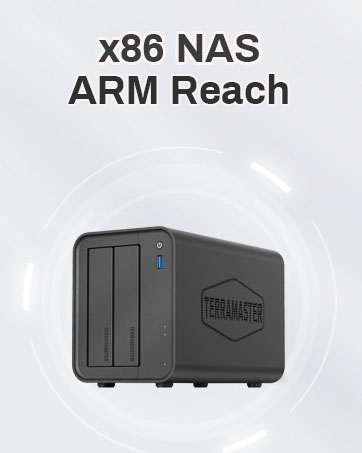
The TERRAMASTER D5 Hybrid is a cutting-edge 5-bay external enclosure combining 2 SATA HDD/SSD bays and 3 M.2 NVMe SSD bays, supporting up to 68TB total storage. Featuring USB 3.2 Gen 2 (10Gbps) connectivity, exclusive 2+3 RAID hybrid mode, tool-free drive trays with Push-Lock design, and intelligent cooling, it delivers high-speed, flexible, and secure storage ideal for professional-grade data management and backup.













| ASIN | B0CR4168M8 |
| Best Sellers Rank | #144 in Enclosures |
| Compatible Devices | Windows, Mac, Linux |
| Customer Reviews | 4.0 4.0 out of 5 stars (885) |
| Data Transfer Rate | 10 Gigabits Per Second |
| Date First Available | December 28, 2023 |
| Hard Disk Form Factor | 3.5 Inches |
| Item Weight | 2.86 pounds |
| Item model number | D5 Hybrid |
| Manufacturer | TERRAMASTER |
| Material | Plastic |
| Max Number of Supported Devices | 5 |
| Product Dimensions | 8.74 x 4.69 x 6.06 inches |
R**M
After 1 Year: Still Works Great
I’m not sure why some people are saying they have to reformat their drives or lose data when adding existing drives to this system; my existing NTFS drive slid right in, and the drive was read as it always did. I’m using it in single drive mode with no issues. For context, I was using an IronWolf drive with a Sabrent external 3.5” HDD enclosure. This enclosure connects directly to my raspberry pi 5, running a Debian distribution. I have access to high quality USB-C<->USB-A cables, so I did swap whatever was in the box with one of those. Otherwise, this setup was plug-and-play right out of the box. For the less tech savvy: if you don’t see your brand new storage drive appearing when you put it in this device, you may need to initialize the drive. Google instructions on initializing drives on your operating system for more info. 2026 UPDATE: I’ve been using this bay for over a year now and I’ve never had a problem. I’ve populated all of the slots, and currently have 24 total TB of storage on it. Between uploading and downloading, I’ve easily put 50 TB of throughput on this thing, and it’s running 24/7/365 on 99.999% uptime. The D5 Hybrid has been an absolute workhorse, and I would absolutely recommend it to anyone looking to build their own NAS.
P**R
Simple Setup Worked First Time.
I ordered this enclosure after another brand/item was DOA. Very simple set up, worked first time. Broadly hassle free. The HDD enclosures are simple to use and the drives slot in and out very easily. The SSD setup is also very simple to set up. I have mine configured as RAID1 on my M1 MBP (MacOS setup using Disk Utility was also straight forward). Runs very quiet. Does what it says on the box. Why not a 5 star review? Well, it’s not the most attractive unit, being just a simple black box. But it’s practical and a good footprint for a desktop unit. The enclosure is all plastic (I think), but doesn’t feel fragile. Could use some additional USB ports. The ‘running lights/LEDs’ are a bit faint and hard to see.
B**L
Randomly loses drives
Nice build quality. The specs say that this enclosure is capable of 10 Gbps connections via USB-C. However, the included USB-C cable is not capable of these speeds. Had to buy a 3rd party cable and was able to connect at these speeds. Over the past month, I've had 3 instances of drives not being detected. An enclosure reboot fixes this. This has happened on both the HDDs and NVME slots. I've attempted with 3 different OS's and 2 PCs and all exhibit the same behavior so it must be this enclosure. Storage needs to be reliable and it isn't reliable with this.
J**D
Worked out of the box 5 minutes setup longest part was figuring out where to put it.
So far so good junked a old enclosure purchase that didn't even last 2 years for a longer term solution, so far so good with this unit granted I'm only using a 3.5 inch drive. USB-C to Mac works with my Time Machine no complaints so far.
G**Y
Great for home server
This is an awesome enclosure. I used for a home server project. Used the RAID feature for backup storage and the NVME for more used server files. Setup was easy, you probably wan to actually read the instructions.
I**C
Great DAS Solution
This is an excellent DAS solution. Well made and it is near silent during operation.
M**L
Works well, but find 3rd party backup software.
I have it loaded with NVME drives and two HDDs and everything is running great. One issue I have is the default software is pretty bad and wants you to pay for any basic features. That said, there is plenty of free backup software that you can use instead.
T**T
SSD's are too slow.
I really had high hopes for this, but the ssd speeds are too slow to justify buying the expensive drives. I don't understand why they would make a box with such slow. SSD speeds. My 7 year old OWC 4 bay nvme enclosure is twice as fast as this. Love the concept, it just doesn't work.
R**A
Es una aliviané para editar video y audio con los NVMA, transferencia rápida y suficiente, si necesitas más rapidez este no es para ti. Tiene 10gps de velocidad por el USB C- los discos normales para backup son un aliviane.
T**P
I am using this unit on a M4 Max Studio (128 GB/2 TB internal); with 2 WD 8TB drives and 2 990 PRO SSD 2TB PCIe Gen4 NVMe M.2 (not using RAID options). After about a week I noticed that 1 NVME drive would randomly disconnect. I swapped out the drives and tried different cables including an Apple TB 5 cable and I added NVME cooling directly to the NVME wafers but the same thing keeps happening. The WD drives have been very stable but I ended up running the NVMEs off their own connection until I find a better solution. It was nice to see the speed jump of the NVMEs once they got their own connection but I had hoped for more from this unit. I guess you get what you pay for and I regret cheaping out and going this way. Update: (added pics) Couple months on I can still only run 1 NVME. Terra got back to me and said I needed to update the firmware. The link they sent me was for a windows only environment. I asked if they had a Mac friendly version and did not hear back. I also asked if they would be willing to send me a replacement drive. No response. I might try and locate a friend with a windows laptop to see if I can update the firmware on another computer. Like I said i love the idea of these but would not have purchased if I knew this much trouble was coming. Be careful.
D**C
Failed after a few months of use. Purchased 2 WD Gold 21TB drives. Filled it with NVME. The first issue was one of the NVME would appear and vanish at random. I just stopped using the socket, and now use that nvme in another enclosure, where is works fine. I had the unit set for raid 1. 21TB total. Backups were taking up about 45%, and seemed to be working pretty well until today, and I noticed an orange light on. Thinking there is no possible way one of these enterprise drives would just die, I popped it out, and put it back in. I can see all the files, but when I move them, they start to copy, then the drive just ignores them. No errors. I put the so called bad drive in an external case I had kicking around, and it came up fine, but since the default format is RAW, I can only see the files, and cant move them. I ended up just scrubbing the drive, in order to see if it was really a drive error. NTFS format went fine, ran a disk check sector by sector overnight, and the drive is fine. I can't trust this thing. I even went as far as scrubbing, and adding it back hoping that the drive would rebuild from the 2nd drive. nope.. sad.
M**Y
Je l’utilise avec 2 disque mécanique WD red de 4 tb en raid 1 et un ssd wd red de 2 tb en single drive pour mes backup Time Machine et tout va bien pour le moment. Ce DAS D5 Hybrid je l’utilise pour mon Mac mini M4 de base. Par contre je doute du bon service a la clientèle de Terramaster car j’ai du communiquer avec eux juste pour l’enregistrement de ma garantie et ca n’a pas été très facile et rapide voici pourquoi je n’ai mis que 4 étoiles. Disons qu’après 3 semaines d’utilisation tout va bien. Et maintenant voici mon 2ème avis après un mois d'utilisation, donc a la suite de déconnection intermitente pour mes disque WD 4T en Raid 1 et qui faisait parfois gelé mon Mac mini m4 ou l'empêcher de ce fermer j'ai décidé de le retourné car ce produit devenait de moins en moins agréable a utiliser dommage quand même car il était tres silencieux et peut être que je me trompe mes ceci est un commentaire personnel que je pense qu'il semble plus concu pour etre utilisé sur une plateforme Windows.
ترست بايلوت
منذ أسبوعين
منذ أسبوعين