We remain fully operational. Our teams are working around the clock to ensure your deliveries continue safely.

قم بتنزيل التطبيق


معلومات عنا
حقوق الطبع والنشر © 2024 Desertcart Holdings Limited
قم بتنزيل التطبيق
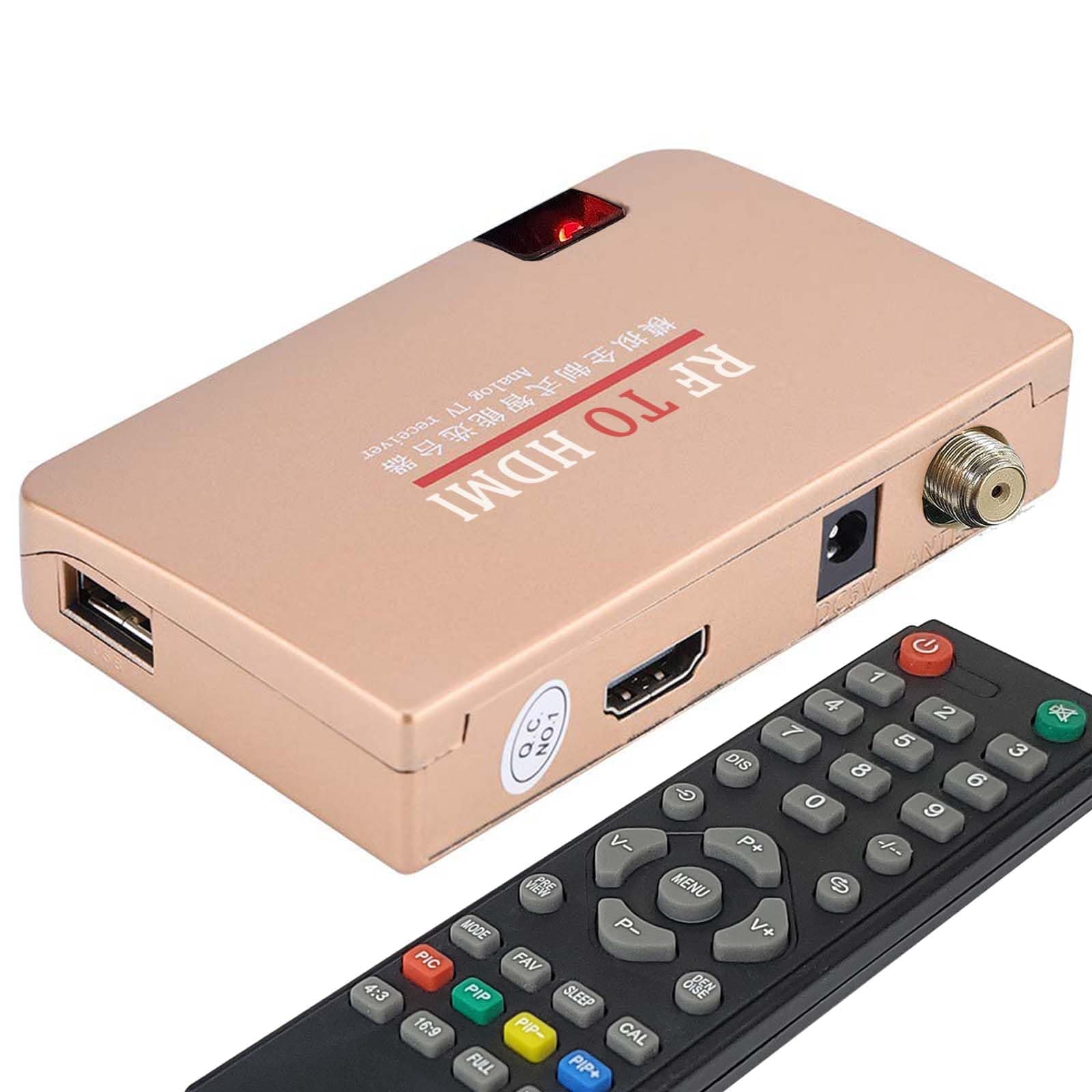

🎮 Bring your retro gear into the 21st century—HDMI style!
The AoeSpy RF Demodulator Coax to HDMI Converter bridges the gap between vintage analog devices and modern digital displays. Compatible with a wide range of classic gaming consoles, VCRs, and video players, it converts RF coaxial signals into HDMI output with support for NTSC and PAL formats. Featuring plug-and-play setup, remote control functions, and multi-channel scanning, this compact adapter revitalizes your nostalgic media on HDTVs, monitors, and projectors.


| ASIN | B0CQFBDZ4J |
| Best Sellers Rank | #18,041 in Electronics ( See Top 100 in Electronics ) #4 in RF Modulators #193 in Audio & Video Distribution Products |
| Brand | AoeSpy |
| Color | Beige |
| Compatible Devices | Atari 2600/5200, Magnavox Odyssey /Odyssey 2, Sega Master System, Nintendo Entertainment System (NES), Intellivision, ColecoVision, Fairchild Channel F, Vectrex, Commodore 64 64C Mini-Computer, Gaming Console, Monitor, Television, VCR (Video Cassette Recorder), Betamax, Video8 / 8mm / VHS-C Camcorder, Video CD / LaserDisc / RCA SelectaVision Videodisc / JVC CED Videodisc Player, Sony U-Matic/Betamax SL-HF1000, Panasonic OmniMovie VHS/Panasonic AG-7150 VHS Reporter, Philips Video 2000, Ampex VRX-1000, JVC HR-3300U, Kodak Disc 4000, Fisher-Price PXL-2000,Zenith VCR Plus+ Compatible Devices Atari 2600/5200, Magnavox Odyssey /Odyssey 2, Sega Master System, Nintendo Entertainment System (NES), Intellivision, ColecoVision, Fairchild Channel F, Vectrex, Commodore 64 64C Mini-Computer, Gaming Console, Monitor, Television, VCR (Video Cassette Recorder), Betamax, Video8 / 8mm / VHS-C Camcorder, Video CD / LaserDisc / RCA SelectaVision Videodisc / JVC CED Videodisc Player, Sony U-Matic/Betamax SL-HF1000, Panasonic OmniMovie VHS/Panasonic AG-7150 VHS Reporter, Philips Video 2000, Ampex VRX-1000, JVC HR-3300U, Kodak Disc 4000, Fisher-Price PXL-2000,Zenith VCR Plus+ See more |
| Connector Type | Coaxial, HDMI |
| Customer Reviews | 3.1 out of 5 stars 97 Reviews |
| Finish | Hdmi |
| Item Dimensions | 5.91 x 3.15 x 0.79 inches |
| Item dimensions L x W x H | 5.91 x 3.15 x 0.79 inches |
| Manufacturer | AoeSpy |
| Model Number | 24ff1688-9c6e-40bb-9da6-aa9301bdcfb4 |
| Number of Items | 1 |
| Number of Ports | 1 |
| Package Quantity | 1 |
| Power Plug Type | Type A - 2 pin (North American) |
| Specific Uses For Product | Monitor, TV, Video Game Console |
| Unit Count | 1.0 Count |
A**R
Fine, simple-to-use product, reasonable price.
Have 2 older TV's with RF inputs; both appeared to fail. Hooked this unit up, both still work using HDMI inputs. Comes with "Simple Guide" for North American TV's. Practically plug-n-play. Took a few minutes for the auto scan to run on the first one (an old Visio), then just plugged into the somewhat newer Phillips, both work great. Excellent picture, good sound. Will buy more.
R**Y
This thing steals your money.
Don’t do it. I thought I’d try even with the negative reviews because I’m usually pretty savvy. But this thing is a brick. Blue screen. Remote does nothing. Instructions are a joke. When I finally got it to work the picture quality was worse than without it.
S**.
Works well with 2600 but not Famicom.
Did the auto scan with my Atari 2600 turned on as suggested by other reviewers. It picked it up and programmed a channel for it no problem. However I'm giving it 4 stars instead of 5 because it was unable to pick up my Famicom. Maybe if I messed with it more I would be able to get it to work but I didn't mess with it much because I have an AV Famicom that I can pipe into the system by other means.
D**E
Navigate the menu and run the auto scan after poering on the device you're trying to use with it!
It works great and setup was easy. All I had to do was plug it in, change the TV to the right input, power on the device(an Atari 2600 for the first try), press the menu button, and find the auto scan option. My only issue has been a very faint scrolling static line from EM interference but that could be from several things like the WiFi in my house, a shielding issue with the console, or a shielding issue with this device itself. I have to look up grounding/shielding options to see if I can eliminate it.
M**S
Instructions unclear is an understatment
Does not work. I wanted to hook my old atari up to a newer tv. After searching forever and only finding modulators I finally came across this demodulator. There are no instructions with the unit. other than a piece of paper that says what each button on the remote does, and a on a very small piece of paper 3 "troubleshooting" steps. Which are not actually troubleshooting steps. I attempted to scan for a signal multiple times in multiple ways. I tried with 3 different Atari's connected, a woody, a vader, and a Jr. and it found the signal on none of them. In the end I may need to mod the systems with a composite board since there are no other demodulators I can see. For the record the Atari's work just fine when passed through my older surround system that has a 75ohm rf connector. But that unit is huge and I don't want to use it.
J**E
Let’s Go Back to 1985!
Perfect! Works exactly as I needed it to. Hooked up the Atari 2600, fired up like it was 1983, Space Invaders never looked so good.
S**.
TOO COMPLICATED
TOO COMPLICATED TO FIGURE OUT AND MICROSCOPIC PRINT WITH COMPLICATED WRITING IM TRYING TO BYPASS THE BROKEN ANTENNA INPUT TO HDMI. YOU CANT JUST SIMPLY PLUG IT IN. THEN IF I READ IT RIGHT I DONT KNOW YOU HAVE TO USE THE PRODUCTS REMOTE TO CONTROL THE TV SO THEN I WILL HAVE 3 REMOTES TO WATCH THE TV. I DONT UNDERSTAND IT. I PUT THE BATTERIES IN THE REMOTE LIKE IT SAID BUT IT DONT DO ANYTHING. I JUST DONT GET IT
D**S
works, but video quality is not that great
it's ok, it works but the quality is not great.
ترست بايلوت
منذ يوم واحد
منذ 3 أسابيع