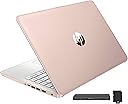
🚀 Elevate your hustle with power, style, and seamless connectivity!
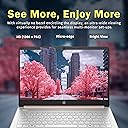
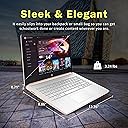
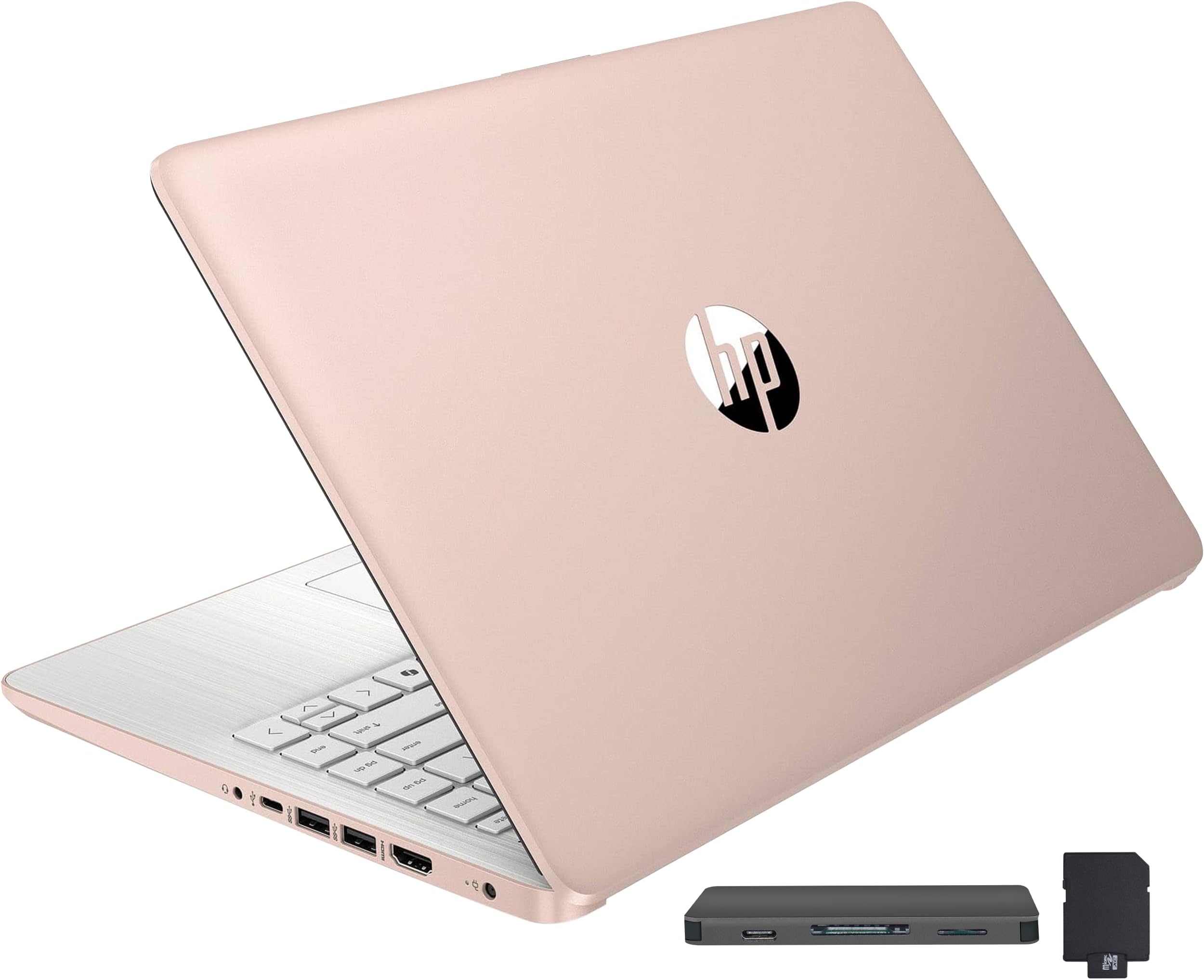
The HP Stream 14" HD BrightView Laptop combines a powerful Intel Celeron N150 quad-core processor with 16GB DDR4 RAM and a unique 288GB hybrid storage setup (128GB eMMC + 160GB docking station SSD). Its vibrant 14-inch HD display with anti-glare coating, 11-hour battery life, and bonus 7-in-1 docking station make it an ideal lightweight companion for professionals and students seeking reliable performance, versatile connectivity, and enhanced productivity on the move.


| ASIN | B0CZL2SLCJ |
| Audio Output Type | Speakers |
| Battery Life | 11 Hours |
| Best Sellers Rank | #800 in Computers & Accessories ( See Top 100 in Computers & Accessories ) #73 in Traditional Laptop Computers |
| Bluetooth support? | No |
| Brand | HP |
| Built-In Media | 45 W AC Power Adapter, Bonus Docking Station Set |
| CPU Model | Celeron |
| CPU Model Generation | Apollo Lake |
| CPU Model Number | Intel Processor N150 |
| CPU Model Speed Maximum | 1.1 GHz |
| Color | Gold |
| Compatible Devices | Laptop, External Display, Mouse, Keyboard, Storage Device, Printer |
| Connectivity Technology | USB, Wi-Fi |
| Customer Reviews | 4.2 out of 5 stars 1,517 Reviews |
| Display Resolution Maximum | 1366x768 Pixels |
| Display Technology | LED |
| Display Type | LED |
| Form Factor | Clamshell |
| Graphics Coprocessor | Intel Graphics |
| Graphics Description | Integrated |
| Graphics Ram Type | Shared |
| Hard Disk Description | 128GB eMMC |
| Hard Disk Interface | Solid State |
| Hard Disk Size | 128 GB |
| Hard-Drive Size | 128 GB |
| Hardware Interface | USB |
| Has Color Screen | Yes |
| Human-Interface Input | Microphone |
| Item Dimensions L x W x Thickness | 19"L x 12"W x 3"Th |
| Item Weight | 1.47 Kilograms |
| Keyboard Description | Backlit |
| Manufacturer | HP |
| Memory Clock Speed | 2400 MHz |
| Memory Speed | 2400 MHz |
| Model Name | HP Stream |
| Model Number | HP Stream |
| Native Resolution | 1366 x 768 pixels |
| Number of Ports | 6 |
| Operating System | Windows 11 S |
| Other Special Features of the Product | Anti Glare Coating |
| Processor Brand | Intel |
| Processor Count | 4 |
| Processor Series | Celeron |
| Processor Speed | 3.6 GHz |
| RAM Memory Installed | 16 GB |
| RAM Memory Technology | DDR4 |
| RAM Type | DDR4 SDRAM |
| Ram Memory Maximum Size | 16 GB |
| Resolution | 720p |
| Screen Size | 14 Inches |
| Total Usb Ports | 3 |
| UPC | 196188421185 |
| Video Output | HDMI |
| Video Processor | Intel |
| Voltage | 3.6 Volts |
| Warranty Type | Limited |
| Webcam Capability | Yes |
| Wireless Compability | 802.11ac |
| Wireless Technology | Wi-Fi |
K**C
Great for college
My twin boys both ordered this laptop for college. So far they have stated its fast, holds charge for a long time, charges quickly when battery is low and light weight so easy to take to class w them. They've been using the docking station to connect their tvs to the laptop to use as an extra monitor. They've said there's no delay and it is quick when transitioning from tab to tab, the graphics are great and movies/games have amazing color and crisp pictures and sound is also good. Overall great quality and works well for college so far. Happy w the purchase!
N**A
Laptop
I’m very happy with this laptop. It’s fast, lightweight, and easy to take anywhere. The screen is clear and bright, perfect for work or watching movies. The battery lasts a long time, so I can use it all day without worrying about charging. Plus, the keyboard is comfortable and quiet. Overall, it’s an excellent purchase for studying, working, or entertainment. I highly recommend it!
A**Z
Laptop for study or business excellent properties
Love my laptop is comfortable and practical especially for trips the color is the same as in the photo and has very important properties especially if you want for your own business or studies
M**I
Reset PC, Switch out of S Mode, Do Not Install McAfee
Windows S Mode and McAfee are glitchy performance killers and restrictive applications. Switching out of Win 11 S mode should be a straight forward process but it just does not work as it should, along with McAfee installed, whether you want it or not. McAfee acts like a worm virus, intrusively imbedding itself deep into system architecture instead of being a gate keeper like other anti-virus apps. Windows S Mode dose not allow you to install and run any app that is not Microsoft verified and found on the Microsoft Store. In S Mode, you cannot install and run any browser other than MS Edge or Bing. There is an app within the MS Store to switch out of S mode but it will not work because, I suspect, of the bloated software that launches when you first turn on and set up this laptop. Switching out of S Mode is permanent. All the advise and direction I found to get this switch to work had failed. Lots of frustrated people out there with the same issue. I finally got MS Support on the phone and they told me this is a very common problem with this product and the only way to resolve it was to reset the PC. A total reset, wiping the OS and all files you may have added. No big deal as this is a new PC and I did not transfer anything from my old PC. After the PC was reset, I was able to switch out of S mode so that I now have Win 11 Home instead of Win 11S Home. At the same time, a McAfee install popup was automatically prompted so I could select Do Not Install. This was all a bit of a pain but other than that, this laptop is not so bad. The display colors are not as vibrant as I hoped but with a resolution of only 1365 x 768, I should have expected that. However, the graphics display very well on a connected higher resolution monitor and it handles steaming video from Amazon Prime Video beautifully. I hope this information can help someone avoid the frustration of dealing with what was intentionally sold as a very restrictive operating environment. Getting rid of S Mode and McAfee gives you back unrestricted use of your laptop. One more annoying detail is that, by default, this operating environment is set to save everything to the MS cloud. The default storage of Document, Downloads, Pictures, etcetera, are all MS cloud folders which is where every file is stored unless you go through a few more clicks to store the files on your local laptop drive. By default, initially you cannot even boot up this laptop without entering your MS PIN to log onto your laptop, and thereby logging into your MS account at the same time. I found this a bit presumptuous that MS thought this was a good idea. Perhaps good for their own marketing efforts though, as some bot scans your files for things you do in order to tailor marketing ad pushes to you personally, but I digress. If you do not want Big Brother holding on to all your personal, professional, private, or other data, then you need to go in to system settings and turn off the MS log in PIN. Doing so allows you to boot up your laptop to your local drive account only. You can always log in and log out of your MS account if and when you choose at any time. Of course, you can even turn off your own laptop log in password so it just simply turns on. without a password. Your choice, as it should be.
L**M
Defective on day one of setup; edit: returned
Mine just came in yesterday and I have started the process of setting it up today (only 2 days); I’ve downloaded Google Chrome and a reputable subscription based VPN app (S mode was deactivated for the purpose of downloading Chrome). After downloading those two, I set up 2 administrator users and one standard user. In the process of setting up the other administrator user: the laptop crashed and the screen turned black. I’ve tried hard resetting and am leaving it to charge overnight. My intended use was for education for when I’m not at home (I have a desktop and obviously no one is going to bring a whole tower to every class they go to) so I wasn’t planning to use anything fancy — word and chrome. In terms of performance before it crashed: 1) CPU was at 100% and was still slow when opening up apps (I wasn’t far from my main mesh router and my actual desktop works fine so can’t be internet problem) 2) It made me do a recovery startup when I first unpackaged and logged into my microsoft acccount and the startup took about 20 minutes 3) Breeze it up — it felt warm on the bottom after an hour Thinking about returning it if the laptop still doesn’t turn on (I’ve tried 2 different outlets in 2 different rooms — [wall plug] and [my extender that has anker charger and an air purifier plugged in]) tmr afternoon). Edit: I’m returning it and getting a refund; had it plugged in for a couple of days now and have been attempting to turn it on daily — no success; laptop still does not turn on
A**R
Great buy! Very effective for the whole house .
Great laptop for school , my grand daughter uses it as well as her mother for school etc. great price! It’s thin, light and durable !
I**S
functional laptop♥️
It's the perfect size I wanted, not too small, just too big. I loved it. It arrived in perfect condition, exactly as described in the listing.
J**D
Very affordable
The HP Stream 14" HD BrightView Laptop is a budget-friendly device designed for basic tasks such as browsing, emailing, and word processing. With its sleek silver design and impressive specs, this laptop is an excellent option for students, professionals, and anyone looking for an affordable yet reliable device. *Pros* 1. *Affordable*: The HP Stream 14" is an excellent value for its price, offering a range of features and specs that rival more expensive laptops. 2. *Impressive Performance*: The Intel Celeron N4120 processor and 16GB RAM provide smooth performance for basic tasks, making it ideal for everyday use. 3. *Ample Storage*: The combination of 128GB eMMC storage and a 160GB docking station set provides plenty of space for files, documents, and multimedia content. 4. *Long Battery Life*: The HP Stream 14" offers up to 14 hours of battery life, making it perfect for on-the-go use. 5. *Office 365 Included*: The laptop comes with a 1-year subscription to Office 365, providing access to popular productivity apps like Word, Excel, and PowerPoint. *Cons* 1. *Limited Upgrade Options*: The laptop's storage and RAM are soldered, making it difficult to upgrade or repair. 2. *Basic Graphics*: The Intel UHD Graphics are sufficient for basic tasks but may struggle with demanding graphics-intensive applications. 3. *720p Webcam*: The webcam resolution is relatively low, which may affect video conferencing quality. *Verdict* The HP Stream 14" HD BrightView Laptop is an excellent choice for anyone seeking an affordable, reliable device for basic tasks. While it may not excel in demanding tasks or graphics-intensive applications, its impressive performance, ample storage, and long battery life make it a great value for its price. *Rating*: 4.5/5 stars *Recommendation* This laptop is ideal for: - Students seeking an affordable device for schoolwork - Professionals requiring a basic laptop for email, word processing, and browsing - Anyone looking for a reliable, easy-to-use device for everyday tasks However, if you're a gamer, graphic designer, or require a laptop for demanding tasks, you may want to consider other options.
ترست بايلوت
منذ شهر
منذ شهرين