We remain fully operational. Our teams are working around the clock to ensure your deliveries continue safely.

قم بتنزيل التطبيق


معلومات عنا
حقوق الطبع والنشر © 2024 Desertcart Holdings Limited
قم بتنزيل التطبيق

Buy anything from 5,000+ international stores. One checkout price. No surprise fees. Join 2M+ shoppers on Desertcart.
Desertcart purchases this item on your behalf and handles shipping, customs, and support to KUWAIT.
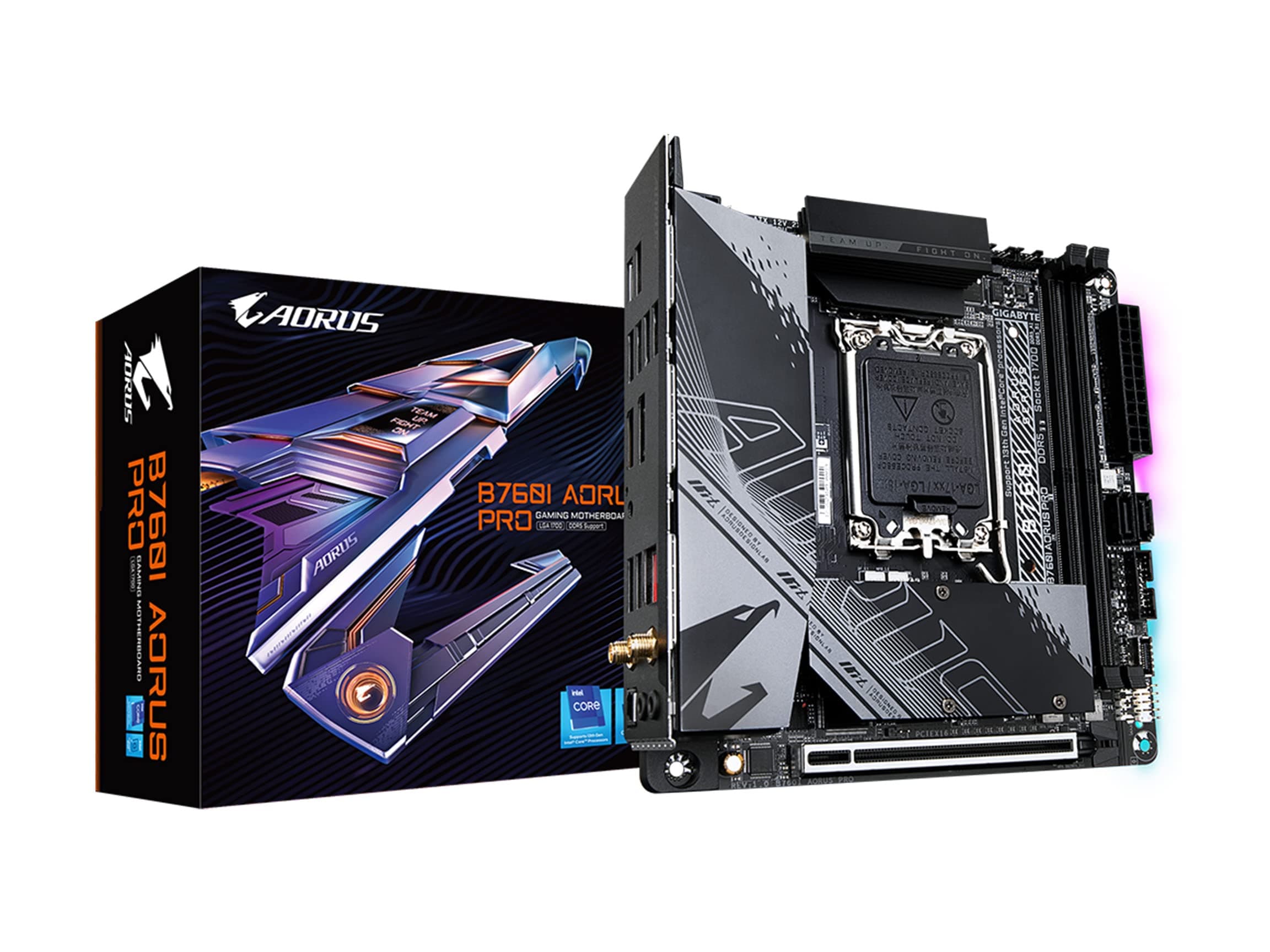
🚀 Power Meets Precision: The Mini ITX Board That Means Business
The GIGABYTE B760I AORUS PRO is a feature-rich Mini-ITX motherboard designed for 13th and 12th Gen Intel Core processors. It boasts an advanced 8+1+1 phase 90A VRM power design, dual PCIe 4.0 NVMe M.2 slots, and cutting-edge connectivity with WiFi 6E and Intel 2.5GbE LAN. Engineered with premium thermal solutions and a 10-layer 2X copper PCB, it ensures stable performance in compact builds. With user-friendly BIOS updates via Q-Flash Plus and RGB Fusion 2.0 lighting support, it’s the ultimate choice for professionals and gamers craving power without compromise.
| ASIN | B0C4CKCRYW |
| Best Sellers Rank | #124,933 in Computers ( See Top 100 in Computers ) #1,300 in Motherboards |
| Brand | Gigabyte |
| CPU Model | Core i5 |
| Chipset Type | B760 |
| Compatible Devices | Personal Computer, Processor |
| Compatible Processors | 12th Generation Intel Core |
| Customer Reviews | 4.3 4.3 out of 5 stars (57) |
| Graphics Card Interface | PCI Express 4.0 |
| Item Weight | 2 Pounds |
| Main Power Connector Type | 24-Pin |
| Manufacturer | GIGABYTE |
| Memory Clock Speed | 4800 MHz |
| Memory Slots Available | 2 |
| Memory Storage Capacity | 64 GB |
| Model Name | B760I AORUS PRO |
| Model Number | B760I AORUS PRO |
| Number of Ports | 4 |
| Platform | Windows 11 |
| Processor Socket | LGA 1700 |
| RAM Memory Technology | DDR4 |
| Ram Memory Maximum Size | 128 GB |
| S/PDIF Connector Type | Optical |
| System Bus Standard Supported | SATA 3 |
| Total Number of HDMI Ports | 1 |
| Total PCIe Ports | 1 |
| Total SATA Ports | 1 |
| Total Usb Ports | 1 |
| UPC | 889523037317 |
| USB 2.0 | 4 |
N**R
Recently bought the GIGABYTE B760I AORUS PRO motherboard and after a few weeks of testing here is the review: Compact Yet Mighty (★★★★★): This little MOBO surprised me. The B760I AORUS PRO is designed to be small, i am using this in a NZXT H1 and cannot reccomend it enough for a mini itx build! It is so feature rich and fits neatly into compact builds without sacrificing any performance. PCIE gen 4 for your NVME drives Im getting 3.7gb disk usage in steam downloads - 2 NVME slots and DDR5 RAM slots are a must, definitely worth getting the pro and splashing on some DDR5 6000mhz RAM. User-Friendly BIOS (★★★★★): The BIOS on this thing is surprisingly user-friendly. Even if you're not a tech genius, tweaking settings is straightforward. GIGABYTE made it easy for anyone to change basic settings like Resizable BAR and XMP in the bios. AURA Sync Magic (★★★★☆): If youre in the AURA ecosystem of RGB devices then this is a nice touch but i find the gigabyte control center to be lacking - may just be because its my only gigabyte component Cool and Calm (★★★★☆): I like the inbuilt temperature monitoring but there isnt much to tweak outside of the bios. Connectivity Check (★★★★☆): For a compact board, it's got a decent set of ports. From USB slots to HDMI, it covers the essentials. No major complaints here – everything I needed was right at my fingertips - dont forget the wifi antenna too if youre not going ethernet - although I highly recommend taking advantage of the 2.5gbe port. To sum it up, the GIGABYTE B760I AORUS PRO is a solid choice for those who want a powerful feature rich motherboard in a mini itx formfactor. It's not perfect, but for a hassle-free build with some extra flair, this little guy gets a thumbs up from me. If you're into compact and capable, give it a thought!
C**S
Una belleza. Prendió a la primera, booteo sin problemas. 10 de 10. Me habría gustado que incluyeran más tornillos por qué la caja casi no trae. El material del disipador es excelente, se siente de una calidad muy superior comparado a otras placas y tiene dos ranuras para memoria m2. No podria estar mas feliz La gente comenta que les están llegando usadas. A mí no me pasó, nuevecita de paquete. No sé si sea suerte.
K**E
I used this motherboard to do my first mini itx build. Everything went pretty smooth and I really liked the bios flash button, 3 case fan plugs and the 2 m.2 slots on the motherboard. I paired this motherboard with an Intel i7 14700k and had no trouble updating the bios with the flash bios USB port. The motherboard box also came with adapters to help utilize the 2 fan ports on the top right of the board. If you want to add more than 4 fans and one CPU pump/cooler you'll definitely need some fan spliters. The only Issue I had was with my front panel switches which aren't labeled on the MB where they go. You'll have to go online and find the manual to know how you switch should be connected. I would recommend this motherboard worked out for me and the bios is very easy to navigate.
P**Z
Very complete. Very good construction
G**G
This is much better than a B660 ITX DDR5 board I recently installed from a company whose name rhymes with MASUS. The pictures are confusing but this baord actually accomodates 1 NVME on the front and one on the back. Both are outfitted with impressive heatsinks that do a fantastic job of keeping the NVMEs cool. On the other board I had, I had to buy a custom heatsink to keep NVME temps down as their heatsink was inadequate. Also for my 2nd drive on that board I had to buy a heatsink too. Gigabyte includes a huge backplate as a heatsink for the 2nd NVME on this board. First thing I did was go into bios and update bios to latest version from usb drive. Like other ITX boards, when you install Windows it will not find wifi drivers. For me the easiest way to solve this was to copy the drivers onto a USB using another computer and then at the OOBE screen press CTRL+SHIFT+F3 to reboot into Audit mode. This boots into the built in administrator mode and allows you to install drivers. Once I got the wifi driver on, I rebooted back into OOBE mode using the Sysprep tool. Everything I am describing you can easily find more detailed instructions for by googling the terms I am using. After that, installed all the drivers from gigabyte website and everything perfect in device manager. I am using this in an NR200 case with 13400 and Deepcool heatsink for CPU. I have an NVidia 1650 installed mainly using it for work. Ran some games on it, no temperareture issues at all. I am not installing the gigabyte control center as I have seen poor reviews of it. I am super happy with this hardware so far. This computer is a champ for medical imaging work. 7/31/24: I am lowering my review by 1 star as I used this board in a case that comes with a PCIe3.0 riser cable. There is no option in the BIOS to change the graphics card PCIe speed independent of the m2 nvme sata speed in the slot next to the CPU. There is only one option for both to lower the speed to gen3. So unfortunately this halves the throughput of a gen4 nvme ssd. lowering the graphics card to gen3 has almost no discernible effect even when using the highest end GPU. Asus BIOS does let you set the PCIEx16 speed for the graphics card independent of the m2a SATA speed. I have reached out to gigabyte support requesting them to add this feature for the many people who would use this board in a SFF case with riser cable and not wanting to spend the big bucks for a pcie 4.0 riser cable.
ترست بايلوت
منذ 5 أيام
منذ شهر