Desertcart purchases this item on your behalf and handles shipping, customs, and support to KUWAIT.
🚀 Upgrade your speed, secure your creativity, and never miss a beat!
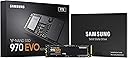
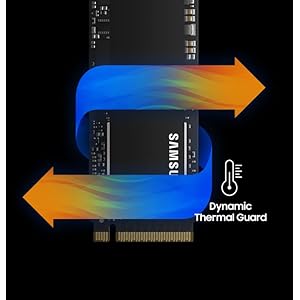
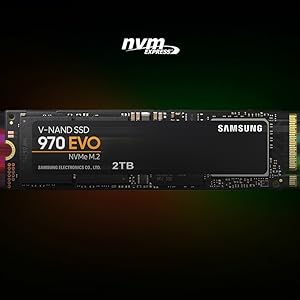
The Samsung 970 EVO 1TB M.2 NVMe SSD delivers industry-leading read/write speeds up to 3,500/2,500MB/s powered by advanced V-NAND technology. Designed for gamers, creatives, and professionals, it features dynamic thermal control, secure encryption, and comes bundled with a 2-month Adobe Creative Cloud Photography plan. With a 5-year warranty and robust performance optimization software, it’s the ultimate internal SSD for next-level computing.


| ASIN | B07BN217QG |
| Additional Features | Alcohol-Free |
| Best Sellers Rank | #382 in Internal Solid State Drives |
| Brand | Samsung |
| Built-In Media | Instruction Manual, Solid State Drive |
| Cache Memory Installed Size | 1 |
| Color | Black/Red |
| Compatible Devices | This drive is compatible with servers and arrays that accept M.2 2280 PCIe drives |
| Connectivity Technology | NVMe |
| Customer Package Type | FFP |
| Customer Reviews | 4.9 out of 5 stars 37,618 Reviews |
| Data Transfer Rate | 550 megabits_per_second |
| Digital Storage Capacity | 1 TB |
| Enclosure Material | Metal |
| Form Factor | M2 |
| Global Trade Identification Number | 00887276261898 |
| Hard Disk Description | Solid State Hard Drive |
| Hard Disk Form Factor | 3.5 inches |
| Hard Disk Interface | NVMe |
| Hard Disk Rotational Speed | 3500 |
| Hard-Drive Size | 1 TB |
| Hardware Connectivity | Solid State Drive |
| Installation Type | Internal Hard Drive |
| Item Dimensions L x W x Thickness | 3.15"L x 0.87"W x 0.09"Th |
| Item Type Name | Samsung 970 EVO Series - 1TB PCIe NVMe - M.2 Internal SSD (MZ-V7E1T0BW) |
| Item Weight | 1.92 ounces |
| Manufacturer | Samsung Electronics DAV |
| Media Speed | 2500 megabits_per_second |
| Mfr Part Number | MZ-V7E1T0BW |
| Model Name | 970 EVO |
| Model Number | MZ-V7E1T0BW |
| Number of Items | 1 |
| Read Speed | 3400 megabytes_per_second |
| Special Feature | Alcohol-Free |
| Specific Uses For Product | personal, gaming, business |
| UPC | 887276261898 |
| Unit Count | 2.2 Pounds |
| Warranty Description | 5-Year Limited Warranty |
M**R
500 GB of fast storage on a stick of gum
I love these things. It's hard not to give these drives 5 stars: they are fast, easy to install, don't take up any space, don't require any running of cables, they don't generate any noise, and they are getting more affordable by the day. I purchased this to install the upcoming Red Dead Redemption 2 to really speed up those load times and hopefully provide the best gaming experience. Obviously the game isn't out for a few more days so I will update my review if anything bad happens, which I do no anticipate. I've included a screenshot showing how the 970 Evo stacks up against 3 other storage devices in my PC: 1) another PCIe NVMe stick from Mushkin which my OS is installed on. 2) A more traditional SATA SSD drive which I have some of my most frequently played games on. It's a couple years old at this point, so take into consideration there are faster ones out there. 3) A 3 TB traditional platter based 7200 RPM HDD from Western Digital, for storage purposes. 'CrystalDiskMark' was used for testing. It is not my intention to disparage any other devices or manufacturers with this screenshot. All of the drives perform very well, my system boots up very fast on the Mushkin NVMe, and the games on my SATA SSD load way faster than if they were on a traditional platter HDD by multiple factors. I just want to show how the Samsung 970 Evo compares to other hard drive technology. A couple side notes. My motherboard either didn't include, or I misplaced, the screws needed to secure this drive to the motherboard (it may have only came with one set of screws, which I used to install my other NVMe at build time), so make sure you have the required screws before you attempt to install it. I ended up having to order a set of screws after I went through the hassle of unplugging everything, taking the side panel off, etc. Finally, as with all storage drives, you lose some capacity after it's configured for storage in the OS. In this case I lost 35 GB, so it became a 465 GB capacity.
L**S
Obscenely Fast With Affordability Around the Corner
These Samsung Evo NVMe drives never cease to impress. I have a 960 and this 970, both 1 TB. The 970 is just crazy fast. I'm still surprised that mechanical drives haven't been kicked out yet since these drives beat them in just about every margin. Once that cost to capacity comes down a bit more, one of the last moving part of our computers will go the way of history. Overall, the 970 is a great value. I've had a 960 for a while as well and I've loved the drive, no issues with it so far. Additionally, I have an Evo 840 (which a SATA connected SSD) and a traditional spinning hard drive for backup. I would certainly recommend this drive to anyone who wants to get performance out their computer. You'll notice many things are immediately better once you install a drive like this. The first, if you use one for your boot drive, is that you'll get a much faster boot time of course. Secondly, when you install most of your basic software on these drives, your computer becomes orders of magnitude more responsive. It's very much worth the cost just to gain the responsiveness of every application. The reason I appreciate responsiveness so much is that it keeps you focused. When you want to accomplish something you start a program and it's there. If you have to wait, sometimes other things can happen such as you get distracted reading an article or browsing the web otherwise while waiting for startup. It's helpful to keep things running smoothly to maintain your focus. Finally, I've found these drives to be reliable. They don't take much power, don't have any moving parts, and I've not had any issues with these NVMe drives since I've had them. Ironically, my "backup" drives which consist of spinning drives (for capacity) are a RAID 1 set for mirroring. One of the two drives there has already failed, and they're newer than my main NVMe SSD which is my boot drive. Once they come down in price enough, I'll be happy to switch out to more of these drives. Another unfortunate downside is currently these drives and the tech behind them is still pretty fresh. This means motherboards have mixed support on them. You'll find a varied amount of slots (1-2 NVMe slots on most motherboards) and you have to be aware if the drives will divert any of the PCIe traffic from any adjacent PCIe slots. Your motherboard manual will let you know what slots may be affected, but an M.2 NVMe can take up to 4 PCIe lanes since this is the only data bus fast enough to transfer at the speeds these crazy drives can read / write. Highly recommend these drives.
A**S
Insanely fast, easy to install, and overall high performing.
I purchased this item a little over 2 months ago, intending to install it in my system. I already had a 500GB SATA SSD installed, and this was installed to supplement that drive. I have not installed my Operating System on it yet, though I do plan to do that. Here's some things I've noticed since unpackaging my SSD. The first is that this thing is SUPER small. But the size definitely helps make this install much easier. If you have multiple M.2 slots on your motherboard, I recommend making sure you have one that is small enough to accommodate this item. My motherboard has 2 different M.2 slot sizes, and this card is definitely made for the smaller M.2. Compared to my SATA SSD, this drive was about just as difficult to install. With the SATA SSD, I had to attach a power cable to it, as well as the cable that attached to the motherboard, as well as ensuring it was secure in a chassis. With an M.2 drive, this isn't necessary. You unscrew the tiny screw at the end of the M.2 slot, insert the card at roughly a 30 degree angle, and gently push it down and screw it into place. I say it's about as difficult because the screw is small and can be hard to get threaded again once it's removed, especially with the added complexity of having the M.2 drive in there as well. However, it's not anything that would take much effort at all. I knew what I wanted to use this SSD for, so I opted for the 1TB drive. This is more than enough space for what I need, and the drive is insanely fast. I have several games loaded on it, including Red Dead Redemption II, Grand Theft Auto V, and Tom Clancy's Rainbow Six Siege. These are frequently played for me, and I figured installing them on a drive like my new NVMe SSD, I'd see some performance improvements. I absolutely did. Rainbow Six appears to load instantly every time I try the single player options (Training Grounds), and I remember hearing the other day as I loaded into a competitive match "How is this guy in already?" Red Dead Redemption II does still take some time to load, but considering the loading the game needs to do, it's forgivable considering it is still much faster than my PS4 Pro when loading up the game. GTAV is in a similar boat, but I'd argue that game has an even bigger load time boost than Red Dead. The performance of this drive should make any PC player happy. Overall, this is a fantastic product, and I would highly recommend it to anyone who is looking to give their PC an extra speed advantage.
T**R
Great! Fast!
Figured I'd write a review to maybe help someone. I bought two 1Tb versions of these, had some buyer's remorse, and was really worried about compatibility. The whole 2 lane PCIE 3.0 vs. 4 lane PCIE 3.0 had me spooked in terms of system stability and performance/cost. My first system, a Dell Optiplex 5070, I am so happy to report, is lightning fast with this SDD. The 3060 and 5060's have been reported to have only 2 lane support and Dell's documentation is useless - but user complaints of less than optimal performance on NVME M.2 SDD's are everywhere. Well, Dell must've updated that system because CrystalDiskMark shows the 3,000 MB/s+ of a four lane system. I used the Samsung Data Migration tool to image the OS from Dell included 500GB 7200RPM have drive no problem. But I also have a Dell 7480 (i5) laptop. I just bought it new- the price was good and I needed a compact laptop to carry around. There was no question it is 2 Lane - being older, I didn't even have to guess. So the quandary was, would the Samsung 970 EVO be backward compatible, stable, and the speed worth the additional $70 over a Crucial SATA SDD? The system came with a 128GB SATA M.2 SSD. First of all, transferring the image was pretty hard - and I'm very familiar with imaging hard drives. Many Dell laptops will not see this SSD until the BIOS settings are changed from RAID to AHCI. This is first and foremost otherwise this SDD won't be seen. I've seen this reported with many motherboards. Second, I have a USB to M.2 NVME and a USB to M.2 SATA adapter. (There's only one SSD slot in the laptop so no choice...) Even with the Samsung installed directly in the laptop, the SSD firmware updated, and the Samsung SSD driver installed, Samsung Data Migration will not recognize this drive. I suspect it's the 2-lane thing. And it definitely will not see it in the USB adapter because it see's the adapter controller, not the SSD's. In a nutshell, I resorted to mounting both SDD's in those USB adapters, and plugging them in my Optiplex (another computer), one then the other. I first took and image or the original Dell SATA using Macrium Reflect. Then I plugged in the Samsung and restored the image. This takes some knowledge of Macrium (and a little math) to resize the C: (OS) partition to the new drive. Using a separate computer is the only way I could get this to work. But it worked perfectly. And I transferred all partitions no problem, expanding C: at the same time. As far as it being worth it, I'm getting 1,500 MB/s on the laptop 2 lane. This is still 3X the speed of an M.2 SATA SSD. So Yes! In a nutshell, don't count on the Samsung Data Migration tool. Do load the Samsung SSD driver from their website and install it. Do look in your BIOS to change RAID to AHCI if the computer doesn't see the new SSD in the NVME slot. Macrium Reflect is free and works most of the time. And it is compatible with 2 Lane PCIE 3.0 - if you see 1,500 MB/s Read speeds, that's why.
G**R
Breathes new life in to an older laptop
Over the past year I had gotten used to a level of performance from the new desktop I built that my old Dell XPS 15 9550 could not quite match. While overall that's not unexpected, one of the areas of opportunity I noticed was that the almost 5.5 year old laptop couldn't open multiple applications as quickly and in general felt a bit less responsive when opening programs. After running some tests I determined there was enough of a delta in performance between the NVMe in my older laptop and the NVMe that I had installed in my desktop to likely account for this. I didn't really need more space but I decided to try dropping one of these SSDs in to the laptop to see if it addressed the performance difference. Installation: After cloning the existing drive and swapping them I was quickly back up and running. M.2 drives are pretty easy to install, and this one is no different. I transferred the thermal pad from the old drive to the new one and closed the machine up and was able to boot it back up right away like nothing had happened. Performance: The performance improvement was definitely noticeable. While on paper not as fast as the drive in my desktop, the actual experience opening applications or starting things up in Windows after a fresh boot was noticeably better, shaving a second her or there off things that definitely could be a bit slower before. I timed things and while by most subjective measures the laptop wasn't *slow* before, it was shaving a half second or second here or there off opening things. One area I definitely noticed improvements was in opening a handful of applications immediately after bootup. Before, they would take a couple seconds before the loading screen or application would appear and the full loading of each application would take a few more seconds. Now, it's able to pop up the first sign of each loading application in less than half a second and they all open much faster as though it's better able to read their data simultaneously. Conclusion: All in all, I got the improvement I was hoping for without breaking the bank. The extra storage is nice (the laptop's original SSD was 256GB) but not really necessary, however I'm not complaining about it for the money. Samsung continues to be my go-to for SSDs if I don't want to spend time researching the best of what's out there, and if they're on sale or offering a competitive $/GB, you can rarely go wrong with them.
J**A
OMG OMG OMG!!!
Seriously... I'm quite simply blown away by the speed of this thing! I already had a good setup, a Dell XPS with a 258 GB M.2 SSD drive which was almost full. But it's a SATA SSD, so max speed was at 548.49 MB/s. I still loved it, because that's pretty fast no matter how you slice it. But now... oh man. I installed this new drive in an empty pci-e slot. I cloned it using EaseUS Todo Backup. It cloned the whole 258 Gig drive in 16 minutes! I restarted the computer, got into BIOS and changed it so that it now starts using this new Samsung drive and PRESTO! Now, the computer loads so much faster! From an average of 2 minutes to about 35 seconds. I ran a speed test and want to know the new speed? In case you're curious... 3,531.04 MB/s!!!! I mean... WOW! That's 7 Times faster than what it was already! Programs just POP when I click on them. I don't know if you can tell, but I'm super excited and love my computer even more now. I highly recommend this little Samsung drive and feel it's truly worth the investment. Oh, and more more thing I almost forgot. I didn't see any LED's on this little drive, so I don't really know where the light is coming from, but at night I noticed a whole light show within the computer. The colors were alternating between red, magenta, blue, green... it looked awesome. I've never had a light show like that and the only thing I added was that drive in the PCI-e slot. But I don't know if it's the drive, or the adapter I placed it on in order to attach it to the PCI-e. All I know is that it looks amazing. :-D EDIT: I figured out where the awesome lightshow is coming from. It's from the PCIe adapter that I placed the drive on so I could connect it through my PCIe slot. It's the one called, "GLOTRENDS 2 in 1 2280 M.2 NVME Adapter with Aluminum Heatsink for PCIE NVME SSD (Key-M) and M.2 SATA SSD (Key B/B+M) (PA12-HS)". Anyway, I just thought I'd update this info.
J**S
How far we've come!
Amazing technology. I wanted the 960 series so bad but kept waiting for a price drop that never came. Now with the newer and better 970 series, I pulled the trigger and purchased one. This is the first time I've actually got my hands on an NVMe drive. I always thought they were about the size of RAM, but they are closer to a stick of gum in size. I can't believe how small they are. Installation is easy as long as you can get to it. In my case it's between PCIe slots so I had to remove my graphics card to install it. The BIOS saw it right away, then I simply used free partition-copying software to transfer the logical partitions and MBR to from my 750 EVO to my new 970. Then I set BIOS to boot from the new "stick of gum" and disabled the others. As a final step I removed drive letters from the two reserved partitions on the boot drive and reformatted the old boot drive to a blank GPT. I can definitively tell a difference when loading applications with a large footprint compared to the SATA-based SSD. I was hoping to see a noticeable difference in boot-time-to-desktop, but it's hard to tell. But when moving from Samsung SSD to faster Samsung SSD, trying to notice time savings is like splitting hairs. At this price point the drive is worth every penny. Edit: Included a benchmark. 2,759 MB/sec write, and 2,313 MB/sec read. If you remember 3.5" floppies, this is like reading 1915 diskettes every second. Edit2: After realizing that I wasn't getting the rated speed (which no one will probably actually see), I started to look into it and I made sure that I had the latest BIOS update, the latest chipset and storage drivers, and the Samsung NVME driver. After doing all that, I re-ran the benchmark and now I'm over the 3000 MB/sec mark! It's fast out of the box but with proper setup it can be much faster!
V**I
Worked just great for me!
I am using HP Envy x360 15m-bp111dx laptop. I was very doubtful about the compatibility with my motherboard. I was initially planning to get "Samsung 860 EVO 500GB 2.5 Inch SATA III Internal SSD (MZ-76E500B/AM)" which is completely different in size, performance, socket, and protocol, and it was meant to replace my default HDD 7200 rpm 1 TB drive as a trade for performance and compromise for storage (I was ready by the way), which is roughly $10 less than this product. As per my laptop user manual, I have an extra NVMe slot which can only support additional SSD 250 GB to my default 1 TB HDD 7200 rpm drive. This makes it incredibly difficult for my windows to boot from this storage drive, my Windows is already consuming $480 GB in C Drive, my plan is to migrate Windows to SSD for better performance. So I bought it this product anyways, considering, plan B as to swap my HDD with SSD. But fortunately, this product 'Samsung SSD M.2 NVMe M.2 500 GB' worked with the extra empty NVMe slot like a charm along with my default HDD drive. Now my Windows migration is also successful to SSD. I can't tell you how much happy with my decision. Especially, only for $10 more, you are getting- 3500 MB/s read and 2500 MB/s write speed contrast with 550 MB/s and 520 MB/s speed respectively with the 2.5" SATA 3 drive, additionally, I get to keep my 1 TB HDD storage and run my Windows on SSD drive. Performance- Readings from the Task Manager, I can see read and write speed of 1 GB/s. I am pretty sure, it can go up. And I need to install 'crystaldiskmark' for accurate testing. I am happy with 1 GB/s anyways. I was getting 1 MB/s with my HDD and couldn't open chrome without waiting for a minute. I now have to reach HP support for complaining about the misinformation about the compliance. Cons- It doesn't come with the screw to hold the chip to the motherboard. I dint risk it by using plastic tape, It can easily melt with the amount of heat it generates, and I don't have any electronic tape for the time. Hence, I took my chances and used a screw from the motherboard. I would recommend this (at your own risk) if you know what you are doing. You must pick a screw from the place where it takes the least load and not close to any major unit like processor or RAM or close to any external USB drive (cause you will normally apply force when inserting USBs). But it would be great if it comes with one. I go with a 5-star rating overall.
S**E
a
inserito all'interno di un DELL precision 7530 ,funziona regolarmente
M**E
ssd 500go tres bonne qualité
ssd tres bonne qualité qui est tres rapide est surtout bon dans presque tout les teste efectuer je peut que conseillé petitt et puissant jadore
N**R
Upgrade Friendly!
This is definitely a product to purchase if you are looking for a quick, easy and cheaper upgrade of your laptop. I have a MacBook Air early 2015 with 128GB SSD storage. I was looking to trade in for a newer Mac when I stumbled upon this product. Product was delivered on time, and it was very easy to change the existing SSD to this new one. It has been over 6 months now and my laptop works just fine, with both Windows and Mac running smooth.
L**E
Worth every penny
What you see is what you get. Performance wise is speechless.
H**M
shipping time
I like it use it to upgrade my ssd hard drive in my laptop
Trustpilot
3 days ago
2 months ago