

🎮 Capture. Charge. Conquer. The ultimate USB-C streaming powerhouse.
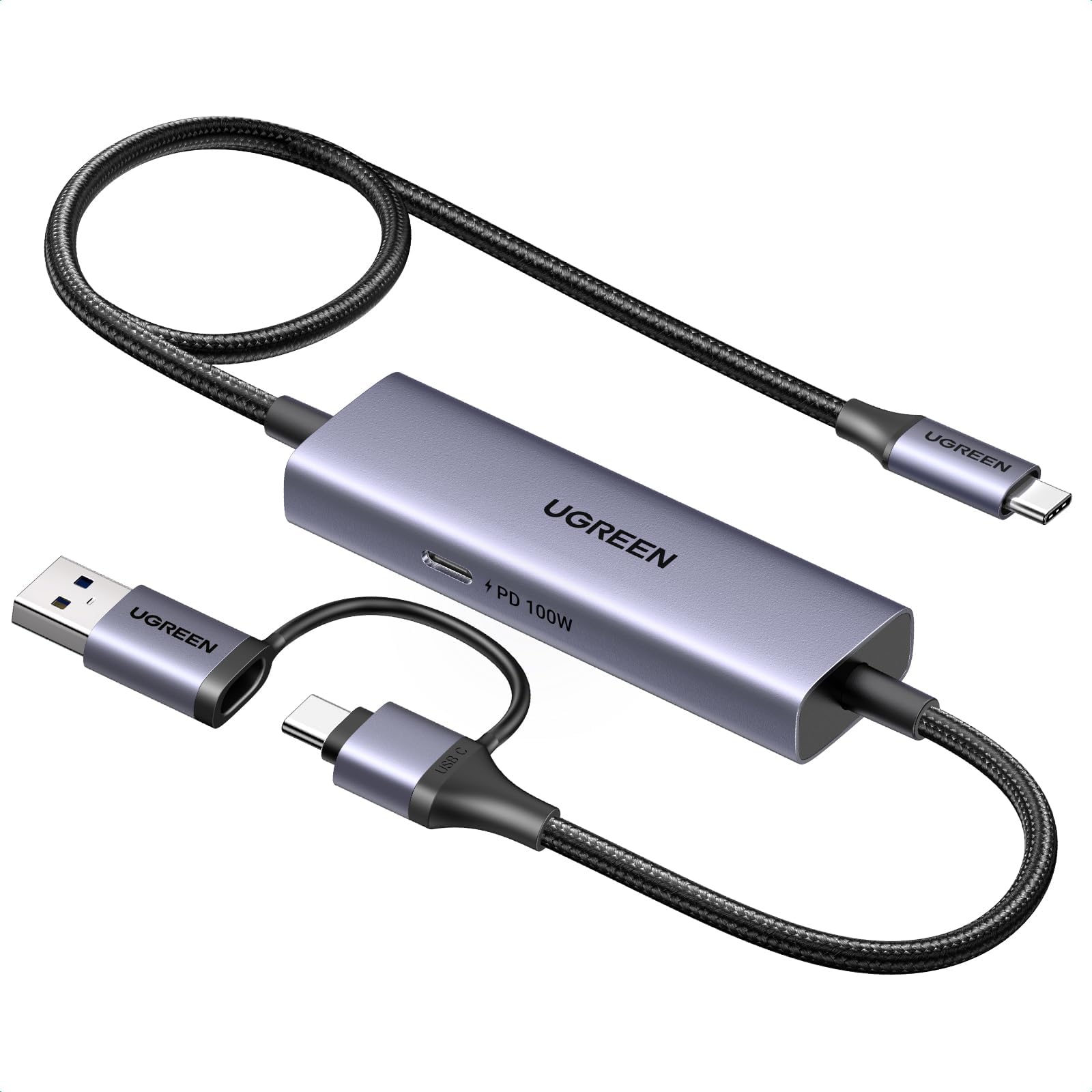
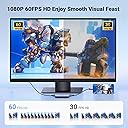
The UGREEN USB-C Video Capture Card is a versatile, high-performance device designed for professional-grade streaming and recording. Supporting up to 4K@30Hz input and 1080p@60fps capture, it features 100W Power Delivery to charge your gaming consoles or devices while streaming. With a robust 5Gbps USB 3.0 interface, low latency, and broad compatibility including Switch, Steam Deck, iPad, and Quest 3, it offers seamless plug-and-play operation for millennial pros seeking flawless, immersive content creation.






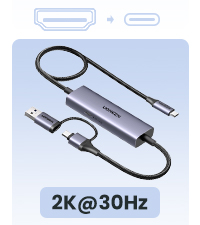


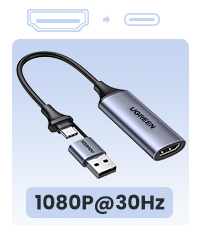


| ASIN | B0CN2Q32HJ |
| AV Output | HDMI, H.264/H.265 |
| Antenna Location | Video Recording |
| Best Sellers Rank | #54 in Internal TV Tuner & Video Capture Cards |
| Brand | UGREEN |
| Built-In Media | Capture Card |
| Compatible Devices | Personal Computer, Samsung Galaxy S25 Ultra/S24 Ultra/iPhone 17/iPhone 15, Switch/ Steam Deck, Tablet, USB-C and USB-A laptops |
| Customer Reviews | 4.3 4.3 out of 5 stars (401) |
| Hardware Interface | USB 3.0 Type C |
| Item Dimensions | 39.37 x 10.63 x 1.57 inches |
| Manufacturer | Ugreen Group Limited |
| Mfr Part Number | 25772 |
| Minimum System Requirements | A device with a USB 3.0 or USB-C port and compatible operating system (Windows 11/10/8.1, MacOS, iPadOS 17, or Android) |
| Model Name | 25772 |
| Model Number | UGC2772 |
| Operating System | Android, Linux, Mac OS, Windows 8/10/11 |
| Other Special Features of the Product | fast charging and low latency |
| Platform | Android, Windows |
| Video Capture Resolution | 1080p, 2K |
| Warranty Description | 24 Months |
Y**G
Works with the Nintendo Switch unlike the Hagibis cable!
I bought both this UGreen capture cable and the popular Hagibis capture cable. I have to say this UGreen cable is superior. First, this cable has USB C on both ends whereas the Hagibis cable has an HDMI port on the other end which necessitates a HDMI to USB-C adapter. This is fine if you want to plug in directly to a laptop, video card, or video game console. Unfortunately for my usage I don't plan on playing Playstation or Xbox via my Quest 3. I only want to use this with my laptop and my steam deck and Switch so I appreciate not having to use another separate dongle. I tried all of my devices with the Hagibis able and unfortunately only the Switch doesn't work. This is more of a problem of the Switch as it requires a power in input as well as video out for the Switch to change into "docked" mode with external HDMI video output. Basically the Switch needs to think it is in its dock with power to enable 1080 graphics and extra wattage to boost the CPU/GPU in order to switch to external output. The Hagibis unfortunately only supplies power to the input device (Quest 3) but not to the outputting device (Switch). The UGreen has the opposite problem - namely it supplies power (if you plug in a USBC power cable in) to the output device and not the inputting device. So the Switch will immediately recognize it is in docked mode and output a HDMI signal. So if you plug in a power source, it will charge your Switch, Steam deck, or laptop while connected. Unfortunately this means your Quest will not receive any power. It's really your choice in whether you want to power the game console or the monitor. The UGreen also connects much faster than the Hagibis. You plug it in, and you get video within 5 seconds. The Hagibis takes much longer and you often wait around for the signal to work only to wait much longer and find out there is a loose connection. The UGreen you know fairly quickly if everything is right. The UGreen is not without its own problems as well. Namely one small issue is that the cable is about a foot shorter than the Hagibis. This is fine for handhelds but if you want to move further away from your source like a laptop, computer, or game console, you are limited. Also the capture card electronics is near the output end of the UGreen where the Hagibis correctly puts the electronics near the the input source. It's a bit annoying to be flopping around with a Quest and an additional heavy rectangle.
P**T
Works great with a Steam Deck and Meta Quest 3.
The image quality is excellent and the frame rate is a solid 60 fps. One thing to consider though, is that the power delivery only goes one way. It charges my Steam Deck, but not my Quest. I found a work around, but it's rather clunky. I have an Anker USB C hub with a PD port. I plugged that into my Quest 3 and plugged the UGREEN's output into the Anker's USB C data port. With this tangled mess, I can charge both devices at once if needed. If i could change one thing about this product, it would be the ability to charge both devices at once, so maybe a second PD port. Something else to consider, is the direction of the USB C cables plugged in. In order to get the 1080p at 60fps on the Quest 3, I had to flip my USB C connections in some cases.
M**L
Works to stream my PC screen to my Quest 2.
This cable works on my Quest 2, I can now connect the VR headset to my work PC without having to install any special apps. It's sometimes difficult to get working if I disconnect it and reconnect; I find that I have to fully reboot my headset to get it to connect again. But I suspect that's more because of the Meta HDMI Link app, so I'm not taking a star off for that. My only criticism: the end that plugs into my headset (with the USB-A adapter) should be at a 90 degree angle rather than straight, so that it can hang down without straining the cable.
D**Z
What a good product!!
Excellent product!! It worked for me with the Hdmi Link app, the capture card heats up a bit at high resolutions. I still don't have latency in the display of the Elden Ring game!! This product loads the Steam Deck all the time, but not the meta Quest 3, I'll look for an option for that.
B**N
Review: UGREEN Capture Card
I’ve been using the UGREEN capture card to connect my Steam Deck to an iPad and also with my Quest 3, and overall, it works well for casual gaming. The setup was straightforward, and it delivers a decent picture quality, which is a big plus. However, I did notice a slight delay in the feed, which isn’t ideal for fast-paced games but is manageable for recreational play. If you’re thinking about getting into streaming non-PC games, this capture card would be a great entry-level choice—it’s affordable and reliable for general streaming needs. A solid device for the price, just keep the minor latency in mind.
N**E
Only charges 1 device
BUYER BEWARE charging only goes 1 way if your connecting a pc to a quest 3 headset no matter how powerful the charger it only powers the device that pushing its display to the other
C**.
Limited use cases.
The implementation and instructions for this product and great, but the use cases for it are limited. This capture card essentially can capture video out from any USB-C device that’s video enabled. I tested this using an iPhone 15 pro max. Just follow their simple instructions and you quickly will be recording footage using OBStudio which I’d argue is the gold standard for video capture today. After getting everything working I had to stop myself and wonder what a person would use this for. Many apps or built in tools can do screen recording more easily than this. So what’s the main use case? My guess is actually for streaming. You can just as easily hook up a phone or other mobile device and stream mobile game footage using OBS. Overall it’s a simple and effect product, but unless you are a streamer I’m not sure why you would need this.
J**B
Works good.
Works as described and designed. Can use it to make my iPad (using an app) or a Chromebook a 2nd monitor for my PC.
D**T
Video quality is okay and what you'd expect from what you'd get from this product
V**R
un accessorio quasi miracoloso perchè viene visto come monitor da un pc o in Iphone mentre dall'altro lato il connettore si presenta come webcam ed è riconosciuta dal sistema operativo. L'ho provato con un iPad, un Macbook Pro e un Oculus Quest 2, tutto perfetto. Finora l'ho testato in 1080p e non in 4K. Proverò.
C**N
Ahora entiendo por qué este cable es tan recomendado por los youtubers que crean contenido sobre realidad virtual. No encontré otro cable a este precio que ofrezca tanta comodidad al evitar el uso de adaptadores para añadir entrada de video al Meta Quest 3. Funciona perfectamente para transmitir contenido desde dispositivos como Steam Deck, iPhone con USB-C o Android con salida de video. Sin duda, una opción práctica y asequible para quienes buscan conveniencia y calidad. Solamente hay que cuidar no tocar mucho la entrada al Quest o jalar un poco el cable porqué se pierde la conectividad y es algo molesto.
H**H
Perfekt
M**O
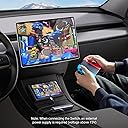
Permet d’afficher la Nintendo Switch sur le Meta Quest 3 via l’application HDMI Link (redémarrage requis après installation). Attention toutefois à bien y brancher le chargeur d’origine, l’écran de la Switch va s’éteindre mais pas de panique, c’est comme lorsqu’elle est posée sur le Dock, tout se passe via l’affichage sur le casque. Le sens de branchement au casque est important pour obtenir une résolution full HD à 60Hz (voir photo). Seul l’appareil source est alimenté, l’autonomie est donc limitée à la batterie du Quest.
ترست بايلوت
منذ شهرين
منذ يوم واحد