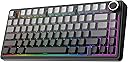
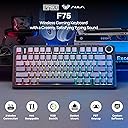
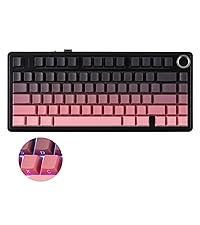
🎮 Elevate your desk game with the EPOMAKER F75 — where compact power meets pro-level customization!
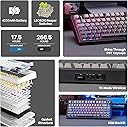
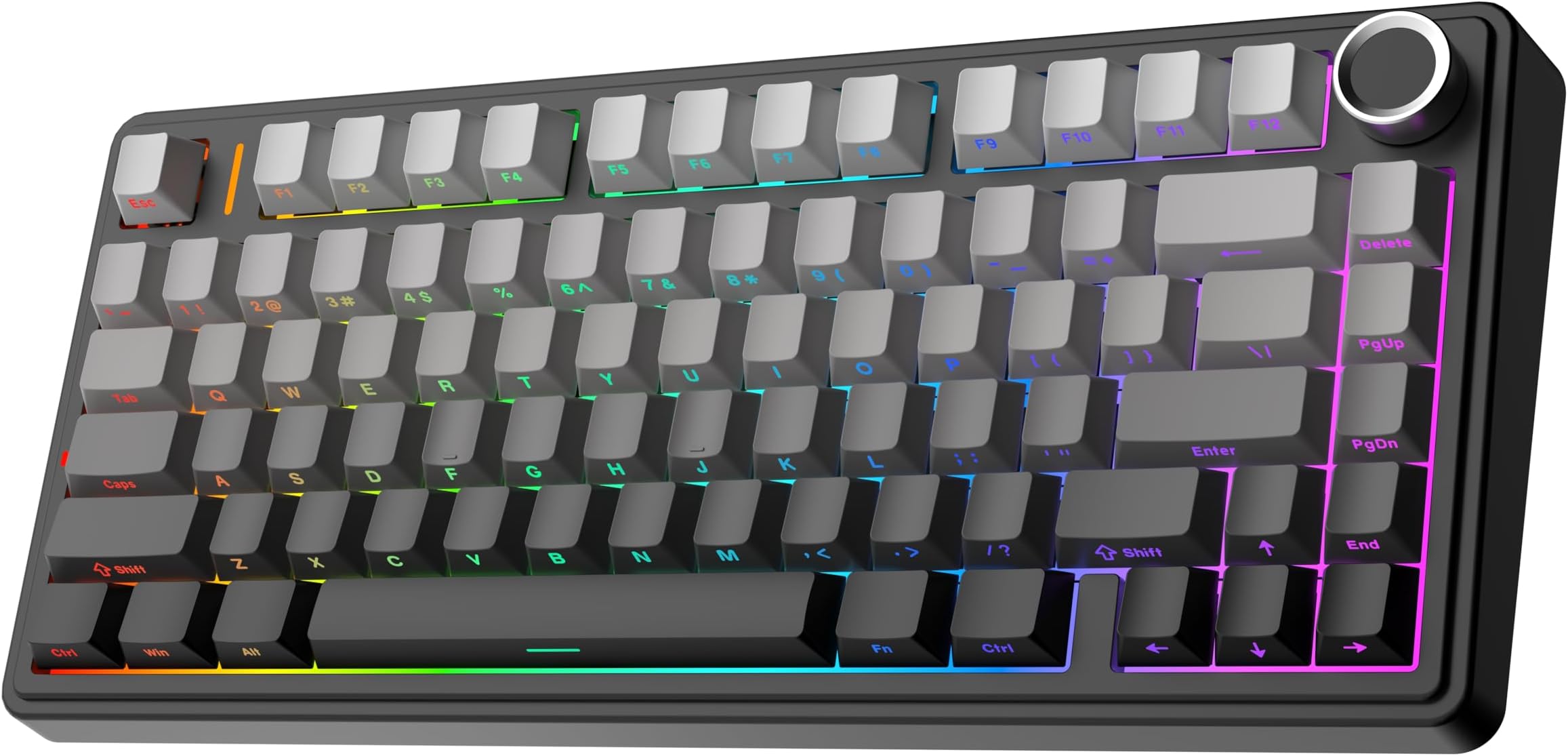
The EPOMAKER x Aula F75 is a 75% wireless mechanical keyboard featuring a unique leaf-spring gasket structure for ergonomic typing comfort, five-layer sound dampening for quiet operation, and a robust 4000mAh battery supporting Bluetooth, 2.4GHz, and USB-C connectivity. It offers full hot-swappable switches, a multimedia control knob, and vibrant 16.8 million color RGB lighting, all housed in a sleek black gradient design with durable double-shot PBT keycaps—ideal for professionals and gamers seeking a premium, portable, and customizable keyboard experience.


| ASIN | B0D3F69XSP |
| Additional Features | 3 Modes, Backlit, Customizable Display Keys, Ergonomic, Hot-Swappable |
| Antenna Location | Business |
| Best Sellers Rank | #144 in Video Games ( See Top 100 in Video Games ) #6 in PC Gaming Keyboards |
| Brand | EPOMAKER |
| Built-In Media | Keycap Puller, USB Cable |
| Button Quantity | 80 |
| Color | Black Gradient |
| Compatible Devices | Laptop, PC |
| Connectivity Technology | BT |
| Customer Reviews | 4.6 out of 5 stars 3,452 Reviews |
| Enclosure Material | Polybutylene Glycol |
| Hand Orientation | Ambidextrous |
| Item Dimensions L x W x H | 12.7"L x 5.64"W x 1.7"H |
| Item Weight | 1 Kilograms |
| Keyboard Backlighting Color Support | RGB |
| Keyboard Description | Gaming |
| Keyboard Layout | QWERTY |
| Manufacturer | EPOMAKER |
| Model Name | F75 |
| Model Number | F75 |
| Number of Batteries Required | 1 |
| Number of Keys | 80 |
| Number of Sections | 1 |
| Power Source | Battery Powered |
| Recommended Uses For Product | Business |
| Series Number | 75 |
| Special Feature | 3 Modes, Backlit, Customizable Display Keys, Ergonomic, Hot-Swappable |
| Style Name | Classic |
| Switch Type | Linear |
| Theme | Rainbow |
| Total USB 2.0 Ports | 1 |
| Warranty Description | 1 Year Warranty |
C**R
Great keyboard, worth the buy
It is a great keyboard for starters. Despite the plastic shroud it still sounds great by itself. Very nice and creamy sound if that's what you're looking for. It has a great color scheme and it feels quite nice when it comes standard. For the value under $100 it's definitely worth it especially for people wanting a mechanical keyboard. The volume knob function is also a nice touch and overall functions nice. If you want a recommendation I replaced my switches with gateron milky yellows... and it sounds awesome if you want more of a thockier sound. Durability wise for modding is not that great I will warn you. The plastic shroud can be damaged if you try and pry it open. But it at least has silicone inside so it still sounds great.
A**S
Amazing keyboard, feels like its worth over $150!!!!!
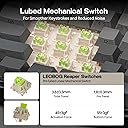
Wow, the amount of appreciation I have for this product is amazing. There was an initial problem of the number keys having RGB problems, but after re-inserting the switch back into the keyboard, it worked just fine. The keyboard itself is one of the creamiest keyboards in this price range, making it my top choice for under-$70 keyboards in general. There are some cons since the software isn't macOS compatible, and it is sketchy, being from a Google Drive folder and all, I don't recommend the software, but if you care about the creamy sound and good quality feel, despite being made of plastic, you have come to the right place. Finally, the functions of the keyboard are amazing, like the ways to view the battery and the amazing 5 PIN SWITCHES, which you usually don't find on budget keyboards. The LEBOG reaper switches are my personal favorite, but it's up to your preference! The connectivity and lag are not an issue with 2. G or wired, but I haven't tried Bluetooth yet. I expect the Bluetooth model not to be the newest, so you may experience some latency while using Bluetooth. Yet the wired cable is about 5' 2" so it is of good length, and it is not one of those 2" cables that come with regular budget keyboards. Overall do recommend it, and I hope you have a great experience like mine! EDIT: -The LED problem was the bluetooth indicator -It has been over a month now, and this keyboard is living up to its battery expectations. I use my computer almost daily, and I have only had to charge my keyboard once this entire month. It's truly something you don't find on budget keyboards; they usually cut corners, like they make the keyboard sound nice, but the battery is terrible, NOT THE CASE WITH THIS KEYBOARD. Exceptional by design, built to last, and made from quality plastic. Not only that, but the keyboard is designed to utter perfection, and I wouldn't know what I would do without my best keyboard, the one that I am typing with right now! -Lastly, this keyboard is perfect for anyone working and on the run, it would make sure you get your best experience typing, and that others feel mesmerized by it, and as a bonus, for everyone else who will see this keyboard, they will think you spent over $150, dont feel afraid to tell them the product is worth that much.....!!!!
A**R
so far so good
So far a great keyboard for the price. I bought it in a rush to replace my old keyboard that wasn't working and it was the first thing to pop up on a video on tiktok so I gave it a shot. I expected the keys to be more of a blue, they lean more blue-grey if anything, but overall really enjoying the keyboard. It feels great in general and I love the sound of the switches and keys. Even though roughly the same price as my last keyboard, it somehow feels like a step-up in quality. I also love the knob - had been wanting one on a keyboard for a bit - but I wish you could customize what it does (e.i. in 'office' mode, which is where I have it, you can turn volume up/down or mute but I wish it was a pause button for videos instead).
A**A
literally unreal. better than the epomaker x leobog hi75
intro: have tried many, MANY keyboards (razer, yunzii, rk royal kludge, epomaker x leobog) and holyyyyy this is the best keyboard by far. i got the reaper switches and omg they sound so dang good. i was so used to a aluminum keyboard (i was primarily using epomaker x leobog) but wanted a wireless keyboard since i use my pc for college (full time) and gaming and work full time from home with a laptop. before, i would have two keyboards to switch from my pc to my work laptop and it was just taking up so much space. i did some research and found this AND OMG. ITS SOO GOOD. i got the light blue color but changed the colored keycaps with the white cherry profile keycaps so the entire keyboard could be white. connectivity: have the 2.4 plugged into my pc and bluetooth connected to my work laptop. the connectivity switch is effortless and so fast. i am so happy to now have 1 keyboard on my desk that can switch between my two devices. i was scared seeing a few reviews saying the bluetooth connection was bad but i have had 0 problems and my work laptop is mounted under my desk. even with that, i had 0 connection issues and my keyboard was responsive every time battery: the battery life is FIREEE, i personally don’t use backlight (i know, how dare i) because i love the look of a keyboard when it’s not lit up. my keyboards last weeks before a charge because i don’t use the lighting. ALSO, if you don’t like the vertical light bar by the escape key on/flashing, literally press FN and the shift key on the left side of the keyboard to shuffle through modes! i turned mine off. switches: i was going to switch the switches out with akko lavender v3, but damn these reaper switches are so good. i’m so used to tactile, and although these are linear, i prefer them 1000x over my akko switches. these switches are a lot more quite and super comfortable to type on all day, considering im literally at my desk 10+ hours a day, 5+ times a week. i type a whole bunch for school, work and gaming and these did not tire my fingers out. they sound super satisfying and my boyfriend said he loved how subtle the sound was compared to my previous switches. the weight on them is heavier than i’m used to, but again, did not fatigue my fingers and feel super good weight: the weight is lighter than my epomaker x leobog hi75, but i prefer this! although its lighter, it still sits well on my desk and does not move around due to the grip on the bottom of the keyboard. i also don’t like large mouse pads, so this sits on my slick desk and still doesn’t move. height: my old keyboard didn’t let you adjust the height, so the fact that you can adjust the height 3 different ways is amazing. knob: the knob is great and does what it needs to do. i will say, if you use your knob, just press the button down before using it to turn it on.. it kind of goes into sleep mode after a while. not a big deal though! price: my epomaker x leobog cost me $85 and i got this on sale for $60. i wish i would’ve gotten this one in the first place! SOOO good for the price and soo worth it omg. rgb: again, i don’t really like rgb and don’t use it on my keyboards so i don’t want to give a review on it! i will say, i turned them on and they look sooo freakin good and a lot better than the epomaker x leobog keyboard i had. they have a ton of different light settings overall this was a great purchase and im sooo happy i got this keeb!!! END GAME FOR SURE!!! and i love that i didn’t need to mod anything except a few keycaps because of color preference. W’s in the chat
A**R
AFFORDABLE PRICE.....SOLID BUILD QUALITY!!!
Was absolutely surprised/stunned at the quality of this particular keyboard for the price. Excellent build quality here and the keyboard has a good bit of weight to it that I am not used to for the keyboards in this price range. I have used several keyboards over the last 8 or so years since I built my first PC and this one is by far the best feeling/sounding one I've owned. I started with a Logitech "gaming" keyboard (10 keyless) because I never had the need for a full keyboard with a num pad. Of course those "gaming" brands don't produce great keyboards by any means but they are functional. Then I moved on to a Ducky mini keyboard (60%) and used that for a while and decided I would rather have the arrow keys so I sold it and bought another Ducky 65% which was fine as well. Then I made the mistake of buying a ridiculously over priced "Drop Alt" keyboard for over $200 (buyers remorse don't do it guys) Then got over the whole "RGB clicky-clacky switches and moved over to a reasonably priced Keychron 65% which I still like. Then I saw the reviews on some YouTube channels for this keyboard and decided to check it out. I got the white version with the light blue, navy and white keycaps. I especially like the linear switches (I got the LEOBOG Reaper Switches.) I really like the thocky sound from this very well "sound damped" case. I also have some Gateron G Pro Yellow switches that I may try out on this as well but the ones it came with a fine for now. I am still getting used to the 75% on this keyboard and in all honesty would prefer if it was a 65% but that's just me. I didn't see any 65% offerings from this brand that looked as good as this and it's not a deal breaker (especially for the price I paid for it) so here we are. The best part is I actually caught this ON SALE FOR $65!!!. You really can't go wrong with this keyboard. I will be watching this brand closely as I'm sure they will have other awesome offerings in the future as well.
J**V
(mostly) great for a budget keyboard
this is a very solid budget keyboard! it was heavily advertised on tiktok but it is a decent budget keyboard. i’ve had mine for a few months now and it functions just fine. it feels pretty heavy and sturdy as well, so it’s great for a home pc setup. the rgb lights and volume dial are a very nice touch. my biggest issue with this keyboard is the aula software which imo is a pain to learn and navigate. there was one instance where out of (seemingly) nowhere the software reset, and erased all my keyboard bindings and settings with it, which was disappointing and inconvenient. the cable that comes with the keyboard is also finnicky for some reason, so when i have the keyboard on wired mode (using the original cable) the software doesn’t detect the keyboard, so i use mine on 2.4 mode and use the cable plugged in to my pc to charge the keyboard. you may have to use a different cable if you intend to use it on wired mode. i still use this keyboard with my pc and am pretty satisfied with my purchase, but i’m still considering upgrading in the future because i am really not a fan of the aula software.
A**O
Here's a review, and what you should know about it.
--- PERSONAL REVIEW --- This is a really good budget keyboard overall. It's not in the "too expensive" side of things, even when converting to the currency used where I live. Do note that the default keycaps that come with the keyboard are not shine-through, so if you want to see the glyphs at night you might want to buy a new set of keycaps. --- SIZE & MATERIALS --- The EPOMAKER x Aula F75 is a 75% keyboard, that means it is smaller than a TKL (Tenkeyless) keyboard but keeps the function row and some of the navigation buttons (In this case we get the Delete, Pg Up, Pg Dn & End buttons). Remapping is covered in the "MACRO" section. Some people may have problems getting used to this smaller layout, especially if you come from a TKL or full size keyboard, but all it takes is some time to get used to it. The chassis of the keyboard is made with plastic and the keyboard itself weighs at around 1kg (2.2lbs), as expected for the price range. It advertises to have five layers of internal padding to dampen and enhance the sound overall, along with having a gasket structure for mounting the PCB and the other internals. Upon checking the bounciness caused by the gasket mounts, it seems that the keyboard doesn't flex too much, which may be a downside for some. The keycaps are made from double shot PBT following a Cherry profile. They feel pretty good for me but as the personal review says, the letters are not shine-through. --- CONNECTIVITY --- This keyboard features three means of connecting to your computer: 1x USB-C Port, Bluetooth connectivity and a 2.4GHz dongle for wireless connectivity (The upper section of the keyboard chassis contains a magnetic hole for storing the dongle). Overall it's a good set of connectivity options for the price. Pressing Fn + B displays your battery level across the number row, but it is also displayed by the light bar next to the escape key, and the style of it can be changed in the drivers. Unfortunately, the color of the light bar seems to not be changeable. --- DRIVERS --- You shouldn't expect too much from the drivers themselves, as they are quite simple. It features the following: > Key remapping (Any key from a regular full-size keyboard, including numpad) > Macro functionality (Can record key presses and repeat for a set amount of times, until the key is released, or until any other key is pressed) > Key layers (Pressing Fn + The key you want to map, also has a Fn2 key listed on the remap interface for a second layer) > Commands (Close window, lock screen, run software, show desktop, etc.) > Tap mode (This one is a bit hard to explain, but here's how I understand it: If you press a button, it will act as said button, but if you hold it for a certain amount of time, it will act as a different button or any of the features listed above) > Light effects (Features 15 presets, but you can define yours. Sadly it doesn't seem to support "animations" as I tend to call them, it just supports one single color for your defined keys) > Audio visualizer (Not that fancy, but cool overall) -------------------- With all that said, I'd say this keyboard is worth buying, so feel free to get it!
J**O
BUTTERY SMOOTH
BUTTERY SMOOTH! The Epomaker x Aula F75 is an absolute standout in the custom-style keyboard space. From the moment you unbox it, you can feel the premium quality, the board has a solid, weighty build that immediately sets it apart from anything in its price range. It doesn’t flex, it doesn’t rattle; it just feels luxurious. Typing on it is a dream. The switches are buttery smooth, delivering a soft, fluid keystroke that makes every press feel intentional and satisfying. Combined with the excellent stabilizers, there’s no unwanted scratch or rattle, just clean, smooth sound and feel. The keycaps deserve praise too. They’re beautifully finished with a high-quality texture that feels great under your fingers. The legends are crisp, the profile is comfortable, and the caps contribute to the keyboard’s polished aesthetic. Overall, the Epomaker x Aula F75 delivers a premium typing experience that punches far above its category. If you’re looking for a keyboard that feels refined, sounds fantastic, and has the build quality of a much pricier board, this one is a winner.
ترست بايلوت
منذ شهر
منذ أسبوع