We remain fully operational. Our teams are working around the clock to ensure your deliveries continue safely.

قم بتنزيل التطبيق


معلومات عنا
حقوق الطبع والنشر © 2024 Desertcart Holdings Limited
قم بتنزيل التطبيق
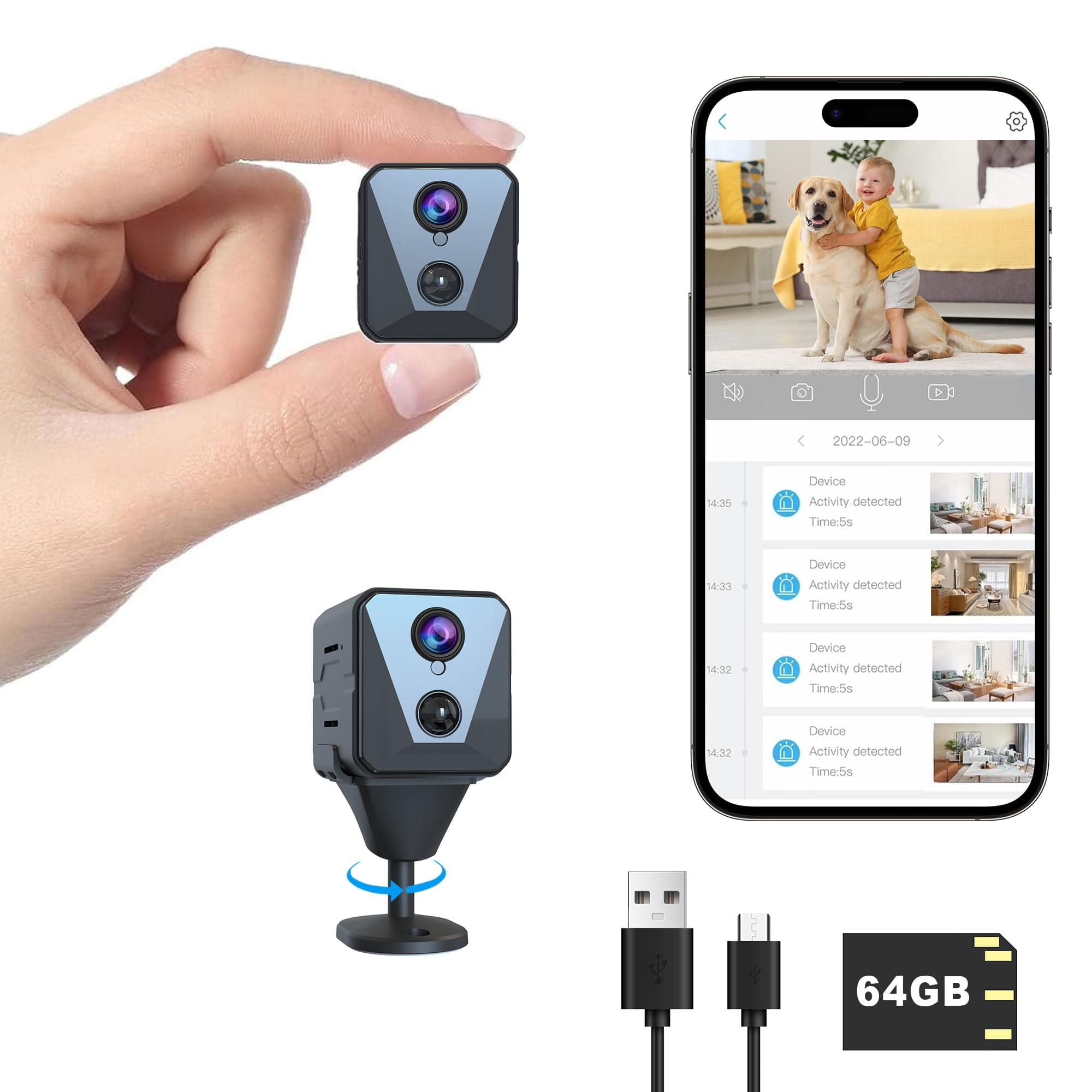
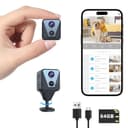
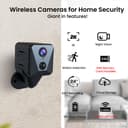
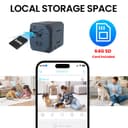

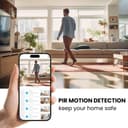

🔒 Elevate your space with next-level, always-on security.
The Funstorm X1 Indoor Security Camera delivers ultra-clear 2K video with a wide 150° field of view and advanced AI motion detection. Featuring an industry-leading 100-day standby battery and 64GB SD card for local storage, it ensures uninterrupted, private surveillance. Easy wireless setup and real-time app monitoring make it the perfect smart security upgrade for modern homes and offices.
| ASIN | B0CTY7ZVY1 |
| Alert Type | Motion Only |
| Antenna Location | Indoor Security |
| Are Batteries Required | Yes |
| Best Sellers Rank | #370 in Dome Surveillance Cameras |
| Brand | Funstorm |
| Built-In Media | Comes as a Combo Set |
| Color | black |
| Compatible Devices | Android |
| Connectivity Protocol | Wi-Fi |
| Connectivity Technology | Wireless |
| Control Method | App |
| Controller Type | Android |
| Customer Reviews | 4.2 4.2 out of 5 stars (781) |
| Effective Still Resolution | 8 MP |
| Effective Video Resolution | 2000 |
| Enclosure Material | Acrylonitrile Butadiene Styrene (ABS) |
| Field Of View | 150 Degrees |
| Flash Memory Installed Size | 64 GB |
| Form Factor | Cube |
| Frame Rate | 30 frames per second |
| Indoor Outdoor Usage | Indoor |
| Installation Type | Screw In |
| Item Dimensions | 1.97 x 0.98 x 0.98 inches |
| Item Type Name | Security Camera |
| Item Weight | 50 Grams |
| Manufacturer | Funstorm |
| Model Name | X1 |
| Model Number | B13 |
| Mount Type | Wall Mount |
| Night Vision | YES |
| Night Vision Range | 8 Meters |
| Number of Channels | 1 |
| Number of IR LEDs | 8 |
| Number of Items | 1 |
| Other Special Features of the Product | Easy to Install |
| Photo Sensor Resolution | 3 MP |
| Power Source | Battery Powered |
| Room Type | Office |
| Shape | Square |
| Specific Uses For Product | Surveillance |
| UPC | 658362002097 |
| Unit Count | 1.0 Count |
| Video Capture Format | MPEG-4 |
| Video Capture Resolution | 1080p |
| Voltage | 5 Volts |
| Water Resistance Level | Not Water Resistant |
| Waterproof Rating | IP67 |
| Wattage | 2.5 watts |
| Wireless Technology | Wi-Fi |
S**S
Best mini camera I’ve came across
This is my second camera experience and this is by far theeeeee best! The battery life is amazing the picture quality, color and night vision is amazing and it detects every motion in my basement. It’s small and easy to set up. You can zoom in and out and the best part is you can also use a sd card, however with how amazing it works I plan on getting a subscription! Will absolutely recommend to any and everyone looking for a touch of home security!
I**Z
Great wireless security camera at a good price!
This wireless security camera is so user friendly and easy to set up! I had it up and running in 5 minutes! The picture is clear and has features I really didn't need but are there if I need them. Even has clarity at night! I would definitely recommend this. And also at a good price!
H**Y
Good quality for a good price
Clear picture and easy to install. I love that is has the option for either screw in or sticky tabs. Very convenient. I'm still learning how to use the cloud function, but I have the SD card installed as backup. 100% worth the buy.
J**S
Great camera, easy to setup, one minor security concern
This camera was easy to setup using the recommended app (UBox) and the quality was much better than I expected. The battery life has been very good - I've had it in a relatively high traffic area for over a week and it still has about 80% battery. If "silent" mode is disabled in the app for this camera, anytime motion is detected, on my Android phone, I get a message in my notification area with a snapshot from the camera. I also get an alert on my phone when the camera goes offline (internet, battery, or just powered off). Also, while viewing the live stream, listening in on the audio, sounds are nicely amplified and easy to hear - I have not tried the microphone feature yet to try and speak to someone near the camera. **Security Concern**: Most people won't care about this, and some will think it is a benefit, but I am a software engineer and this is slightly concerning to me. Normally, you are only able to access a WiFi camera when your phone/computer is on the same network as the WiFi camera you're viewing, unless you open up ports on your router (port forward) specifically for the camera (you shouldn't do this unless you know what you're doing), or if you have a VPN connection to your router. However, with this camera, after pairing and adding it to my WiFi network using the UBox app, I was able to turn off WiFi on my cell phone and still connect with the camera and live stream video and sound via the cellular connection. This means that the camera is connecting to a server somewhere that relays the audio and video to the UBox app on my phone, bypassing the firewall on your router. Unless the pairing process also performs some SSL/TSL security setup (it may, but I could find nothing to confirm this), then this means that technically whoever owns that server could view the camera stream and audio without your permission. I hope/doubt they are, but considering the number of companies that are hacked these days, I'd be cautious using this camera as a baby monitor or within range of private conversations just in case. Like I said, for some people, being able to access the camera's feed while out of the house may be desired. If you're not very tech-savvy, but need to keep an eye on the baby sitter, pets, someone working on your house, etc, while you're out, this is a great option to allow that. A few tips for users: 1. The default resolution when you first connect is standard definition (SD). If you tap on "SD" in the UBox app, it will switch over to high definition (HD). It appears you have to do this every time you connect with the app, likely to conserve battery. 2. If you turn off your phone screen while connected with the camera to live-stream, when you turn on your phone again, it never seems to be able to connect with the camera again (just spins and never connects). You need to go back to the previous screen (viewing available cameras), then connect with the camera again to begin streaming. Wish List: - It would be nice if there was an option to always connect with HD mode **EDIT** I did find this in the app settings. - It would be nice if the device password was accessible so that I could connect with it using other camera viewing apps. - Without the cloud subscription, it doesn't appear there is a way to view the recorded video that is stored on the local SD card from the app. I was hoping I could use the app to access the recorded video that is stored on the local/physical SD card and that the cloud subscription would only be needed if I wanted to store the video in the cloud. - It would be nice if the local hotspot viewing feature could be set permanently as the operation mode so that this could be used as truly portable camera for use when WiFi is not available. Given the great battery life of this camera, I was hoping to take it with me when traveling and just be able to connect to it directly from my phone when I needed to view the video stream (I doubt I can connect it to a hotel WiFi since most have a confirmation page to accept on a browser).
A**S
Awesome camera!
The camera has a very wide and clear view. Easy to zoom. Works well in dark spaces.
E**N
Exceeded My Expectations!
I’m so happy with this purchase! The camera quality is incredibly clear, both day and night, and the AI motion detection works flawlessly. I love that it comes with a 64G SD card and has an impressive battery life — I haven’t had to recharge it often at all. Setup was super easy, and the connection to WiFi was quick and stable. It gives me real peace of mind knowing I can check in anytime and everything is recorded securely. Excellent value for the price — highly recommend to anyone looking for reliable home security!
T**Y
Limited to ubox app and one ssid network in setup
great little camera but limited to one ssid and app. battery longevity seems to be good but haven't had it long enough to test. Would have given the cam 5 stars but it's extremely limited to ubox app only. Not compatible with any other app or HiP2P client. Wifi 2.4 range is decent but only restricted to one ssid network at setup. You must reset cam and start all over to change ssid which is time consuming and a pain in the but when you're on the go. It kind of defeats the portability to use outside of your setup network your using. So much for using it for security when away. I wanted to use it in hotel rooms, in my car, or other locations for security. Can't do it without starting all over setup again. It should be a easy fix for the app to be updated to be more user friendly and usable. User manual is not complete and you must access their website for more. All in all, it's worth the money and the hardware is very good with the exceptions given. I hope they realize it can be improved for its functionality by updating the software
D**N
easy to use
Pictures are clear. The setup was easy enough for a 75 year old to understand. Motion detection was at 100 feet+. Well worth the money at this price point.
J**H
I bought this mini camara a week ago, it came in well nice package in it box. The camera is very small and cute as I wanted. It was easy to Install and perfectly clear. It motion sensor is actively working good,it captures any movie object that comes the way and send me with notification right away. The app is also working great. This camara is very quality and is value for the money. Is very bright and very clear even at night. It came with 64 GB storage that is working good and has a cloud storage that can back up your photos and videos and it has a long lasting battery. I will recommend this camera to anyone who wants a mini camara for home security both inside one out side of your home.
T**.
I’m really impressed with how easy it was to set up this camera — the user-friendly app and quick WiFi connection made the whole process hassle-free. The 2K resolution and wide 150° angle view deliver clear and detailed footage, even at night thanks to the strong night vision. I appreciate that I can choose between SD card local storage and cloud storage, giving me flexibility for how I save my recordings. The motion detection feature works reliably and sends instant alerts to my phone, which gives me peace of mind when I’m away. Overall, this little camera packs a strong set of features at a great value and has become a key part of my home monitoring setup.
K**S
I paid for the cloud storage and it stopped noticing movement and giving me notifications within the week.
M**N
I recently tried out the Funstorm 2K Spy Camera, and overall, it’s a solid, compact device with a lot of potential. For anyone looking for a small, easy-to-set-up security camera, it delivers well on these fronts. However, after using it extensively, I found a few areas where improvements would significantly enhance the user experience, especially if you’re relying on it for security in a high-traffic area. Pros: Simple Setup, Compact Design, and Quality Build The camera is genuinely user-friendly when it comes to setup. The instructions included are basic but cover everything you need to get started—download the app, connect the camera, and adjust motion detection, night vision, and video length. The compact design is a definite plus, as it’s easy to place discreetly in any room. Additionally, the camera feels well-built and sturdy, adding to its appeal as a reliable option for home monitoring. Installation is straightforward, making it accessible for users of all experience levels. Cons: Limited Guidance Beyond Basics While the initial setup is easy, the camera lacks support when it comes to its more advanced settings, which can be frustrating for users who need more detailed guidance. For instance, there are settings like “power frequency” with options for 50 or 60 Hz, but no explanation in the manual or online about what this does, leaving users to search online or rely on trial and error. One of the most confusing settings is cloud video duration, which lacks a clear explanation of how it functions. This setting offers options like 5, 10, 20, or 30 seconds, as well as “full-time recording.” It appears that choosing a specific duration means the camera will record for that period when motion is detected, then go back to standby mode. However, it’s unclear whether the camera immediately starts recording a new clip if motion continues after that initial period or if there’s a delay before it reactivates. This could impact users who need reliable footage of continuous activity, like tracking someone moving through a room or monitoring an extended event. For example, if set to a 5-second duration, the camera might only capture brief snippets of motion, potentially missing important activity if the movement persists beyond the initial trigger. Choosing “full-time recording” would solve this issue but at the expense of significantly increased battery usage. A more comprehensive guide that explains how each duration setting behaves in real-world scenarios would be extremely helpful, as it would allow users to make more informed decisions about balancing battery life with reliable monitoring. A thorough, easy-to-understand manual or online resources explaining these features and providing examples would go a long way in making the camera more user-friendly, especially for those new to home security systems. SD Card and Formatting Issues One of the most significant drawbacks I experienced involved the SD card compatibility. I upgraded to a 128GB card, which the camera is supposed to support, but encountered frequent formatting issues. When I format the card on my computer to exFAT, the camera asks me to format it again. But when the camera formats the card, my computer can’t read it. This creates a major issue if you need to access footage directly from the SD card. Instead, I have to connect to the camera over Wi-Fi and download files one by one through the app, which is incredibly time-consuming. If I have a lot of footage to review, this can make the process nearly unmanageable, especially if I’m looking for something specific over a longer time period. Lack of Third-Party Compatibility One last limitation worth mentioning is the camera’s reliance on its proprietary app. There’s no information on whether the camera supports third-party apps or standard protocols like ONVIF or RTSP, which means you can’t integrate it with other home security setups. For users who prefer more flexibility, this could be a drawback, especially since it also limits external storage options outside of their cloud subscription. Final Thoughts Overall, the Funstorm 2K Spy Camera offers excellent picture quality, a user-friendly app, and an easy setup for basic use. It’s perfect if you need a simple, compact camera and don’t mind relying on the app for everything. However, for anyone who needs greater flexibility in terms of SD card access, advanced settings, or battery life management, there are limitations to keep in mind. I’d recommend this camera for basic home monitoring but suggest looking for other options if you need more robust, user-friendly options for high-traffic areas or long-term security storage.
J**N
This camera works great but it said it came with an SD card and it didn’t! So that’s a lie and they should remove it from the item online!
ترست بايلوت
منذ 4 أيام
منذ شهر