We remain fully operational. Our teams are working around the clock to ensure your deliveries continue safely.

قم بتنزيل التطبيق


معلومات عنا
حقوق الطبع والنشر © 2024 Desertcart Holdings Limited
قم بتنزيل التطبيق



Buy anything from 5,000+ international stores. One checkout price. No surprise fees. Join 2M+ shoppers on Desertcart.
Desertcart purchases this item on your behalf and handles shipping, customs, and support to KUWAIT.
💼 Elevate your storage game with speed, space, and smart cooling—because your data deserves the best.
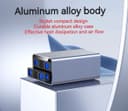
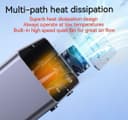
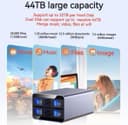
The IO Crest SY-ENC50124 is a rugged, tool-less 2-bay external enclosure supporting 2.5" and 3.5" SATA drives up to 24TB each. Featuring USB 3.0 for 5Gbps transfer speeds, an aluminum heat-dissipating shell, and smart fan control, it ensures efficient cooling and quiet operation. Its independent drive power switches and hot-swappable trays offer professional-grade flexibility for expanding and managing large storage needs without RAID support.
| ASIN | B0CRJQ54LW |
| Box Contents | USB 3.0 Cable, Power Adapter, User Manual |
| Brand Name | IO Crest |
| Colour | Gray |
| Compatible Devices | Laptop |
| Customer Reviews | 4.1 4.1 out of 5 stars (8) |
| Data Transfer Rate | 5 Gigabits Per Second |
| Enclosure Material | Aluminum, ABS Plastic |
| Hardware Interface | USB 3.0 |
| Hardware Platform | Universal |
| Item Weight | 1.72 Kilograms |
| Manufacturer | IO CREST |
| Memory Storage Capacity | 20 TB |
| Supported Devices Quantity | 2 |
| The Standard Size of the Hard Drive or the Bay the Hard Drive Is Compatible With (in inches) | 2.5 Inches |
| UPC | 850039353215 |
S**R
Works fine.
M**O
Update 16 months later: Fan noise. Yeah, it can become an issue. And honestly, while I put up with it for a few weeks, I finally decided to the good old "impact maintenance" on it. Gave it a few light smacks and the fan noise was greatly reduced. Is this the best way to fix things. No. But sometimes it works. Without opening up the unit to look, my guess is that the fan can sometimes get off balance and it's rubbing against something. I am considering moving it to another part of the house that has a door to block the noise if the fan acts up again. Do this at your own risk if you choose to do it. A hard enough smack on the case while a drive is being accessed, especially being written, may damage the drive. In the case of doing it while the computer is booting up, you're getting read access so, in theory, there won't be any damage or data loss. But I'm not an expert and don't blame me if you lose your data. With that said, man is it so much quieter now. Back to what it used to be. Just a quiet woosh in the background. ---------------------------------------------------------------------------------------------------------------------------- Needed an enclosure for 2 drives for a JBOD. One drive is for file storage while the other is for Time Machine. Got 1 Seagate Exos x12 12TB for file storage and 1 Seagate IronWolf Pro 16TB for TM. Both drives renewed. I've been very pleased with this setup. While I give the box 5 stars, if I was going to make any kind of deduction is that the drives can go offline if the unit gets bumped. It's not like I'm intentionally hitting it, but a few times there's been an accidental hit and the drives go offline. As far as noise, when the drives are idle, it's pretty quiet. You can barely hear the fan and you'll hear the occasional drive click, but that's normal for an HDD. There are other things in the room that make more noise. When you access it, yeah, it can be pretty loud. Especially if both drives are being accessed at the same time. Slightly louder than a normal external drive. But it doesn't bother me. It's almost soothing in a way to hear that sound. If and when I need more bays, I wouldn't hesitate to get another unit.
P**P
Works Great ! ! am running them on a Raspberry pi 4 with LibreElec as a media server .
S**L
4bay: I tried and returned three of them. They all had the same problem: blinking of all the bay lights like a faulty power supply and the drives not mounting. Two of them worked ONCE. The first one never worked and I believe it was a prior return as the cables were unbundled. Upgraded the very weak fan in the second one after a successful first run to a Noctua pwm (draws a bit less amperage than stock but moves far more air, pwm model stronger than 3 pin and would be fine as I would be running it on high) with a 4 pin to 2mm 2 pin adapter only to have to take it right back out it again. It only took one power cycle for the third to fail, just like the second. [Drives are known good, computer is a fully updated 2023 Legion.] 2bay: 42°c and climbing after half hour at idle, worse than a no fan mybook enclosure before I added a fan to it. Can not upgrade fan to a higher output 20+mm deep model due to it being sandwiched between the case and the logic board the drive bays plug into. There's actually a hole in the board for it. No thanks. Returned.
A**N
For some reason, Amazon is forcing me to leave a review of the 2 hard drive bay with the tiny fan. My review of the two drive bay is …skip it. It is like a mini oven. The tiny fan is useless ** Review for the 4-drive bay** (purchased 9/2024) I bought two of these last year. The first thing I did was unscrew and rip out the metal housing that’s wrapped around. The problem with any bay is that heat travels upward. On top of that the housing traps the hot air around the drives. The fan is a nice addition, but there is not enough ventilation for it to be of any use. You can position the fan to pull air out, or push air in. But there’s no front ventilation to allow air to go in/out. So I just took off the shell and provided my own cooling. I have 12TB enterprise drives running 24/7 on both of these. I do not use the built-in fan. I rely on a strong external desktop fan (“Woozoo” is the manufacturer, purchased from Costco) instead. These drives never go past 37°. And usually stay between 33-34. But when they had the metal housing and the external fan, they often would climb to 41°- 42°. The next challenge was counteracting the heat that travels upward from cooking the other hard drives in the trays above. So I bought a computer monitor stand and stacked these bays vertically so that the heat would naturally flow upwards without affecting the other drives. See photos attached. I had to zip-tie the housing to the perforated holes of the computer monitor stand. But there is surprisingly not much vibration issues. I highly recommend this bay. I have two of them running since September and June of last year without any issues so far. 2/1/2026: Picked up a 3rd bay. All my 4-bay DAS are still running strong! Have 14TB enterprise drives (WD/HGST) in all of them now and all have been running 24/7. Even the ones from 2024. No issues so far. Great product. Cheaply made, not the best QC. But… surprisingly longevity for mine. I’m using the 3.0 USB A, not the USB C version. Disks transfer at 175-200MB/s avg.
ترست بايلوت
منذ شهر
منذ 3 أسابيع