🚀 Elevate your everyday hustle with power, style, and sound that keeps up!
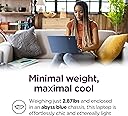
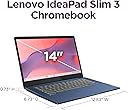
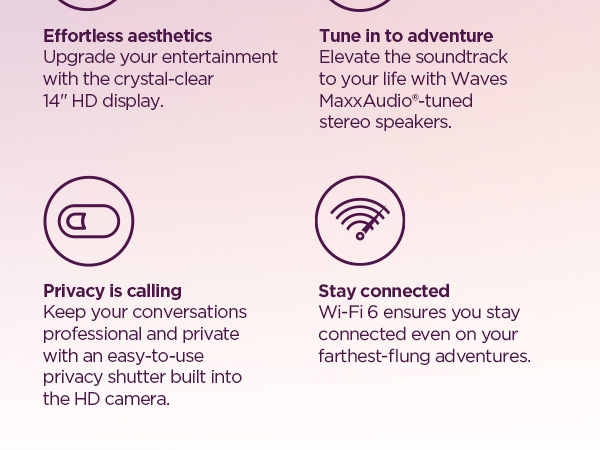
The Lenovo IdeaPad Slim 3 Chromebook (2024) is a lightweight, ultra-portable laptop featuring a 14" HD display, Waves MaxxAudio stereo speakers, and a MediaTek Kompanio 520 processor. With up to 13.5 hours of battery life, WiFi 6 connectivity, and privacy-focused features like a camera shutter and mute key, it’s designed for professionals and students balancing work and play on the go.



| ASIN | B0D5HZVQDL |
| Audio Output Type | Speakers |
| Audio Recording | Yes |
| Audio features | Waves MaxxAudio®-enhanced audio |
| Automatic Backup Software Included | Chrome OS |
| Available M2 Slot Count | 1 |
| Battery Cell Type | Lithium Polymer |
| Battery Life | 13.5 Hours |
| Best Sellers Rank | 124,474 in Computers & Accessories ( See Top 100 in Computers & Accessories ) 2,534 in Traditional Laptops |
| Bluetooth Version | 5.1 |
| Bluetooth support? | Yes |
| Box Contents | 720P |
| Brand Name | Lenovo |
| CPU Codename | Kompanio 520 |
| CPU L2 Cache | 2 MB |
| CPU L3 Cache | 4 MB |
| CPU Model Generation | 520 Series (1st Gen) |
| CPU Model Number | Kompanio 520 |
| CPU Model Speed Maximum | 4.3 GHz |
| Cache Memory Installed Size | 8 |
| Camera Description | HD 720p Camera |
| Chipset Type | MediaTek Kompanio 520 |
| Colour | Abyss Blue |
| Compatible Devices | External screens, USB equipment, Bluetooth periphery, Wi-Fi accessories |
| Control Method | Touch |
| Customer Reviews | 4.2 4.2 out of 5 stars (449) |
| Display Technology | LCD |
| Display Type | LCD |
| Form Factor | Ultra-Portable |
| Graphics Card Ram | 4 GB |
| Graphics Coprocessor | MediaTek |
| Graphics Description | Integrated |
| Graphics Ram Type | Shared |
| Hard Disk Description | SSD |
| Hard Disk Interface | Solid State |
| Hard-Drive Size | 64 GB |
| Hardware Interface | USB Type C |
| Has Color Screen | Yes |
| Human Interface Types | Touchscreen |
| Item Dimensions L x W x Thickness | 22.1L x 33.6W x 1.8Th centimetres |
| Item Weight | 2.86 Pounds |
| Keyboard Description | Chiclet |
| Keyboard Layout | QWERTY |
| Lithium Battery Energy Content | 47 Watt Hours |
| Manufacturer | Lenovo |
| Maximum Display Brightness | 250 Nit |
| Maximum Display Resolution | 1920x1080 |
| Memory Clock Speed | 5500 MHz |
| Memory Speed | 5500 MHz |
| Microphone Form Factor | Integrated |
| Model Name | Slim 3 Chromebook |
| Model Number | 82XJ0026US |
| Model Year | 2024 |
| Native Resolution | 1920 x 1080 pixels |
| Network Connectivity Technology | USB |
| Number of Ports | 1 |
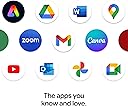
| Operating Systems | Chrome OS |
| Optical Storage Device | No |
| Other Special Features of the Product | HD Audio |
| Power Device | Internal Battery |
| Processor Brand | MediaTek |
| Processor Count | 1 |
| Processor Series | MediaTek Kompanio 520 |
| Processor Speed | 2 |
| RAM Memory Installed | 4 GB |
| RAM Memory Slot Total Count | 1 |
| RAM Memory Technology | LPDDR4X |
| RAM Type | DDR4 SDRAM |
| Ram Memory Maximum Size | 4 GB |
| Refresh Rate | 60 |
| Resolution | 1080p |
| Screen Size | 14 Inches |
| Speaker Description | Stereo speakers with Waves MaxxAudio tuning |
| Specific Uses For Product | Student |
| Supported Monitor Maximum Quantity | 1 |
| Total HDMI Port | 1 |
| Total USB Ports | 1 |
| Touch Screen Type | Capacitive |
| Touchpad Feature | true |
| UPC | 197532262461 |
| Unit Count | 1.0 count |
| Video Output | USB-C |
| Video Processor | ARM |
| Webcam Capability | Yes |
| Wi-Fi Generation | Wi-Fi 6 |
| Wireless Compability | 802.11ax, Bluetooth |
| Wireless Technology Type | Wi-Fi |
S**A
It’s not what I prefer to get but I get it I tried to cancel the order but they have already dispatched it . Sorry to say but it’s not what I am looking for not good for the study and using office work .
D**E
So far so good. It loads slow at times, but I think that just wifi issues. It's great for work and school. Not so much for movies if you want a perfect display, but it's good enough for me. Low cost and decent.
L**K
Not a touch screen. Fake advertisement
I**C
Excellent Chromebook!!
K**R
The Chromebook has a persistent blue line on the right side of the screen that remains even after a powerwash reset. Despite my efforts, I cannot remove it. I recently purchased this device and am disappointed, as I prefer Chromebooks over Windows for their lightweight design and smooth performance, even with only 4GB of RAM. I’d love to keep using this device, but the permanent blue line is a significant issue.
ترست بايلوت
منذ شهر
منذ 3 أسابيع