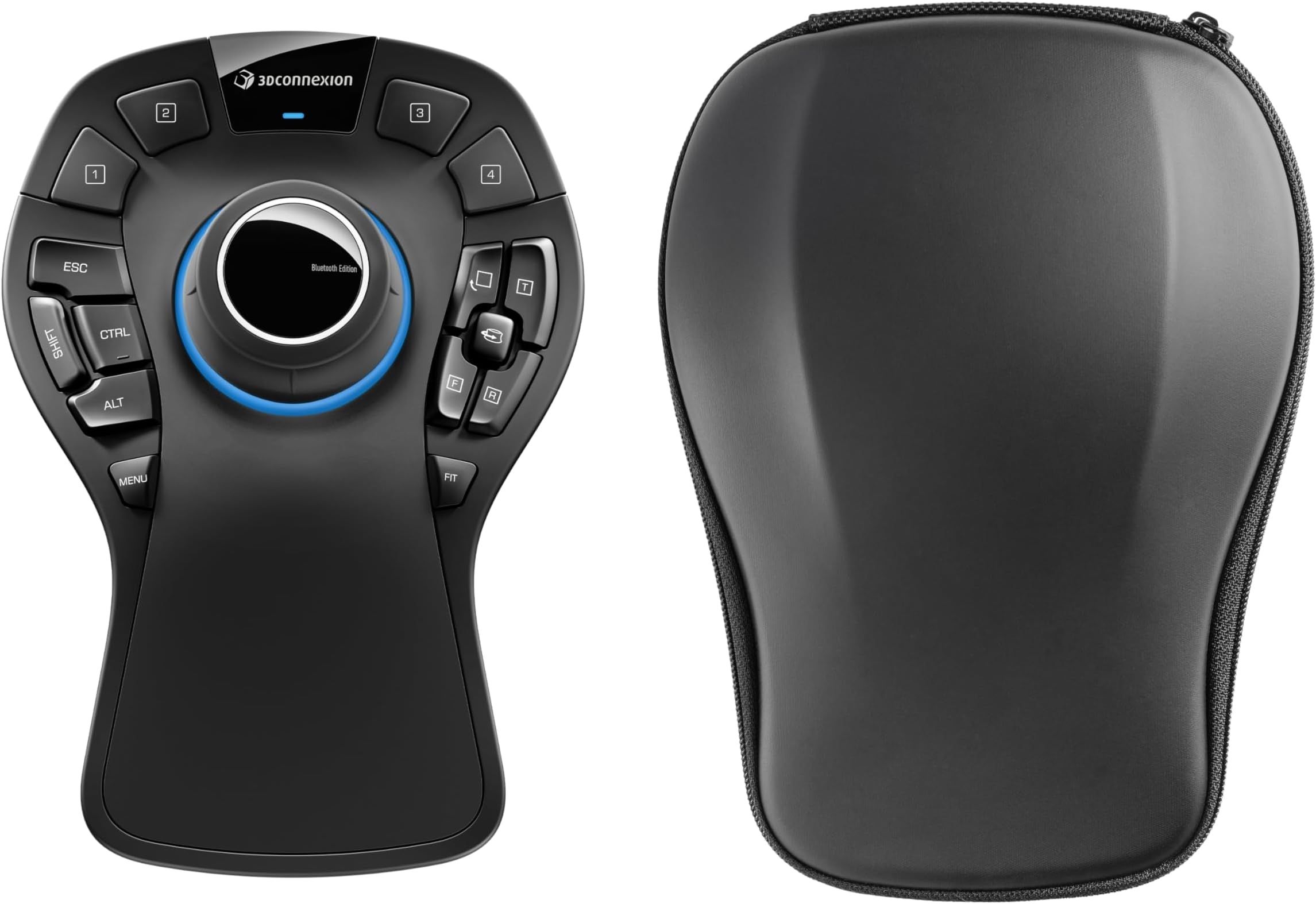
As you read this you may initially wonder why I gave it five stars! I do quite a lot of 3D modelling mainly for printing. I'd been aware of these devices for years but just never got to try one or consider it properly. More recently I watched a few Youtube videos and figured it might improve my workflow so I bought this one. It is a very well made device. Quite heavy so it doesn't move around on the desk (which is good). It feels nice too, materials seem pretty high quality. However. An hour after getting it I was ready to throw it out of the window. The first problem was the software. I installed it and the device worked but I did not know that I should have something called 3Dconnexion Home sitting on my desktop. This panel has a trainer (WHICH IS VITAL), manuals, viewers a demo and so on.. I had a settings icon which worked and that was it... but I thought this was normal. The trainer takes you through the main controls. It is incredibly important because there are features which will ruin your experience if you don't know they exist - TILT!! Without the trainer I started using the device with Fusion. It worked but nothing made any sense. The main controller can be pulled up and down, pushed forward and backwards, left and right AND tilted forwards, backwards, left and right. If you don't realise tilting the controller does something then you will think there is something wrong when you zoom into an object or move it left and right. If you don't know you don't know... I didn't know. The default system means that you move the object in your software as if you are holding it rather than move the view. To me this might be cool and "better" later on perhaps but just makes no sense when you've been using a mouse and moving the camera for years. I knew that this was how it was setup so after trying and failing with it several times I reversed the controls thinking that would sort it all. Confusion then set in. I would zoom the wrong way, fix that and then it seemed ok but sometimes I would zoom in some weird arc. Same for moving left and right... Sometimes I would zoom into the top of a model and end up underneath!! I actually start to fill an Amazon return in, I'd put it back in the box!.. then I had one more go and watched another youtube. The guy had the desktop widget panel .. and a trainer... I didn't have that! I rebooted.. Still nothing Then I saw some users had mentioned this problem before- reinstall the software. I reinstalled the software. A panel appeared. I ran the trainer! The trainer taught me about tilt! Interestingly in the trainer the normal controls where you move the object actually seem OK.. but as soon as I go into CAD.. they don't. That was it. Things started to make sense. I could rotate around the object, go under it, zoom in and out straight without arc! The device is very sensitive. You will probably need to fiddle with the levels especially early on. I would recommend running the trainer several times over a few days. Don't expect to use it like a pro for quite awhile. Force yourself to use it when you have time to avoid irritation because at first you will like some things and find others more difficult than using the mouse. I am still learning. I use it a lot for "looking" and then tend to switch back to the mouse for "doing". The buttons on this version are really useful but I am still learning where they are. Why is is "better"? It can smoothly rotate objects, you can zoom in far more easily with Fusion and Blender. I've started to get annoyed with the odd bit of old software it doesn't work with because it is starting to become a proper tool in my workflow. I really like it. I have one complaint. The keys are well positioned but I would have preferred them to be more clicky keyboard like. They are a little too spongy. I guess they have done this so you don't accidentally press them but I'm not very keen. The shift key is small and feels weird. I will probably get used to it. Five stars because it is actually really good.