We remain fully operational. Our teams are working around the clock to ensure your deliveries continue safely.

قم بتنزيل التطبيق


معلومات عنا
حقوق الطبع والنشر © 2024 Desertcart Holdings Limited
قم بتنزيل التطبيق

💼 Elevate your data game with speed, space, and style!
The MAIWO Dual Bay Hard Drive RAID Enclosure is a compact, aluminum-encased external storage solution supporting two 2.5" SATA SSDs or HDDs with up to 16TB capacity. Featuring USB 3.1 Gen 2 for blazing 10Gbps transfer speeds and four versatile RAID modes (0, 1, JBOD, NORMAL), it offers professional-grade flexibility with tool-free installation, hot swapping, and portable design—perfect for millennial managers who demand speed, security, and scalability in their digital workflows.

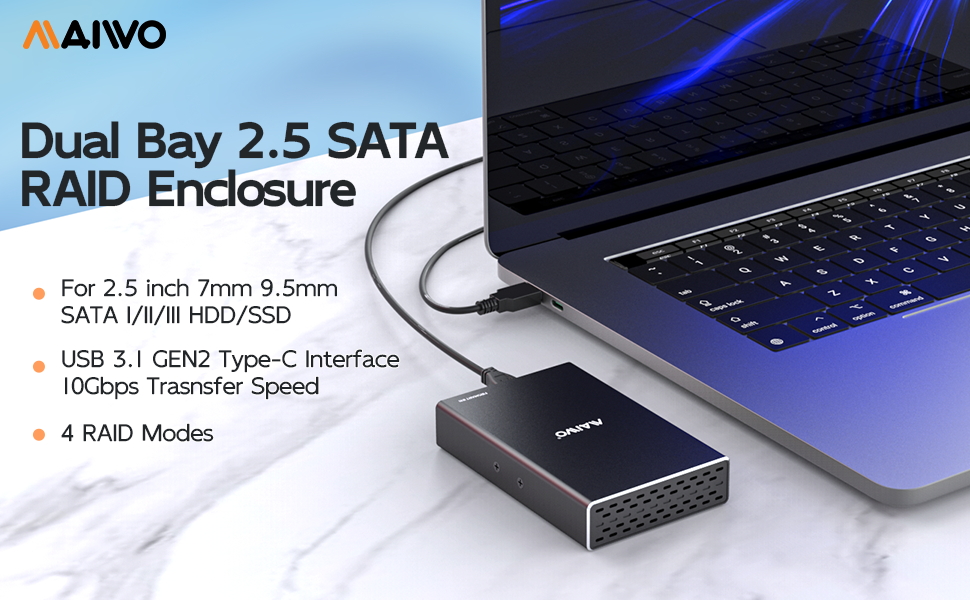

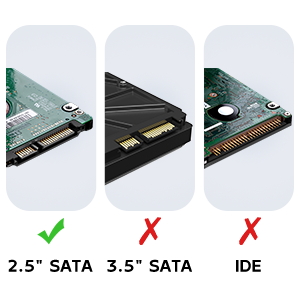
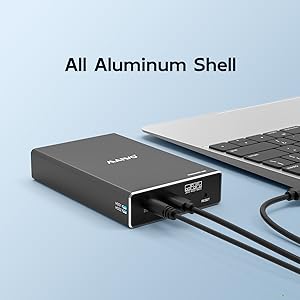
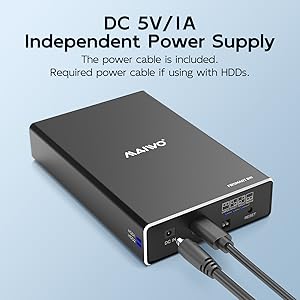
| ASIN | B083FQFGLM |
| Best Sellers Rank | #81,487 in Computers ( See Top 100 in Computers ) #364 in Enclosures |
| Compatible devices | 2.5 Inch Mechanical Hard Drive, 2.5 Inch Solid State Hard Drive, USB 3.0 Device |
| Data transfer rate | 10 Gigabits Per Second |
| Hard disk form factor | 2.5 Inches |
| Item model number | K25272C |
| Item weight | 80 Grams |
| Manufacturer | MAIWO |
| Material | Acrylonitrile Butadiene Styrene (ABS) |
| Max number of supported devices | 2 |
| Memory storage capacity | 16 TB |
| Product Dimensions | 12.7 x 7.62 x 2.54 cm; 80 g |
| UPC | 737838778428 |
N**E
I don't have a need for another RAID unit per-se. But I've accumulated lots of laptop hard drives over the years. Seemed wasteful to just toss them. So what do I do with them? I use this unit in large drive mode, and use old drives as scratch space. Like temporary quick storage for media files on the go. Large mode means that you get 1 big drive. 1TB + 250GB drives get you a virtual 1.25TB drive with this unit. I just run the drives until one of them finally dies. Figure out which one is bad, get rid of it, reset, reformat and keep going. It just works. And I feel like I'm not wasting old hardware.
M**S
Includes screws and a few appropriate screwdrivers to install the SSDs. In 'normal' mode it appears as two disks. Under linux I partitioned them, assembled a raid mirror , formatted them then mounted them. Just a few minutes. JMicron JMS551 bridge in the box.
G**S
Easy to install & setup using the dip switches - make sure to turn the enclosure off/on after setting the switches to make sure the change takes effect. I installed 2 X 1tb hard drives in RAID 1. The only thing I noticed is that it gets quite hot as there is no active cooling.
E**R
This unit works well in my QNAP NAS. My NAS was giving write errors on the cheap NVMe disks so I replaced them with newer ones and use these as a backup in this enclosure. So Far, so good.
J**D
It was hard to find this, it is exactly what have looked for. Just enough size to keep two 2.5" SSD and capable of RAID 0, 1.
ترست بايلوت
منذ شهر
منذ 3 أيام