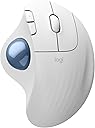
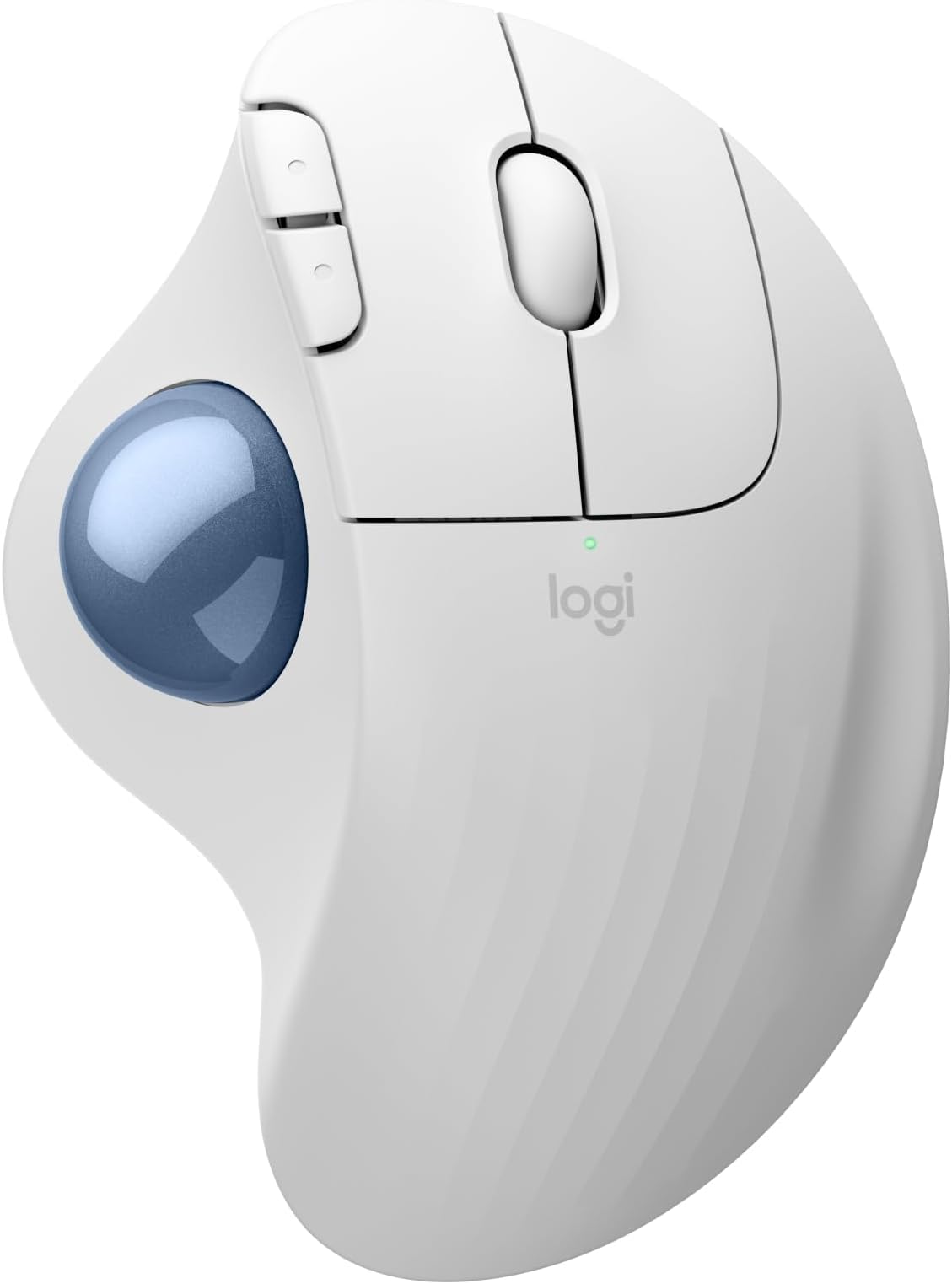
🎯 Elevate your workspace: precision, comfort, and eco-conscious control in one sleek trackball
The Logitech Ergo M575S is a wireless ergonomic trackball mouse designed to reduce forearm strain by 25%, featuring a sculpted shape for natural hand posture and thumb-controlled cursor movement that eliminates arm fatigue. It offers 2000 DPI optical precision, up to 18 months of battery life on a single AA battery, and connects via Bluetooth or a secure Logi Bolt USB receiver. Made with up to 52% recycled plastic, it’s a sustainable choice for professionals seeking comfort, efficiency, and environmental responsibility in their workspace.


| ASIN | B0BBPFCXSZ |
| Additional Features | Lightweight, Portable, Wireless |
| Antenna Location | Gaming, Office |
| Are Batteries Included | Yes |
| Are Batteries Required | Yes |
| Battery Average Life | 18 months |
| Best Sellers Rank | #23 in Computer Mice |
| Brand | Logitech |
| Button Quantity | 2 |
| Color | White + Blue Ball |
| Compatible Devices | Personal Computer, Tablet |
| Connectivity Technology | Bluetooth, USB |
| Customer Reviews | 4.5 out of 5 stars 1,463 Reviews |
| Enclosure Material | Plastic |
| Hand Orientation | Right |
| Hardware Platform | PC |
| Item Weight | 4.8 ounces |
| Manufacturer | Logitech |
| Model Name | ERGO M575s |
| Model Number | 910-007028 |
| Mouse Maximum Sensitivity | 2000 Dots per Inch |
| Movement Detection | Optical |
| Movement Detection Technology | Optical |
| Number of Buttons | 2 |
| Operating System | Windows / MacOS |
| Power Source | Battery Powered |
| Range | 100 millimeters |
| Special Feature | Lightweight, Portable, Wireless |
| Style Name | Modern |
| UPC | 097855186751 |
| Unit Count | 1.0 Count |
| Warranty Description | 1 Year limited Hardware Warranty |
A**R
Woks perfectly. Warranty cut from 3 to 1 year.
I've been using Logitech since the wired mouse/keyboard days, switching to wireless in 2012 along with moving from mice to trackballs to conserve desk space (and easy use at home on my recliner's armrest). Like a microwave: once you go trackball (and develop some muscle memory in your thumb) you'll never go back to a mouse you have to move your whole arm around to move a cursor. This review was done only a few days into using this new M575S Reliability? I've only had one Logitech failure in 2018 - 2 months before the 3 year warranty expired. Logitech promptly replaced it without my incurring shipping charges. Was disappointed, and a little nervous, when I finally saw on the box for this M575S (in VERY small print) that the warranty has gone from 3 to one year since my last purchase in 2022. So... has the quality gone down too??? Only time will tell. Right now, after reading reviews for cheaper M570 trackball knockoffs of unreliability and flaky behavior I don't mind paying more for a time-tested trackball. The M575S works as a trackball with expected basic functions out of the box (like every Logitech product I've purchased -- 15 of them for my business and home. Just plug in the USB receiver and pull the battery connection paper tab to connect it. After downloading Logi Options+ app (and a PC restart. It won't load without a restart) I could reassign buttons the way I am used to. The Logi Options+ app has been updated sometime last year I think, because it now works without the serious glitches it previously had disconnecting or not starting at all, or misbehaving inside the app. Works perfectly now. For another PC that I use for gaming I love the ability to make app specific trackball changes for a particular gaming app (or any app), like speeding up the trackball pointer just for that app to get across the screen without a thumb reset -- then going back to a word processing app having it slow back down for cursor placement without having to reset cursor speed. For internet or word processing I like resetting the forward and backward keys to Copy and Paste. Just use the app to assign Ctrl+C and Crtl+V. I've found that very, very useful over the years. My only [small] complaint is that if you have a perfectly good Logitech K270 keyboard [ that has been around for years and working perfectly] that you cannot use with this M575S as the M575S uses the newer "BOLT" USB receiver. The work-around so you CAN use that older keyboard is to use both the old "Unifying" USB receiver that came with your K270 keyboard and the "BOLT" USB receiver at the same time. So, you use up 2 USB A ports -- better than buying a new keyboard. It is GOOD, however that the same "Logi Options+" software will recognize both USB receivers and allow cursor speed,pointer & button programming so you don't have to run 2 different apps. That's not much of a problem with most PC's coming with more than one USB A port even though most peripherals have moved to USB C. Like almost all mice and trackballs nowadays this one has a very high resolution ball for smooth scrolling and precise cursor placement. Battery life: I get about three months out of a fresh Duracell with heavy use out of my older M570's and my M575 Pro. I've stopped using generic and rechargeable batteries. I DO always turn it off at night, weekends. You should too. And for devices that really last a long time like Logitech keyboards or less used mice or trackballs change the batteries at least once a year to forestall the formation of corrosion of battery terminals from batteries that are nearing end of life. Logitech devices have a pretty darn good coating on those battery connection terminal compared to many other battery-run devices, and I've only had one trackball (the 2012 one - Yes, still working!) start corroding. A visit to my workshop to fix it and it's back in service. The weight is irrelevant to me since it sits in one place on a desk or leather armrest and is far less muscle/tendon strain than a moving mouse. The shape is very comfortable to the hand causing no pain at all after hours of continuous work, and the buttons are still working perfectly on all 15 of my M570 and M575S and Pro trackballs. If anything goes wrong with this M575S I'll update this review. Right now I'm happy that I only spent 5 minutes installing and optionally programming the buttons and cursor speed for a game. If you don't require that optional programming then your time will be less than 1 minute to use it.
J**Y
Great mouse to purchase
The Logitech Ergo M575S Wireless Trackball Mouse (Bluetooth) is definitely an item worth buying. I only returned it because my job ended up purchasing one for me. Let me tell you how this product can make your life easier. First, it saves money because you don’t need to buy a mouse pad—the mouse doesn’t move at all. If you have arthritis or hand discomfort, this mouse can really help since there’s no wrist movement involved. You simply use the trackball on the right to move the cursor with your thumb. The buttons on the left make it easy to go forward and back while browsing. Overall, I’d give this a solid 5 out of 5. If you want this shorter, more technical, or written for a specific site like Amazon, just let me know.
M**I
Comfortable ergonomic mouse with a small learning curve
I’ve been using the Logitech Ergo M575S wireless trackball mouse for a months now, mainly for work, and it’s been a comfortable alternative to a traditional mouse. The ergonomic shape keeps my hand in a more relaxed position, which has helped reduce wrist strain during long hours at my desk. The trackball is smooth and responsive once you get used to it, and I like that the mouse stays stationary, which saves desk space. Switching between Bluetooth and the USB receiver was simple, and the wireless connection has been reliable so far. There is a bit of a learning curve if you’ve never used a trackball mouse before. It took me a few days to feel fully comfortable and precise, especially with scrolling and fine movements. Overall, this is a solid ergonomic option for anyone who works long hours at a computer or wants to reduce wrist movement. I’d recommend it for office work, productivity tasks, or anyone dealing with wrist discomfort.
M**Y
Great mouse to replace the 10 year old one like it
Works great good feel. Works great for cad drawings and 3D drawings.
N**B
Love this type of mouse
I have purchased different Logitech trackball mouse items over the years. This one was the most recent purchase. I gave 4 stars rather than 5 due to the connection difficulty (USB dongle and Bluetooth both had issues with connectivity where in the past the connection was instant no matter which was used) and the smoothness of the roller ball (seems to stick a little at first but that evens out with use). The scrolling speed is good and the click sound is exceptionally quiet - my keyboard clicks are much louder after experiencing this. When you are working in a quiet environment, every noise stands out so this mouse makes a big difference. This is my preferred mouse because if you have limited desk space or are working on the go, you do not need additional space to maneuver the mouse. This is a benefit for those like me who do not like using the mousepad on a laptop, it is just not as fluid for me as a separate mouse. Typically, I have found that the battery lasts for at least a year depending on use and when the one that came with it drains, I will switch to the lithium which lasts even longer. There is a rechargeable version, but if you have to use a cord anyway, you might as well get the corded mouse rather than the battery one. The fit to me is great - whether I am using this or my husband is, there is no issue. The fact that the mouse is ergonomic is a bonus as well, at least for someone who is right-handed - if you are left-handed, you may have issues with this particular design. You can find other brands that are less expensive, but I have found that those you have to make changes in the computer settings to mouse click speed, etc. This brand offers an accuracy with click and scrolling speeds from the factory. I am very pleased with the value and quality.
D**D
Small improvements and changes over the years, still an excellent choice
While a trackball mouse isn't for everyone, I have been a fan of them for about a decade now. They reduce the strain on my wrist and arm better than any other device. The Logitech Ergo has been one of my favorites as well. I have used 3 different iterations of this model over this time and was actually pretty happy with this newest version. The first version I hade simply connected via a wireless USB. The next had both wireless USB and Bluetooth which is incredibly useful nowadays, but they had changed the design to contain a faceted (almost low poly looking) pattern where the palm of your hand sits. I thought it looked tacky and might be uncomfortable but it wasn't. I have since warmed up to the faceted design and wasn't deterred by this model's inclusion of it as well. This newest model surprised me with the inclusion of a soft click. I don't feel it improves function in any way, but it just felt kind of novel. Like it was almost somehow higher quality. So in summation, are there any real significant changes over the years beside the upgrade to Bluetooth capability? No, but in this case I am happy with it. Note: the mouse I started with 10 years ago still works and I continue to use it. If this one can last just as long too, then I am all for it.
S**S
Great for shoulder pain from using traditional mouse
Worked great for frozen-shoulder like symptoms like scrunched up shoulder and pinky finger falling asleep. With more and more applications being browser based and having fewer keyboard shortcut, I’m forced to use a mouse more and this causes my arm to be constantly be outstretched. This is the only thing that has worked for me. I tried using a vertical mouse, using a shorter keyboard to bring the mouse closer, a track pad, and ergonomic mouse pad. The track pad might’ve been okay but I hated the gestures. With this mouse, I can keep the mouse nearby and my shoulder stationary so my shoulder, elbow, and wrist stay in neutral positions. My shoulder doesn’t creep up to my ears anymore. The trackball is slower and harder to control than a traditional mouse but the adjust has been worth it (versus the retraining the trackpad needed). I like that it has back and forth buttons and pairs with Bluetooth so I don’t need the dongle. And the added benefit of the trackball is that it’s like doing thumbs exercises and stretches to help with curling thumbs from tightening thumb muscles from thumb typing on phones.
P**W
Awesome!
The Logitech series of trackballs are the standard as far as I am concerned. Bluetooth or wireless dongle, the ergonomics are phenomenal, and they just work. If I had to find a single little niggle, I would say the it would be the scroll wheel, but it's not that big of a deal. Love these track balls!
ترست بايلوت
منذ أسبوع
منذ 3 أسابيع