We remain fully operational. Our teams are working around the clock to ensure your deliveries continue safely.

قم بتنزيل التطبيق


معلومات عنا
حقوق الطبع والنشر © 2024 Desertcart Holdings Limited
قم بتنزيل التطبيق

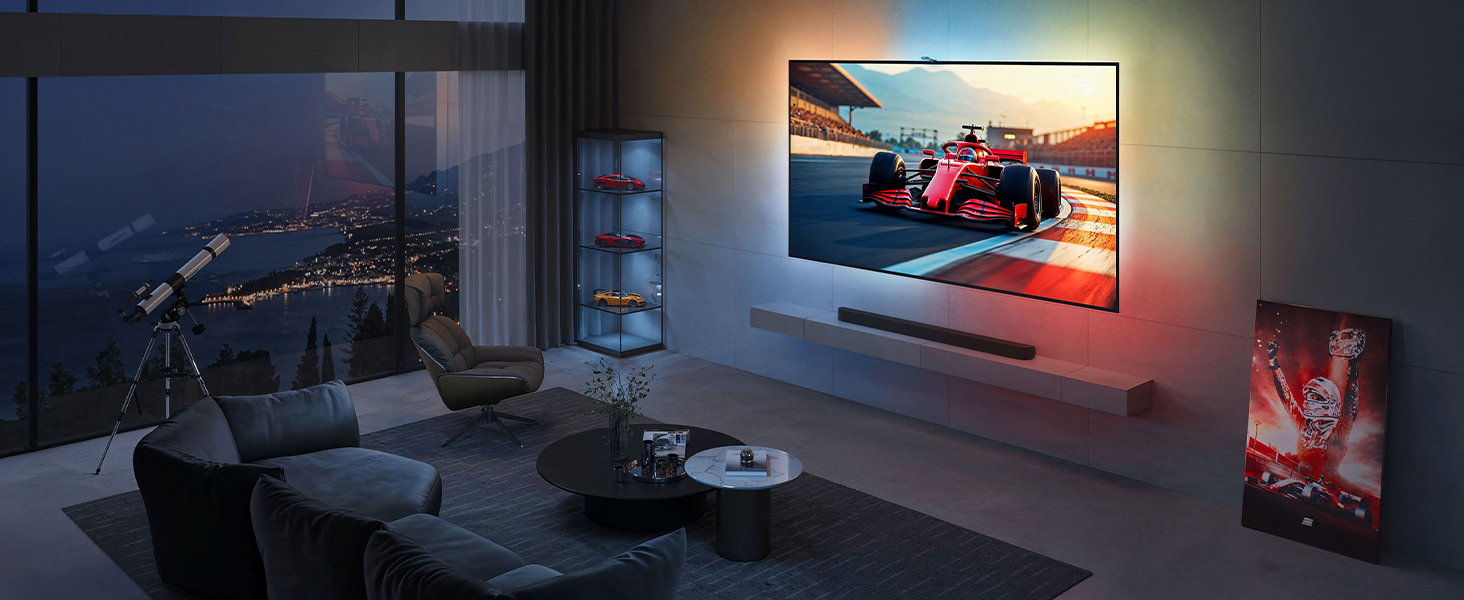
✨ Transform your TV nights into a cinematic light spectacle 🎬
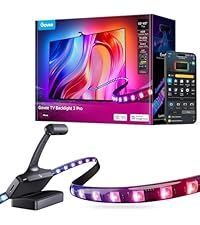
The Govee Envisual TV LED Backlight T2 features dual cameras for precise edge color matching, 11.8ft of RGBIC LED strips with 60 LEDs per meter for vivid, immersive lighting, and smart app control offering multiple dynamic modes including music sync. Designed for 55-65 inch ultra-thin TVs, it creates a personalized home theater atmosphere and supports multi-light DreamView setups for full-room ambiance.




| ASIN | B0BCQ9YQYW |
| Batteries required | No |
| Customer Reviews | 4.5 4.5 out of 5 stars (3,965) |
| Date First Available | 8 June 2024 |
| Form factor | flexible |
| Included components | Light kit inlcuded |
| Item model number | H605C |
| Product Dimensions | 14.5 x 8.5 x 15.5 cm; 1.22 kg |
| Specific uses | Indoor use only |
O**B
Great product and arrived very quick
A**A
I use this LED backlight a lot and it’s very bright — colours pop and the lighting definitely adds atmosphere whether I’m watching movies or gaming. Setup was fairly easy and the app gives good control over effects and colours. One thing to be aware of is the camera-based colour tracking. If you have a glossy TV bench, the camera reflects off that surface and confuses the tracking, so it doesn’t pick up the colours properly. Because of that, I don’t use it with the camera in my setup anymore — it works great just as a bright, colourful backlight, but the colour-matching feature only works well on non-reflective surfaces. Overall, solid brightness and fun lighting, just not ideal if you wanted accurate colour tracking off a glossy surface.
M**Z
Compre estas luces con un poco de temor porque algunas reseñas son muy buenas y otras no lo son tanto y hablan de que es difícil de configurar. Incluso me anime por esta versión aun siendo mas elevado su precio contra otra de la misma marca pero mas barata suponiendo que en esta al ser versión mas actual se corrigieran esas dificultades. la compre para una pantalla de 55" y le queda perfecto, antes de empezar a pegar medí el tamaño de las tiras contra mi pantalla y las tuve que pegar muy cerca de las orillas para que no me quedaran grandes. trae todo lo necesario para su instalación y un par de instructivos uno de inicio rápido y otro mas detallados y los dos con códigos QR que te llevan a un video para la instalación. la instalación es sencilla, se debe de limpiar donde se va a pegar las tiras, incluye las toallitas con alcohol para que quede mejor. Las cintas ya están armadas y dentro de un despachador que facilita y mucho pegarlas. la cámara solo va sobre puesta sobre la pantalla con una forma muy bien pensada y no tiene dificultad y por ultimo el modulo central que trae adhesivo doble cara y solo se pega por detrás y se conecta la tiras led y la camara con sus cables usb c. sin dificultad se conecta al celular por bluetoth y después a wifi. Donde mas me atore en en la configuración por que te indica el manual y el video pegar 8 almohadillas de color naranja (incluidas) e indicarla a la cámara manualmente donde están los puntos,. lo intente 2 veces y no me gusto el resultado pero en youtube escribí la marca y modelo y encontré un video que simula poner las almohadillas en la pantalla y mientras trascurre el video hice nuevamente una configuración y en automático me tomo las almohadillas y el resultado fue genial. solo se debe de calibra la calidez de los blancos como explica el manual y eso se hace en la aplicación desde el celular. lo que note es que los colores blancos en la pantalla los reproducía muy rojos/naranja (calido) y baje la calidez de la luz al lado mas azul y listo. tiene muchas, pero deberás MUCHAS opciones de iluminación y de programación. se pueden establecer horarios, rutinas, emparejar con Google home. me pase 2 horas probando diferentes configuraciones y no termine. solo y lo tengo que mencionar es que vi comentarios de personas que se quejan del retardo al reflejar los colores. es definitivo que si existe pero es muy breve, hablo de fracciones de segundo y considerando que los colores los reproduce después de que la cámara los registra es muy comprensible y solamente es perceptible si es que te estas concentrado en eso. Nadie mas de mi familia lo nota. Por ultimo se ve muy bien ya configurada
R**E
I was really, really hesitant about buying these. Since many "smart" things are overhyped, and ease-of-use issues and feature limitations often take away from marketing claims, and since every environment can be different, results can certainly vary and they might just possibly suck. In my case I have a very "busy" media room, where instead of a blank wall behind my television there's equipment, wires, pictures, objects, shadows, etc. So I was VERY wary about throwing these lights into the mix. Plus I was worried that the whole thing would just be distracting and annoying. Well I was wrong on all counts, these are awesome. Installation was a little tedious, but that was more because of my particular setup. My television has additional equipment and extensive wiring behind it, (a normal backlight for the tv area, three HDMI cables, network cabling, center speaker & wires, a projector, a power strip, power cables for all, etc.), so getting the light strips into place took two people to get it all measured, centered, and affixed correctly. This took the most time, (probably an hour total), but if it wasn't for the complexity of my own system, I think it would've been pretty painless. The light strips are affixed with double-sided tape already attached to the strips, (3M brand, good quality), so cleaning the adhesion areas on the television is key. Although Govee includes a couple of cleaning pads, it really isn't enough. I used some denatured alcohol and my own rag to get the areas fully cleaned. Once I measured the centerpoints of each strip and my television, attaching was easy with two people. The strips fit my television perfectly. Once attached, getting the Govee app installed and linked to Alexa was also easy. Figuring out the app features was a little tedious, as that section is rather bloated. There are quite a few "features" that I will never use, so it was all rather distracting there. Getting the lights on and into "video" mode was simple enough though. Included are numerous bright orange pads that are used to calibrate the camera sensor. It's an important step so don't forget it - putting the pads on the television and going through the calibration process gets the whole system dialed in correctly. Directions for this are included in the box, and also available in the app itself. The pads get placed in corners and centers of the television, and the camera remembers these spots so it knows the range of the television lighting. (Attached video shows the pads in place on the screen.) As for performance, my biggest hesitation was fearing that they'd be distracting and annoying, but they aren't at all. So far I've used these for movies, television shows, and Formula One races, both in daytime and at night, and I have zero complaints about any of it. They particularly shine in movies, as the immersion factor increases greatly. On the downside, my only real complaint is that the overall room lighting has a very substantial effect on how the lights perform - if there's any light reflections on the television screen it effects the brightness of the light strips. In my case - when the room lights were on, half the strips were at full brightness and the other half rather dim. I learned that shutting off the lights in the room gets it all back in trim, but that kind of sucks because I don't always watch the TV in darkness. But I guess it's no fault of the product itself because it does what it's supposed to do, (reads the light on the screen), and if that light balance is off, well... so are the light strips. Perhaps there's a way to counterbalance that in the app, but I haven't found it yet. Attached video shows a VERY color-intensive intro to the show Narcos Mexico. I suggest looking at the television itself instead of the lights, because that's what you'd normally be doing anyway. The video is an extreme case with all of the rapid color and scene changes, and I wish Amazon would still let you upload more than one video because I have other examples that aren't so intensive. (Really stupid, Amazon!) All in all, I'm totally satisfied and it's a definite positive addition to the media room. A side note for Formula One fans - anyone intending to use this with the lighting controls for the F1 Multiviewer app, well... they won't work. These lights don't have the LAN API feature necessary for the F1 app to change the lighting colors. (Boo!)
K**R
Really cool! Easy to install and makes watching movies and playing games a lot more immersive. There's different modes so you can match to whatever youre watching or choose a 'theme'. You can save setting presets as well. There's also a sound mode that flashes the lights when loud sounds happen but I found it a bit intense even on the softest setting so wont be using that.
ترست بايلوت
منذ 3 أسابيع
منذ شهرين