We remain fully operational. Our teams are working around the clock to ensure your deliveries continue safely.

قم بتنزيل التطبيق


معلومات عنا
حقوق الطبع والنشر © 2024 Desertcart Holdings Limited
قم بتنزيل التطبيق
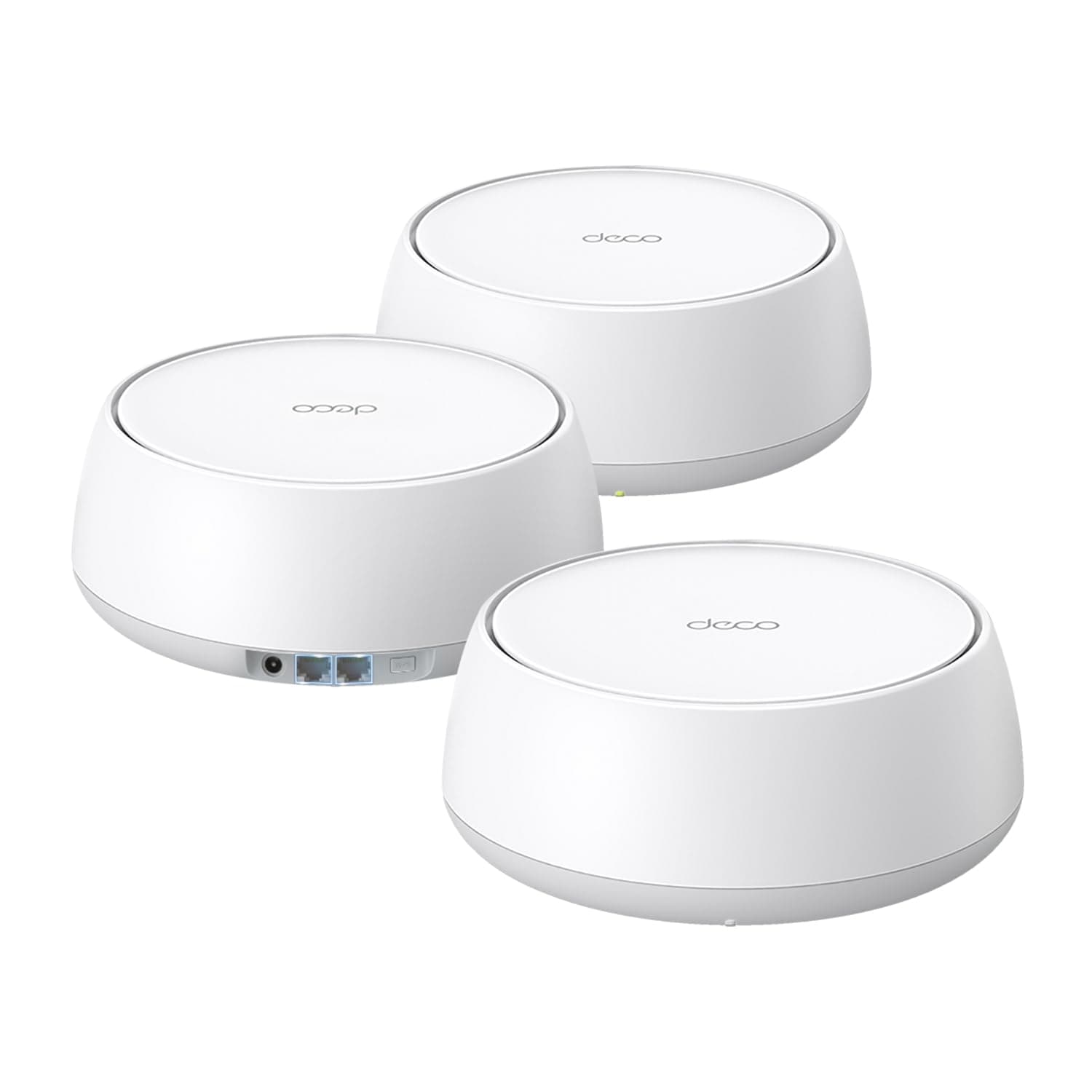






🚀 Future-Proof Your Home Network with Deco 7 BE25 – Speed, Coverage & Security, All in One!
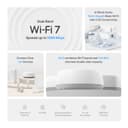
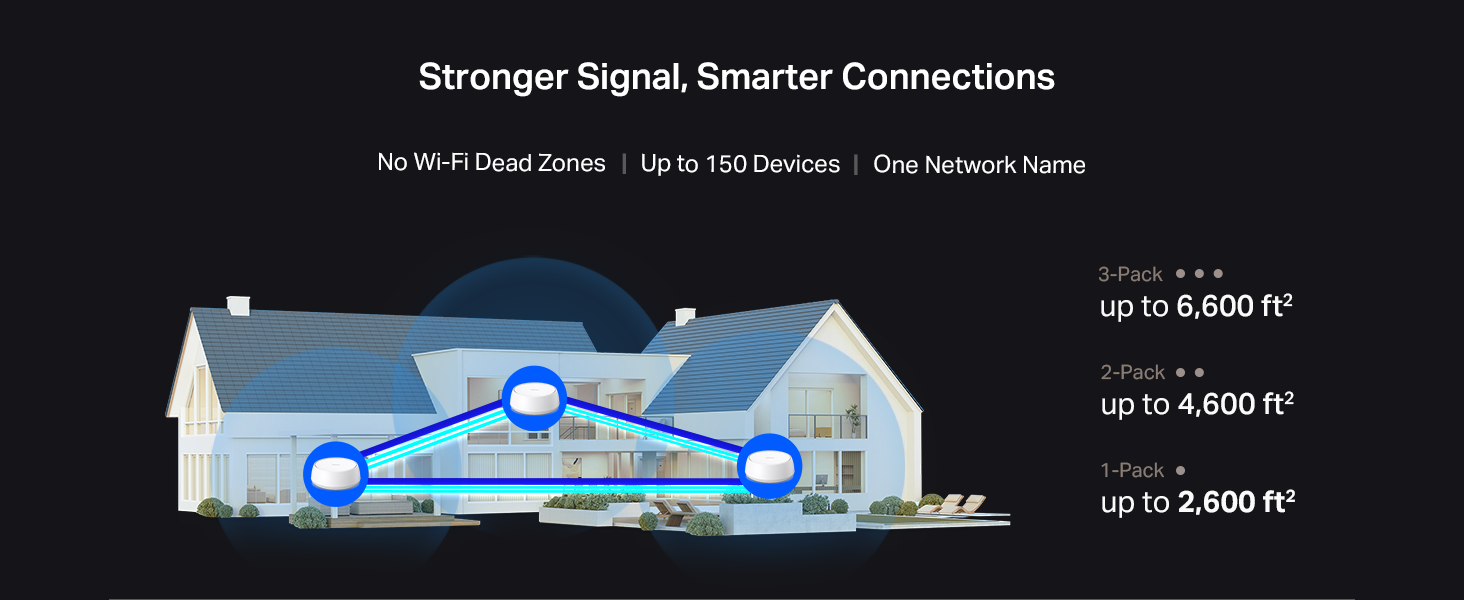
The TP-Link Deco 7 BE25 is a cutting-edge WiFi 7 mesh system delivering ultra-fast dual-band speeds up to 5 Gbps, expansive coverage up to 6,600 sq.ft, and support for over 150 devices. Featuring 4-stream BE5000 technology, dual 2.5 Gbps wired backhaul ports, AI-driven seamless roaming, and robust security with HomeShield and VPN support, it’s designed for demanding smart homes and professional-grade connectivity. Compatible with Alexa and Google Assistant, this 3-pack system ensures future-ready, reliable, and secure internet throughout your home or office.




| ASIN | B0DKVDZXSN |
| Antenna Location | Home |
| Antenna Type | Internal |
| Best Sellers Rank | #100 in Electronics ( See Top 100 in Electronics ) #1 in Whole Home & Mesh Wi-Fi Systems |
| Brand | TP-Link |
| Built-In Media | 1 RJ45 Ethernet cable, 3 Deco BE25 units, 3 Power adapters, Quick Installation Guide |
| Color | White |
| Compatible Devices | Gaming Console, Personal Computer, Smart Television, Smartphone, Tablet |
| Connectivity Protocol | Wi-Fi, Ethernet |
| Connectivity Range | 6600 Square Feet |
| Connectivity Technology | Ethernet, Wi-Fi |
| Control Method | App, Remote, Voice |
| Controller Type | App Control, Voice Control |
| Coverage | 6600 square foot |
| Customer Reviews | 4.3 4.3 out of 5 stars (1,349) |
| Data Transfer Rate | 5000 Megabits Per Second |
| Frequency | 5 GHz |
| Frequency Band Class | Dual-Band |
| Is Modem Compatible | Yes |
| Item Weight | 3.28 Pounds |
| LAN Port Bandwidth | 2.5 Gbps |
| Manufacturer | TP-Link |
| Maximum Upstream Data Transfer Rate | 5000 Megabits Per Second |
| Mfr Part Number | Deco BE25(3-Pack) |
| Model Name | Deco BE25(3-Pack) |
| Model Number | Deco BE25(3-Pack) |
| Number of Antennas | 2 |
| Number of Ports | 2 |
| Operating System | OpenWRT |
| Other Special Features of the Product | Alexa Compatible, Guest Mode, Internet Security, Parental Control, Remote Access |
| Security Protocol | WPA-Personal, WPA2-Personal, WPA3-Personal |
| UPC | 810142820318 |
| Warranty Description | 2 Year Manufacturer |
| Wi-Fi Generation | Wi-Fi 7 |
| Wireless Compability | 802.11.be, 802.11ac, 802.11ax, 802.11g, 802.11n |
D**L
Very outdoor. Outstanding outdoor Wi-Fi — perfect companion for Starlink (even in winter!
I’m using this as the main router at an off-grid cabin, connected directly to a Starlink Mini, and it has been phenomenal. The coverage and stability are far better than the built-in Starlink Wi-Fi router, especially outdoors and around multiple buildings. This unit serves as the primary node in my network, with a few Deco M5 units extending the mesh, and the handoff between them is seamless. I’m getting reliable coverage over roughly 3 acres, including around the cabin, outbuildings, and yard — something the Starlink router couldn’t come close It’s mounted outdoors and has gone through freezing winter conditions with snow, ice, and icicles forming around it — zero issues so far. Performance hasn’t dropped, and it’s stayed rock solid. Setup was straightforward, management through the app is easy, and once it’s running you basically forget about it — which is exactly what i want. If you’re running Starlink at a rural property, cabin, farm, or large yard, this is an excellent upgrade and easily worth it. Strong signal, wide coverage, and dependable even in harsh conditions. Highly recommended..!.
R**T
Easy setup, works perfectly 99% of the time
Good mesh WiFi system for the price, all the needed features are included in the app and free. Aside from parental controls. Setup was easy, the app makes it super easy to control things like priority devices, limiting a device to one access point, like printers, ( printers are notoriously unreliable with mesh WiFi systems). Only problem is occasionally one of the access points loses wired connection for no apparent reason and needs a restart to regain it and give full speed. Happens once a month without miss, not sure if it’s the device’s fault or the way our network is set up. If you want something easy and reliable, can’t go wrong with tp link.
G**T
Welcome to Wi‑Fi 7: My House Is Now a Launchpad
This Wi‑Fi 7 mesh system has officially ended the era of “walk three steps to the left for a better signal.” The Deco BE25 blankets my entire house in glorious, uninterrupted connectivity like it’s auditioning to be the Internet’s emotional support animal. Setup was painless—plug it in, tap a few things, and suddenly I felt like a network engineer who actually knows what they’re doing. The coverage is strong, the speeds are fast, and the handoff between nodes is so smooth I barely notice it happening. My devices just stay connected, which is all I’ve ever wanted out of life and Wi‑Fi. Upstairs, downstairs, behind walls, around corners—this system doesn’t care. It pushes signal through my house like it’s trying to win a medal. Streaming is flawless, gaming is stable, and even the “problem room” that used to get one bar on a good day now has full‑strength Wi‑Fi like it finally joined society. The engineering feels solid and future‑proof, and while I’m not saying I now command the digital realm like a mild‑mannered wizard… I’m also not not saying that. If you’re tired of dead zones, buffering, or your router giving up when someone walks in front of it, this mesh system is absolutely worth it. I’m impressed enough that I’m already planning where the next node might go—because once you taste reliable Wi‑Fi, there’s no going back.
G**Y
Easy set up faster, and wider connection
Great product. Super easy to setup. I have the 3 unit configuration. It took about 15 minutes in total and has increased coverage and speed. It’s only been a day so I will update after a few weeks. The downside, and I am not sure it can be helped or is product specific, resetting the passwords on every single device. I have probably 35 devices, including lights, smart switches, appliances, and cameras. Every single device needs to be re-reset with the password. It is the exact same password and same network ID. My guess is the encryption is slightly different and therefore the devices don’t recognize the old password. It’s not a huge deal and I don’t think it would be different with any other product. It just will take me some time to go through all of the devices. Overall happy with my purchase.
M**A
Easy to setup and works great
My Orbi mesh system that i have been using for over 5 years started to randomly disconnect so i did my research and found this and seems to fit my needs. I have been using the TP-link Deco 7 and i couldn't be happier. Havent had any disconctions as of yet. The signal strength is pretty good, speed is great. Wish it had more ethernet ports but other than that i am very satisfied with this mesh system. It is easy to setup and works well.
M**E
Reliable and easy to set up
This was easy to set up. I just set up an account with them and then it was plug and play. I have had these for 4 months and I have wifi 7 internet through my house and all the way to the end of my 1/3 acre yard. It is great! It is reliable and I have had no issues with it since setting it up. This is my 3rd mesh net router and it's the best router system I have ever bought!
Z**I
ممتاز وقوي
M**L
I have a 3Gbps fiber plan with Bell in a 600 sq. ft. downtown Toronto condo. Even though I’m using Bell's latest Giga Hub 2.0 (WiFi 7), the signal struggled because the modem is tucked away in the laundry closet. After testing the TP-Link Deco BE25 (WiFi 7), the improvement in stability and speed—especially upload—is staggering. The "Battle of WiFi 7" (Real-World Benchmarks): I ran side-by-side tests from my living room, and the results speak for themselves: * Bell Giga Hub 2.0 (WiFi 7): 1133 Mbps Down / 220 Mbps Up. * TP-Link Deco BE25 (WiFi 7): 1490 Mbps Down / 1451 Mbps Up. * Wired via uGreen 2.5G Switch: 2279 Mbps Down / 2358 Mbps Up. The most shocking part? The Deco delivered over 6 times the upload speed compared to the Giga Hub 2.0. In a condo environment with lots of interference, having a symmetrical 1.4Gbps connection over WiFi is incredible for my NAS backups and trading sessions. Pro Setup Tip: To maximize performance, I set the Deco to Access Point mode and disabled the WiFi radios on the Bell Giga Hub. This prevents signal "noise" and lets the Deco’s WiFi 7 tech handle the traffic efficiently. * Pros: * Incredible Upload Speeds: Solves the common "slow upload" issue on ISP routers. * WiFi 7 & 2.5G Ports: Perfectly matches high-tier fiber plans (3Gbps+). * Condo Friendly: Overcomes the "modem in a closet" problem common in Toronto. * Stability: No more quality drops during 4K streaming or video calls. Cons: * Requires Permanent Wired Connection: Unlike some simple extenders, the main Deco unit must be physically connected to your modem via Ethernet at all times. This can be a limitation if your modem is in a tight spot (like a laundry closet). * Port Limitation: Since one of the ports is dedicated to the modem, you are left with only one extra 2.5Gbps port for your other devices (I solved this by adding a uGreen 2.5G switch). Final Verdict: If you are on a high-speed Bell plan, the Giga Hub 2.0’s placement is likely limiting your potential. Adding a Deco BE25 isn't just an "extra"; it's how you actually get the speeds you’re paying for. An absolute must-have for power users.
A**I
المنتج جميل ولكن يجب الانتباة إلى المواصفات قبل و بعد الطلب لان له عدة خيارات من حيث القوة و المسافة للأداء
A**Z
Lo compré para reemplazar un modelo M5. Fácil de configurar, un alcance excelente y la velocidad de wifi de mi laptop mejoró ya que usa WIFI7. El tamaño es mayor al modelo que tenía antes, pero se ve muy bien por su diseño. Cero desconexiones de equipos personales y IOT de casa que los separa en otra red para seguridad
C**N
Excelente. Funciona muy bien.
ترست بايلوت
منذ أسبوعين
منذ شهر